-
DAZ Central fatal error message
frank0314 said:
I don't have Central installed so I'm not positive where the log file would be located but you can try C:\Users\YourName\AppData\Roaming\DAZ 3D and see if there is a folder named Daz Central and if there is go inside it and see if there is a file called log.txt. If so look and see what it says or attach it here so we can look at it.
Edit: Also check in Studio 4 folder and see if there is anything listed as Central that it may be in
The Daz Central log is in the same palce as the Install Manager log - %AppData%/Daz 3D/InstallManager/log.txt
Setting DS up for dual monitors?Richard Haseltine said:
Ah, yes - that is correct. There is some discussion of docking behaviour here
http://docs.daz3d.com/doku.php/public/software/dazstudio/4/change_log#4_15_1_72
http://docs.daz3d.com/doku.php/public/software/dazstudio/4/change_log#4_15_1_81Thanks for the links. I would not have found that info on my random searches through Google-Bing.
I really wish DAZ 3D would hire a technical documentation administrator. There are plenty of easy to develop online services (e.g. whatfix.com) that could be used to develop and maintain documentation, but you need a central administrator to herd the cats and keep things up to date and organized.
Help with "Daz To Blender" / Not Showing Upchristophero25 said:
Yeah I spent all day trying this [stuff] & frankly, at this point, it's just easier to import the .OBJ file straight into DAZ, fiddle with the scaling until it's right & afterr I've positioned my character, just manually move the object into place. All I wanted to do was take a .OBJ file of some aviator shades I found & convert it to a wearable clothing asset in DAZ so I didn't manually have to import, fiddle & position it because that's a pain in the [neck]. But Everything I find online says "Ya gotta use blender an to do dat, yuh gotsta use da [blooming] bridge". I spent half the day fighting with DAZ Central trying to get Daz studio to ACTUALLY recognize the [content] that DAZ Central SAID it installed, Ended up downwloading DAZ 4.5, (so now I have separate instalations of DAZ PLUS DIM & Standalone bridge downloads), FINALLY got the scripts option to appear in DAZ but no matter what I do, (& I've literally done EVERYTHING here), the [blessed] add on won't actually install in Blender & show up as an option. Maybe it's because I'm using 3.0. Don't know, and at this point, don't care because the cure is obviously worse than the disease. It turned a 5 minute task that I was hoping to cut down to a 5 second task into an all day [bloming] nightmare. [Bother] DAZ & [bother] Blender. I'm just about done with both of them.
You were misled by what you found online then - if you have a mesh then there is no need to go through Blender, unless the format needs converting to soemthing Daz Studio can read, and certainly no need to use the bridge. I would simply import and adjust the glasses to fit, export as OBJ and reimport (taking care to use the same preset in both options dialogues to avoid adding new scaling or reorientation), parent to the figure, and save as a wearables preset for future use (probably after adjuting the materials).
If you just isntalled through Central then everything should have worked. If you'd adjusted paths in some of the figthing to get it to work, assuming there were initial issues for soem other reason, then it might have become more complex. I always recommend using one of the sample scripts here to sync Instal manager and Daz Studio (get one set as you like, download the script to use that as the source using the link above the code, and drag the downloaded script into the Daz Studio Viewport) but I am not sure they work with Daz Central.
Daz Studio 4.5 is really old - I assume you have it from the SDK, which is why it is still available since the public SDK iss till at the original release version for compatibility. Daz Studio does not update the major version number (4) with each big feature update - if it did we'd be up to DS 9 or so, I think, so you can see that 4.5 is going to be unable to do a lot of things that the current version can handle (Iray, dForce, at least soem features of Genesis 8 and - I think - Genesis 3 just off the top of my head)
Help with "Daz To Blender" / Not Showing UpYeah I spent all day trying this [stuff] & frankly, at this point, it's just easier to import the .OBJ file straight into DAZ, fiddle with the scaling until it's right & afterr I've positioned my character, just manually move the object into place. All I wanted to do was take a .OBJ file of some aviator shades I found & convert it to a wearable clothing asset in DAZ so I didn't manually have to import, fiddle & position it because that's a pain in the [neck]. But Everything I find online says "Ya gotta use blender an to do dat, yuh gotsta use da [blooming] bridge". I spent half the day fighting with DAZ Central trying to get Daz studio to ACTUALLY recognize the [content] that DAZ Central SAID it installed, Ended up downwloading DAZ 4.5, (so now I have separate instalations of DAZ PLUS DIM & Standalone bridge downloads), FINALLY got the scripts option to appear in DAZ but no matter what I do, (& I've literally done EVERYTHING here), the [blessed] add on won't actually install in Blender & show up as an option. Maybe it's because I'm using 3.0. Don't know, and at this point, don't care because the cure is obviously worse than the disease. It turned a 5 minute task that I was hoping to cut down to a 5 second task into an all day [bloming] nightmare. [Bother] DAZ & [bother] Blender. I'm just about done with both of them.
Daz Studio on Big SurSorry I meant Daz Central doesn't work with big sur
DAZ Central fatal error messageI don't have Central installed so I'm not positive where the log file would be located but you can try C:\Users\YourName\AppData\Roaming\DAZ 3D and see if there is a folder named Daz Central and if there is go inside it and see if there is a file called log.txt. If so look and see what it says or attach it here so we can look at it.
Edit: Also check in Studio 4 folder and see if there is anything listed as Central that it may be in
Daz Studio 32 bit?Connect cannnot install anything except content, so no plug-ins or application versions.
Daz Central can (of coruse) install Daz Studio and plug-ins, but only for the General Release.
Install Manager is the most flexible option, though the others have benefits.
Daz Studio 32 bit?Do you need an older version, or just a 32-bit version? The current release is available in your Product Library with a 32-bit version. I assume it's also available through DIM (you will need to set your filters to include 32-bit software to see it) but I have no idea whether it can be installed through Daz Central or Connect because I don;t use them.
Note that the 32-bit version is missing some features, particularly Iray renderer, which is 64-bit only.
Faceshop one click 2022 issuesHow did you install the Genesis 8 Starter Essentials? with DIM/DAZ Central/Manual installation or with DAZ Connect inside DS?
Do you log in to DS?
Ladies AND Laddies of Mousso appreciation threadTrying out a combination of Mousso's Rain & UltraScenery, I managed to get something to go a bit wierd, and ended up moving the hillside without moving all the vegetation with it, so there is a peculiar arc of low flying vegetation over the top of Rain:
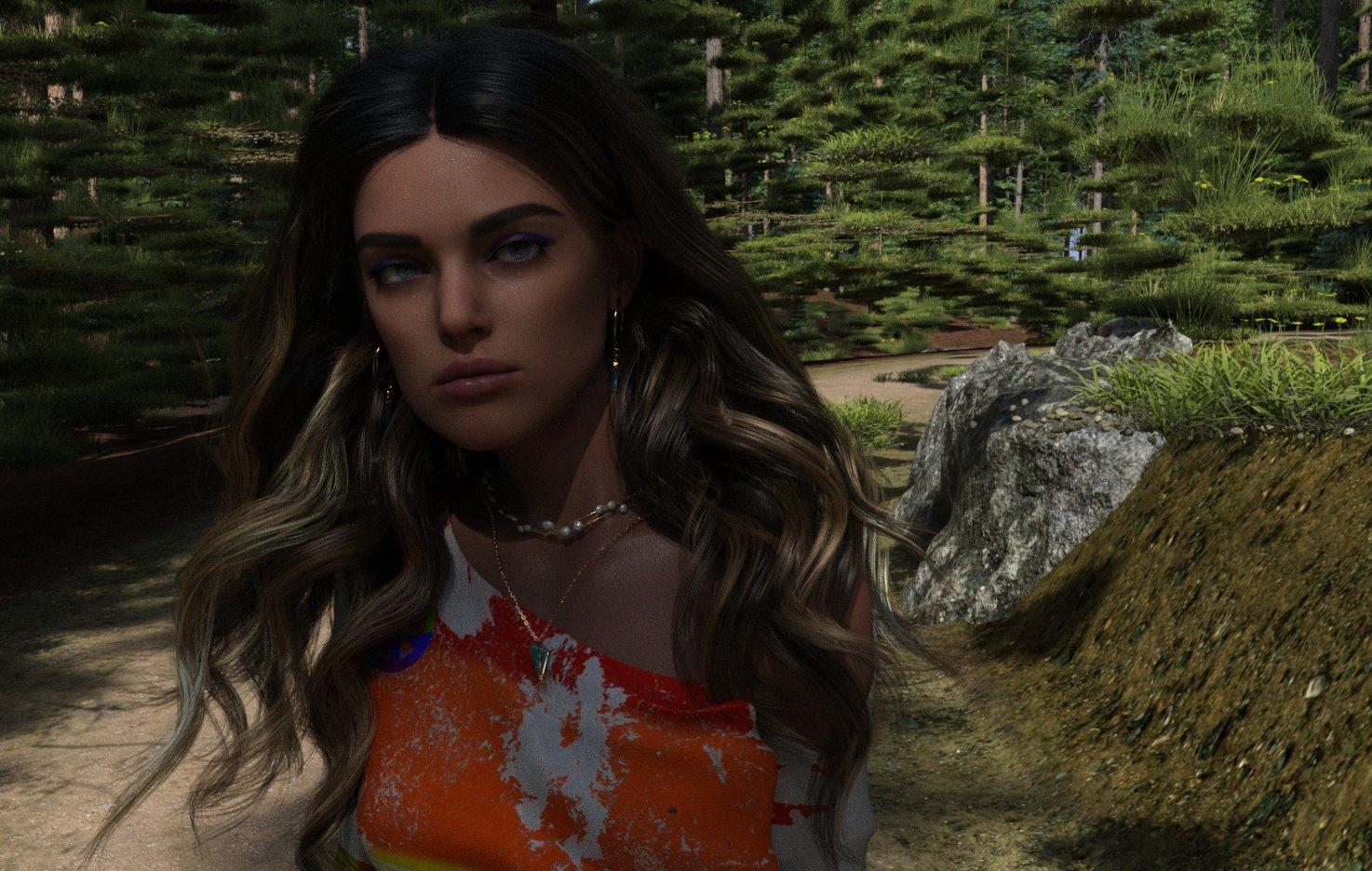
She doesn't look entirely convinced... pose is the mirror of the central one above.
Regards,
Richard.
DAZ Central fatal error messageThanks, Richard. Operating system is Windows 10, NVIDIA graphics card RTX 3070; security software is Bitdefender - and as you may remember, I've done a fair bit of moving my stuff around from C Drive to D Drive, with varying success; uninstalling and reinstalling Central and the Studio itself.
Returning after a long break - what are the new "essentials"?Hello all. I played a lot with Daz Studio and Carrara almost ten years ago. Back then (if I recall correctly) it was "almost necessary" to get Victoria 4.x Pro Bundle, and then various other characters / animals / what ever one wanted.
Now I am considering returning, but I am a little confused. Some basic Genesis 8.1 stuff seem to be included with current Daz Studio, but what after that? Victoria is no more special (with all the "pro" morphs etc) as she used to be? Or? Are there some bundles that I should look at? Anything I should not miss?
Another guestion: Daz Central seems to remember my previous purchases (at least A LOT of them). Although very old, I am probably able to use most of them with current Daz Studio, right? (Like Victoria 4.2 stuff and many other characters of the era.)
Sadly Carrara was abandonded already back in the days, so that will probably be replaced with Blender then...
Thank you in advance!
DAZ Central fatal error messageMorning all. Suddenly DAZ Central has decided it's not going to open; when I try to launch it, I keep getting the message 'DAZ Central has encountered a fatal error, and must close'.
Product not installing properly.PerttiA said:
If you install stuff within DS, you are using DAZ Connect which uses a completely different path for it's installations => If you have installed the same stuff with DIM, you are installing it the second time and using twice the space on your storage drive.
There is no reason to ever log in to DS if you are using DIM/DAZ Central/manual installation for installing your products and it is better to set the startup options in DS Preferences as in the attachment.
What method are you using in installing your products?
I always use DIM. Regardless, I've tried DIM and within DS... the product fails to load.
Product not installing properly.If you install stuff within DS, you are using DAZ Connect which uses a completely different path for it's installations => If you have installed the same stuff with DIM, you are installing it the second time and using twice the space on your storage drive.
There is no reason to ever log in to DS if you are using DIM/DAZ Central/manual installation for installing your products and it is better to set the startup options in DS Preferences as in the attachment.
What method are you using in installing your products?
Product not installing properly.PerttiA said:
Those are referring to DAZ Connect installs, which are known to suffer from decryption problems but being there, they are still blocking the working installations made by DIM/DAZ Central/manual installation.
The fix, uninstall the products with DAZ Connect (smart content) inside DS and stop logging in to DS.
Thank you for the reply.
Ok, I uninstalled it, but when I try to reinstall it, it says I need to log in to install it, so I'm not sure what you're last comment means.
Product not installing properly.Those are referring to DAZ Connect installs, which are known to suffer from decryption problems but being there, they are still blocking the working installations made by DIM/DAZ Central/manual installation.
The fix, uninstall the products with DAZ Connect (smart content) inside DS and stop logging in to DS.
Flash sales - as long as you don’t live in Europe!As I wrote in the sales thread, I would have picked up quite a few items yesterday, but the sale started at 4am in Central Europe. I'm usually a night owl, and catch the sales that start at midnight, but 4am? :-/
Removing Smart Content categories (again)NorthOf45 said:
If you install with DIM or Central, products will be processed with the metadata. If no categories are set, it goes into Lost and Found by default, and that's the way it is.
The flash (Material(s), Actor, Scene, etc.) is set by the Content Type, also part of the metadata, which must be set to <None> in the editor.
The only way for it to be completely ignored by CMS is to turn it off, then none of the database tools will be available, no metadata will be used (no content type, no compatibilities, no categories -> no Smart Content).
Or, reset the database. Clean slate.
I think I'll have to go for the database reset, however that's done. I can't re-install this product using DIM or DAZ Central because it doesn't show up. I've edited the .dsx file to remove the content types and other attributes, and nothing. It doesn't seem like there's any other solution, and I don't even know what caused this whole issue to begin with or why it continues to persist. I saved a few of the G8M presets for this project and they didn't go through this problem.
Can't connect to DAZ3D account after installationLogging in to DAZ Studio is not necessary, and if you are installing your content with DAZ Central, DAZ Install Manager (DIM) or manually, I would not recommend logging in.
Daz 3D is part of

Connect
DAZ Productions, Inc.
7533 S Center View Ct #4664
West Jordan, UT 84084Licensing Agreement | Terms of Service | Privacy Policy | EULA
© 2026 Daz Productions Inc. All Rights Reserved.