-
SereneNight’s Sci-Fi Fun Thread 3
Man, you are a tough audience.
 You can apply other skins to the morph. I think he's cute personally. The fake Michelin tire fat rolls and the jug like jaw of Caryn and Tobyn creep me out personally.[Diffeo] JCM not working again...
I have been importing figures through Diffeomorphic following the process below:
1. Export HD To Blender
2. Merge Rigs
3. Remove the base collection through 'Unlink', leaving only the HD collection
4. Import Standard Morphs
5. Make All Bones Posable
Problem 1.
I thought so far that all JCM values are automatically controlled according to the bone's transform.
Then today I found out that the JCM on the neck was not working.
There may be more that don't work.
Why is this happening even though I have imported all the morphs?
Problem 2.
This time, I tried to control the neck through the body morph ('Neck-Head Bend').
The mesh shape was the same as in Daz, but unlike Daz, the rotation value of the bones did not change.
Is this normal in Diffeo, or should the value be changed?
Image 1, 2 : Problem 1
Image 3 : Problem 2Morph Creation Problemmschack said:
visually...
very good - but just remember, a curve is merely a bunch of straight lines joined together
:0
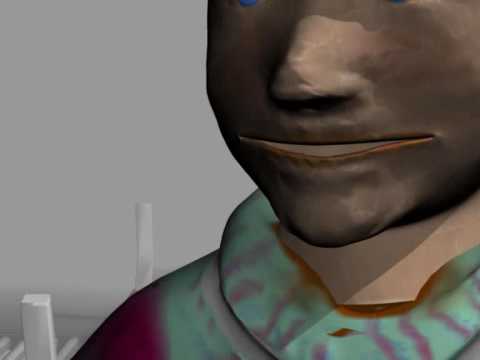
this guy might have bad problem walking but he is all morphs
(103) USING MORPH TARGETS for Anim8or walkcycle - YouTube
 Does anyone know if the Daz Frog has any poses floating around out there?
Not that I remember specifically. Those old models had poses built into the model as morph dials but you have to drill down into the model's bones to find them.
Best tool for UV mapping/changing? (goal is M3/V3/H3/A3 UV to Genesis)Well dang it, Blender seemed like it would be such an easy and quick fix. However the V3 comes in with a slightly different Tpose than Genesis makes, even with the V3 morph applied. If only the clone had matched exactly, I think Blender baking would have been an instant solution... Guess I'll have to find another way.
XTransfer Module 1- Genesis 3 to Genesis 8 Morph Converter (Commercial)Zev0 said:
Hi. Here I converted Tamara. At first I just favorited Tamara for conversion, but for some reason it didn't pick up Josie 7 Iris morph which was a requirement for Tamara, and linked to Josie 7's head. So to be sure I got it all second time around, I favorited Josie 7 and Tamara and conversion came out fine. If a character requires another, I'd make sure that required character is converted as well just to be safe. Here I did it in one go.
Oh, cool. Thanks for your time investigating this issue and informing me of the workaround.
And now you have a test case to use in fixing the bug in the future when you return to the project.
I had another instance of a morph controller not picking up a dependency morph, that could also be a useful test case.
It was the Trapezius morph in the G3 female musculature product. I'll send you the details on that later. But for now, I'll say that the problem may have had something to do with the fact that the makers of that product had to make one morph controller for the trapazuis to go in the "Back" muscle group, and another controller for the trapezius to go in the "Neck" muscle group. Perhaps XTransfer got "confused" by the "redundant" controllers.
[Solved] 8.1 actor loading with troublesPerttiA said:
If there is no problem with your G8, then you have a character/morph installed for G8.1 that has it's default value set at non-zero value, which means it is activated everytime for every G8.1 based character you load, including the ones you have saved before the problem occured.
Load the "Genesis 8.1 Basic Female" into an empty scene and in Properties tab, choose "Show hidden" and then select "Currently used", which dials appear with their value set at non-zero?
Edit; the fix.
To fix any ill-behaving morphs, do as follows;
1. Open DS and load "Genesis 8.1 Basic Female" (to an empty scene)
2. Right Click at Parameters Tab->Preferences->Choose "Show Hidden Properties" (part 3 zeroes only 'visible' dials)
3. Right Click at Parameters Tab->Zero->Zero Figure (Zeroes the value of all the 'visible' dials)
4. Right Click at Parameters Tab->Memorize->Memorize Figure (Sets the current value of all the dials as their default value)
5. Edit->Save As->Support Asset->Save Modified Assets (Writes the changed default value to the morph files that were changed)When saving "Modified Assets" DS shows a dialog and asks for confirmation;
"The following file(s) will be permanently modified:" - "Accept/Cancel" - Choose "Accept"Close DS and wait -> Open DS again and load "Genesis 8.1 Basic Female", is the problem fixed?
Your answer is perfect, it was exactly what I needed to do !
Thank you so much :)
[Solved] 8.1 actor loading with troublesIf there is no problem with your G8, then you have a character/morph installed for G8.1 that has it's default value set at non-zero value, which means it is activated everytime for every G8.1 based character you load, including the ones you have saved before the problem occured.
Load the "Genesis 8.1 Basic Female" into an empty scene and in Properties tab, choose "Show hidden" and then select "Currently used", which dials appear with their value set at non-zero?
Edit; the fix.
To fix any ill-behaving morphs, do as follows;
1. Open DS and load "Genesis 8.1 Basic Female" (to an empty scene)
2. Right Click at Parameters Tab->Preferences->Choose "Show Hidden Properties" (part 3 zeroes only 'visible' dials)
3. Right Click at Parameters Tab->Zero->Zero Figure (Zeroes the value of all the 'visible' dials)
4. Right Click at Parameters Tab->Memorize->Memorize Figure (Sets the current value of all the dials as their default value)
5. Edit->Save As->Support Asset->Save Modified Assets (Writes the changed default value to the morph files that were changed)When saving "Modified Assets" DS shows a dialog and asks for confirmation;
"The following file(s) will be permanently modified:" - "Accept/Cancel" - Choose "Accept"Close DS and wait -> Open DS again and load "Genesis 8.1 Basic Female", is the problem fixed?
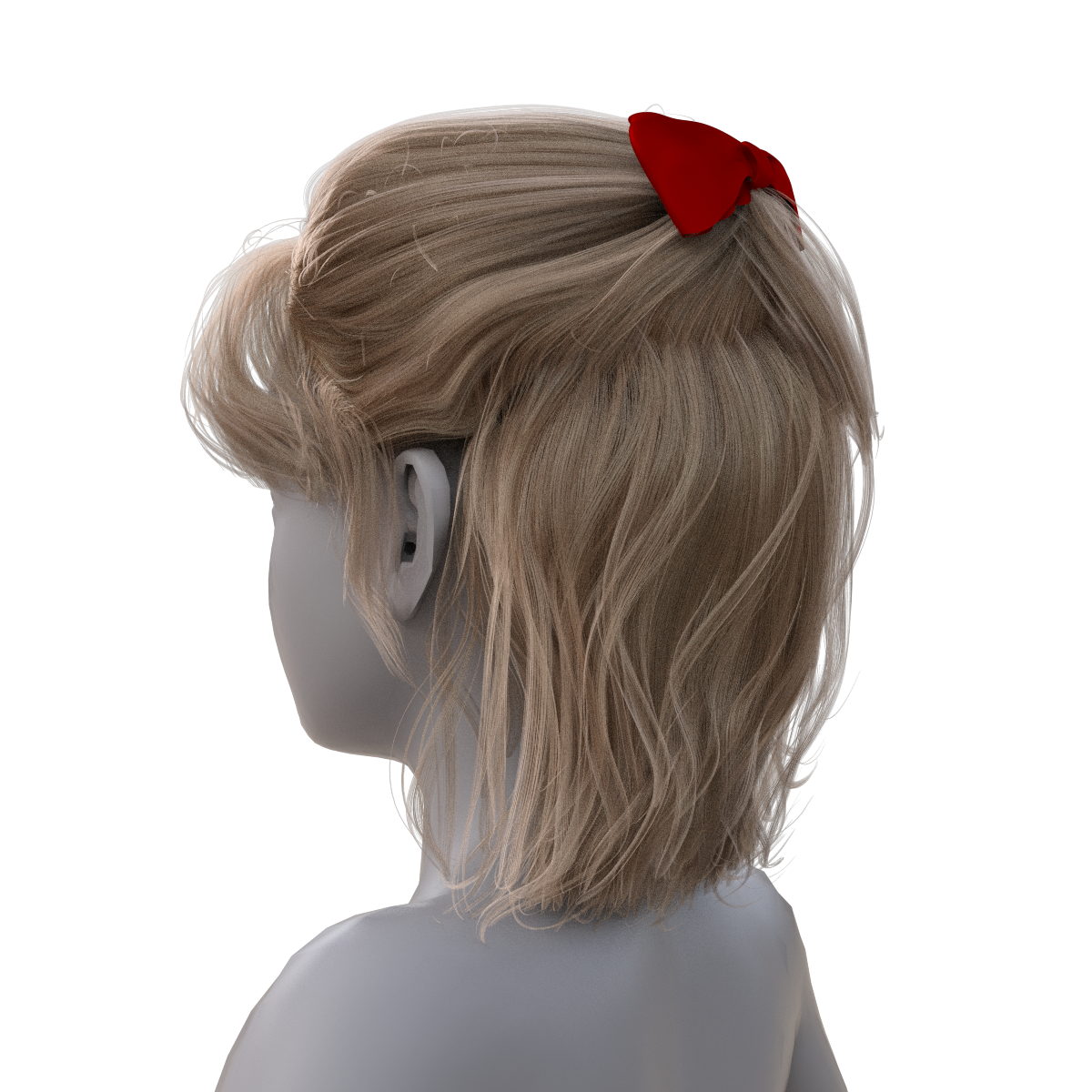
Neftis3D Isabel Hair fitsSometimes hair has a rigidity map applied - that will not work with extreme morphs and will need to be set to zero before fitting to the character in question. In those cases, load the hair unfitted, go to Tools > Node Weight Map Brush. If there is a rigidity map select it, right click in the viewport > select all geometry then fill map with 0%. At this point, I'd fit the hair to a basic G8/G8.1 then Saves As Support Asset > Figure/Prop Asset. Navigate to the hair's folder, choose a name (I usually add NR to the end - No Rigidity) so it doesn't overwrite the original hair - then select your morphed character and load the new hair asset.
If there isn't a rigidity map then it's an anomalous hair that just won't autofit properly - I've not been able to ascertain why some hairs are like this. Either chose another hair or create your own fitting morph :(
Daz to Unity Bridge - Meet the TeamI'm having some trouble with an aspect of Daz to Unity. Hopefully this is the right place to post it.
Everything works great for the regular transfering of a character with typical settings.
However, there are issues when I transfer a character using anything but the 0 subdivision level. The character is fine until an animation is applied, then the following happens (see attached image).
Is there a solution for this?
Armed Virginia Sloop (info : free addon available now)tsroemi said:
3djoji said:
echristopherclark said:
One other question: are the sails moveable at all and/or should they be? That is, in reality, would the back sail shift in one direction or another with the wind? Not sure if you know that or not, but I figured it wouldn't hurt to ask.
What I decided before starting such project is all the moveable parts and those including some morphs etc. Such wind effects require addiionnal morphs of the sails and the wires attached. It was not foreseen for this project but your request is interresting. May be if I create some Addons for the AVS I can include such effects.
I would be very much interested in both add-ons / morph sets as well, the closing flaps for the gunports as well as the adjustable sails. Great ideas! Would give more variety, like creating a merchant ship with no guns at all, and showing the boat reacting to the wind. Will be hanging around this thread, eagerly waiting for updates ...
That is now more than a wish, I must discuss with Daz for the possibility to propose such an addons.
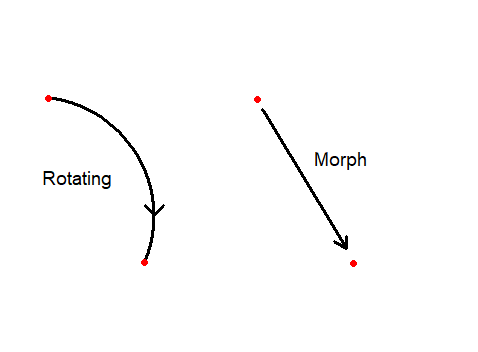
Morph Creation ProblemAre you rotating or sliding?
Morphs average the distance from original position to end position. So a morph dial at 0.5 moves each point 50% of the distance to end position. A morph will not work well for something intended to be rotated. The points will not swing out and back; instead, they will squish and stretch.
When rotating is desired in Carrara, simply parent one object to another and move the hot point of the rotating object to the axis around which you want it to rotate.
Morph Creation ProblemHey-yo,
so i modeled this window with hinges and creaqted morphs to open it, but they aren't working correctly.
looks like it's squashing rather than roaring.
any help?
DELETECHWT said:
tsroemi said:
CHWT said:
tsroemi said:
lorraineopua said:
Got all excited about two of today's releases. HD Baby...no thanks, 8.1 only, though I've wishlisted him. And the Hilltop Cabin...I'm a sucker for tiny houses...but? WHERE"S THE BATHROOM?! I know there's a thread about missing toilet seats but this one's missing the lot. 'Let your characters experience the freshest air imaginable while surrounded by beautiful views they won't be able to get enough of.' Especially whilst relieving oneself

If anyone IS buying the baby, could you please post some renders? I'm very much on the fence about him, don't much like the mouth, and there seems to be something strange going on with the eyes. But maybe this is just the promos?
I think you mean the obvious gap between the eye rim and the eyeball (similar to the Judy Love 8.1 situation), style-wise, it's similar to Deepsea toddlers.. they look like they are even more intelligent than adults, and I looove it.Yeah, it's the gap exactly, I never noticed it with Judy so much though. Can one fix it? - I have the Deepsea toddlers, they're really lovely. I'm not sure how much more variety the baby is truly adding, and again, there's something weird about the mouth I don't like.
To fix it, you have to exclude the eyeballs from the Deepsea Baby morph, rescale and relocate them (most likely you have to turn off the limits) then resave the morph (this modified morph must not be distributed to any other person though)I see, thanks! Not sure I feel like going through this hassle when the toddlers are perfectly fine ...
DELETE
To fix it, you have to exclude the eyeballs from the Deepsea Baby morph, rescale and relocate them (most likely you have to turn off the limits) then resave the morph (this modified morph must not be distributed to any other person though)tsroemi said:CHWT said:
tsroemi said:
lorraineopua said:
Got all excited about two of today's releases. HD Baby...no thanks, 8.1 only, though I've wishlisted him. And the Hilltop Cabin...I'm a sucker for tiny houses...but? WHERE"S THE BATHROOM?! I know there's a thread about missing toilet seats but this one's missing the lot. 'Let your characters experience the freshest air imaginable while surrounded by beautiful views they won't be able to get enough of.' Especially whilst relieving oneself
If anyone IS buying the baby, could you please post some renders? I'm very much on the fence about him, don't much like the mouth, and there seems to be something strange going on with the eyes. But maybe this is just the promos?
I think you mean the obvious gap between the eye rim and the eyeball (similar to the Judy Love 8.1 situation), style-wise, it's similar to Deepsea toddlers.. they look like they are even more intelligent than adults, and I looove it.Yeah, it's the gap exactly, I never noticed it with Judy so much though. Can one fix it? - I have the Deepsea toddlers, they're really lovely. I'm not sure how much more variety the baby is truly adding, and again, there's something weird about the mouth I don't like.
Armed Virginia Sloop (info : free addon available now)3djoji said:
echristopherclark said:
One other question: are the sails moveable at all and/or should they be? That is, in reality, would the back sail shift in one direction or another with the wind? Not sure if you know that or not, but I figured it wouldn't hurt to ask.
What I decided before starting such project is all the moveable parts and those including some morphs etc. Such wind effects require addiionnal morphs of the sails and the wires attached. It was not foreseen for this project but your request is interresting. May be if I create some Addons for the AVS I can include such effects.
I would be very much interested in both add-ons / morph sets as well, the closing flaps for the gunports as well as the adjustable sails. Great ideas! Would give more variety, like creating a merchant ship with no guns at all, and showing the boat reacting to the wind. Will be hanging around this thread, eagerly waiting for updates ...
Every pose is distortedI deleted all morphs in question except pJCM's and figure seems okay. From what I found on google, pJCM is standart correction morph, am I right? do I even need to work to delete it? Can someone confirm that this morph is exist even on a standart model when posing? And still want to know what happened and how to fix it without deleting morphs, install all content via install manager is not an option because big chunk of my items came not from daz official shop and it requires manual installation.
A List of DeviantArt FreebiesAdded Mattymanx for her excellent scifi freebies, and one of my new favorite morph makers, Magnus1781.
Need Equestrain out fit for g8fFSMCDesigns said:
melissastjames said:
You also don't have to auto-fit and force convert it to G8. You can quite easily convert G3 to G8 in just a couple clicks and then save them out as figure/prop assets.
Yep, going from G3 to G8 I wouldn't autofit it anyway, just change the scene identifier and then save. It's what the clothes converter does.
You would still need to pose the G3 clothes into the G8 base pose, bake the joint rotations, and then transfer the rigging. The clothing converters just automate those steps.
Neftis3D Isabel Hair fitsWell I did sculpt a morph - far from ideal but then I'm not a modeller. At least it will look ok at a distance. Not sure it will work on all Growing Up (or other) shapes though.
Daz 3D is part of

Connect
DAZ Productions, Inc.
7533 S Center View Ct #4664
West Jordan, UT 84084Licensing Agreement | Terms of Service | Privacy Policy | EULA
© 2026 Daz Productions Inc. All Rights Reserved.