-
Felldude's Freebies for G8 and G8.1
Faeryl Womyn said:
It is a cool looking morph for someone elderly or overweight and recently lost some.
Thanks. (Also side ramble could we get a like button for comments, or multi quote.)Crios said:
Great work on this morph.
Recovering high resolution/"ruined" morph shapesWe probably all know that creating a custom character with morphs in DAZ, exporting that shaped figure as an OBJ, then importing that shape through Morph Loader Pro is a pretty standard procedure. The two major caveats (at least with the Genesis 8 figures) are exporting the figure in base resolution and deleting the default eyelashes.
I know the frustration of spending time working on a custom character and accidentally exporting it in high resolution or forgetting to delete the eyelashes, seemingly ruining all that work. I don't know if anyone else has figured this out before me, but there are fortunately two fixes that can be done in Blender. I've only tested this with Genesis 8 Male and Female (not 8.1), but I see no reason it wouldn't be universal.
To fix a high resolution shape:
- Import the OBJ into Blender, making sure to select Keep Vertex Order.
- Add the Decimate modifer to the object. Select Un-Subdivide as the method, and increase Iterations to 2.
- Apply the modifer.
- Export the object as an OBJ, again selecting Keep Vertex Order.
The shape should now be able to be imported through Morph Loader Pro without issue.
To fix the eyelashes:
- Import the OBJ into Blender, making sure to select Keep Vertex Order.
- If the figure was exported with materials, simply go into Edit Mode, select the eyelash materials, and delete those faces.
- If there are no materials, the eyelash geometry wil have to be deleted manually.
- Export the object as an OBJ, again selecting Keep Vertex Order.
The shape should now be able to be imported through Morph Loader Pro without issue.
Didn't see anything about this when I searched the forums, so maybe it can help someone.
Auto Muscle Enhancer HD [Commercial]It'd be great if we got a split bicep morph that would work, even without all the editing. I really do appreciate the tutorial, though. Is anyone able to come up with a split bicep morph, either within, or independently of, AME?
3D Art Freebie Challenge August_September 2021-"Science" -Main Thread OnlyMy daily routine
One day from the Engineer's work

Freebies:
https://www.renderosity.com/freestuff/items/88234/desk-and-bookshelf-for-daz
https://www.renderosity.com/freestuff/items/79697/corkboards-thumbtacks-and-flyer-for-daz-studio
https://www.renderosity.com/freestuff/items/82979/a-few-books-hardbacks-for-daz-studio-4
https://www.renderosity.com/freestuff/items/86919/modular-room-for-daz-studio (floor remapped with a shader)
https://www.renderosity.com/freestuff/items/84803/db-nobel-gas-lights-xenon
https://www.renderosity.com/freestuff/items/80004/venetian-blind-store-v233nitien
https://www.deviantart.com/ancestorsrelic/art/Electric-High-Security-fence-system-as-OBJ-299504446
https://www.cgtrader.com/free-3d-models/exterior/industrial/old-concrete-fence
https://sharecg.com/v/96440/gallery/21/DAZ-Studio/Ligeias-Military-Footlocker-with-Padlock
https://www.renderosity.com/freestuff/items/74365/office-chair
https://sharecg.com/v/71953/gallery/21/DAZ-Studio/Ghastlys-Ghastly-Lab-Coat-genesis-1
https://www.deviantart.com/tom2099/art/Tom2099-Iray-Car-Paint-2-643769532
https://developer.nvidia.com/vmaterials
https://www.sharecg.com/v/97305/
https://www.deviantart.com/smida460/art/Freebie-SmidA-Woodshader-889460034
https://sharecg.com/v/96438/browse/21/DAZ-Studio/Little-Robot (remapped with a shader)
https://www.renderosity.com/freestuff/items/77164/repair-drones
https://polyhaven.com/a/abandoned_hopper_terminal_03
https://www.renderosity.com/freestuff/items/80771/ivys-magic-pane-background-propPaid :
https://www.daz3d.com/tousled-hair-for-genesis-3-and-8
https://www.daz3d.com/mri-roomNo count :
Genesis 8 Male plus essentials.
My own morph.Primitives (planes, cubes)
Polish's or Ansiko's VW Beetle - Does Hood Open? (Solved)Hi owners of https://www.daz3d.com/retro-small-car, I need to know real quick before the sale's over whether this car's hood (and possibly also the trunk) has a morph for opening. The description says 'fully rigged' but I can't find any corresponding renders, neither anything helpful in the file list. Could someone let me know? Thanks very much!
Felldude's Freebies for G8 and G8.1Great work on this morph.
What causes these odd creases on underwear?That seems like the kind of thing that happens when there's no rigidity maps. The underlying morph is disrupting the mesh. But you say this is a Genesis 8, using the clothing from the Genesis 8 Starter Pack?
You could try adding a smoothing modifier to the underwear. Try changing the type to "Generic".
Unity And Genesis 8An add-on cannot chnage the licese terms of the original item - indeed, it can't change the license terms for itself; a morph is a derivative of the base and cannot license itself for "all uses" but only for the uses that Daz allows, possibly with additional restirctions on top. So yes, you would need the Interactive License for the base figure.
Unity And Genesis 8Hi if i use basic free Gensis 8 with the use of free and morph that uses it (Royalty Free for All Uses ) can i use it in my Unity game or do i have to buy sth for Genesis 8 ?
Felldude's Freebies for G8 and G8.1It is a cool looking morph for someone elderly or overweight and recently lost some.
Teeth disotrtion with Lanuola characterThanks for all of the replies. I have looked under Currently used morphs and have not found any unexpected morphs but what I have found is that if I turn mouth realism down to zero then the distortions go away. If there are other morhs that are causing the mouth realism morph to behave in this way, I don't know how to find them. I have also noticed that this teeth and gum distortion is also happening on other characters as well (the characters from ISource seem to have this distortion) , including some of the official Daz characters.
Morphs interfering with other morphsI suspect that I have a morph that interfere with a character. I did try to morph the character and had some unwanted outcome so deleted the morph, but it seems remnants of it remains. The character I'm refering to is the Fashion Model by 3D_Style.

As you can see, the eye has some deformation or clipping. This is not a new problem, per se', when
morphing HD characters, from what I understand. But now for some reason there must have been a save of some morph to somewhere and i don't know where and can't find it.
I have uninstalled the Fashion Model, deleted everything pertaining to it, that I could find. Reinstalled it, but it's still the same. I deleted all morphs for gen 8 and 8.1.
I deleted all 8.1 characters... nothing works.
I can tell you that this is the only 8.1 character that has this problem in it's original form. others can obviously get it when morphed, but not in their loaded state.
Anyohe has any ideas?
Optimizing eyes for UnrealDavid Vodhanel said:
Someone made a tutorial for swapping out the eyes. Hopefully it has all the info you need.
https:/Some /www.daz3d.com/forums/discussion/434292/using-the-unreal-engine-eye-shader-with-daz-characters
Some good tips.
Also to consider if an element is hidden then the hidden elements are not exported as part of the consoladated model. If you hide the left and right eyes they wiil be excluded when imported into UE4. You could also do the same for other parts so if you just want heads with morph targets you hide everything that is not part of the head. You could also go this root for 1st person hands on a G3-8 rigged character.
Which brings up an intresting point. Eyes are not unique for the most part as to the overall shape of the character so a set of eyes could be configered like a prop and added and attached as such. I believe at some point this is what will happen as eye sets could be made for the different game engines out there and make us of ready made materials
200 Plus Head and Face morphs for Genesis 8 (Commercial)naughtyroad said:
Hi Zev0, I'm using quite a few of your products, and love them, thanks for creating them.
With the latest update to 200Plus head/face morphs for gen8 Female, I noticed something strange today. It seems some of the morphs around the face and forehead area are off in this version. The nose is substantially wider, and there's also something different going on with forehead and brows. I've also had quite a few morphs applied to cheeks, jaw and chin, but they seem unaffected.
If I roll back just the files in my library for the 200Plus head/face morphs for gen 8 female, to a backup I made just prior to updating to the latest version (and change nothing else), it shows the proportions I expected, which seems to indicate the difference is the result of changes in the latest version.
Images attached to show what I mean. This character is a standard gen8 with just the 200Plus morphs and few morphs of the Cartoonized product applied to create the face
Do you have any idea why this would be happening using the latest version, and if there's a fix that doesn't involve either baking a morph from the old version of the product, or tweaking manually to approximate the original shape? Appreciate your time.
Full disclosure, I'm running Daz Studio 4.14, and can't update to 4.15 because the iray version that uses renders skin way brighter (meaning I can't mix new renders into existing series which is a problem for my usage)
Sorry for late response. Here is what was changed -
Jaw Depth Morph to reflect Slider strength because it was Inverted, eg dialing up sent morph into the negative.
Some existing morphs had value limits changed and face presets updated to register added morphs.
Noska 8.1Not enough renders yet
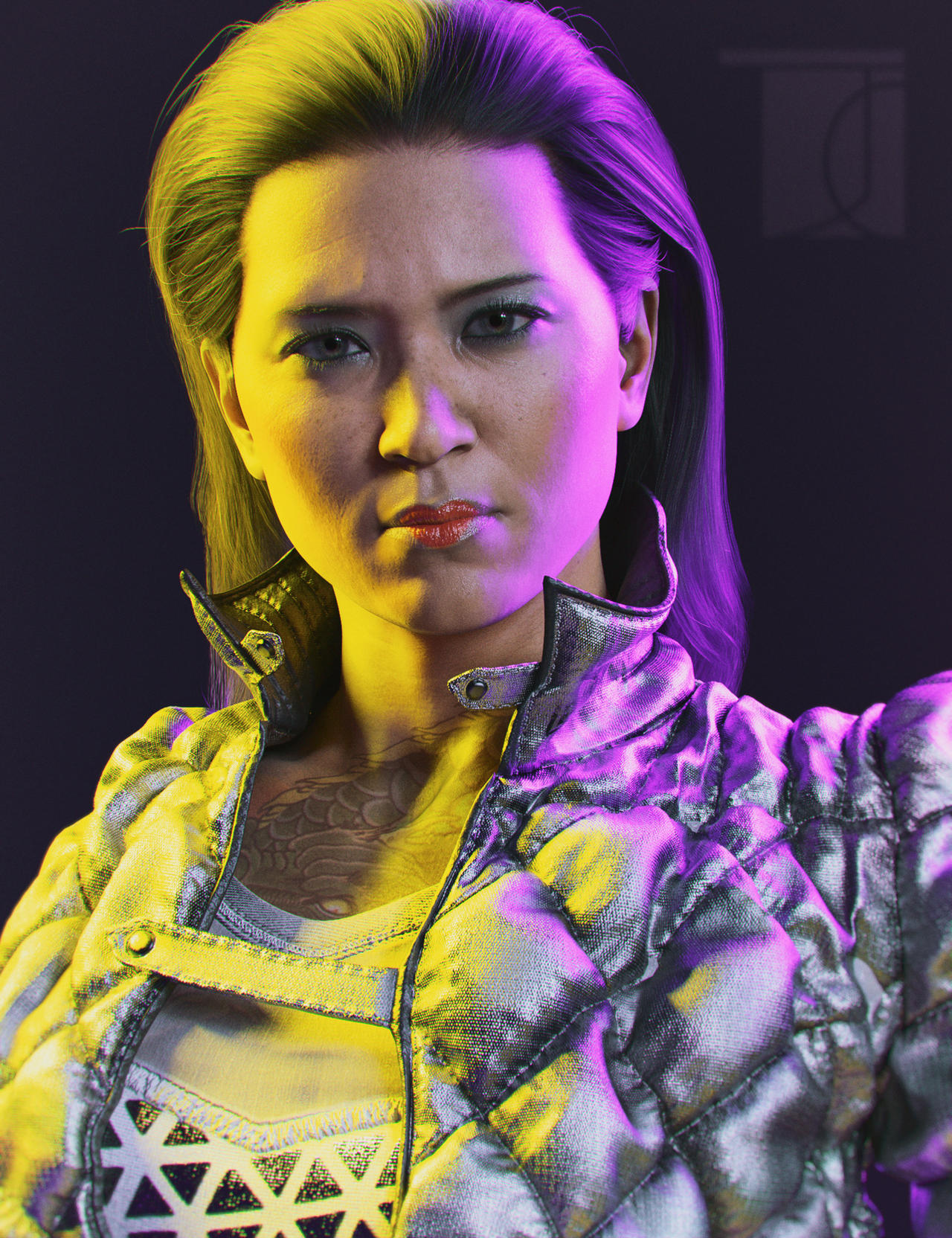
I mixed the morph with kayo a bit
I do like the texture and makeups
200 Plus Head and Face morphs for Genesis 8 (Commercial)Every XTransfer morph is in one root folder per figure. The userguide shows you exactly where they are located.
\data\DAZ 3D\Genesis 8\Female\Morphs\XTransfer
\data\DAZ 3D\Genesis 8\Male\Morphs\XTransfer
If you delete that XTransfer folder or all morphs inside there will be no trace of XTransfer morphs on the figure. You can also browse to that folder from within the script.
character's "bones" bending in ways it disfigures modelHave you added a custom morph, or is the figure still in the base shape?
200 Plus Head and Face morphs for Genesis 8 (Commercial)Hi, Zev0.
I know this isn't the right place, but since I no longer have XTransfer Genesis 3 to Genesis 8 converter installed I can't get to you from there.
There is the section where you can load certain (or favorite) XT morphs directly into Studio for use with g8f. That's all well and good, but my question is this: how do you extract them? There is no way through XT transfer to remove them. I thought taking XT out from Studio would remove them, but they're still there. I have put the parameters window in posing/shaping into edit mode and deleted all of them, but when I restart Studio they are right back where they were.
I am using Studio 4.15 Pro. Can you please enlighten me as to how to remove them? Thanks so much!
Ethereal Goddess Hair for Genesis 8 FemalePlease let me know if you have a morph to adjust this awasome hair shape, Daniella G8 and outfit are really nice but I can't model the Ethereal Goddess Hair
Punkette for G8.1F (aka Pris from "Blade Runner"). Head morph only. No textures.@ bnstone_17c4c6d3f8 - I guess you mean Zhora. Well, I actually started working on Gaff, so Leon and Zhora will have to wait. Gaff is rather difficult (I say that about every head morph I do, because each one has different issues that need to be addressed), so he'll take me a while. There aren't many good reference photos of Edward James Olmos, so I don't know how he'll turn out. Anyway, I'll give him my best shot. :)
Daz 3D is part of

Connect
DAZ Productions, Inc.
7533 S Center View Ct #4664
West Jordan, UT 84084Licensing Agreement | Terms of Service | Privacy Policy | EULA
© 2026 Daz Productions Inc. All Rights Reserved.