-
"There's Always Another Sale™" (Report sales issue here.)
https://www.daz3d.com/orestes-iray-artful-flares-hdris-and-props is missing its readme.
GUIDE - What To Buy On The Daz Store?Figures
Not much to say here. Basically, most figures from these creators are top-notch:
- Mousso: https://www.daz3d.com/mousso
- Rayia: https://www.daz3d.com/raiya
- P3Design: https://www.daz3d.com/p3design
Morphs
Basic Ones
The following morphs were made by Daz itself, and they are used by many other products, so they're the first ones you should buy.
- Female head: https://www.daz3d.com/genesis-8-female-head-morphs
- Female body: https://www.daz3d.com/genesis-8-female-body-morphs
- Male head: https://www.daz3d.com/genesis-8-male-head-morphs
- Male body: https://www.daz3d.com/genesis-8-male-body-morphs
They have stuff like height, fitness, weight etc., so I can't imagine using Daz without them.
If the default range is not enough for you, you can always edit it (click on the wheel on the top right of that parameter->parameters settings->edit min and max values).RareStone's Face Morphs
Female: https://www.daz3d.com/rarestone-s-face-morphs-collection-for-genesis-8-female
Male: https://www.daz3d.com/rarestone-s-face-morphs-collection-for-genesis-8-maleThey're basically all you need to get almost any face you want. Best buy.
200 Plus Head And Face Morphs Bundle
Link: https://www.daz3d.com/200-plus-head-and-face-morphs-bundle-for-genesis-8-female-s-and-male-s
If you want even more morphs, this set from Zev0 is great as well.
If you already have the basic morphs, RareStone's, Zev0's and some figures you like, you probably don't need more for the head/face: remember the introduction about loading times.
Bend Control
Link: https://www.daz3d.com/bend-control-bundle-for-genesis-8-female-s-and-male-s
I use it to give a more realistic look to hips and knees when the character has an unusual pose.
Shape Shift
Link: https://www.daz3d.com/shape-shift-bundle-for-genesis-8-female-s-and-male-s
These morphs are for the whole body, and they have most of what you'll need.
Growing Up
Link: https://www.daz3d.com/growing-up-bundle-for-genesis-8-female-s-and-male-s
If you want to have a younger character, you don't need to buy specific figures: this set, always from Zev0, will allow you to apply youth morphs to any figure.
Aging Morphs
Link: https://www.daz3d.com/aging-morphs-bundle-for-genesis-8-female-s-and-male-s
They are the opposite of Growing Up, for your old characters!
Killer Legs Morphs
Link: https://www.daz3d.com/killer-legs-2-0-morphs-for-genesis-8-female
If you care about legs a lot, this is a great morph package.
Expressions
When it comes to expressions, a must for me is that they have to be sliders.
This way, I can mix multiple expressions as I like them.
And I can quickly zero an expression going to Posing->Currently Used while having the head selected (to quickly find the head, maybe because you want to frame the viewport/camera on it, select the figure in the Scene pane, and click on the head in the PowerPose pane), instead of resetting the pose normally, since, with many morphs installed, it takes an eternity to do that with the head.Then, I don't like it when PA include partial poses (either in expressions or body poses), because their only function is to disorganize my library.
I know expressions are technically poses, but I think they deserve their own category.
The most important products, once again, are those by Daz itself. They are used by many other products, they're amongst the most expressive ones, and you can zero them out very quickly:
- Female: https://www.daz3d.com/genesis-8-female-expressions
- Male: https://www.daz3d.com/genesis-8-male-expressions
My favorite products are (in order of what I like the most)
- 100 Must Have Expressions female: https://www.daz3d.com/100-must-have-expressions-volume-2-for-genesis-8-females
- 100 Must Have Expressions male: https://www.daz3d.com/100-must-have-expressions-for-genesis-8-males
- Expressions of Love and Hate: https://www.daz3d.com/ig-expressions-of-love-and-hate-for-genesis-8-female
- Sweet & Sassy: https://www.daz3d.com/ig-sweet--sassy-expressions-for-genesis-8-females
- Fashion Editorial Poses: https://www.daz3d.com/fashion-editorial-poses-and-expressions-for-genesis-8-female
- Sweet Seduction: https://www.daz3d.com/iv-sweet-seduction-expressions-for-genesis-8-females
- 100 Expressions The Gold Collection: https://www.daz3d.com/v-100-expressions-the-gold-collection-for-genesis-8-female
Then, basically anything from JWolf, the master of expressions: https://www.daz3d.com/jwolf
The only problem with JWolf is that they are the ones doing expressions for all those bundles, so every set is thought for a specific figure: they'll be usable on other ones as well, especially if you have that figure installed, and they'll look great too...most times. Because some times they look different, or they're not totally compatible, with other characters, especially if you used many morphs to create them.Poses
Interacting Figures
These sets of poses are useful if you want to have a "plug-n-play" pose for two/three different characters that are interacting.
Sadly, you'll still need to fix a lot of stuff yourself, because your characters will probably have different shapes than the ones used by the PA to make the poses.
By the way, to easily fix the hands and fingers pose, just frame the viewport/camera on the hand, and use the PowerPose pane.When you choose a pose package to buy, don't let yourself be fooled by the number of poses included: first of all, if they're not of proper quality, you don't need them; then, sometimes products may be inflated by mirror and partial poses, that you can easily apply yourself. Some products only flood your library, without adding any value.
I know that, because I had to check every single product I had installed, and delete most of them. That resulted in a snappier and easier experience.
If you want to apply a total-body pose to just part of the body, select that part, and CTRL+click on the pose you've chosen.My favorite are (in random order)
- Dreamy Honeymoon: https://www.daz3d.com/dreamy-honeymoon-poses-for-genesis-8-male-and-female
- Mad Love: https://www.daz3d.com/mad-love-couple-poses-for-genesis-8-male--genesis-8-female
- Fighting And Making Up Pose Mega Set: https://www.daz3d.com/z-fighting-and-making-up-pose-mega-set
- Make Up And Break Up: https://www.daz3d.com/z-make-up-and-break-up-couple-poses-and-expressions-for-genesis-3-8
- My Short Girlfriend: https://www.daz3d.com/z-my-short-girlfriend-shape-presets-and-poses-for-genesis-8
- My Short Boyfriend: https://www.daz3d.com/z-my-short-boyfriend-shape-presets-and-poses-for-genesis-8
- Wedding Photo Shoot Poses: https://www.daz3d.com/wedding-photo-shoot-poses-for-genesis-8-male-s-and-female-s
- Excuses And Apologies: https://www.daz3d.com/z-excuses-and-apologies-poses-for-genesis-3-and-8
- Romantic Poses: https://www.daz3d.com/romantic-poses-for-genesis-8-female-s-and-male-s
- Actions And Reactions: https://www.daz3d.com/z-actions-and-reactions-poses-and-bonus-expressions-for-genesis-3-and-8
- Love Is Love: https://www.daz3d.com/love-is-love-couple-poses-for-genesis-8
- In Love: https://www.daz3d.com/z-in-love-couple-poses-for-genesis-3-and-8
- Together Brotherhood: https://www.daz3d.com/together-brotherhood-poses-for-genesis-8-male-s
- Love Triangle: https://www.daz3d.com/z-love-triangle--romantic-poses-for-genesis-3--8
- Big Love: https://www.daz3d.com/big-love-poses-for-genesis-8
- My Friend: https://www.daz3d.com/my-friend--poses-and-expressions-for-genesis-8
Other Poses
I think this category is where the Daz Store could improve the most: it's not easy to find poses that look natural.
It's easy to find model poses for pinups, but I usually look for natural ones.These are my favorite (random order):
- Fighting: https://www.daz3d.com/fight-lab-poses-and-expressions-for-genesis-8-male
- Flying: https://www.daz3d.com/i-can-fly-poses-for-genesis-3--8
- Model 1: https://www.daz3d.com/fashion-editorial-poses-and-expressions-for-genesis-8-female
- Model 2: https://www.daz3d.com/dressup-collection-outfits-and-poses-for-genesis-8-female
- Jumping: https://www.daz3d.com/igd-motion-series-jump-poses-for-genesis-3-and-8
- Kneeling: https://www.daz3d.com/sorrowed-soul-poses-for-genesis-8-females
- Running: https://www.daz3d.com/igd-motion-series-run-poses-for-genesis-3-and-8
- Swimming: https://www.daz3d.com/underwater-poses-for-genesis-3--8
- Walking: https://www.daz3d.com/igd-motion-series-walk-poses-for-genesis-3-and-8
- Standing Unisex: https://www.daz3d.com/z-utility-series-simply-standing--poses-and-partials-for-genesis-3-and-8
- Standing Female: https://www.daz3d.com/iv-standing-pose-collection-for-genesis-8-females
- Standing Female 2: https://www.daz3d.com/boldly-whimsical-poses-for-aubrey-8-and-genesis-8-female
- Standing Female 3: https://www.daz3d.com/elegant--essential-poses-props--expressions-for-genesis-8-female
- Standing Female 4: https://www.daz3d.com/fg-pirate-poses
- Standing Male: https://www.daz3d.com/simply-standing-poses-for-genesis-8-male
- Standing Male 2: https://www.daz3d.com/casual-poses-for-vladimir-8-and-genesis-8-male
- Standing Male 3: https://www.daz3d.com/cdi-poses-for-dasan-8-and-genesis-8-male
- Standing Male 4: https://www.daz3d.com/fresh-attitude-poses-for-genesis-8-male
Environments
General Tips
There are no specific tips to give about environments: whatever you like and fits your needs is probably a good purchase.
The only products I regret buying are single rooms: when I create my stories, I need complete and cohesive houses. I have no use for a single bathroom, kitchen or bedroom: when you mix them together to create an actual home, it shows.
Even worse than those are sets with just part of a room.
There are, of course, exceptions if your goal is to render specific pinups.I'm generally not fond of using HDRIs instead of actual environments, because I think they look worse and less realistic in general.
So, I can't list for you everything that's worth buying, because that will depend on your needs and preferences, but I can list some of my favorite creators of environments: whenever they release something, it usually ends up in my wishlist, if not directly into my cart.
- Tesla3dCorp: https://www.daz3d.com/tesla3dcorp
- Stonemason: https://www.daz3d.com/stonemason
- Fugazi1968: https://www.daz3d.com/fugazi1968
- SloshWerks: https://www.daz3d.com/SloshWerks
- KindredArts: https://www.daz3d.com/kindredarts
- Dreamlight: https://www.daz3d.com/dreamlight
- Polish: https://www.daz3d.com/polish
- PerspectX: https://www.daz3d.com/perspectx
Specific Products
But there are some specific products that I really like, and that can be used multiple times
- Lakeside Folly: https://www.daz3d.com/lakeside-folly
- Ultimate Grass & Meadow Worldbuilder: https://www.daz3d.com/ultimate-grass--meadow-worldbuilder
- Techno Render Room: https://www.daz3d.com/techno-render-room
HDRIs
As I've said in the previous chapter, I don't use HDRIs as environments: that's very resource-efficient, but I don't think it gives good results.
Instead, I use them as skies and general light source. Indeed, I almost never use distant lights, spotlights, point lights etc.
And because of that, I don't use HDRIs that have some sort of background, but only skies.
I definitely dislike using flat planes with photos, a tendency that I notice is spreading in the store. Again, resource-efficient, but very poor results, in my opinion.Quick Iray Outdoor Presets
Link: https://www.daz3d.com/quick-iray-outdoor-presets
This set has two problems: the blur is too strong, so I deactivate it every time in Render Settings->Environment; it has no clouds.
But with it, you can quickly get appropriate general lighting, for every part of the day.
You can easily create great-looking clouds with this other product, but they are quite heavy, if you don't have high-end hardware: https://www.daz3d.com/cloudscape-creator--hero-clouds-for-iray
Cloudscape Creator - Bare Sky HDRIs For Iray
Link: https://www.daz3d.com/cloudscape-creator--bare-sky-hdris-for-iray
The creator of the previously mentioned clouds creator, has also made this cool skies packages.
They look completely neutral, so this is not the right package if you want to look at the sky. But if you have privacy glass on your windows, it's pretty good.
If you want to add already made clouds to it, DimensionTheory has also made this product: https://www.daz3d.com/cloudscape-creator--sky-cover-for-iray
SY Sky System Iray
Link: https://www.daz3d.com/sy-sky-system-iray
This set is not as good as the previous ones, but it's still one of the best!
Winter Moon
Link: https://www.daz3d.com/orestes-iray-hdri-skydomes--winter-moon
I like this set for night skies better than Quick Iray Outdoor Presets solution.
Abstract Style
Link: https://www.daz3d.com/orestes-iray-hdri-abstract-style
Orestes has made many great "surreal-looking" HDRIs, but this one is my favorite.
Lights
I've already talked about Ghost Lights in the Utilities chapter.
Now, let's talk about my favorite lighting sets. I've tested countless of them, and there are some nice options that I won't mention, because the following ones are my favorite.LI Incandescent
Link: https://www.daz3d.com/li-incandescent--portrait-lighting-for-iray
The only bad thing about this set, is that it makes everyone create gorgeous renders, being completely plug-n-play.
The set also includes a great camera and light props that you can use everywhere.iRadiance
Link: https://www.daz3d.com/iradiance--light-probe-hdr-lighting-for-iray--expansion-5
There are several slightly different sets with this name, they're all good, and you don't need them all.
LY Leonine Pro
Link: https://www.daz3d.com/ly-leonine-pro-hdr-lighting
This is another great set.
Film Noir Portraid Studio
Link: https://www.daz3d.com/film-noir-portrait-studio
If you're interested in making black and white artistic renders, this is the way to go!
Yes, you can get black and white renders lowering the saturation, but it won't produce the same results.Wow Lights
Link: https://www.daz3d.com/studio-light-pro-hdri-iray-wow-lights
This is a great set for outdoor lighting where you don't need to show the sky.
I have to say I completely disagree with the suggestion to remove the roof in indoor scenes.Experimenting with Wet FurThis started out as an experiment with rendering wet fur, then I started playing with UltraScenery, then while trying to pick an HDRI background I came across some stormy ones from Orestes, so then I had to figure out rain and fog effects, and then... ever had one of those renders where they just kind of get away from you? That's what happened here. I let it render for about fifteen minutes before stopping it. It might benefit from cooking more.
 Sci-fi tattoos
Darwins Mishap has some tattoo packages that might work. https://www.daz3d.com/lie-tattoo-presets-2-for-genesis-3-and-8-male and at least one other.
Depending on how comfortable you are dealing with textures directly, Orestes Graphics has a few sets of Photoshop Brushes that might also work.
So, AW's Chloe - Genesis 3 only?Sevrin said:

Had been planning to do postwork, but Orestes decided I shouldn't use canvasses.
I love that image, it is great! Could you tell me what that bag is? I like it! And I like that jacket + shirt ♥_♥
Show Us Your Iray Renders. Part VIIEven tho I really love this set the viewport's so laggy with it
It's Along the Prom with Orestes Starry Night
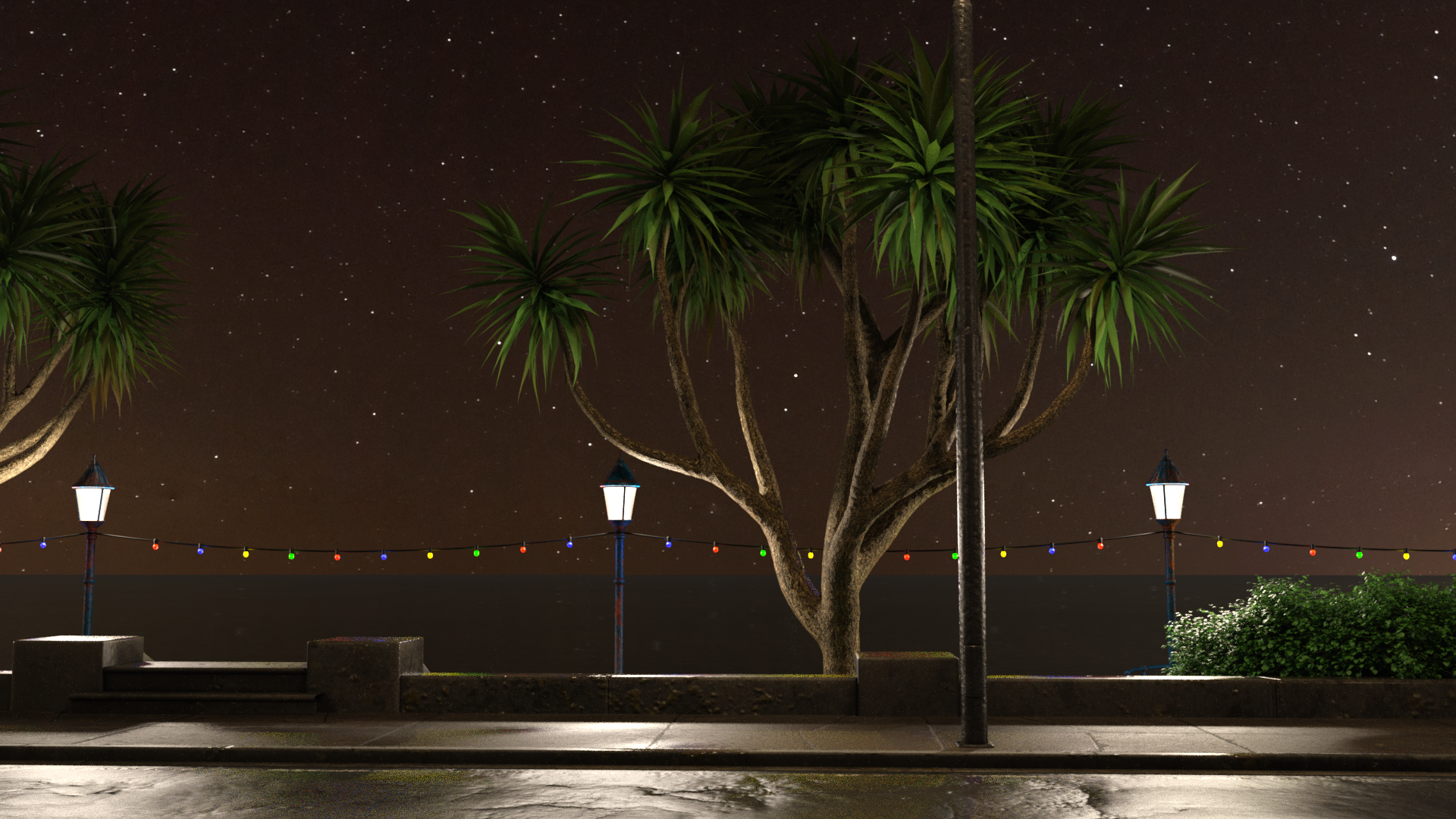
Very nice, I like that. You've perfectley caught the mood.
Show Us Your Iray Renders. Part VIIEven tho I really love this set the viewport's so laggy with it
It's Along the Prom with Orestes Starry Night
So, AW's Chloe - Genesis 3 only?Had been planning to do postwork, but Orestes decided I shouldn't use canvasses.
Out of curiosity: What postwork would you do? Looks quite good already to me.I had separated the lights, the character and the hair and was going to balance them a bit differently, but yeah, it turned out not so bad. I wasn't playing super close attention to the rendering, because I'm playing the New World preview, otherwise I'd have noticed early on and restarted.
So, AW's Chloe - Genesis 3 only?
Out of curiosity: What postwork would you do? Looks quite good already to me.Had been planning to do postwork, but Orestes decided I shouldn't use canvasses.
So, AW's Chloe - Genesis 3 only?Had been planning to do postwork, but Orestes decided I shouldn't use canvasses.
Does anyone no where these crates are from?Surely Stonemason can recognise his own crates ;), but it's only one promo picture that hints that those are right crates: https://www.daz3d.com/media/catalog/product/cache/1/image/9df78eab33525d08d6e5fb8d27136e95/0/0/003-the-streets-of-the-wild-west.jpg
PrettiA mentioned https://www.daz3d.com/orestes-barrels-n-crates - theese are really close but not quite same. Crates with gaps are 4 slats high, but ones you are looking for and Stonemasons are 3 slats high.
Still, someone could give quick renders with Stonemasons crates close-up - I don't have that product.
Does anyone no where these crates are from?Older ones;
Novica & Forum Members Tips & Product Reviews Pt 13Found one in DIM which isn't 100% correct and could possibly cause problems if folks are searching for an obvious word such as Eventide. The Orestes Iray HDRI Skydomes Vol 1- Eventide does not have Eventide in the title in DIM.
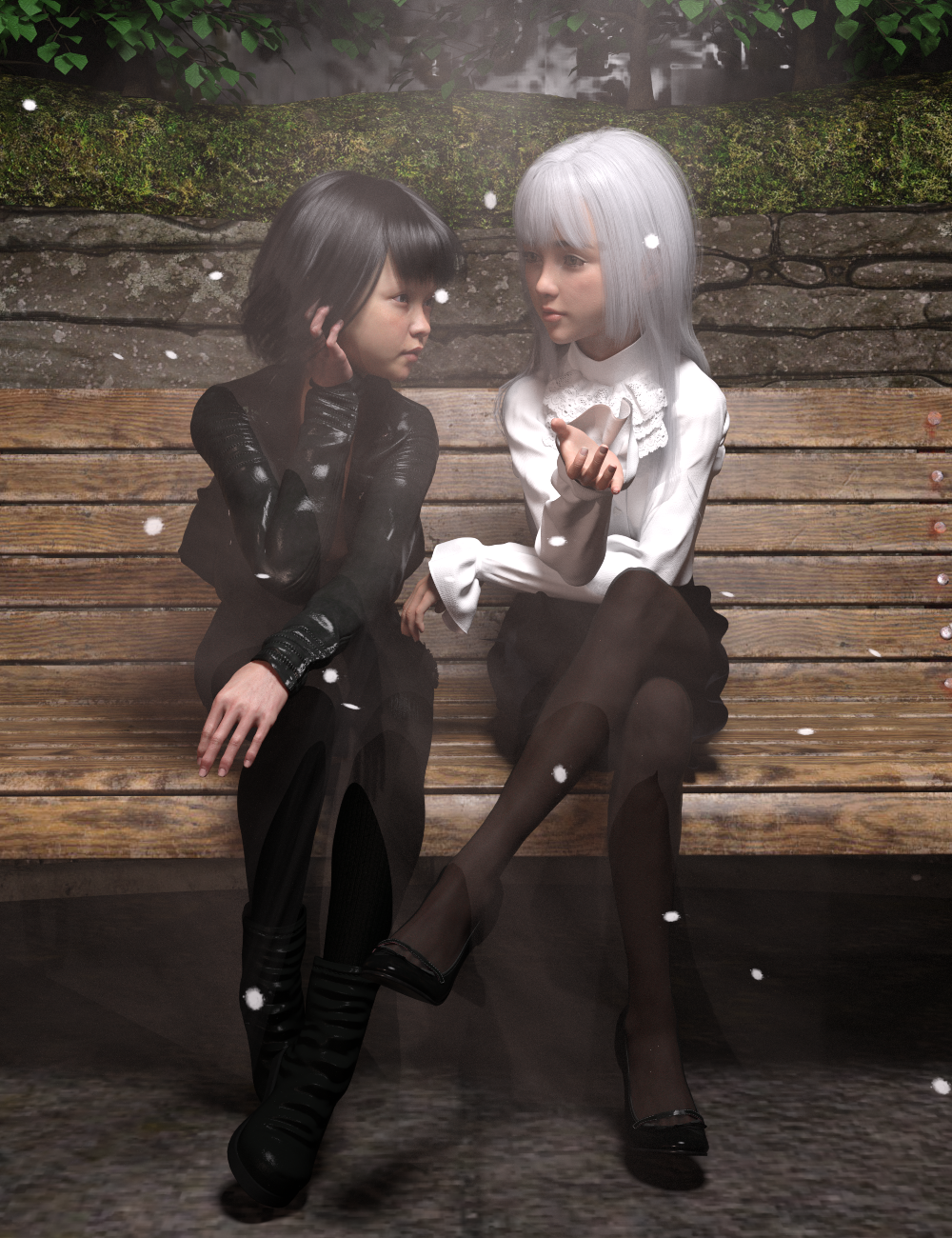
Show Us Your Iray Renders. Part VIII used Along the Prom for the environment and had to hide a few things off camera
I tried staying as true to the characters as possible but in a more realistic style
I really like this environment and will test it with Orestes Starry Night. I'm using it here but you can't see the sky and I used a volumetric ray from Ghost Light's 3 Volumetric Plus since I'm trying for a moon beam effect
 Another HDRI Question
Since we're having fun with HDRIs and what you can and can't use as an HDRI, I dug up the PNG file from when I made an HDRI with Stonemason's Urban Sprawl 3 and Orestes' Vanilla Skydome, and made a couple of renders with one using the HDR file I got from converting the EXR file as HDRI and one using that PNG as the HDRI. The exposure in the HDR isn't identical to what I got from the original render, because I was going for evening lighting, but it's sort of similar.
In both cases, the IBL is the only light in the scene. You can use a standard image for lighting, but, by comparison, it will look kind of crap. But kwannie's issue is the blurriness, not light quality. I use some DOF in almost all my renders, so I'm usually fine with 4k. In this case, the lack of crispness is due to the lowish resolution, not to "blurrriness"
The HDR (4k)

The PNG (also 4k, obv)
 Ultrascenery keeps crashing
Sometimes during building the scene . Other times when switching from Textured shade to Nvidia iray or adding HDRI like: https://www.daz3d.com/orestes-iray-hdri-skydomes--vanilla-evening
Im using the latest Nvidia studio drivers
Daz 4.12.1 pro AMD 7 3700x, 2070 RTX super, 32GB
Also set rendering optimization to Memory as suggested in the manual.
Everything else is working like a charm.
Any idea where to look to solve this issue?
July, 2020 - Daz 3D New User Challenge - Portrait Rendering and LIEPortrait Rendering (Expressions and Lighting)
Guardian of the Moon
2944 iterations
Rendering Time: 22 minutes 13.6 secondsCharacter: Loomie La Fee G8
Morphs Body: Young Generation Girls, Beauties for G8F and EJ Body Shape And Detail Morphs
Morphs Ears: SY 200 Morphs for Genesis 8 Head and Body
Skin Surface: ShaderPlan Glitter
Lips Surface: LIE Make-up Set 2, just shine purple
Nails: Hand Salon with Finger Jewelery Indian InspirationHair: Calista Tail, Lashes Utilities
Clothing: Warrior of Dusk G8Prop: Technomancer Sphere
Skydome: Orestes Iray HDRI Skies - Fantasy Moon
Filter rendering: Fast Production Lights
No bright spot. Emissive ambient light only. No photoshop.
I hope I have achieved the objective of the topic.
All tips and observations are welcome!I like your posing and the camera angle. You have some interesting shadows on her face. I think you were smart to use a lighter colour palette with her hair, makeup and elements in her outfit.
I like the shot of blue from the orb but it does have a tendency to draw my eye...but then the moon behind her head tends to draw it back.
Thank you! I'm really happy with your observation! You have a surgically artistic look! There is no better description!
July, 2020 - Daz 3D New User Challenge - Portrait Rendering and LIEPortrait Rendering (Expressions and Lighting)
Guardian of the Moon
2944 iterations
Rendering Time: 22 minutes 13.6 secondsCharacter: Loomie La Fee G8
Morphs Body: Young Generation Girls, Beauties for G8F and EJ Body Shape And Detail Morphs
Morphs Ears: SY 200 Morphs for Genesis 8 Head and Body
Skin Surface: ShaderPlan Glitter
Lips Surface: LIE Make-up Set 2, just shine purple
Nails: Hand Salon with Finger Jewelery Indian InspirationHair: Calista Tail, Lashes Utilities
Clothing: Warrior of Dusk G8Prop: Technomancer Sphere
Skydome: Orestes Iray HDRI Skies - Fantasy Moon
Filter rendering: Fast Production Lights
No bright spot. Emissive ambient light only. No photoshop.
I hope I have achieved the objective of the topic.
All tips and observations are welcome!I like your posing and the camera angle. You have some interesting shadows on her face. I think you were smart to use a lighter colour palette with her hair, makeup and elements in her outfit.
I like the shot of blue from the orb but it does have a tendency to draw my eye...but then the moon behind her head tends to draw it back.
July, 2020 - Daz 3D New User Challenge - Portrait Rendering and LIEPortrait Rendering (Expressions and Lighting)
Guardian of the Moon
2944 iterations
Rendering Time: 22 minutes 13.6 secondsCharacter: Loomie La Fee G8
Morphs Body: Young Generation Girls, Beauties for G8F and EJ Body Shape And Detail Morphs
Morphs Ears: SY 200 Morphs for Genesis 8 Head and Body
Skin Surface: ShaderPlan Glitter
Lips Surface: LIE Make-up Set 2, just shine purple
Nails: Hand Salon with Finger Jewelery Indian InspirationHair: Calista Tail, Lashes Utilities
Clothing: Warrior of Dusk G8Prop: Technomancer Sphere
Skydome: Orestes Iray HDRI Skies - Fantasy Moon
Filter rendering: Fast Production Lights
No bright spot. Emissive ambient light only. No photoshop.
I hope I have achieved the objective of the topic.
All tips and observations are welcome![solved] Electro Shock Props - help finding product?Electromancy will yield a LOT of lightening props. I use this one https://www.daz3d.com/orestes-electromancy frequently, not got round to upgrading to an iRay one as I'd managed to get it working in iRay satisfactorily before the iRay versions came along.Daz 3D is part of

Connect
DAZ Productions, Inc.
7533 S Center View Ct #4664
West Jordan, UT 84084Licensing Agreement | Terms of Service | Privacy Policy | EULA
© 2026 Daz Productions Inc. All Rights Reserved.