-
How do I stop viewing Daz Connect items in Smart Library- SOLVED
crosswind said:
Actually if you've installed two copies via both Connect and DIM, Smart Content should've only showed you the one from Connect. But in your case, there might be a glitch or something wrong with the metadata...
If you right-click on two copies of 2021-12 > Edit Metadata, I guess you'll probably see different metadata, which means there're two line items of the product in your cms database. If you don't use Connect, just uninstall the one from Connect by right-click on it > Unintall. Then it'll turn into grey color and sorted to the bottom of Smart Content.
Thank you for replying. At the moment I reset the database and I am doing the reimport metadata. Not sure it will help but I will try. When I scrolled though my Smart products list there were quite a few DAZ Connect items, I did not count them. maybe at somepoint in the last couple years I somehow clicked on the DAZ Connect icon for each product and I was logged icon. I guess I must sleep-DAZ, a new form of sleep disorder.
Only thing I can think of next is do an re-install of DAZ Studio. If that still does not work uninstall it again and uninstall DIM. Hopely, I will not have to go to these extremes.
I AM OPEN TO BETTER IDEAS
How do I stop viewing Daz Connect items in Smart Library- SOLVEDActually if you've installed two copies via both Connect and DIM, Smart Content should've only showed you the one from Connect. But in your case, there might be a glitch or something wrong with the metadata...
If you right-click on two copies of 2021-12 > Edit Metadata, I guess you'll probably see different metadata, which means there're two line items of the product in your cms database. If you don't use Connect, just uninstall the one from Connect by right-click on it > Unintall. Then it'll turn into grey color and sorted to the bottom of Smart Content.
How do I stop viewing Daz Connect items in Smart Library- SOLVEDRichard Haseltine said:
If it is still showing the download icon you haven't installed through Daz Studio, unless theer is something very wrong with the metadata. If you right-click on each of the two instances of the product and select Browse to Folder Location where do you end up (or try doing that to the same file inside each product)?
First, thank you for replying so quickly.
Well, curious and curiouser. When I tried the Browse to Folder Location for either item, Win File Explorer did not open. However, both icon's hair duf file has the same path to my product installed by DIM on my R drive. Please see attached.
Hold on I just noticed the DAZ Connect copy does mention DAZ Connect metadata. see third attachment.
this folder is empty so that is very curious. C:\Users\username\Documents\DAZ 3D\Studio\My Daz Connect Library
How do I stop viewing Daz Connect items in Smart Library- SOLVEDIf it is still showing the download icon you haven't installed through Daz Studio, unless theer is something very wrong with the metadata. If you right-click on each of the two instances of the product and select Browse to Folder Location where do you end up (or try doing that to the same file inside each product)?
How do I stop viewing Daz Connect items in Smart Library- SOLVEDRichard Haseltine said:
You have logged in (and updated metadata) with Daz Studio at least once since the 2021 hair was purchased by you, otherwise the system wouldn't know you owned it to give it the downloadable symbol at top-right.
I guess I must have hit the Login icon atleast once since I installed DAZ Studio, but never knowingly downloaded any DAZ Connect items.
So is the solution , I must to completely uninstall DAZ Studio and make sure I do not login from DAZ Studio and those DAZ Connect icons will be gone? Would also need to remove DIM?
Exporting only the final frame of dForce timeline simulation?WendyLuvsCatz said:
Richard Haseltine said:
Export as OBJ, clear the simulation, and import as a morph? Remevber you need just the one item (no add-ons like buuttons on Rigid Follow Nodes) and in base resolution.
if you do that make sure you unfit the clothing and have it at 0,0,0 position too
(also applies to dforce2morph)
Generally you would want it fitted and reverse deformations on, so that the morph stacked on top of tyhe pose - your approach is another way to achieve the same end, but it breaks the link to the wearer (minor tweaks to the pose probably wouldn't ruin the morph, so that may be useful).
Exporting only the final frame of dForce timeline simulation?Richard Haseltine said:
Export as OBJ, clear the simulation, and import as a morph? Remevber you need just the one item (no add-ons like buuttons on Rigid Follow Nodes) and in base resolution.
if you do that make sure you unfit the clothing and have it at 0,0,0 position too
(also applies to dforce2morph)
How do I stop viewing Daz Connect items in Smart Library- SOLVEDYou have logged in (and updated metadata) with Daz Studio at least once since the 2021 hair was purchased by you, otherwise the system wouldn't know you owned it to give it the downloadable symbol at top-right.
Exporting only the final frame of dForce timeline simulation?Export as OBJ, clear the simulation, and import as a morph? Remevber you need just the one item (no add-ons like buuttons on Rigid Follow Nodes) and in base resolution.
(SOLVED)dForce BS Bob Hair for G9 auto-fit to G8 problemTwo questions about "dForce BS Bob Hair for G9".
1.When I use smart content and check "Filter By Context", it does not appear.
2.When I use auto-fit to G8 and then selecting material will show "Error"
It works fine on G9.
I have tested several G9 hair, and only "dForce BS Bob Hair for G9" causes problems.
How to fix it?
LOG:
[INFO] :: Prepare asset load (merge): /People/Genesis 9/Hair/BirthStone/BS Bob Hair/Materials Iray/Hair Color/BS Bob Hair Color 10 Red.duf
[INFO] :: Locking viewport redraw...
[INFO] :: Viewport redraw locked.
[VERBOSE] :: Native format content directories: 2
[VERBOSE] :: Poser format content directories: 2
[VERBOSE] :: Other import format content directories: 0
[INFO] :: Begin asset load (merge): /People/Genesis 9/Hair/BirthStone/BS Bob Hair/Materials Iray/Hair Color/BS Bob Hair Color 10 Red.duf
[INFO] :: Determining missing assets...
[WARNING] :: Invalid hierarchy for selected node(s) and "preset_hierarchical_material" type; no root(s) found.
[WARNING] :: Error loading asset: E:/DAZ 3D/Studio/My DAZ 3D Library/people/genesis 9/hair/birthstone/bs bob hair/materials iray/hair color/bs bob hair color 10 red.duf
Operation failed
[INFO] :: Unlocking viewport redraw...
[INFO] :: Viewport redraw unlocked.
how to use ARP to remap daz character between original daz rig to rigify rigJust pick a side. You can't animate with one rig then convert to another then mix the animations. You can only mix animations within the same rig. If you use the daz rig for cascadeur then you need a control rig which preserves that. Rigify doesn't. ARP I don't know you should look for options to preserve the original rig.
Another option is to use the daz rig alone. You animate with cascadeur, then import in blender, then work with NLA to mix the animations.
Unless I misunderstand what you're trying to do.
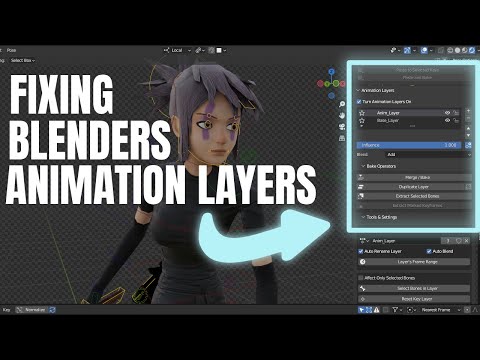
p.s. In diffeomorhic there's an option to keep the daz rig when generating rigify, that may be what you're looking for. This way you can use rigify as a control rig then bake the daz rig for NLA.
https://bitbucket.org/Diffeomorphic/import_daz/wiki/Setup/Rigging
How big is too big? Content DB over 300 GBThe size of cms cluster folder shouldn't affect the loading speed of Daz assets. Besides, 322 GB sounds pretty odd to me... OP you usually from time to time install / uninstall products as well as re-import metadata in high frequency, with multiple locations of Daz Libraries ?
The size of my cluster folder never exceeds 10 GB since I used DS from 2018... though I have 27K installed products in Smart Content.
Daz and VRI actually managed this when I was learning how to use Unity - IIRC getting to a situation where you can view assets in FPS was not that hard.
If things have not changed - this was a while ago when it was still called oculus....
Unity has VR pretty much built in, if you have a project, go into project Settings and find the VR/XR section and check the box to switch VR on, and select your device type. When you Run Game after that you should see your Unity scene in the VR headset. You will have to have PC VR set up and a cable connection so Unity can see the headset.
Use the Daz->Unity bridge to bring in your Daz assets and add in an FPS Player prefab from the Unity Standard Assets (or get a free one from the asset store) and you should be able to walk around Stonemasons environments using WSAD and the mouse.
One gotcha - when I did it there was no Bridge to get the Daz assets into Unity, I had to export an FBX and import it into Unity. When doing so, there was a 'Create Coliders' checkbox (or some similar name) which you had to check to avoid falling straight through the floor. The Bridge may have something similar.
Once you have a set in Unity, hopefully the Bridge will have taken care of materials, but you will have to work on lighting to get the best out of it.
If you want to do anything more complex with the VR (proper VR movement, grabbing etc.) , you will need the SDK (Software Develpers Kit) which includes more player prefabs you can just drag in. There are plenty of tutorials on YouTube about using those.
Is there a script to change resolution to base and high?I watched the 3DUniverse tutorial video for the product linked above, and that final script it creates in the toolbar, the one to simple toggle switch between base resolution and high resolution for all scene actors literally should be standard functionality in the app. I export everything to zbrush to make tweaks with the GoZ plugin, so that one script is a game changer, especially for someone who has accidentally exported in high resolution, finished a sculpt, and then discovered I can't import my sculpt because it was done on a high res mesh. It is so deflating to be told all of the work you've just done was wasted time.
Anyway, thanks for sharing. Definitely going to pick that script package up.
how to use ARP to remap daz character between original daz rig to rigify rigI export daz rig from blender 3.6 to Cascadeur, i edit a lying pose and export this pose back to blender.
if remap two daz rigs, it works well. But I convert to rigify for better controllability. In ARP, remapping between daz rig and rigify/MHX rig will occur distortion.
I wanna know anyone have experience about this issus? Is there a better way to remap? or remap preset file between daz rig and rigify?
it is daz 8.1 character, I import some morphs, use daz importer 4.2.0
Adding furniture for my character modelMoved to product Suggestions as it is not a Daz AI Studio or Daz Studio application question.
Furniture is quite a popular thing for freebie makers, if you check through https://www.daz3d.com/forums/categories/freebies you may well find some. Don't limit your self to Daz Studio items, however - as long as there are OBJ or FBX files you should be able to import other models too, though the materials may need adjusting (or redoing for many OBJ files) and with OBJ, if you don't know which application it was made for you may have to experiment to get the scale and orientation in space correct (if you do then Daz studfio has presets in the OBJ import dialogue that you can choose to get the settings correct, with luck).
PowerPose doesn't recognize G9 [SOLVED]Morph Transfer is for projecting morphs into fiotted items on older figures, Genesis figures already do this without prompting. it is not related to moving a morph loaded on one figure to another of the same type - Edit>Copy, Edit>Paste>Paste Figure Shape should do that for settings.
For the rest, one possibility is messed up metadata - have you tried reisntalling the Genssi 9 Starter Essentials product, and the Default Templates product too for good measure.
Daz and VRDoes anyone know a way of going inside a Daz scene and viewing it in VR (with a Quest 2 headset)? Or a way to render images (side by side I guess?) viewable in VR? I feel like it should be possible but I'm not techie enough to figure it out. I have Virtual Desktop but can't figure out a way to view DS scenes other than on a large 2D flat screen. I guess you could import objs into Unity but that's a whole other software program to learn and I still wouldn't know how to save it and view it in VR. And I'm not even talking about making it for sale, I mean just personally walking around a Stonemason set or something in VR. Or it would be amazing to be able to set up a whole scene in VR similar to the way one could in AltspaceVR.
(SOLVED) Having issue with a productSometimes files in Daz Connect fail to decript properly - and it may be that you have a pathing error that is preventing DS from seeing the Install manager files. Deleting the product metadata (which is what I think you did with " deleted the links in the ready to install in Daz itself") so that it has to be redownloaded will sometimes fix the issue.
Two small questions (Neko hair weirdness and free bundle)Felis, it's working for you because you have the bonus kitty hairband. I don't, and y3kman discovered that the base product's metadata is tied to that bonus item, so mine are not appearing because I do not have that bonus item.
Daz 3D is part of

Connect
DAZ Productions, Inc.
7533 S Center View Ct #4664
West Jordan, UT 84084Licensing Agreement | Terms of Service | Privacy Policy | EULA
© 2026 Daz Productions Inc. All Rights Reserved.