-
FaceGen Pro versus Headshop Pro
I am thinking about buying one of the two, but I don't know with which product I am better off with. As far as I can tell Headshop Pro is easier to use and can be used in DS without the need for importing things while FaceGen needs additional steps to get the custom face/skin and morphs in DS. Does FaceGen have more features or have better results than Headshop Pro or are both products more or less equal in what it can do?
Face TransferFSMCDesigns said:
IMO all face transfer apps rely on quality rssources to get good results. headshop says it works better with less than perfect images, but I have seen users say otherwsie. To get "perfect" results, a user needs to actually photograph the person and create the best quality images to use with any programs.
Yeah, and good luck photographing dead people or people not reachable...
Face TransferIMO all face transfer apps rely on quality rssources to get good results. headshop says it works better with less than perfect images, but I have seen users say otherwsie. To get "perfect" results, a user needs to actually photograph the person and create the best quality images to use with any programs.
Is it possible to use Justin for teen as face morph?you could just render a nice large pic of justins face and then use headshop or facegen, etc.
Face transfer so much betterpaulawp (marahzen) said:
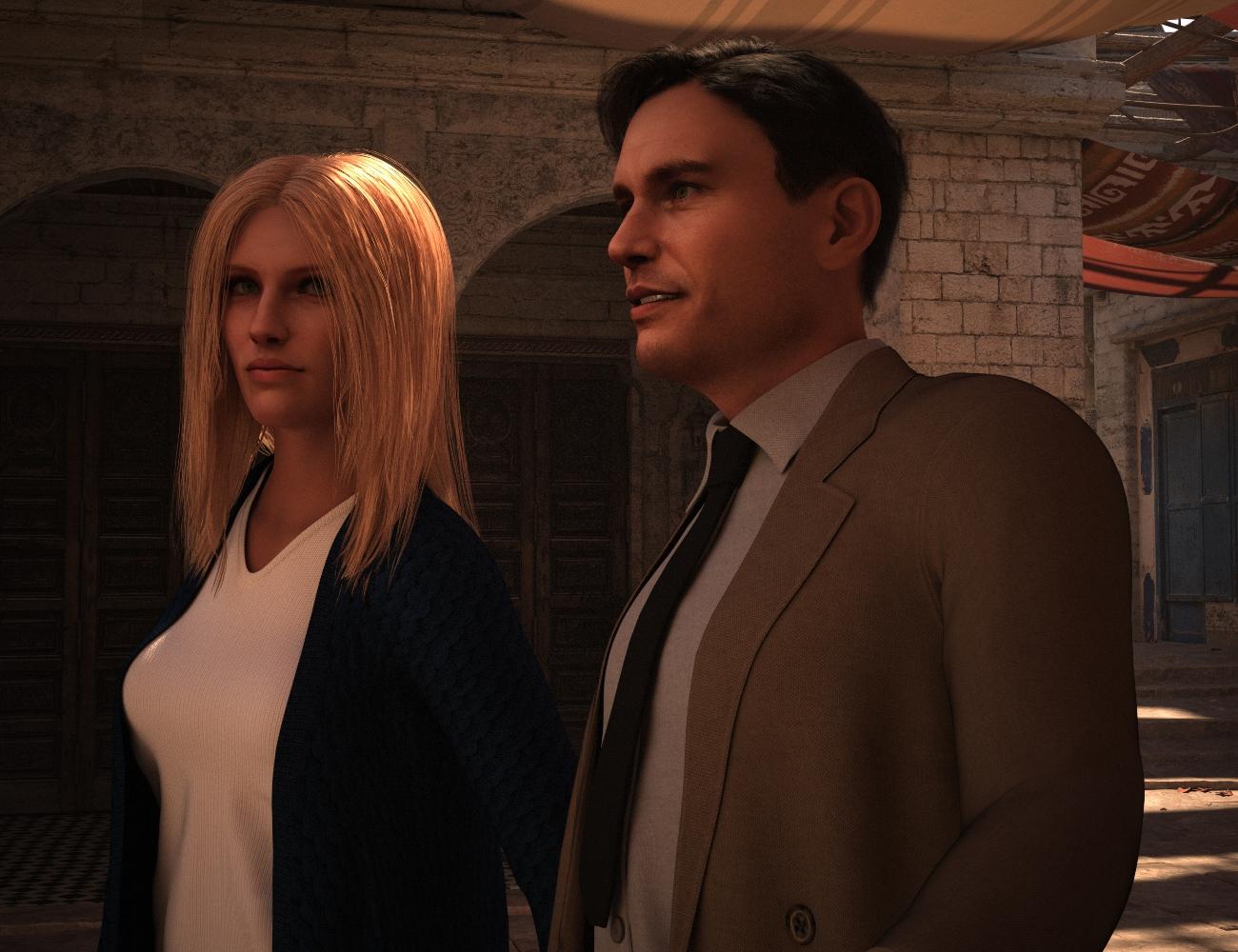
These characters are done with Face Transfer Shapes at 75% - my default. (You can't reasonably use Face Transfer without Face Transfer Shapes.)
I've had others comment on it, and I see it, too: Some FT characters, from some angles, have a jaw along the bottom line to the angle that seems disproportionate to the rest of the face. IMO, this girl is affected more than the guy. Her hair obscures it in this shot - it's more pronounced in the other picture I posted. That said, if I spent some time with morphs, I could fix it. These are quickly done from the source image, with no morphs and minimal tweaking.
I haven't used HeadShop but I started out with FaceGen and from my experience, its oddities (it creates overly wide, squirrel-faced figures with oddly long noses) are harder to fix. I use FT exclusively now.
Awesome render, can't wait to FT (and build scenes ) myself on that level. The fine tuning after applying Face Transfer Shapes is a bit daunting to me because there are so many sliders to consider but I guess narrowing it down to the 'problem area' as best as you can is a good start. I was wondering whether "Dial Fusion for Genesis 2 to 8.1" [link] would be a good product once you have figured out which specific dials tackle the chin issue and other post-conversion problems (problem areas) like that.
Face transfer so much betterThese characters are done with Face Transfer Shapes at 75% - my default. (You can't reasonably use Face Transfer without Face Transfer Shapes.)
I've had others comment on it, and I see it, too: Some FT characters, from some angles, have a jaw along the bottom line to the angle that seems disproportionate to the rest of the face. IMO, this girl is affected more than the guy. Her hair obscures it in this shot - it's more pronounced in the other picture I posted. That said, if I spent some time with morphs, I could fix it. These are quickly done from the source image, with no morphs and minimal tweaking.
I haven't used HeadShop but I started out with FaceGen and from my experience, its oddities (it creates overly wide, squirrel-faced figures with oddly long noses) are harder to fix. I use FT exclusively now.
Face transfer so much betterSome nice 'Face Transfers' in this thread. As a newbie I find the additional product from the DAZ shop "Face Transfer Shapes for Genesis 8 " [link] very handy which fixes those odd jawlines instantly. No doubt you could manually use sliders to accomplish the same or even a better result reshaping the outline of your model (i.e. photo original)..
I also own 'HeadShop' but I am still recovering from the trauma of getting it to work (at all); still unsure if it is any better than good old "Face Transfer", for now it is in my personal top 5 of DAZ shop worst buys.
Will this make it to 2022 Sales Thread:Report Issues Here "There's Always Another Sale™"ecks201 said:
Cris Palomino said:
ecks201 said:
ecks201 said:
ecks201 said:
Showing up in the 56% OFF Remarkable Artist Items sale, but not actually showing any sale discount on the product page.
Just spotted that this is actually across a number of items. Any utility product in this sale is affected.
Examples:
Ghost Dynamics | Daz 3D
Camera View Optimizer | Daz 3D
Face Mojo - Facial MoCap Retargeting for Genesis 8 Males | Daz 3D
HeadShop 13 with LoveChild Macintosh | Daz 3DNew sale today, all of the above (including Render Doctor) are still broken.
The prices have changed, but it's impossible to tell from what and by what percentage.I show Render Doctor at 66% since I'm a Daz+ member.
Edit: when logged out, it shows the expected 57%. In both cases, the product page showed the discounted price.But did your page show the full price and the discount percentage? That's the point I'm trying to make.
The product needs to display those so that we can check the stated discount price.Back calulating I'm assuming that $35.95 is the full price?
Reported
Will this make it to 2022 Sales Thread:Report Issues Here "There's Always Another Sale™"Cris Palomino said:
ecks201 said:
ecks201 said:
ecks201 said:
Showing up in the 56% OFF Remarkable Artist Items sale, but not actually showing any sale discount on the product page.
Just spotted that this is actually across a number of items. Any utility product in this sale is affected.
Examples:
Ghost Dynamics | Daz 3D
Camera View Optimizer | Daz 3D
Face Mojo - Facial MoCap Retargeting for Genesis 8 Males | Daz 3D
HeadShop 13 with LoveChild Macintosh | Daz 3DNew sale today, all of the above (including Render Doctor) are still broken.
The prices have changed, but it's impossible to tell from what and by what percentage.I show Render Doctor at 66% since I'm a Daz+ member.
Edit: when logged out, it shows the expected 57%. In both cases, the product page showed the discounted price.But did your page show the full price and the discount percentage? That's the point I'm trying to make.
The product needs to display those so that we can check the stated discount price.Back calulating I'm assuming that $35.95 is the full price?
Will this make it to 2022 Sales Thread:Report Issues Here "There's Always Another Sale™"ecks201 said:
ecks201 said:
ecks201 said:
Showing up in the 56% OFF Remarkable Artist Items sale, but not actually showing any sale discount on the product page.
Just spotted that this is actually across a number of items. Any utility product in this sale is affected.
Examples:
Ghost Dynamics | Daz 3D
Camera View Optimizer | Daz 3D
Face Mojo - Facial MoCap Retargeting for Genesis 8 Males | Daz 3D
HeadShop 13 with LoveChild Macintosh | Daz 3DNew sale today, all of the above (including Render Doctor) are still broken.
The prices have changed, but it's impossible to tell from what and by what percentage.I show Render Doctor at 66% since I'm a Daz+ member.
Edit: when logged out, it shows the expected 57%. In both cases, the product page showed the discounted price.Will this make it to 2022 Sales Thread:Report Issues Here "There's Always Another Sale™"ecks201 said:
ecks201 said:
Showing up in the 56% OFF Remarkable Artist Items sale, but not actually showing any sale discount on the product page.
Just spotted that this is actually across a number of items. Any utility product in this sale is affected.
Examples:
Ghost Dynamics | Daz 3D
Camera View Optimizer | Daz 3D
Face Mojo - Facial MoCap Retargeting for Genesis 8 Males | Daz 3D
HeadShop 13 with LoveChild Macintosh | Daz 3DNew sale today, all of the above (including Render Doctor) are still broken.
The prices have changed, but it's impossible to tell from what and by what percentage.Will this make it to 2022 Sales Thread:Report Issues Here "There's Always Another Sale™"ecks201 said:
Showing up in the 56% OFF Remarkable Artist Items sale, but not actually showing any sale discount on the product page.
Just spotted that this is actually across a number of items. Any utility product in this sale is affected.
Examples:
Ghost Dynamics | Daz 3D
Camera View Optimizer | Daz 3D
Face Mojo - Facial MoCap Retargeting for Genesis 8 Males | Daz 3D
HeadShop 13 with LoveChild Macintosh | Daz 3D
HeadShop installation updateWe have noticed that DAZ changed the latest DAZ Studio install default from C://Program Files/DAZ 3D to C://DAZ 3D/Applications/64-bit/DAZ 3D. This confuses some users when installing plugins like HeadShop, since there are now two DAZ 3D folders (one enbeded in the other). The correct location for HeadShop plugins is always the last DAZ 3D folder!!! (this is the folder that contains inside the "DAZStudio4" folder that contains the DAZ Studio application.
In this case you would browse to this DAZ 3D folder and your install path would be C://DAZ 3D/Applications/64-bit/DAZ 3D. (Notice that this path contains two! DAZ 3D folders).
I hope this helps.
Headshop prockloetstra said:
I Just bought Headshop pro but the morph to edit the facial dots is not working It allows the had to select but nothing moves the square stays in place and nothing happens to target in right window ?
The autodots need to turn red in the left (photo) window in order to move/shape dots in the right (3D) window. Maybe the screen resolution of your monitor needs to be changed...
Tip: Use the "0" on the nav cross to auto-align 3D head to the direction of the the photo.
Headshop proI Just bought Headshop pro but the morph to edit the facial dots is not working It allows the had to select but nothing moves the square stays in place and nothing happens to target in right window ?
Headshop Pro -- does it work?Faceshop is what Headshop used to be called.
But please, since you could not get it to work, put in for a refund. Not all programs work on all computers. There is no sense to wasting money you don't have to waste ;-)
eta: Also the default temp location for D/S [Edit > Preferences ...] "has to be" to the default location.
Headshop Pro -- does it work?In the video it says if you see "Start Headshop" in the edit menu, you have installed correctly
When I go to edit menu and click start headshop (it is there) I get the error message unable to find facebook.
I have the new Daz Studio installed on a new computer in the C drive
I have an older Daz Studio installed on a older computer,
Same error.
What did I do wrong?
Can you provide a listing of where installed files should be.
can;t find "key" for headshop prohi everyone,
I just purchased and tried to install Headshop Pro, however it requested a licence key.....couldn't find it. I'm no genius so here I am asking for help. Anyone know how I find this "key"?
thanks for reading
Headshop Pro -- does it work?In two previous Headshop Programs, constantly got the error "unable to find FaceShop Application."
These were weird cosidering i bought Headshop.
Has this error benn fixed for new version
Previous experiences with this were frustrating and time consuming
Headshop Pro -- does it work?rnollman said:
How well does Headshop Pro work? Is it easy to use? Does anyone have any samples they have created to show how well it works?
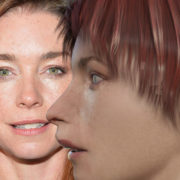
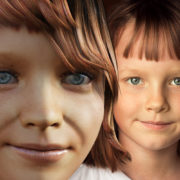
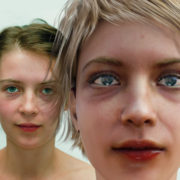
Please see video: https://youtu.be/qAn3ehnMhio or samples below

Daz 3D is part of

Connect
DAZ Productions, Inc.
7533 S Center View Ct #4664
West Jordan, UT 84084Licensing Agreement | Terms of Service | Privacy Policy | EULA
© 2026 Daz Productions Inc. All Rights Reserved.