
Daz 3D is part of 
Connect
DAZ Productions, Inc.
7533 S Center View Ct #4664
West Jordan, UT 84084
Licensing Agreement | Terms of Service | Privacy Policy | EULA
© 2026 Daz Productions Inc. All Rights Reserved.
Comments
...no, I just directly tried to apply colours from the various Sloshwerks shader kits. I prefer them because of the various masks they use.
I wouldn't know what other format to convert omni shaders to.
Ask on the forums.
Ah, the hair probably comes with the omnishader loaded and the you need to convert to just bog standard Iray shader before you apply the Sloshworks shader. Otherwise, your computer doesn't know what to do with applying anything since it can't parse the omnishader.
one very easy way to tell them apart is in the product description. Simulatable hair is a bit of work and Dforce hair is useful in other ways so if the creator makes it for simulation, they will include two "poses", simulate for single frame and simulate for timeline.
To my knowledge, no.
You can't even tell if the hair uses dForce Hair or dForce cloth unless the PA has stated it in the description.
And it is annoying if you get a "dForce" hair that don't simulate. Many PAs hairs can simulate, but has default high Local Shape Constrain (?) but can be lowered to make it more dynamic.
You should be able to use Omnihair on anything after Daz Studio 4.20.1.19 (which is when iray curves were added). I believe all you need to do is put the Omnihair .mdl files in the relevant folders. Do not quote me on that.
If you are able to install the latest Daz Studio version at the same time as your Daz Studio 4.21 (i.e., install the beta), you could try copying across the mdl and folder structure from the beta to your 4.21.
One problem with simulating long hair is that it's a lot like dumping a bucket of water over someone's head. It's VERY hard to retain any design or shape through a simulation. Extremely hard.
So if you, say, had ribbon curls, chances are good you'd end up with 'wet mop' by the end.
Some sort of DForce modifiers, like these. Are they of any help?
So I decided to do a little experiment with Untamed hair and Colorwerks shader to see if I could replace the omnishader settings.
I loaded the hair on a figure I had open. I should mention that I adjusted glossiness at both the begining and end for purely aesthetic reasons.
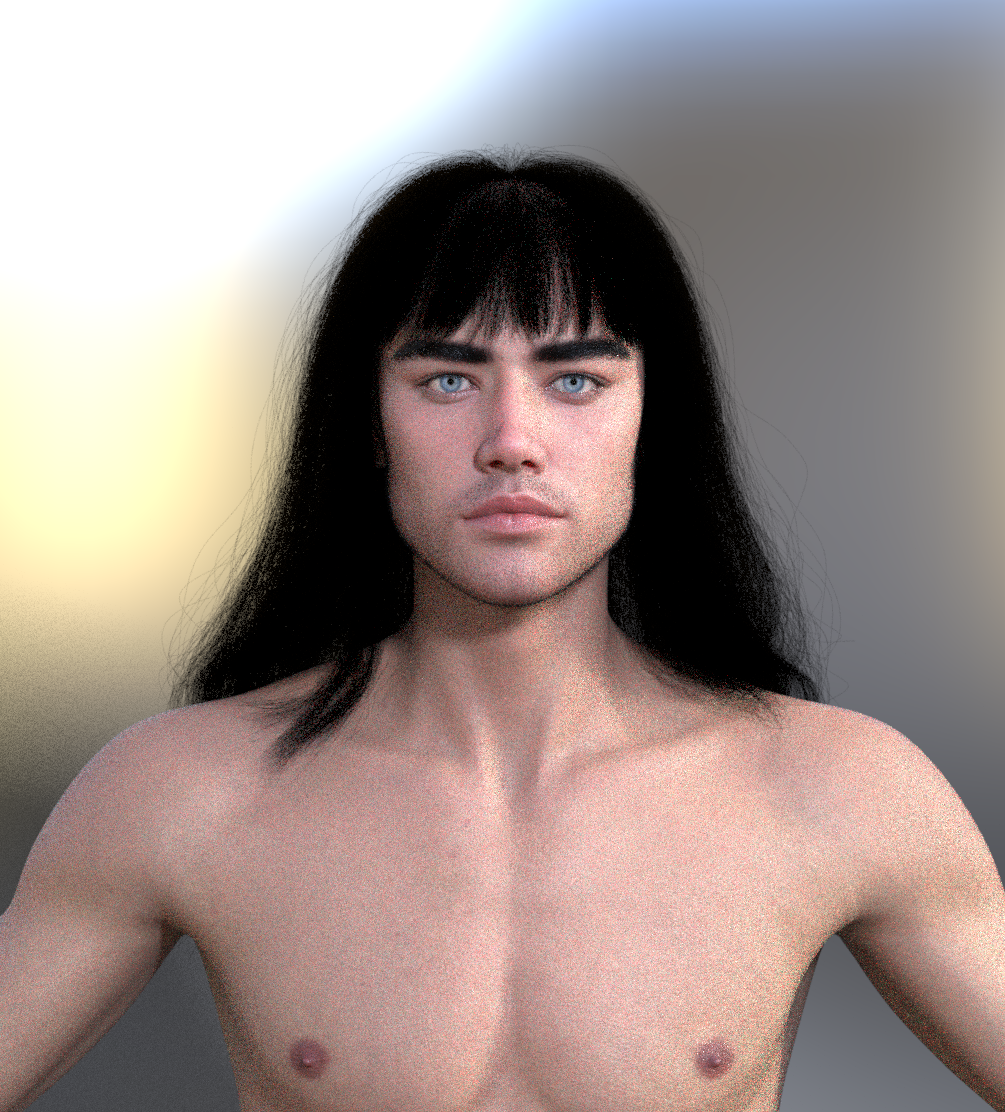
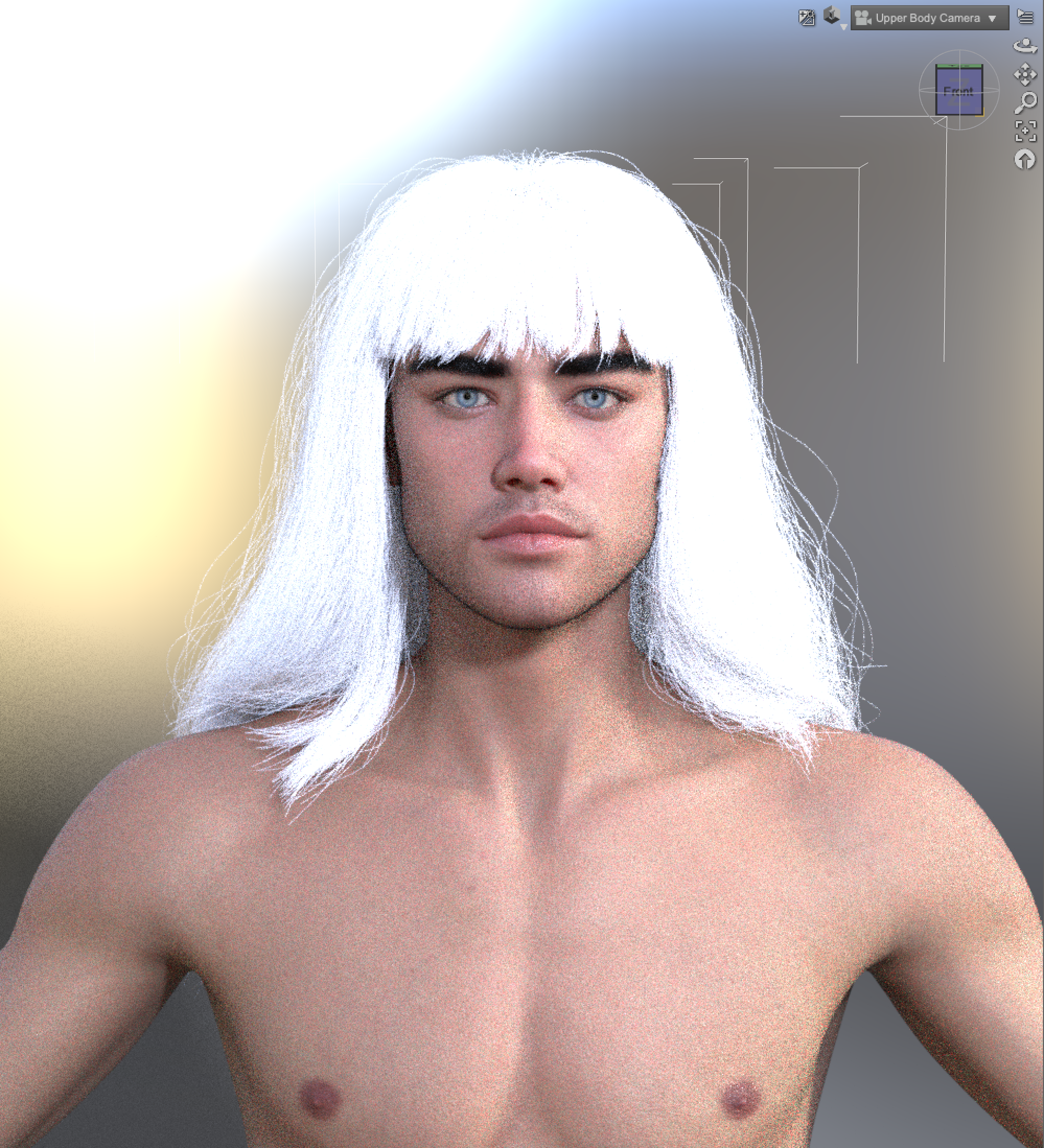
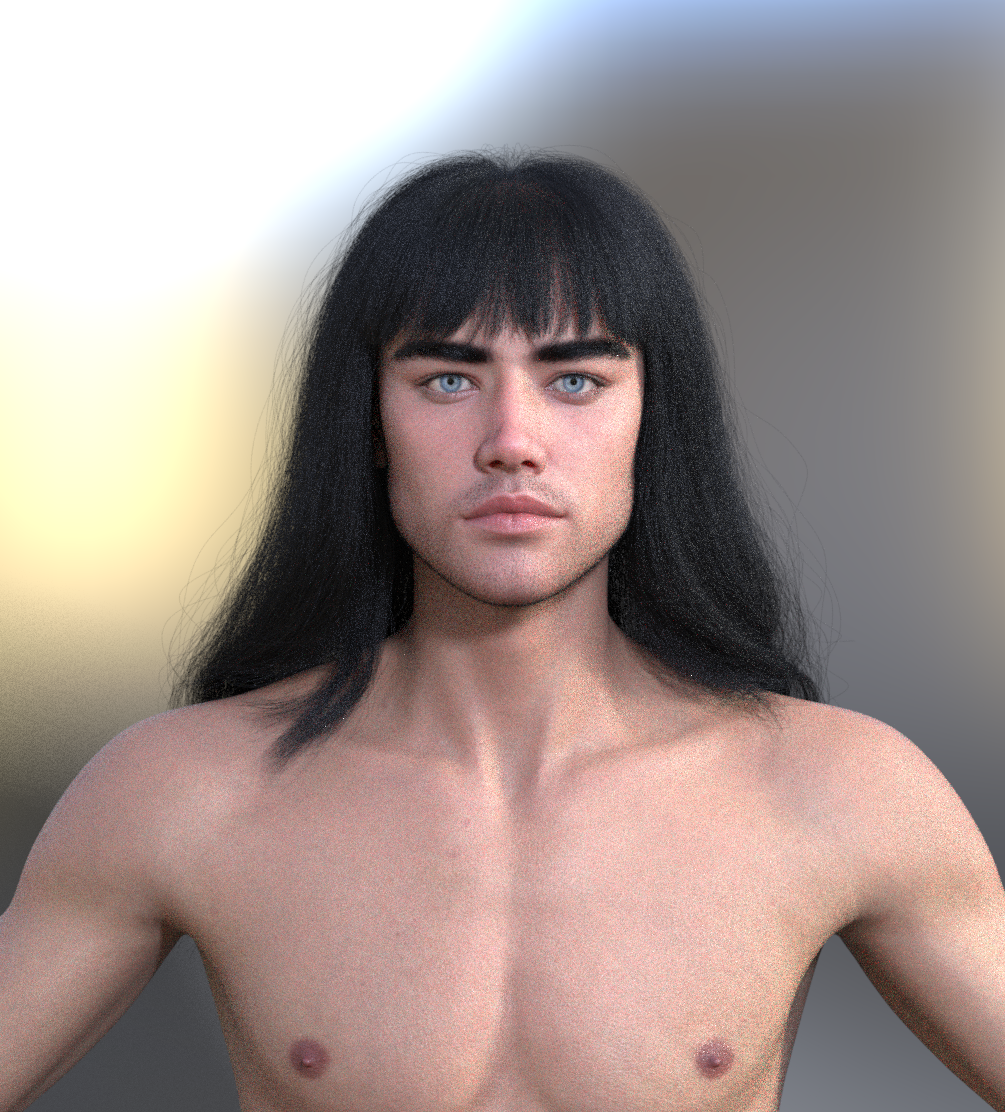
I went to the Surfaces, selected the hair and not the cap and converted it to iRay by going to the Default Resources > Iray > Uber > default iray shader.
I opened up ShloshWerks' ColorWerks hair shader and applied a brunette shader.
Not sure because I'm not a PA so don't have access to dForce tools. But conceptually ribbons could be rigged using PR for ribbons and PS for strands driving the ribbons, with a rigidity mask on PS. In general PR for hairs and PS for simulation with a rigidity mask should work to retain the hair style. Or if this doesn't work then there's a flaw in the dForce design.
In my personal opinion the problem is most PAs are more artists than TDs, not really understanding how fetures should be used. And the lack of DAZ documentation doesn't help.
some "cloth hair" works very well because the PA who made it knows their craft
I honestly believe if DAZ let people other than PAs even at a Premier Subscription cost, use their tools
they would learn a thing or 2 from new eyes and outsider experience using other software
gatekeeping just locks down any possibilty of innovation
and doesn't increase sales in any logical way
"Is there any way to recognize if dForce hair can be simulated or not? For example FeSoul's hair assets are called dForce hair but don't simulate very well or sometimes at all. I am very curious to know."
There is no easy answer to this. Mine, all but a very few simulate and any of mine that dont simulate I feel are *fairly obvious* from the promos and or decription included. Vendors for the most part, seem to be sticking to what they know. So if you buy a hair that *should* move, and it doesnt, then chances are, that vendor probably doesnt bother with simulating.
"Not sure because I'm not a PA so don't have access to dForce tools. But conceptually ribbons could be rigged using PR for ribbons and PS for strands driving the ribbons, with a rigidity mask on PS. In general PR for hairs and PS for simulation with a rigidity mask should work to retain the hair style. Or if this doesn't work then there's a flaw in the dForce design."
PR is Pre- render. PS is Pre-sim. These are hairs that are generated via the surface tab after the hair has been converted to dforce. When we apply dforce settings, it applies it to the "base"hair. The PR/PS hairs on the surface only follow what is already there eh. However, we can create and set surfaces to be dynamic or not dynamic which works just fine in my opinion.
Also.. "Rigged" strand hair is hair that has bones like the old school hairs we had back in dinosaur time. It will sort of simulate. Meaning you pose the hair to your position and then run a simulation that just helps settle the hair into place. It will not animate.
Again, all of mine but a very few that are fairly obvious, animate.
I have a question. Personally I've seen no custom bones on any SBH so I thought it was because that polylines cannot be weight mapped.
But I still want to confirm if there's there any way that PAs or users can create custom bones on SBHs ?
apparently they can
we can't which honestly is a worse limitation than not being able to make it dynamic
I can convert massive Carrara created imported hairs to curves by converting ribbons to lines then curves, but even if I rig them to the character with the transfer utility first, the conversion to curves loses the weights. so only static props that won't follow the figure and can only be parented to the head.
Cannot use any of my morphs either (yes I can create morphs from the Carrara dynamic animation and styling exported as objs)
my Carrara hair imports are either very thick and wiry or very sparse as is, with curves I can add many more fine hairs. The latter being a good advantage for short prop ones at least
likewise Poser hair conversions
I could be mistaken, but I think the following hair is a SBH, and it has four custom bones on each tail, making posing them very easy (the ribbows don't have any, saddly) before letting simulation move them in their final position (various examples: Portrait in red - Hanako 9, Hanako 9 or the various and superb renders from the Ivory series by @Junk, like Ivory, Her Cat Moshi and Poe the Crow (pt 6)):
https://www.daz3d.com/dforce-princess-petras-twin-tails
I have yet to use it, but this one also has bones and I think chevybabe is only doing SBH now:
https://www.daz3d.com/dforce-lumiere-hair-for-genesis-9
@chevybabe25 Thank you very much for replying here, that shows you are interested in the community and their requests. As for me it is always instructive to confront with a seasoned and experienced PA, in this case particularly on dForce hairs. I'm going to analize one of your hais, to show what in my opinion is off. I hope you can then reply to explain us why your choice is made this way. Let me also express my appreciation for your hair styles in general, they're very well designed with real hair styles in mind.
Again this wants to be a constructive criticism, and an occasion to confront with an experienced PA, not a denigration of your work in any way.
https://www.daz3d.com/dforce-dokidoki-hair-for-genesis-9
1. tessellation. The first thing I notice is probably minor, I see you set the viewport and render tessellation both to zero, while by the daz docs it should be viewport one and render zero to enable curves. That should probably be your default in my opinion.
2. PR hairs. Then I see you don't use PR hairs, but you rather rely on hair guides to define the hair style. That is a common error in my opinion of many PAs, as PR hairs should be used to give the strand a volume, while the guide should only be used to define the strand shape. Performace wise this is a terrible mistake as guides are much more intensive to cumpute than PR, and this is what PR is for. Below the settings for one of your curls.
3. PS hairs. As well you define too much PS hairs, using them to give volume to guides, instead of using PR. PS is only necessary when you want the strand to deviate from the guide during simulation, that is, the guide always simulates and PS follow around. Using many PS for a single guide, especially when the stiffness is high, doesn't make any sense. Again performance wise this is terrible, as PS will simulate, even if not necessary. Below one of your curls.
4. Collision. I see you use self collision for all hairs. This is usually not required as hairs will collide with the figure or the hair cap, while the hair shape is preserved with the stiffness. Plus self collision brings really an enormous weight for computation, so to be avoided unless absolutely necessary.
@chevybabe25 Another side note. You should be careful not to intersect the hair cap with the hair, or to exclude the hair cap from simulation. Otherwise intersecting geometry will risk to explode the simulation, or will anyway slow it down considerably.
Surely all this stuff is explained in the DAZ Studio reference manual........ Oh sorry I forgot there isn't one.... what was i thinking...
@chevybabe25 About simulation. I see you set damping to 1.0, that's the max value. This way you effectively tell the mesh not to react to gravity, as it doesn't bounce at all. In general it is good to have a high damping for collision and a low damping for gravity. The shape of the hair is granted by stiffness so you can have that to max for combed hair, as damping will react anyway to gravity. Unless you want long free hairs for exampe.
edit. As example I'm including a scene with fixed settings, you will see it simulates much faster and better than your default values. I also reduced the iterations per subframe as this speeds up the simulation at the cost of accuracy but without influencing the hair structure.
disclaimer. My experience with dForce is limited as I usually work in blender, so I'm not a dForce expert at all, but I learned a couple things when we implemented the dForce conversion for outfits.
and it's all under lock and key too
I know I am harping on but a lot of the most innovative things done for DAZ studio have been by third party developers who are not Premier Artists
and it has driven up sales for them
they love shooting themselves in the foot so much
I have both of them, however, where there're custom bones as well as weight maps are all on the root node that has no polylines. The strand nodes are rigged to the root node with transfered weight. Then twintails / ponytail can only be driven to move by the custom bones from the root node.
It seems interesting but I don't know how to make that and if we users can make that. Probably as Wendy said, they can but we can't lol ~~
@crosswind No. I dont believe you can rig these yourself because of the process that goes into them. You still need access to PA Tools. Ive only done it once( my newest release).
@Padone To my understanding the 0 sides is what triggers the curves. I appreciate your feedback, however I disagree with some of it. Yes my hairs are way heavier, but because of that, they are an accurate style. I can put every single strand where I want it. Filling in with the PS and PR hairs are great for simpler things but can make an absolute mess with more complicated styles. Older computers will tend to struggle, but over the course of time and technology advances, these hairs will hold up. Build for tomorrow, not just for today.
I will add, that all of the settings I provide are made to give the best looking result. They are exactly what I use in my promos. I run these hairs through tons of simulations to make sure I get a consistent result. They are not necessarily optimized to run on a older computer. Thats where you come in. These settings are not the end all be all..you are more than welcome to change them to suit your needs. I also provide weights in the promos, so that you have a good idea if these hairs will bring a computer to its knees or not.
The intersection through the cap....that is my bad.. I usually try not to do that, but sometimes it happens eh.
With OmniHair Shader, setting Viewporting Line Tess... as 1 can make the hair look more shiny when Iray Preview as the strands are tessellated ~ Most folks don't like that result.
Still, IMO, with OmniHair shader, generating PR hair is not really needed as OmniHair doesn't necessarily need the hair to be tessellated before rendering. To me, being with PS hair is well enough. Only PS Points value means something. More points bring the hair more draping but slow down the simulation as well as increase DUF size with huge vertex count. That's been my headache ~~ For this hair, reducing the value from 60 to 30 ~ 40 would be my way of optimization ~~
I think it's more meaningful for polygonal hairs and/or tessellated strands ~ Turning it On or Off shouldn't bring any change to this hair.
There're four dForce items under the hair but you had two of them as well as the colliders hidden in your scene, the simulation of course turns faster...
With the default settings, simulating 4 dForce nodes statically takes 31 seconds on my side with a 4090. Pretty acceptable to me. After necessary optimization with PS hair settings, then 22 seconds.... which seemed even better.
Thank you for the clarification !
You are very welcome :)
@chevybabe25 @crosswind Thank you for the feedback, at least we know why. As for my example having some hair hidden, that's on purpose I just wanted to show how to use some settings. Of course I strongly disagree that hairs must be designed for high-end computers, as if it's not possible to get good results with optimized hairs, but I understand it's a design choice.
p.s. In blender Thomas had to implement a "sparsity" option to reduce the strands, because most PAs do the same or much worse using gazillions of guides instead of PR PS. When it comes to animation optimization is a must. But I understand most DAZ users and PAs are more interested in still pictures and less in animation.
Hmm you definitely pose some food for thought here... I think I may have a cool idea :)
PAs cannot always get the look they want using guides and PR hair generation in Daz. It is a trade-off on flexibility some are not willing to make if it means downgrading. Just like you are not going to get a one-to-one match if you re-generate interpolated/child hairs in Blender from a sparse sampling of the strands.