
Daz 3D is part of 
Connect
DAZ Productions, Inc.
7533 S Center View Ct #4664
West Jordan, UT 84084
Licensing Agreement | Terms of Service | Privacy Policy | EULA
© 2026 Daz Productions Inc. All Rights Reserved.
Comments
Thanks! I am so, so glad you like them
Is anyone running the Voxelizer Bundle on a Mac with macOS 26.6.1?
I'm using an M4 iMac/32GB RAM/2TB SSD. DAZ version is 4.24.04, fresh install yesterday (had been using 4.23 Beta.)
The script that opens the documentation PDF works fine, but attempting to run Voxilizer script gives me an error. I've installed the bundle packages via DIM, uninstalled and reinstalled them again.
Here's the log file:
2026-08-12 17:04:37.527 [INFO] :: Loading script: /Users/Shared/My DAZ 3D Library/scripts/riversoft art/voxelizer/voxelizer.dse
2026-08-12 17:04:37.556 [WARNING] :: Script Error: Line 299
2026-08-12 17:04:37.558 [WARNING] :: ReferenceError: Can't find variable: sIncludeFileExt
2026-08-12 17:04:37.560 [WARNING] :: Stack Trace:
<anonymous>()@/Users/Shared/My DAZ 3D Library/scripts/riversoft art/voxelizer/voxelizer.dse:299
2026-08-12 17:04:37.563 [WARNING] :: Error in script execution: /Users/Shared/My DAZ 3D Library/scripts/riversoft art/voxelizer/voxelizer.dse
Thanks for any assistance! :)
EDIT: I just tried dragging and dropping the Voxelizer.dse file from the installation folder and into the viewport. That worked. But I don't see a Script menu and had been trying to run the script from my Smart Content tab. Don't know why I can't run it from within DAZ Studio.
Lee
Huh, that is strange that that worked. I have submitted an update. Hopefully, that will fix your issues once it is through Daz testing.
Voxelizer Tutorial: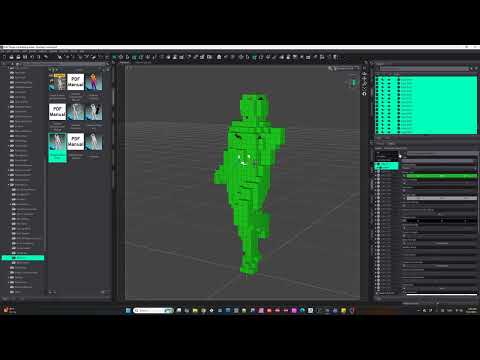
Thank you very much for the tutorial, @RiverSoft Art
Is it any possibility to save ERC Freeze after Dynamics has completed?
I have noticed, that after saving scene with Dynamics applied it is not saved to voxels if I open such scene again.
Thank you so much for the response, RiverSoft Art! I'll keep an eye out for the update.
And thank you for the video tutorial. I'll be watching that today.
Voxelizer Dynamics also works by drag and drop into the viewport. I don't know how to make Dynamics and Colorize appear in the main Voxelizer panel, but will watch the tutorial video first.
These tools are amazing!!
Lee
I can confirm the bug and have a fix. I will include it in the update.
I am so glad you like them!
Created one more video with Dynamics.

Please watch my video on YouTube
Thanks for sharing @Artini! I hope you have a lot of fun with it.
Thanks a lot, @RiverSoft Art