Mixamo animation in Studio?
 brainmuffin
Posts: 1,332
brainmuffin
Posts: 1,332
Does anyone know of a tutorial that works for bringing Mixamo animations into Studio? Targeting G8 or G9 would be good, but I'm good with any generation.

Daz 3D is part of 
Connect
DAZ Productions, Inc.
7533 S Center View Ct #4664
West Jordan, UT 84084
Licensing Agreement | Terms of Service | Privacy Policy | EULA
© 2026 Daz Productions Inc. All Rights Reserved.
Comments
You can import a mixamo animation in diffeomorphic, then save as a pose preset for daz studio.
Alternatively, you can try to import as bvh where you can use the retargeting feature of the bvh importer. Again using blender to convert from fbx to bvh.
p.s. I wanted to upload my bvh map from mixamo to G8 but apparently daz studio stores it in the windows registry, so it's not a file I can share.
Does this mean???
No, if you use diffeomorphic then you can import the mixamo fbx and export the daz pose preset directly.
steps:
https://github.com/Diffeomorphic/retarget_bvh/wiki/Main_Load_And_Retarget
https://github.com/Diffeomorphic/import_daz/wiki/Posing_Save_Pose_Preset
If for whatever reason you don't want to use diffeomorphic then a simple process is to import the mixamo fbx in blender and save as bvh. Then you import the bvh in daz studio, on the G9 figure.
I'll use whatever works. Just trying to understand the steps.
Here's my workflow for pre-Genesis 9 figures. For Genesis 9 I use this same method except that I export Havanalibere's Genesis 9 for Mixamo rig instead of the Genesis 2 figure.
My Mixamo to Daz Studio Workflow
Since a Genesis 2 FBX export works natively in Mixamo, I use that and collect the various Bone Minion products to take it from that to other generations. Works beautifully! So much so, that I have now collected the entire range of Bone Minion (all bundles)
Here's just the video, but before we get to that on the page is a full rundown of the process
all of the 2400+ Mixamo animations were converted and posted in another thread below by another user, If you use G8F / G8M you have them all right here:
https://www.daz3d.com/forums/discussion/701106/over-2-400-free-bespoke-bvh-animations-for-genesis-8
its ashame mods won't pin threads like that. Every animator should have them as a resource.
Thanks, I'll take a look....and post back when I screw it up...'cause that's what I tend to do... :-)
I did buy the Mixamo rig previously, but it seems to be an unsupported product now. People have been posting issues on the tutorial video for more than a year and no responses HavanaLibre.
Odd. I exported mine as an FBX, brought it into Mixamo, downloaded the motions, import those into DS, run 3DU's Body2Hip, save as animated DUF pose... Bam! Works like a charm!
I think it might have been one of Jay's tutorials that I captured this from. These are the settings I used upon FBX Export from Daz Studio
Which version of Studio is that? Looks very different now.
Oh wait....I may have done it correctly, for once....perhaps...
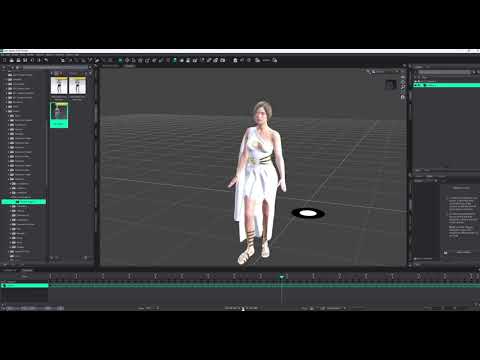
Great work!
Yeah... not sure. I made that Genesis 2 Female FBX a l o n g time ago! Never needed to redo it.
The hands seem a bit odd, but it is an animation. I switched the outfit as the arms were passing through the other. Now to understand how to make the animation continue for more frames. Eventually, I want a scene with several characters walking in different directions.
The Power of aniMate 2 is a page with a ton of info. It begins with promo for the course, but below that there's a whole bunch of valuable info and links to forum threads.
Also, you can adjust the arms position a bit using the Pose Control dials on the figure: Arms Up/Down and Arms Front/Back, etc., :)
Cool, eh? You're doing it!!!
The cool thing about aniMate 2 is that, when we create an aniBlock using the existing animation, we can then stretch the block to make it loop, and if the character is moving forward, backward, whatever, it will continue on from where it left of instead of starting over at the beginning, like we'd get by applying the animated pose more times.
There's a lot more cool stuff about it, but that one is HUGE!
I have looked at Power of aniMate2 before, but $50 is quite a bit to drop. I'll take a second look though.
I do have several animate and animate2 blocks as well.
Oh... I don't mean for you to go get the course!
There's a bunch of info on that page and its sub pages. A lot of what's in the course.
When we own aniMate 2, we can create aniBlocks from what's on out timeline and loop it, reverse it, slow it down, speed it up, run it backwards, blend it with other motions, etc.,
Does that make them easier to use and manipulate a bit in Studio?
Absolutely! It also has a tool for setting the height of the heel, in case the character is wearing heels and the animation isn't set up for that, or it can also remove the heel height if the animation is for heels but our character doesn't have heels.
Here's just a glimpse
However, there is no current aniMate 2 for Daz Studio 6 - just so you know that.
Ah, that would explain why I don't see a panel option for it.
Yeah
I'm currently working on a really cool toolkit to help with all of this in DS6 whether we ever get aniMate 2 or not. If we do... these tools will be all that much more powerful. If we don't, we'll still be able to use DS 6 to make awesome animations!
...and they'll work just as well in DS 4.24 as well. So those of us who already have aniMate 2 will benefit greatly from that.
Here's a cool little mock-up video I made of my usual animation process at the time. This was for Clint's 3D Artist Challenge: Chasm's Call, where there a specific stipulations that must be adhered to - and then you go off and create an animation on the theme.
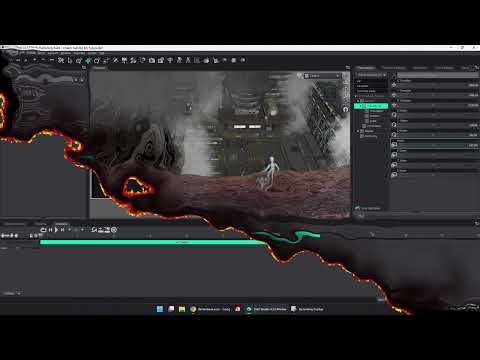
Here's my entry and, since they can only be 120 frames long at 24 FPS, I looped it a few times so we can soak it in a bit before the video ends.

Wow.. DaVinci Resolve...I tried to wrap my head around that a few years ago. Didn't go well. Broke down, got a macMini, and went back to FCPX.
Yes! We all have our favorites! :)