V3D Magic Extract And Append Bundle (Commercial)
 V3Digitimes
Posts: 3,501
V3Digitimes
Posts: 3,501
This is the support page for “V3D Magic Extract And Append Bundle””, a complete workflow bundle to recover and reuse only the scene content you want from saved DAZ Studio Scene and Scene Subset DUF files.
Compatibility : Daz Studio 4 :100%... Daz Studio 6 : still with limitations (29/8/2026)
EDIT (29/8/2026): DS6 users ONLY: for now Daz Studio 6 can freeze or crash if you load a scene with large simulation data blocs such as dForce Hair Simulation. This is a Daz Studio 6 issue, and I developped two unsubmitted workarounds : one "safe mode" ready to submit with an optional simulation cleaning procedure when launching the script, a second one still in dev but principle working, based on an "external" - and embedded - json parser.
Daz is aware of the issue and I will soon contact them soon to see if it is better to submit my temporary "safe mode" solution, to push through my "external" solution, or simply wait that they fix it on their side so that it works "normally", as in DS4. In the meantime, in Daz Studio 6, avoid using the append scripts on scenes with large simulation data such as timeline simulated dForce hair..
As usually, any issue, remark, feedback, questions, etc., feel free to post here or to contact me directly via PM.
You can find it here :
https://www.daz3d.com/v3d-magic-extract-and-append-bundle
V3D Magic Extract And Append Bundle brings together the three products of the V3D Extract and Append series in one complete workflow collection for DAZ Studio.
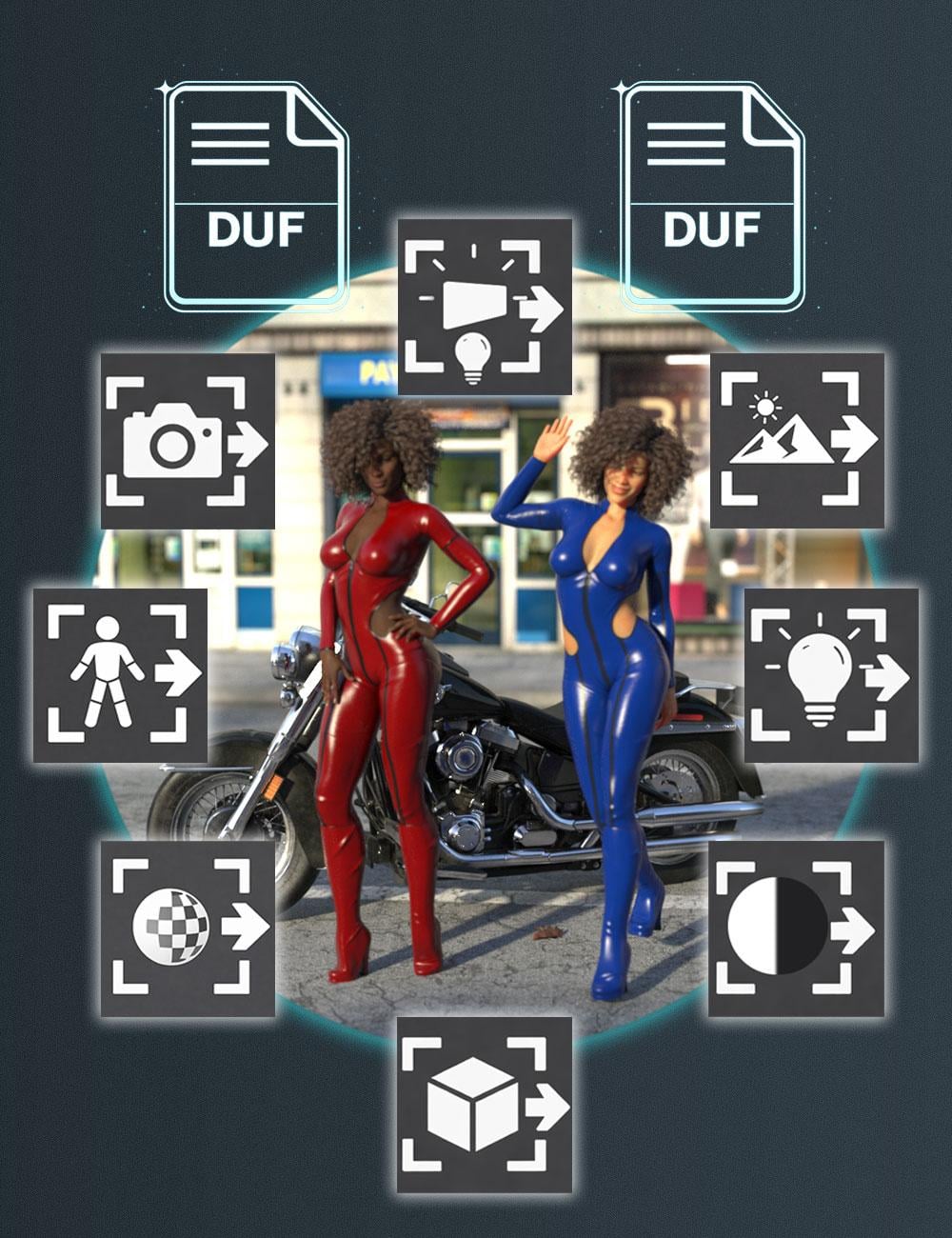
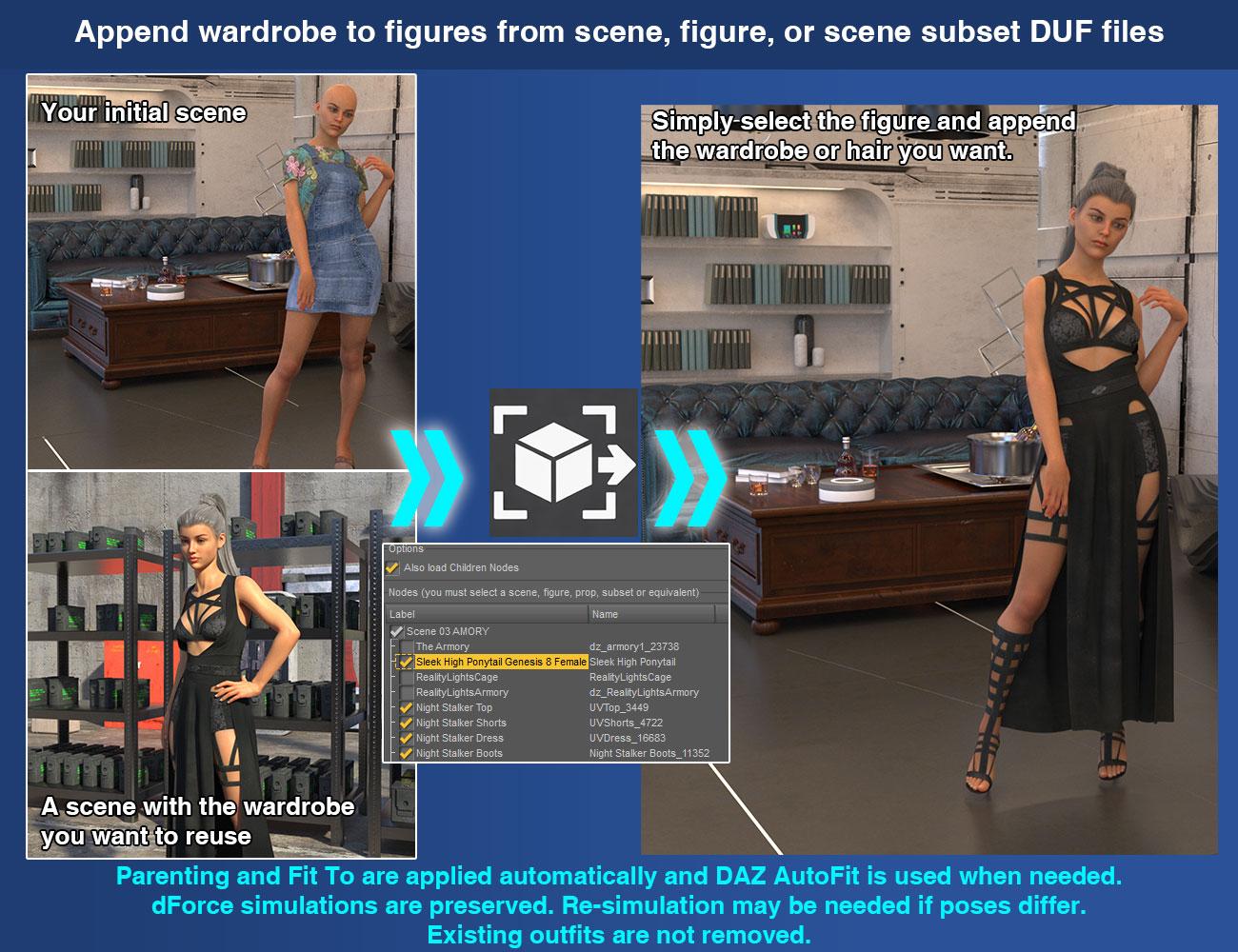
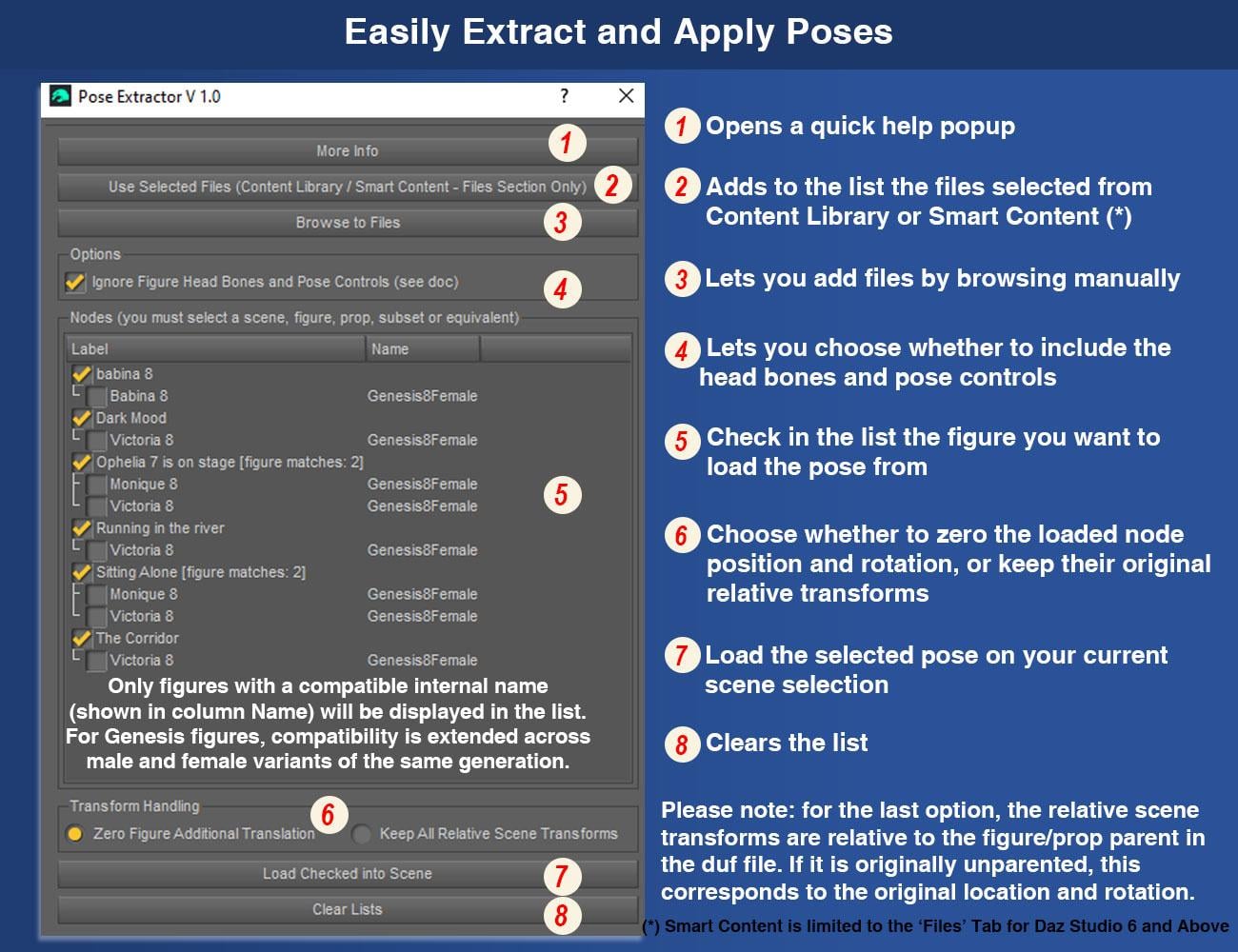
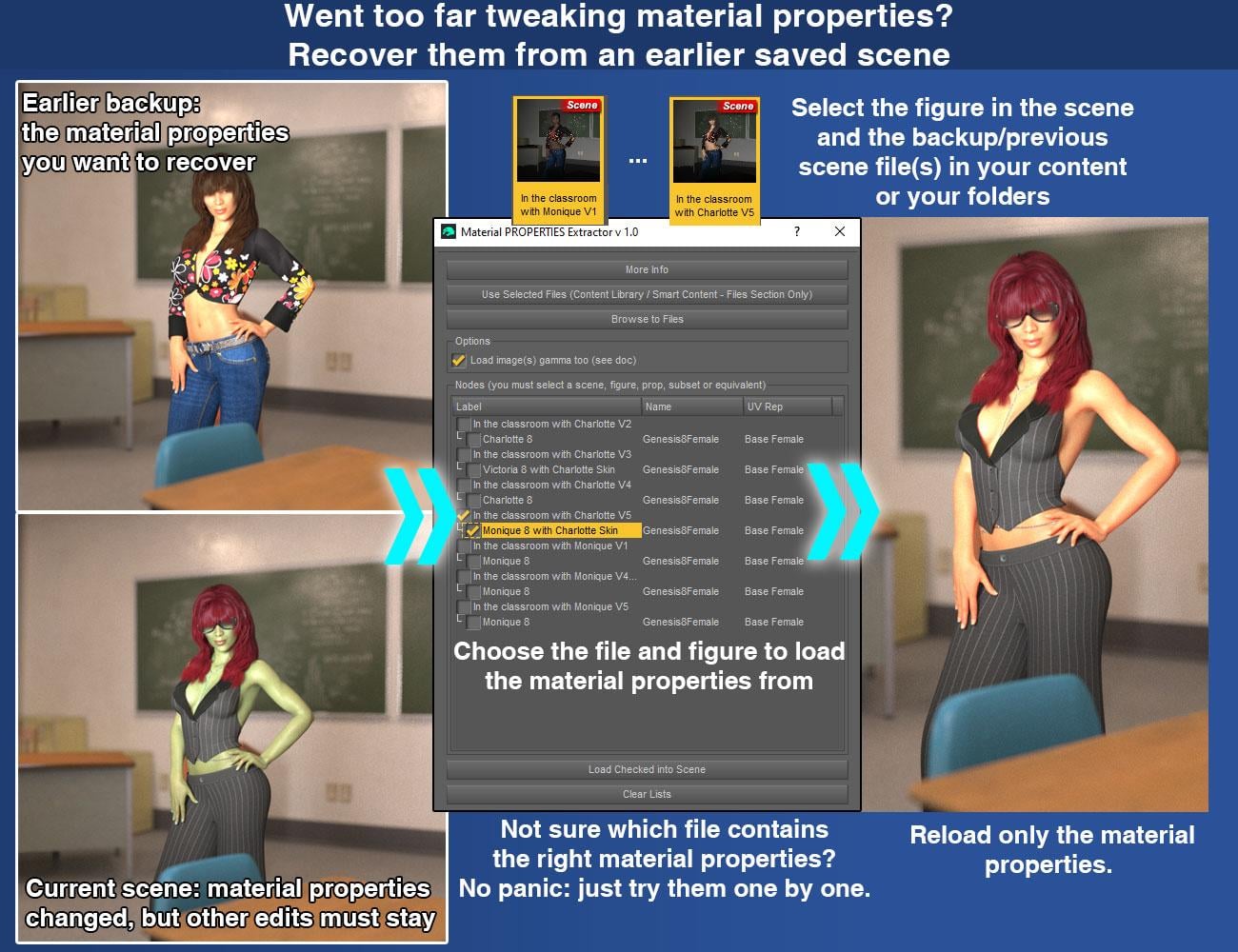
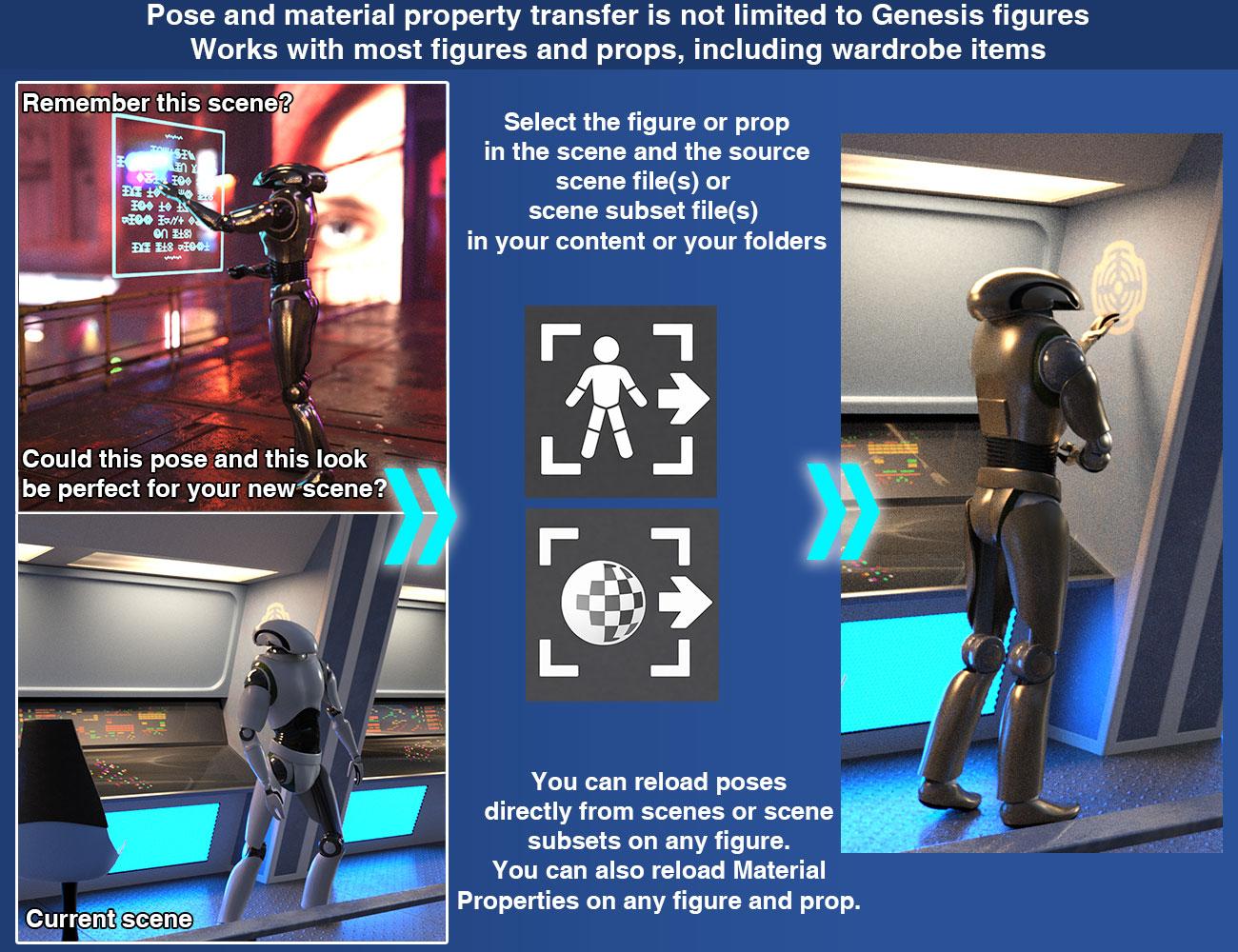
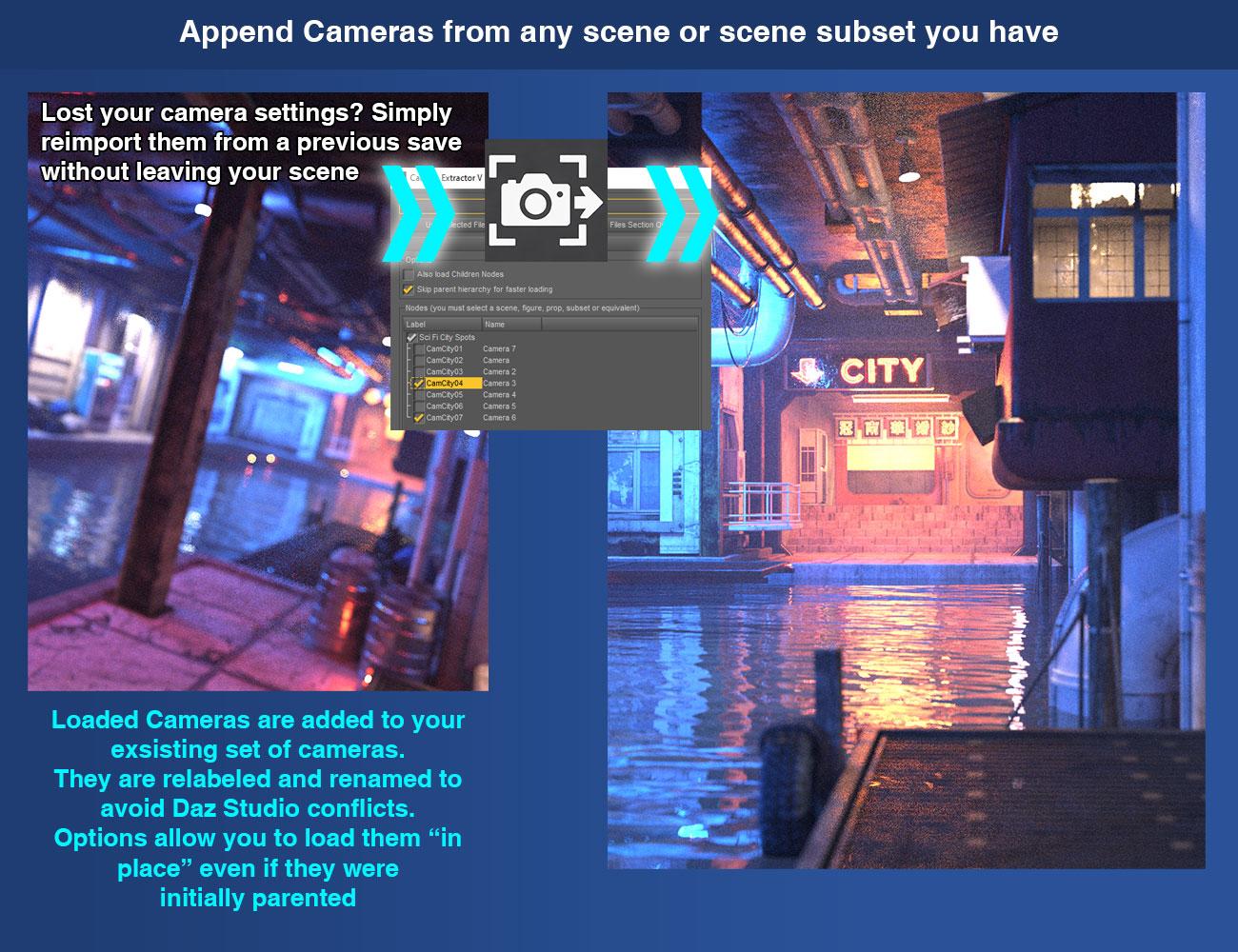
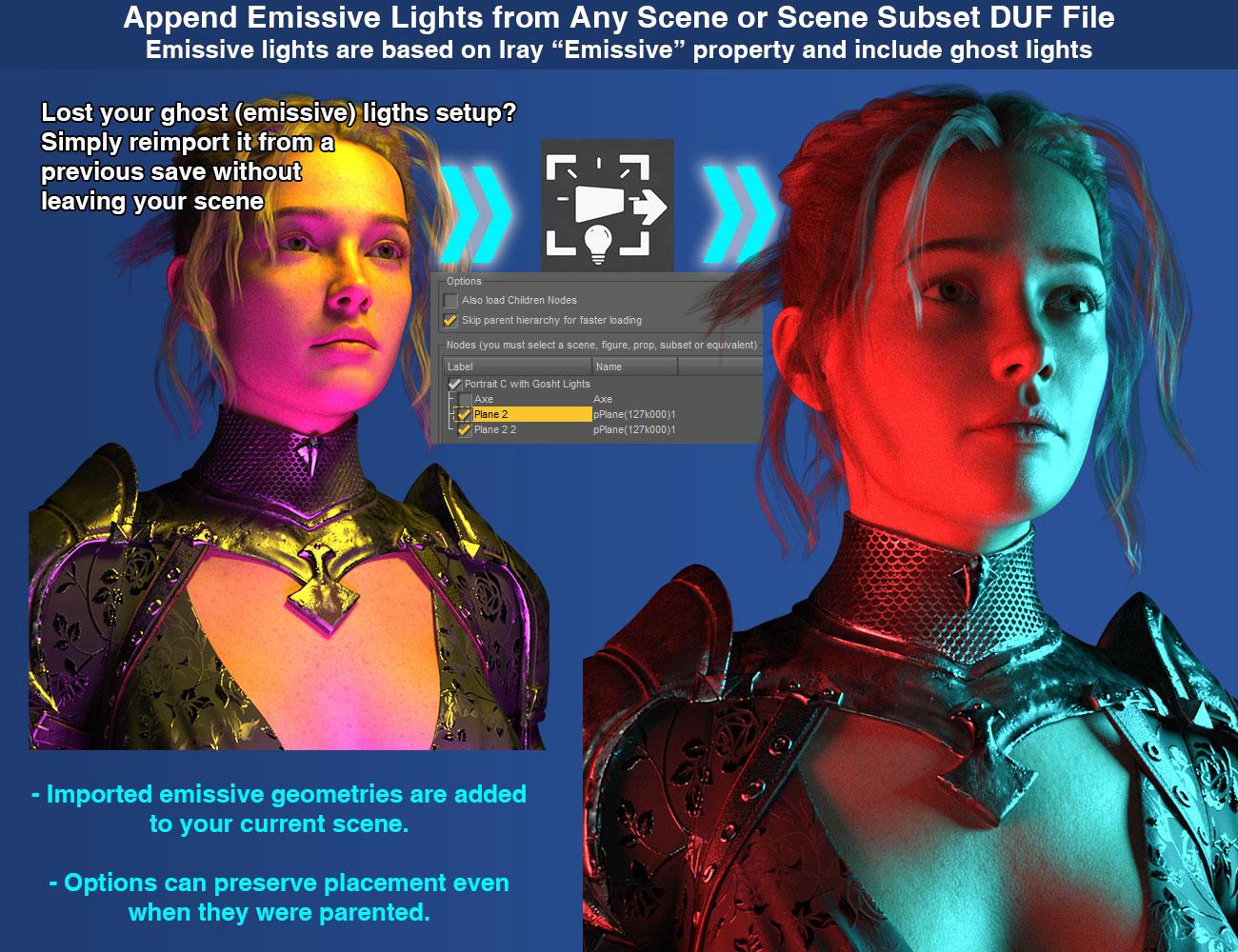
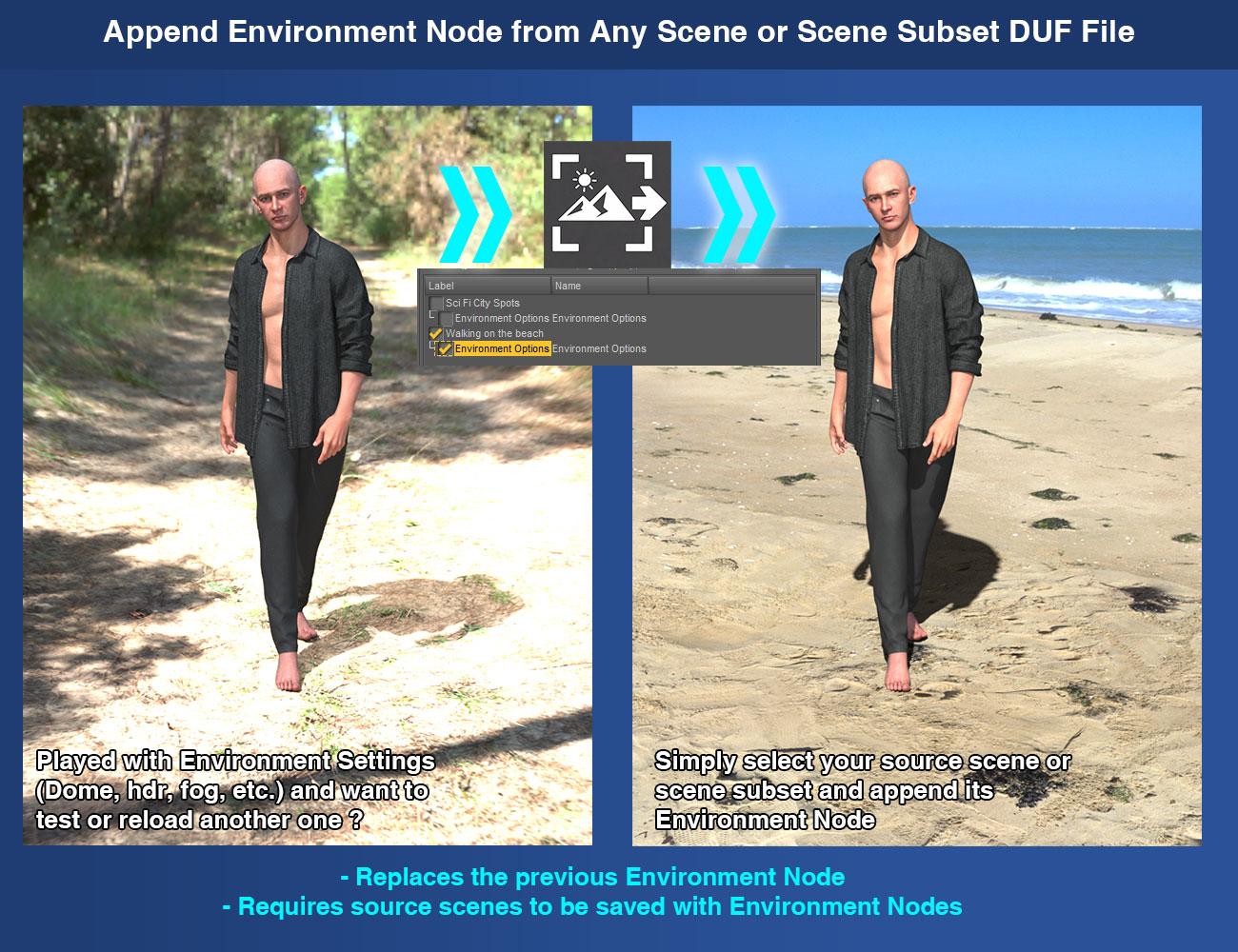
With this bundle, your saved DAZ Studio Scene and Scene Subset DUF files become practical reusable sources for a wide range of scene content. Depending on the script you launch, you can recover and reuse only the figures, props, outfits, hair, poses, material properties, cameras, scene lights, Iray Uber emissive surfaces, environment settings, or tone mapping settings you want to bring into your current scene.
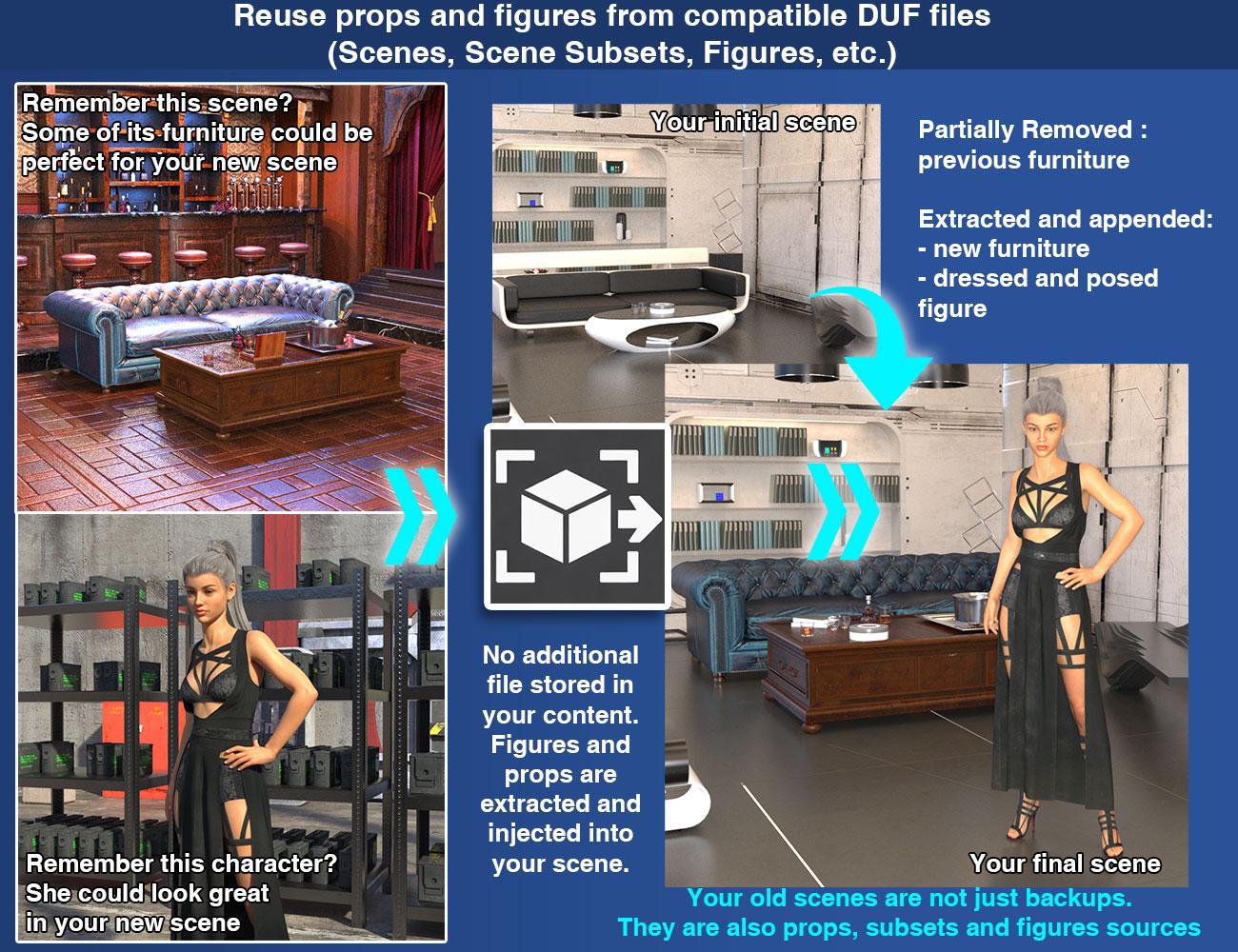
These tools are designed to make scene reuse faster, cleaner, and more convenient. Instead of reopening older scenes and rebuilding content manually, you can extract and reload only the compatible data you actually want to bring back into your current work.
This bundle is also extremely practical during normal scene iteration. You may change a light setup, adjust a pose, load a new outfit, and then realize that the earlier pose or the previous lighting was actually better. Instead of undoing everything, rebuilding it manually, or going through any other tedious process to bring your preferred setup back, you can simply launch the extractor you need, load the relevant data from an earlier saved version of your scene, and bring back the part you preferred while keeping the rest of your current work intact.
The bundle includes:
V3D Extract and Append : Figures and Props
V3D Extract and Append : Cameras, Lights, Environment Settings and More
V3D Extract and Append : Poses and Material Properties
For detailed behavior, product-specific compatibility, advanced options, and technical notes for each workflow, please refer to the individual product descriptions included in this bundle.
V3D Magic Extract And Append Bundle is intuitive, easy to use, and workflow-efficient. It gives you a complete reusable scene-content toolkit for DAZ Studio, helping you recover the content you want while staying focused on building, posing, shading, and lighting your scene.
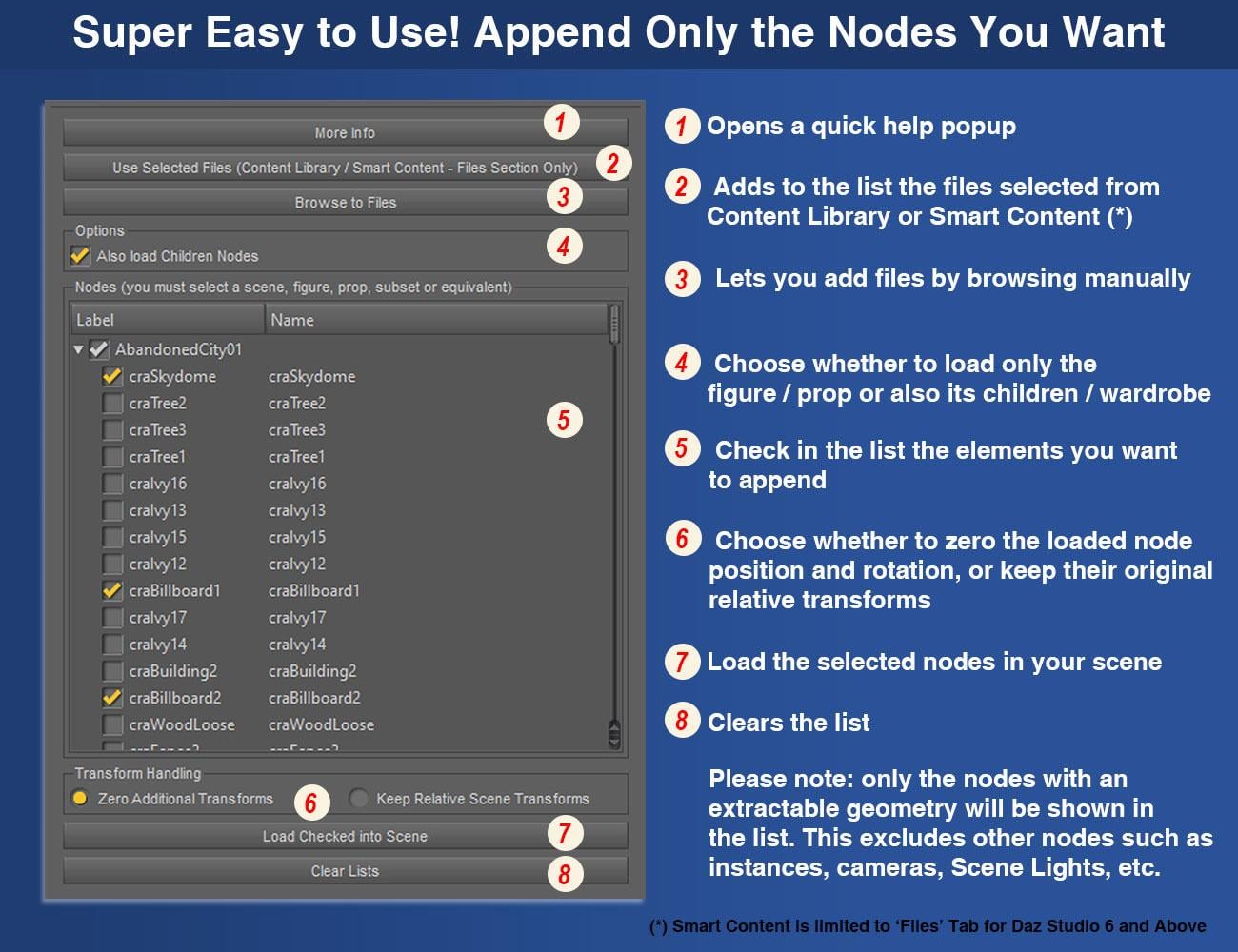
A couple of images - not showing everything... and a link to the video presentation of the bundle...
Know issues :
DS6 User Warning
Very large or complex source scenes seem to be problematic in DS6 with version 1.0 of the product.
They may cause DS6 to hang or crash during the initial source analysis step, before the item list is displayed. These same scenes should usually still work in DS4 / 4.24.
A DS6-specific solution is currently being investigated.
If you encounter this issue and have a way to share the problematic DUF file with me, it would be very helpful and could speed up the patch development.
Please Note : This product was optimized around my own, fairly classic workflow, but it can be improved to support other workflows when it makes sense.
Feature requests that may be implemented in a future update, if technically possible:
- Priority number 1 : If a GroupNode (what you call "Group") is the parent of supported geometry nodes, it should also be displayed in the list.
- A checkbox to load/appended items and strip (remove) their animation.
- If possible: a clearer display of the scene hierarchy (nesting hierarchy) in the item list. This one is more complex, as scripted list views are not the easiest thing to handle cleanly.
- Understand what happens in DS6 on one user large or specific - not clear yet - file (script blocked? DS6 freeze? What is specific in this scene?) - this is debugging, not refinment.
If something does not work for you, or if you see possible improvements, feel free to share.
For Published Artists and environment creators, this can also be useful as a production tool. When working on large environments, test scenes, promo scenes, or older WIP files, you often need to recover one specific element without reloading the whole scene: a prop, a material setup, a camera, a light rig, a figure setup, or an imported object that was saved inside the scene and even not as a clean standalone dsf asset.This is one of the reasons I made these tools in the first place. They help me compare older versions of my scenes, recover elements from previous tests, reuse lighting/camera setups, and bring back specific parts of a scene without manually rebuilding everything.
So the product is not only intended for end users who want to reuse content from saved scenes. It can also be useful for creators who build complex scenes and need a faster way to extract, compare, and reuse parts of their own production files.

Daz 3D is part of 
Connect
DAZ Productions, Inc.
7533 S Center View Ct #4664
West Jordan, UT 84084
Licensing Agreement | Terms of Service | Privacy Policy | EULA
© 2026 Daz Productions Inc. All Rights Reserved.
Comments
I just wish there were a filtered import like the filtered save. But this might be a decent stopgap. I have been saving scene subsets in addition to the original scene DUF since I started making webcomic serieses. I have directories full of character objects, set objects, lighting rigs. If I could just pull them out of the main duf, I'd probably cut my hard disk usage by a third or more.
I saw there was a "add to toolbar" function. Please, please, have a script that create action items in menus and not the toolbar. The last thing I want is a product adding a dozen toolbar icons.
Thank you for your feedback!
Yes, this is very close to the idea of a filtered import/append workflow. Since DAZ Studio does not currently provide a native filtered import from DUF files, this bundle was designed to make saved Scene and Scene Subset DUF files usable as reusable sources, so you can extract and append only the parts you need instead of reopening or merging the full scene. The idea is simple : select your scenes, launch the script, check the elements you want and process (and import), with options.
About the toolbar: no worries, it is 100% optional.
The product does not force you to add anything to the toolbar. If you do not want toolbar icons, you can simply select the scripts in the Content Library, right-click, and use “Create Custom Action”. Since you can select multiple scripts when doign this, you will have to do this only 1 time per product, then done. This will allow you to launch them from the menu instead. This is also described in the documentation.
The reason I provided the ready-made installer as an “Add to Toolbar” option by default is that scripted menu installation can currently be unreliable in DS6. The toolbar installation has been more stable for this kind of automatic setup. When scripted menu installation becomes reliable again, I will be able to provide separate installers for “Add to Menu” and “Add to Toolbar”.
P.S. About your “If I could just pull them out of the main DUF, I'd probably cut my hard disk usage by a third or more.” Well... now you can. ;)
Very very interesting. Looks extreamly useful. Love you used a Stonemason Set as an example in the video, now those are even more worthy now as it will be easier to reuse the awesome content inside those sets.
Now fingers crossed Daz release this on a good day to trigger good promotions on other products. I hate that every time there is a good promotion there is nothing that interest me to trigger it. (IMHO) This is the kind of products that deserves paying release price and not wait until christmas for silly stacking discounts.
Thank you very much! I am really glad you watched the video and saw the usefulness of the workflow.
And yes, the Stonemason example was intentional. His sets are full of amazing scene elements, but most (or all?) of them are not provided as separate standalone props. Frustrating!
Actually, that is very close to how this product started on my side. I was working on a 3D environment I created and had one of those “oh no, the windows I need are in another scene…” moments. And of course, that other scene had a Genesis 8 figure in it - with its super long load time - and a lot of other nodes (multiple dev props for a same object, with many objects), so reopening it just to recover “the windows” was not exactly tempting. That was the moment where I thought: it would be really useful to be able to pull only what I need directly from a saved scene, without going through the full reopening/rebuilding process.
So yes, this is exactly the kind of use case I had in mind: reusing the good parts hidden inside larger scenes and making your own saved DUF files much more practical as reusable sources.
About the release day and promotions... fingers crossed indeed! Unfortunately, that part is not really in my hands. I can only hope DAZ gives it a good launch setup and that it lands on the right day for people who are interested in workflow tools. But thank you very much for saying that. It really means a lot, especially for a product like this one, because it took a lot of work to make it practical and flexible (and working first!).
I briefly skimmed your original post in this thread this morning and noted to myself that I should read it in more detail later. I’m subscribed to your YouTube channel so when I was scanning my YouTube subscriptions an hour ago, I saw that there was a new video in your channel about your upcoming product. I watched the video and was amazed by what it offers. You’re an amazing programmer! Like @Wolfwood, I was most intrigued by what you demonstrated with Stonemason’s Wonderland. That feature alone will give new life to many products from Stonemason and others from DAZ3D, Renderosity and elsewhere. What an amazing product! I look forward to its release.
This explains why I had to edit my toolbars.dsx directly to wipe out like 20 custom actions in the beta. I had hit add to menu on some asset (forget which) and it put a bunch of duplicates in the toolbar and nothing in the menu bar.
Can't wait.
You can stop waiting, it is here!
https://www.daz3d.com/v3d-magic-extract-and-append-bundle
Not perfect. And I'm not sure why it's 3 scripts. But that's beside the point.
First, there should be an option to strip animation.
Second, I can't tell from the description but I was expecting to see the entire scene tree view of the DUF file and you could cherry pick any item anywhere in the list. So I'm not sure about the include/exclude children option. I make use of GROUP node A LOT. It doesn't seem like you can load groups. I'm now hesitant to buy.
Third, grabbing textures exceeds expectations. So bravo there.
Fourth, what's the difference between emissive objects with geometry and just normal geometry? Will the first product load a plain plane with emission turned on?
Will these script load the "shelf" group? shown in the attachment?
Thank you for the detailed feedback. Not perfect but perfectible.
About the three scripts: the bundle is split by workflow/type of data: figures/props, cameras/lights/environment, and poses/materials. They do not all work on the same kind of data internally, so I preferred to keep them separated rather than make one very large mixed interface.
About stripping animation: yes, that is a very good point. There is currently no dedicated “strip animation” option in v1, but I agree it would be useful and I am adding it to the improvement list.
About the full DUF scene tree: the current version is not designed as a raw DUF tree browser where every node in the file can be cherry-picked from the original scene hierarchy. It is designed to extract and append supported items by category. The include/exclude children option is there because many useful items are parented to figures or props, and users may want either the selected item alone or its attached hierarchy.
About groups: I want to be clear here. If “Shelf” is a DAZ Group node/container with child props inside it, the current version does not expose the whole group hierarchy as a selectable tree in the way you describe. The child geometry/props may be loadable if they are supported items, but I do not want to claim that v1 will recreate that group container exactly without testing the specific case. So if preserving/reloading DAZ Group nodes as groups is essential to your workflow, v1 may not fully match that expectation. I could look into integrating groups with an additional filter, something like “if the node is a DzGroupNode and is the parent of geometry nodes”. I do not think it should be too complex, but I would need to test it properly first.
About emissive objects: an emissive object is still geometry. It is basically a mesh/prop with an emissive material. So yes, standard emissive geometry with emission turned on should be loadable by the figures/props product as normal geometry, with its material. The emissive-object handling in the lights-related product is mainly there because first they are easily sorted for the user, and then because I had to include a special procedure to keep emissive objects in place even if they initially were parented to an object with rotation or offset.
And thank you for the note about textures. I’m very glad that part exceeded expectations.
For your final question: the scripts will not load the Shelf group as a group in v1. You can load geometries with the geometry tool, and cameras in place with the camera tool.
This was developed around a certain type of workflow - mine - but should be adaptable to other workflows, such as yours.
It will still be useful, I'm sure. But it isn't exactly what I was looking for.
I chose the shelf example because I was kind of sure it couldn't be loaded since it contains props, figures, and cameras in multiple groups within a group. I have other DUFs that also toss spotlights into a group along with the figure it is lighting. Then you drag the group around, and the figure remains in the spotlight. This is why I was hoping to see the DUF scene panel tree hierarchy.
Animation seems like an obvious add-on. Except, I've seen how Daz stores animation and that could be a nightmare if you wanted to support frames other than the first or last frame. :)
And I'm well aware a lot of shop tools are just home made to solve an immediate problem. Not things that are engineered for the generic experience and a marketing plan. :) :)
Your example gives me a possible direction, but I need to code and test it before promising anything.
For the geometry/props script, I may be able to add GroupNodes to the list when they are useful containers for supported geometry.
For lights, I could maybe add an option to append the light setup relative to the currently selected node, a bit like smart props. So if your GroupNode is selected when loading the lights, the lights could be parented to that group while keeping their original placement relative to it.
That could make the workflow more flexible: load the group/figure/props, test one light setup, test another one, then go back to the first one, always appending the lights relative to the selected GroupNode (you would just have to select the groupnode and append the lights).
This needs proper development and testing, but your example is a good use case for that kind of option.
And yes, that is fair. It started from my own production workflow, but I did try to design it wider than just my personal use. Clearly not wide enough yet to fully cover your workflow, but your examples are useful because they show real use cases I had not fully designed around, and they are worth investigating for a future update.
I commend your dilligence. Hope to hear about an update at some point.
Thank you.
I’ll work on this in parallel with my two new projects - one utility and one 3D environment - while also taking more user feedback/requests into account before locking the exact update scope.
I’ll keep everyone informed in the main post of the thread when each step is done, and of course when the update is submitted.
I thougt the idea of this is so you can load a duf file sepearately from the scene you are working on? But it stops you from doing anything on larger duf files
I hope I am wrong here, but from what I've experienced on DS6 and on the second load after end tasking the first time, it just hangs and hangs, so it stops me from using Daz even without anything loaded in Daz.
I am loading a big scene of over 146 k into this script and it not only takes longer than loading the same scene in a seperate Daz 4.24 process and Sub Saving what I want and merging it into DS6. Even now I am 30 minutes into loading the second attempt it just hangs and hangs!
So I'm guessing this only works on a very low duf file sizes?
I have just loaded the scene into the script in Daz 4.24 and it works, so it does not work on certain sizes in DS6.
“So I'm guessing this only works on very low DUF file sizes?”
Do you mean in DS6? No, it should not. Larger DUF files are of course longer to analyze because there is much more data to scan, but it should not be limited to small DUF files.
I have just tested a complete scene DUF of about 371 MB on my side in DS6, and it loaded totally in the script in a couple of minutes. There was a G8F in it, so it is always a bit longer, but it did load.
So at this point, I do not think this is simply a “large DUF files do not work” limitation. It may be a more specific combination of DS6 + something in your particular scene structure.
In other words, there may be something in your scene that, under DS6 only, causes the script process to slow down massively or freeze. Not necessarily because of the file size itself, but because of a specific node/property/structure/dependency that DS6 handles differently in the script. The DS4.24 vs DS6 comparison is the key information here. If the same DUF loads in the script in DS4.24 but hangs in DS6, then I need to find what DS6 does differently on that specific scene.
To debug this properly, I would ideally need a few things:
- the exact size of the DUF file;
- your exact DS6 version/build;
- whether you are on Windows or Mac;
- the DAZ log after the hang/crash. If you had to End Task, you can reopen DS6 and check the log file after restart. I can explain where to find it if needed;
- if possible, the DUF file itself. I do not need to own the referenced content for this kind of debugging. I would not load the actual scene as content; I would run the DUF structure through a timed debug version of the script to see exactly which step slows down or freezes.
It would also be very useful to know whether you can reproduce the same issue with another large DUF file containing really different content.
Since DS6 is still in beta and still moving, I cannot know yet whether the final solution will be on the DAZ side or whether I will need to add a workaround in the scripts. But if I can identify the exact step that blocks, I will have something concrete to work with.
I'm also struggling with the fact that it doesn't work on groups currently. The props I had grouped appear scattered about the list in alphabetical order and I can't remember their exact names, so I can't find them in the long list. I selected to keep the transforms, but it appears to keep the individual item transforms, but not relative to the group's location, so now the props that were added are scattered around the viewport and I have to track them down, move them, and regroup them. I really hope there will be an update that handles groups!
Yes, you are right, and your example clearly shows why GroupNodes need to be handled.
Just to check: do you usually organize your scenes with actual DAZ GroupNodes, or with ordinary parent/child hierarchies under a regular node?
If the items are parented under a regular node, you can normally select the parent node and keep “Keep Children” enabled. In that case, the children should load with the parent/child structure and keep their relative placement.
But if the items are inside a DAZ GroupNode, then yes, v1 currently does not handle that properly. In that case, the group container is missing, so the children may be listed separately and their placement may no longer make sense relative to the original group. That is on me: I should have included GroupNodes from the beginning.
So this is now clearly in my update plans:
- Add support for GroupNodes.
- Make GroupNodes appear in the list when they contain supported items.
- Try to improve the visual hierarchy/nesting in the list, if possible.
- If the DS6 (or evne DS4) list behavior makes a clean nested display too difficult, I may add another way to display or inspect the hierarchy for the selected items.
I need to code and test it properly, but yes: GroupNode handling is definitely one of the first things I will work on for the update.
Yes. :)
I do both. Usually I prefer group nodes because actual props have a tendency to need to be rescaled and if you do that with other props as children, it will cause headaches somewhere down the line.
Also, the real value of a group is to instantly hide a group of releated objects.
When I am grouping items, I almost always Create New Group and select to parent the items to the new group. Lots of products I use have items parented to another item or to a bone (beverage in the hand, for example). So, yes, I use both methods, too.
Understood.
I was already playing with nested checklists (which would include groupnodes). Creating is possible, but just have to optimize the analyse step because recreating the nest will take additional time. Keeping my fingers crossed I can read them properly too.
But tomorrow is sunday, and I need to take a rest from times to times, so it will wait til monday...
Take your time. There is plenty left to explore until you are ready.
I just tried appending a G9 character with all her clothes and accessories and hair which were parented to her. I selected to include children items and that worked well.
I'm working in DS 4.24.0.4, by the way.
I tried a test in DS6 Beta using the append figures and props script. The scene I selected to load from was 2904 KB. The script loaded the list of items almost instantly I selected a figure and a prop, both of which had several children. I told it to include children. It appended all items correctly and in the correct location in the scene.
I tried another test in DS6 (like the one above) with a very large scene 314,204 KB. DS6 Beta crashed to desktop (Windows 11) after about 10 seconds, before displaying the list of items. This very large scene file may have simulation on the timeline. The scene was saved on frame 30. Can the script handle a scene file saved on a frame other than 0? Can the script handle a scene file saved with dForce timeline simulation? Or are those things out of scope? If out of scope, an error message would be preferable to crash of Daz Studio, of course. Or is the file size just the problem, regardless of content? DS6 Beta can open the scene fine as a scene and just render it.
OK so DS6 seems to be OK with small scene. I just have to understand what happens with big ones.
Thank you very much for the detailed report, Barbult.
A scene saved on frame 30 should not be a problem by itself. The script does not intentionally require the source scene to be saved on frame 0.
The dForce/timeline simulation question is difficult to answer without inspecting the file directly. In principle, the script is expected to support simulated dForce items: it should load the simulated nodes like any other scene nodes. So I do not currently consider dForce simulation itself to be automatically out of scope.
However, the fact that DS6 crashes before the item list is displayed suggests that the issue happens during the source scene inspection step, not during the actual append operation.
The very large file size may be part of the problem, but it may also be something specific inside this DUF file: simulation data, animation data, embedded geometry, cached data, or another structure that should normally work, but may be triggering a DS6 Beta crash or an internal limitation when the file is analyzed by script.
A few questions that would help me narrow this down:
Do you see the same crash if you run the same test in DS4, or is the issue DS6-only?
Would it be possible for you to upload the problematic .duf file somewhere so I can download it and analyze it directly in DS6?
Did you notice any unusual RAM usage during the analysis, before DS6 crashed?
I will investigate this as soon as I can reproduce (by creating huge scenes) or inspect the source file. I will also look into adding a safety check or warning or specific internal patch for very large source files, so the script can stop more cleanly instead of letting Daz Studio crash if DS6 hits an internal limitation.
Thank God it is raining outside, so my Sunday will be debugging Sunday!
Thank you again for the report. I have done additional stress tests on my side, and I now have a clearer direction.
So far, I tested three different stress cases:
1. Very large UI lists: DS6 was able to create very large checkable list views, including a root item with many children. So the crash does not currently look like a simple UI list-size limitation.
2. A very large artificial DUF file created via Python containing mostly one huge payload string: this one could be read, parsed, and displayed by the script in DS6. So the problem does not seem to be the raw file size alone.
3. A very large artificial DUF file created via Python, about 350 MB, containing a very large number of small JSON objects: over one million objects. This one is much more interesting: in DS4, the file can be read and parsed successfully by the script. In DS6 Beta, the same file crashes Daz Studio during the script-side inspection process, just after the file itself is read, before the JSON parsing step is even reached.
So at this stage, this looks much more like a DS6 Beta-specific instability with very large / highly structured DUF files during scripted DUF analysis, rather than a general issue with the append logic itself.
This could explain why your scene can open and render normally in DS6, while still crashing during script-side inspection. Daz Studio’s native scene loader and script-side DUF analysis are probably not following exactly the same internal path.
I am going to try some possible workarounds today.
Also, if the script also crashes in DS4 on your specific scene, please let me know, because that would be a very important difference from my current stress-test results.
It worked on loading a big file in 4.24 no problem, and it works on a single figure small duf file in DS6, but anything over a certain size in DS6 the program does not load into your script panel,that is what hangs and hangs, I have not got use it in DS6 as I cannot go any further than starting the script which hangs and hangs.