
Daz 3D is part of 
Connect
DAZ Productions, Inc.
7533 S Center View Ct #4664
West Jordan, UT 84084
Licensing Agreement | Terms of Service | Privacy Policy | EULA
© 2026 Daz Productions Inc. All Rights Reserved.
Comments
Thanks so much.
A few months ago I started using an AI art program with thoughts of using it to make my DAZ renders more cartoonish or comic bookish. I was blown away when I saw how easy it was to get a toon render from my 3D ones. I've tinkered since I was fortunate enough to get a beta copy of the first Poser program and have tried all types of DAZ plug-ins (like pwToon) that took a lot of work and never *quite* gave me what I wanted, as well as using Photoshop plug-ins and actions in conjunction with the pwToon renders.
Now, AI does what I wanted many, many times faster and delivers so much more.
I started my current process by spending a few weeks creating a custom ai model style by either feeding it my original artwork or by rendering out samples from DAZ and "tooning" over the renders to make them look closer to what I was after.
After I had hundreds of custom and personal images I fed them to the AI.
Once it had digested them all and created my custom style, I had something that I could either feed it prompts and see what it gave me (some wild stuff, some awful, a lot of very neat renders that mostly fit the same style, though sometimes more cartoonish than other times).
Feeding it an image, like a 3D render, would redraw the 3D render in a 2D style. Cool.
I then started feeding it props and backgrounds and finally... clothing.
Where I am now is with the ability to feed it a DAZ character, have it toon it, then have clothing renders fit to it and finally, a character that I can use the same way I would if they were created, morphed and dressed in DAZ but in some cool toon versions and reuse in 2D without DAZ Studio.
Here's some samples.
First, the original Girl, converted using my Toon style, a male version of Uzilite's New Adventure (with the top tinted green), a retro blaster prop and a render of the character in action.
Next – sticking with the oldies first – the Creeper, Toon-rendered, a grey version of the Uzilite uniform, the Creeper clothed, then in action with the Girl.


Here's a Toon Generations space guy, custom-tooned (note the wild number of fingers, even with my custom style), and a uniform made up of DAZ clothing parts (rendered in Filatoon), dressed and refined a bit.
Finally, I took one of my Cartoon Animator characters and recreated the Captain from my 2D Cartoon Animator animations. Basically, it's just adding DAZ clothing directly to the character and putting him (and the rest of the crew) into 2D comic action, in this case using the Battle Bridge.
I'm currently in the process of refining some of the characters, but they're pretty useable right out of the box. It litterally takes minutes to take a rendered character and turn them into a reusable 2D character. I'm also creating standard sets and environments for ongoing comic adventures.
Even takng existing renders and just having them replace the original characters with my new cast takes less time than loading the original scene. I took a frame from my 3D animation and told the AI to replace this character in the image with this custom character, replace that one wth that custom character, etc.. Less than a minute or so and I have the bridge scene populated with my new custom characters.
I'm super pumped that decades worth of DAZ assets are now more useful than ever. Loads of fun to be had..
Hi Walt GREAT Work!!
have been doing the exact same thing as you.
using 3D renders of Daz, Iclone and even VROID Characters to create true 2D toon characters for my next graphic novel as well as 2D animations.
Well done, both of you.
AI evolved a lot and creates much better images: proper number of fingers on humanoid/ animal models
and text/labels with great looking lettering.
Here is my render from Daz Studio of Brute X
https://www.daz3d.com/brute-x
and after the treatment of AI.
This version looks also interesting to me...
Testing, how it goes with some letters added...
Another example of my Everett 9 render
https://www.daz3d.com/everett-9
and its treatment with AI.
Even better.
I can put him in convertible and I do not have suitable model of such car for Daz Studio.
Small change and we have more action...
Your end results are fantastic
I'd puttered around a bit with AI but didn't really buckle down and work with it seriously until I saw what you were doing with it in both comics and animations, so my thanks for your examples. I especially love the restyled example here. I would have loved to be able to do that 20 years ago, it was the reason I invested so much in 3D art... to get really good 2D comic characters and scenes!
All of your samples are awesome, but this one is my favourite, it's gorgeous.
Thanks very much for your comment, it's greatly appreciated. My biggest problem these days is focusing on a single project, because everytime a random thought pops up in my tiny brain I "run a few tests" and half a day and dozens of images later I have another style to use or two more stories to pursue.
The problem is amplified, too, because I've been taking my 2D toon/comic characters and using other AI tools to take my 2D characters and convert them to 3D meshes again, which I then either use as animated characters in a game I'm working on or print them in colour with my 3D printer.
While I have a gazillion newer figures and assets, I have to admit I'm enjoying reusing things from over 20 years ago, especially things that I loved back then but couldn't use as much as I'd have liked due to software limitations.
For example, here's one of my all-time favourites, the Dragonfolk. First, a Victoria 2 Sci-Fi outfit (I paid a whopping $1.99 back then, but, you can get it for 99¢), then a combintation of G3 clothing assets by MightyMite and Sloshworks, and finally a Dragonfolk wearing each outfit in different environments.
Thanks a lot, @wsterdan
You got really nice results, as well.
Wish it will be easy to get back AI stuff (characters, environment etc.) back to Daz Studio.
some cool stuff everyone
combination of AI and key-framed animation of a DAZ Studio render
music also AI generated on my own PC
hint: the plants don't move in the roughly 1m key framed section but (but the tumbleweed still does)
Fun stuff, Wendy; what local AI did you use for the music?
ACE-Step1.5 in the Pinokio Browser
interface very similar to Suno
have gotten much better songs, this just suited this video
there is a ComfyUI and Google Collab workflow too for those who prefer that
I just go for the easy options
HardStyle Trance so the AI translated some of the lyrics to Dutch using enhance
used my own images in the included mp4 visualiser this one
it takes a long time to render though, songs generate fast
Bit by bit, inch by inch it's getting there, I think. I imagine that in a year or three we'll either be able import AI models into DAZ, or into some 3D software we'll be using instead of DAZ.
I mentioned above about taking my 2D characters and making 3D models from them for printing and animating in a game I'm working on. They can also be imported into DAZ Studio, in partially-rigged mode as well as being exported in Blender format.
To demonstrate, I posed one of my 2D Young Space Captains in a T-stance and imported him into Meshy:
then exported him as an FBX and imported him into Mixamo:
I exported him from Mixamo as an FBX again (sounds a little circular, but it just gives me better imports into DAZ with rigging that works) and import him into DAZ Studio, rigging intact:
as shown by the character's bones being bent or rotated to pose him:
It's primitive but quick rigging that works, I'm sure someone who actually knows what they're doing (not me) could export into Blender and get a much more useable figure fairly quickly.
I've also attached a quick little 2D landscape that I've imported into Meshy to convert to 3D, then export as an FBX and imported into DAZ Studio.
So, far from being able to sketch a character in a painting program and importing as a full-blown 3D character in DAZ Studio, but we're getting there...
Cool stuff – as always – thanks for sharing Wendy!
Last example, I promise!
I took two of my characters to test for a comic page size.
Then added one of my oldest Micheal 2 Sci Fi outfits (still availble in the store!) and fit them to the characters:
I decided that they should have different outfits, so I added the matching Victoria 2 Sci Fi outfit:
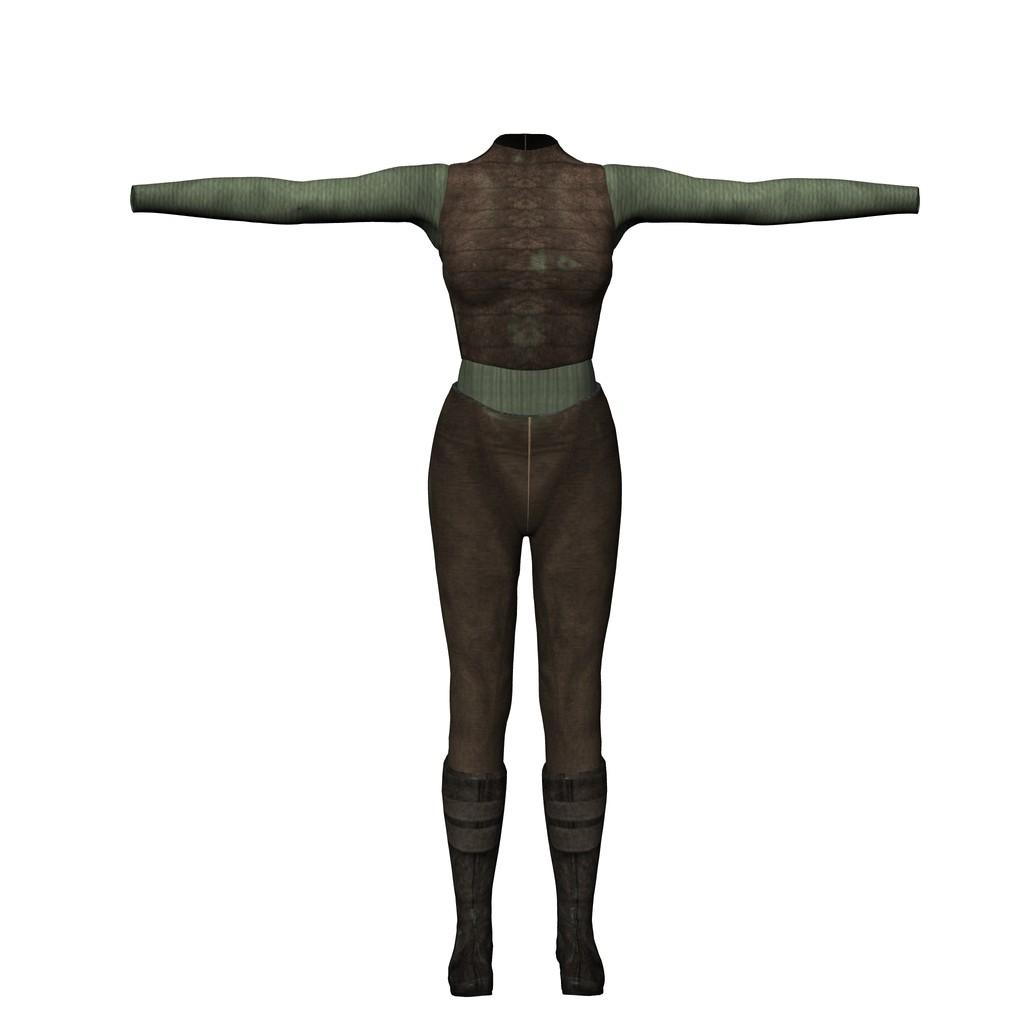
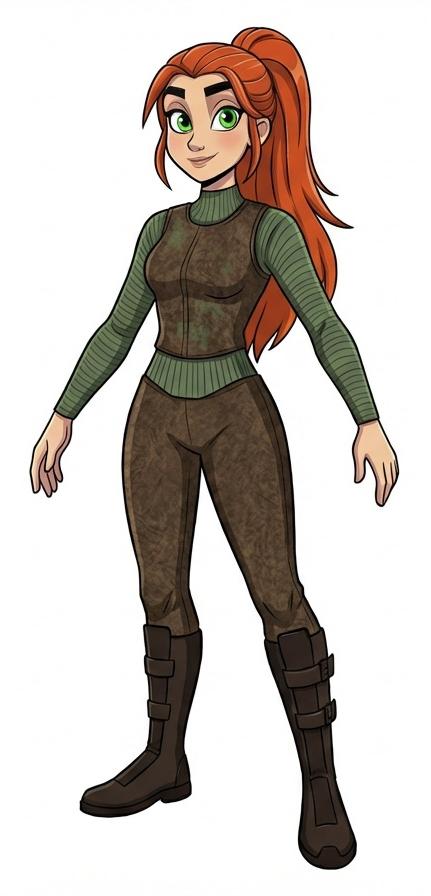
And with my two characters dressed for adventure, I generated a handful of images of them exploring an ancient alien ship that had crashed.
This is not part of an actual comic, I'm just doing a test for consistency and panel/page/text sizing, the text was written *after* I had the images. It's much better to have a story, *then* do the images and text. For the record, I like the page size, but I'm probably going to go with larger – and fewer – panels to the page with bigger word baloons and text.
Very impressive work, thanks for sharing your workflow.
Thanks!
there is a self contained Portable package Windows version of ACE-step 1.5 for those who prefer that
https://github.com/ace-step/ACE-Step-1.5