"Clean" a UV?
 RevokedRevenant
Posts: 47
RevokedRevenant
Posts: 47
Greetings,
I have a building, in which i'd like to change the aspect of the floor by applying a shader.


As you can see from the second attached image, after i have applied the shader some unwanted artifacts are showing: that's because the UV of the floor is quite specific (see image 3).
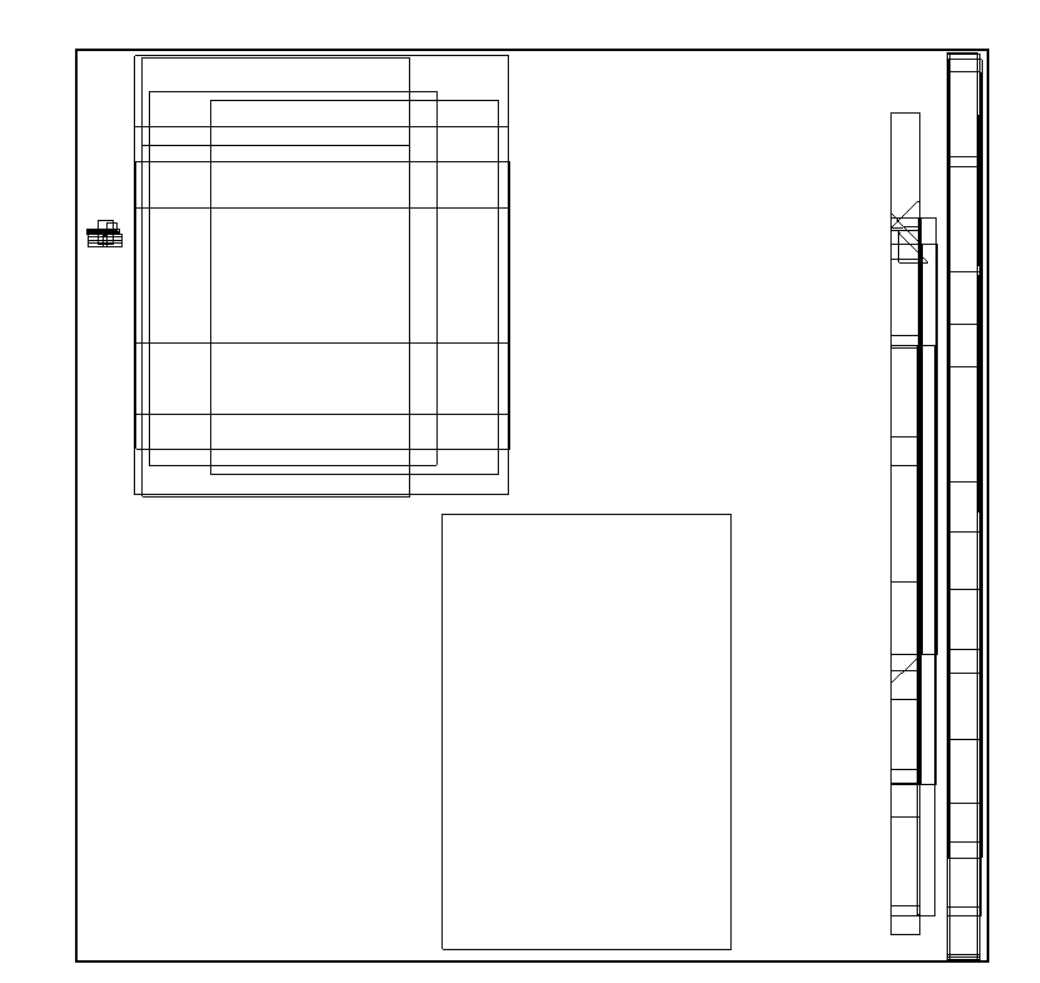
I'm not an expert on UVs, so my question is: is there a way (if that's makes sense) to obtain a "clean" UV? like an UV that let me cover the object in whatever texture/s i want, without placing one part of the texture here, one part there, thus creating the artifacts?
I really hope i asked an understandable question 
Thank You in advance!

Daz 3D is part of 
Connect
DAZ Productions, Inc.
7533 S Center View Ct #4664
West Jordan, UT 84084
Licensing Agreement | Terms of Service | Privacy Policy | EULA
© 2026 Daz Productions Inc. All Rights Reserved.
Comments
You can create a new UV in a modeller, and load the UV into Daz Studio.
For using it you need to select that UV for this surface.
Do you know any modeling software like Blender... and how to unwrap UV to make a new UV layout ? Then a new UV layout can be imported as a UV Set for the floor on which the shader preset can work well.
Another work around is to replace or just cover the floor with a primitive plane then apply the shader preset to the plane surface... which'll be much easier.
Thank you both! I know some basics of Blender (very few actually), so i could follow @crosswind suggestion
I'm gonna search for a simple tutorial on UV unwrapping in Blender
Thanks again!
To just change the UV of the floor in blender, go to edit mode, select all the faces of the floor and click UV > unwrap conformal
That will not change the UV of the rest, but if the floor is it own(s) surfaces that doesn't matter,
just put a plane over it... (or instead of it)