Is this all about lighting?
 kirascurro
Posts: 51
kirascurro
Posts: 51
i'm just back to Daz after a time away and learning all over again on a new, stronger computer with a Nvidia card. After opening a product in Daz it looks much different than the pic does on the product page. is this because the product page is properly lit and i haven't done any lighting in Daz? i haven't gotten into Daz lighting because all of my Daz products will be bridged to Unity. i figured i would do my lighting there. i just want to make sure that the difference is only because of lighting and the Daz view is normal, and lighting in Unity is the normal workflow for bridging. i thought i'd start here rather than the Bridging forum. the Daz interface pic is an attachment cause i didn't want to have to put it online just to post it here.


Daz 3D is part of 
Connect
DAZ Productions, Inc.
7533 S Center View Ct #4664
West Jordan, UT 84084
Licensing Agreement | Terms of Service | Privacy Policy | EULA
© 2026 Daz Productions Inc. All Rights Reserved.
Comments
Is it an Iray render? Check the active render engine in Render Settings.
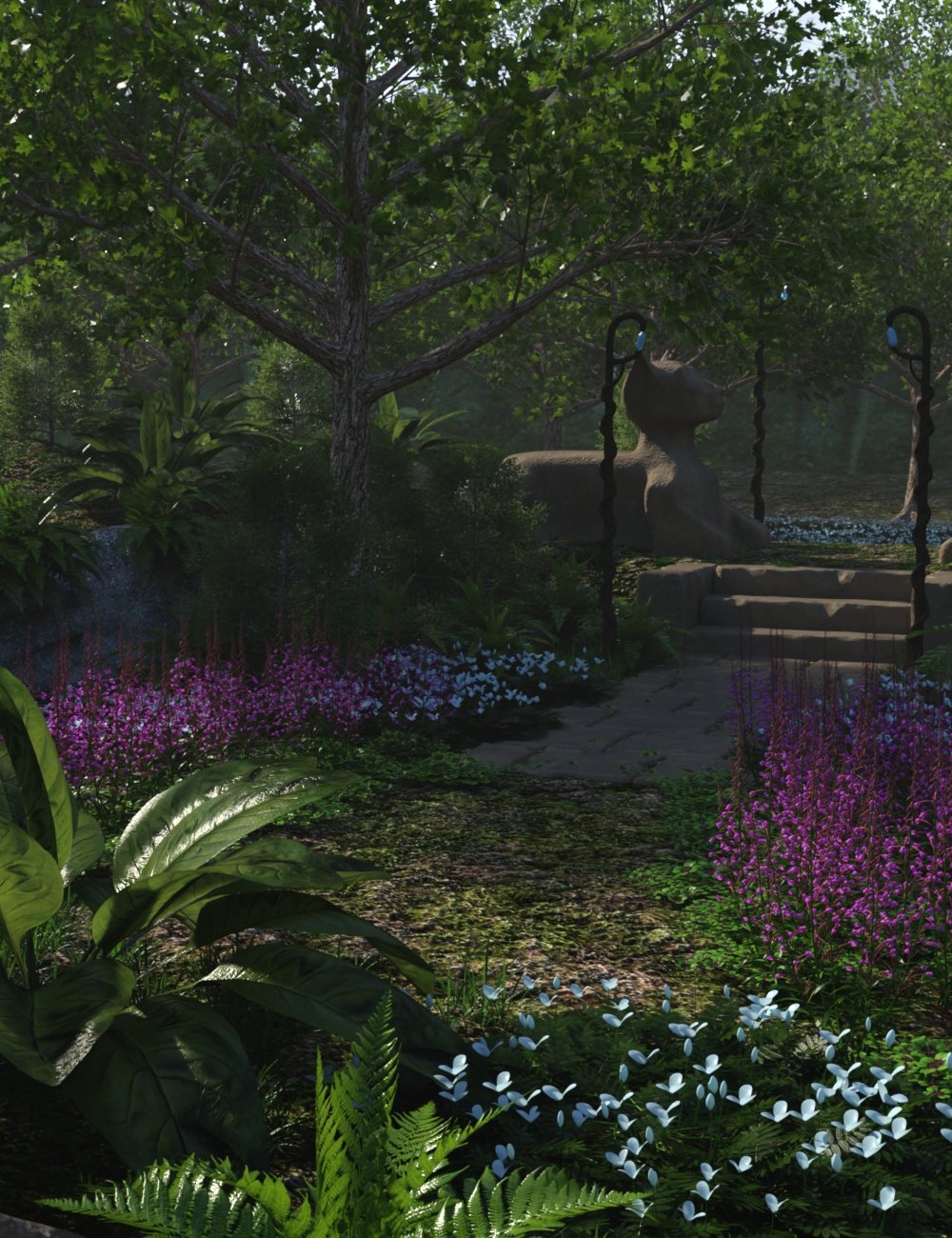
Richard, no, I don't thnk so. here's the product page: https://www.daz3d.com/my-secret-garden
i haven't done any rendering. that's how it looks initally loaded.
When loaded, you are looking at a Viewport preview. Depending on the Drawstyle you have chosen for the viewport (or what Daz Studio defaulted to), the viewport will look different than a final Iray render. The promo image for the product is a final Iray render. So, your viewport preview and the promo image render look different. The only way your viewport will look like a final Iray render, is if you select the Iray Preview Drawstyle for your viewport.
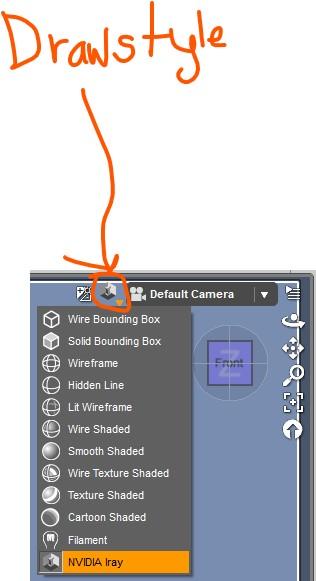
thank you so much, barbult! i will try that!
Know that Iray Preview can be very slow on a large scene, unless you have a top of the line NVIDA graphics card. Also make sure that your graphics card is selected as the rendering device in the Hardware tab of the Render Settings pane. Also, as Richard noted, select the NVIDA Iray (MDL) as your render engine. See the attached screenshot.
However, if your goal is to export to Unity to render or work on your project further, you don't really care what it looks like in Daz Studio.
thank you, barbult. this will help me in stting up my whole Daz interface again. you're right, i'm not concerned too much about how it looks in Daz, but I do want to make sure I'm getting the products as advertised. I very much appreciate your help with all this. I don't have a top of the line Nvidia card. I have a Nvidia GeForce RTX 4060 Ti. i hope that will do.
It all depend on the scene. Give it a try. If Iray Preview is too slow, do a full Iray render instead. Or do a spot render of a small area of the scene with the spot render tool.