Please HELP - Merging Geografts Issue
 fedecruzic
Posts: 0
fedecruzic
Posts: 0
Hi, im using diffeo to import this character, and idk how to merge the geografts properly. I've got Brestacular and Golden Palace though the issue seems to be with Brestacular always.
I've tried both methods, SubD Displacement and Geomentry Nodes(experimental), and i've found problems with both:
When i use SubD Displacement, i get a mismatch in skin colour, like if they materials had changed. The positive with this method is that it lets me edit the breast geometry after the merge, the wireframe behaves properly.
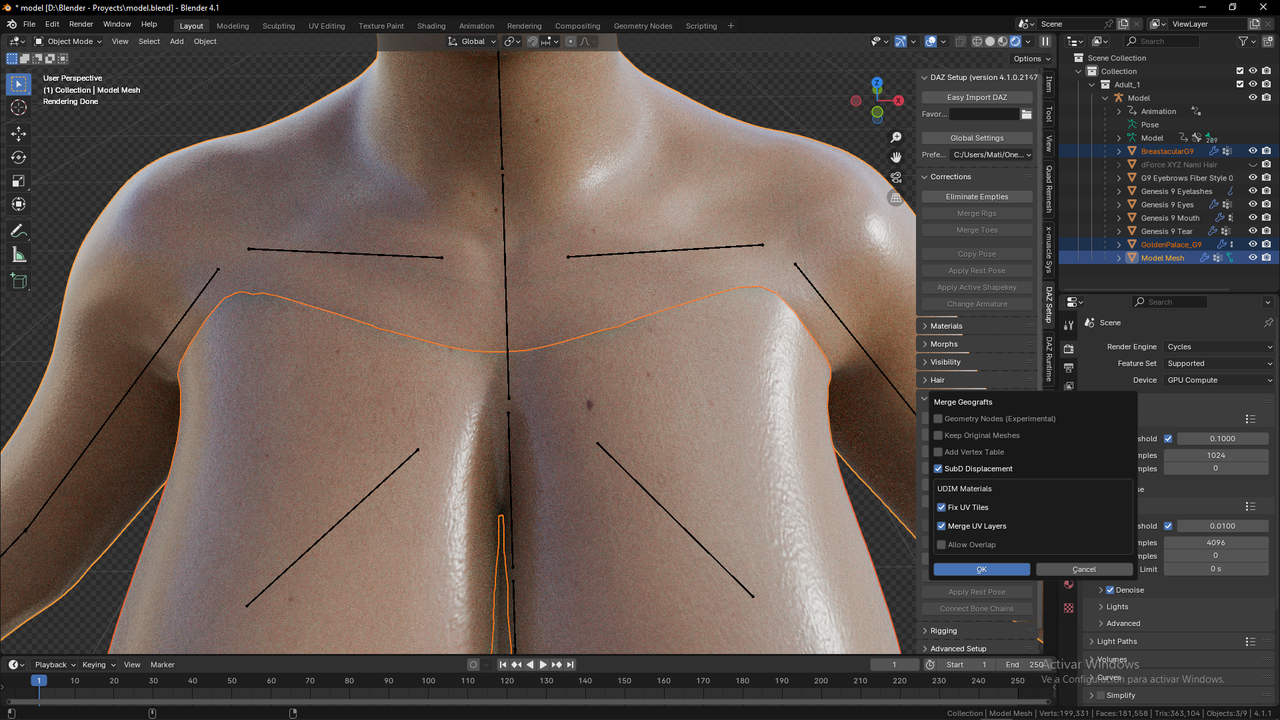
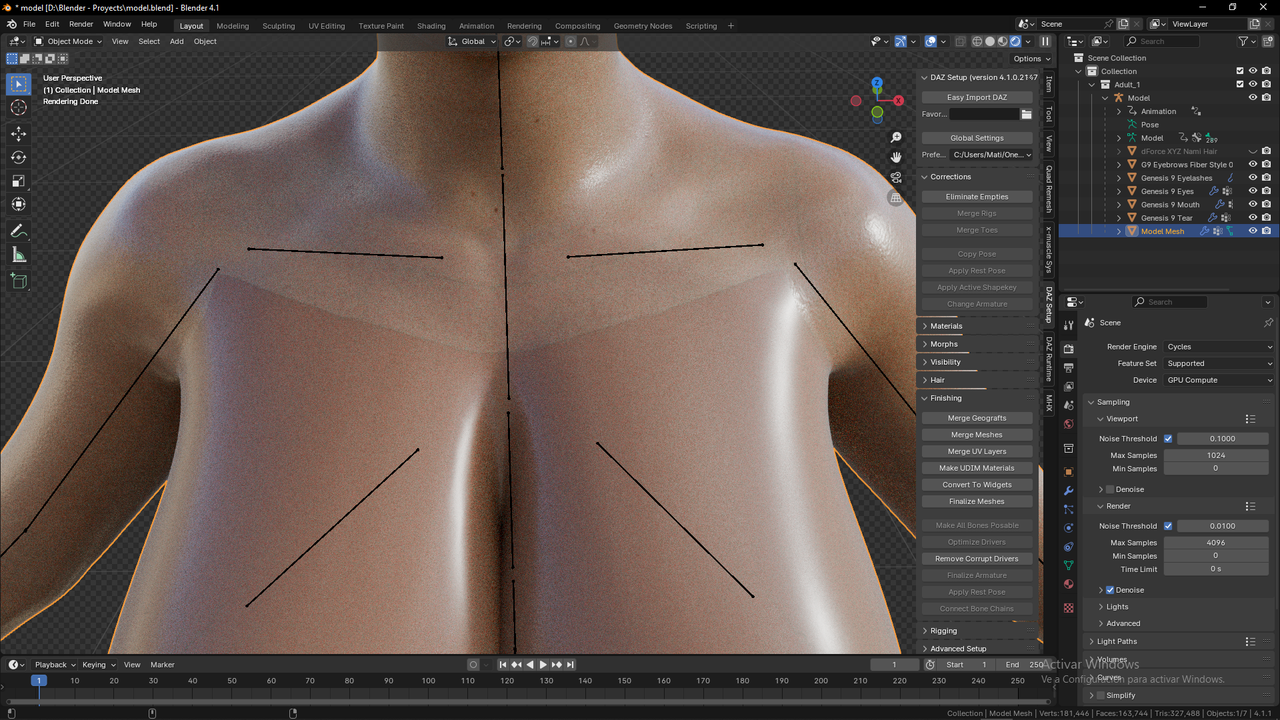
When i use Geometry Nodes(expermiental), the skin color mismatch disappears and looks great. The negative side of this method is that it does not let me edit the breast geometry, the wireframes intersect.
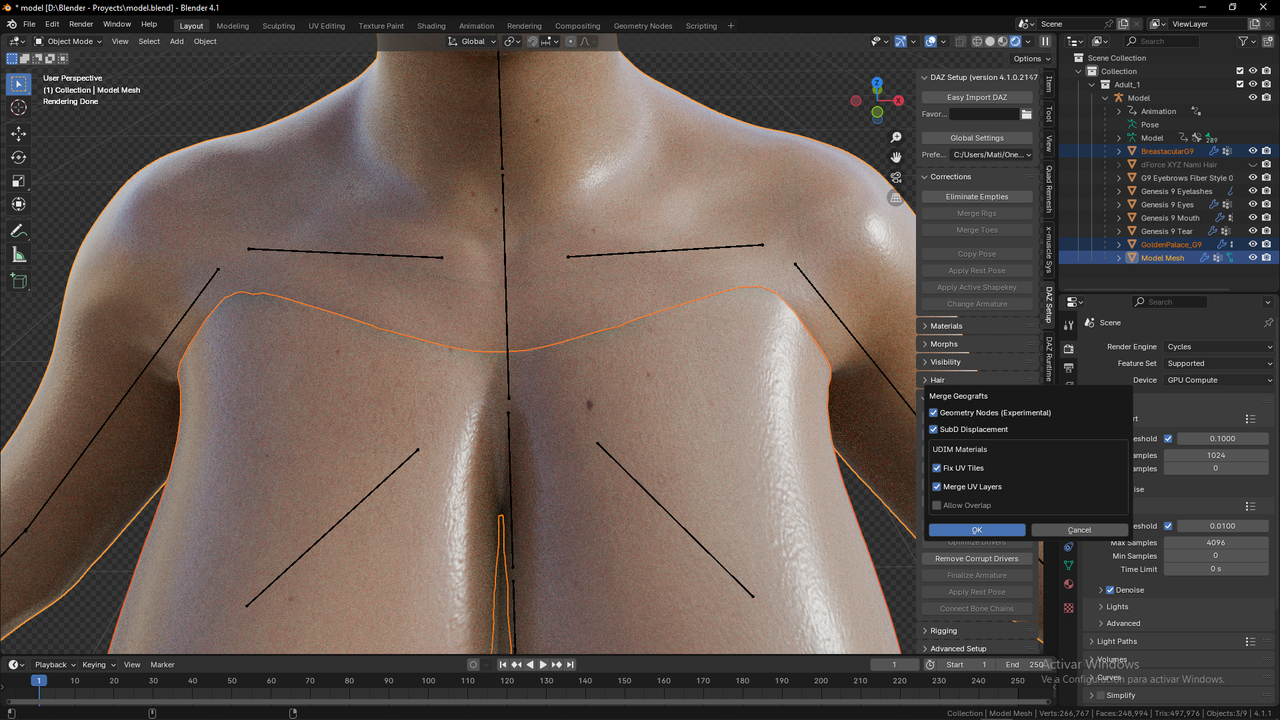
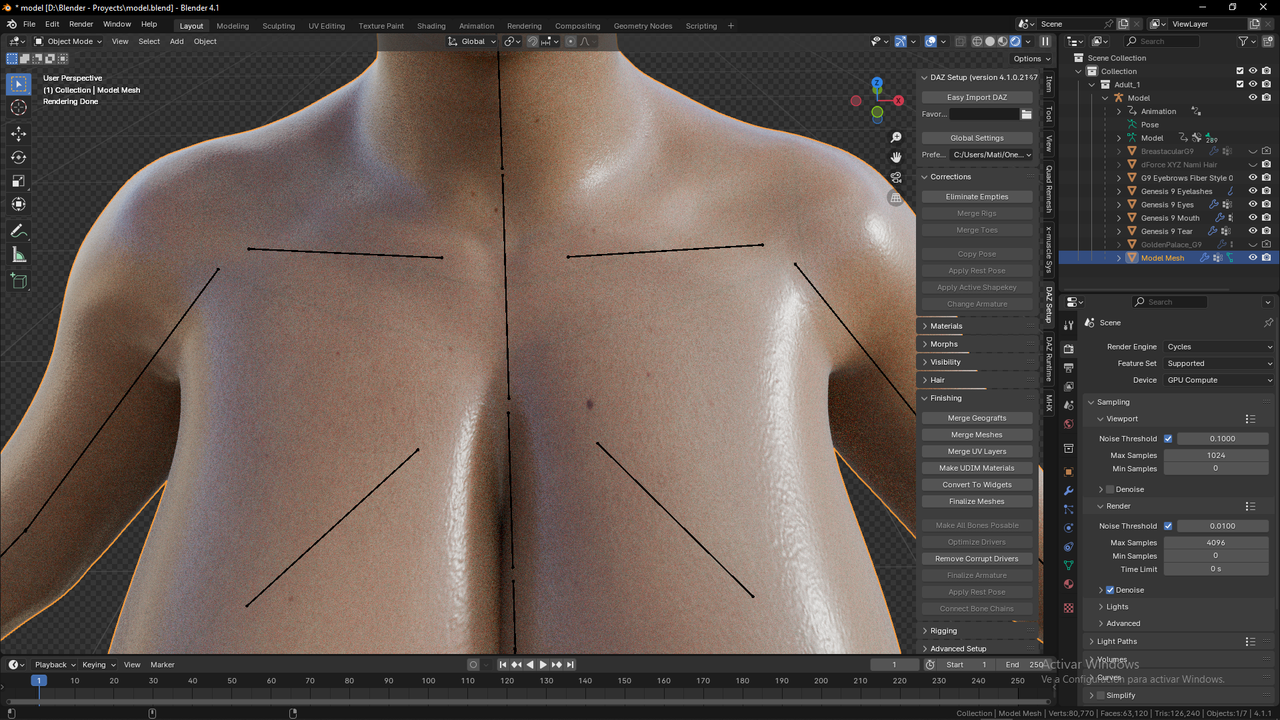
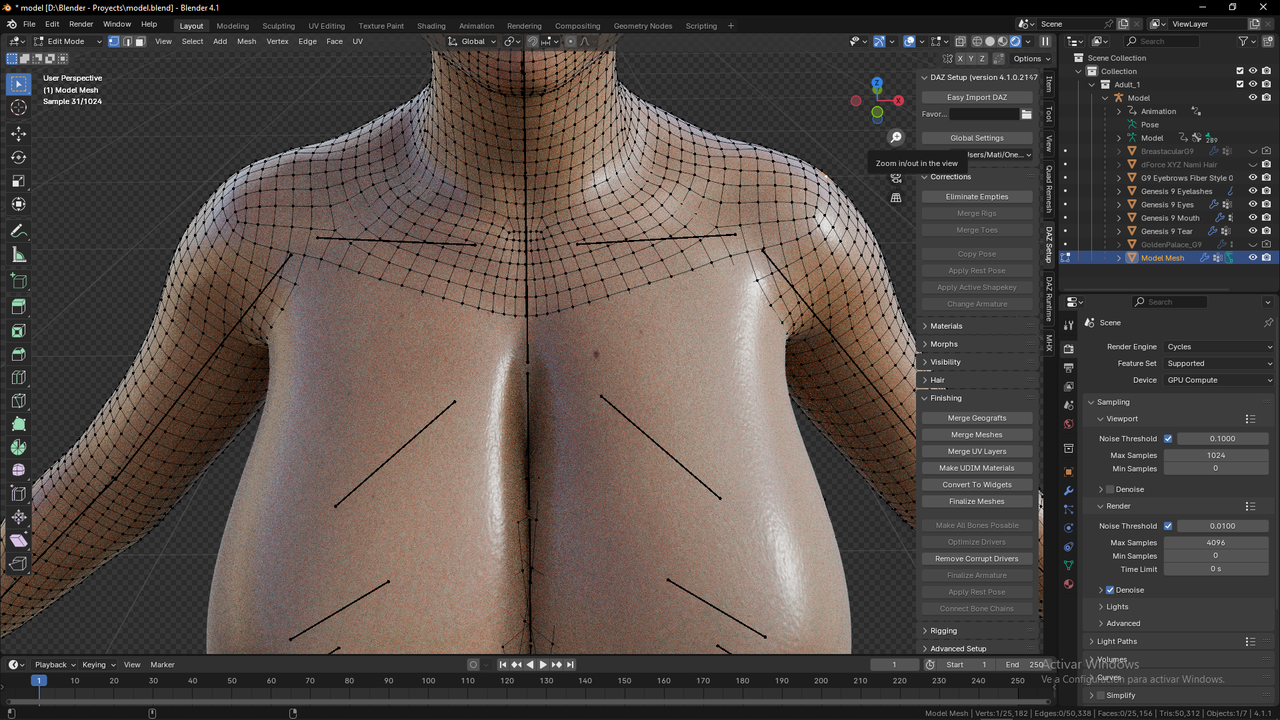
Can someone provide me a solution that fixes both the skin colour mismatch and the geometry edit problem. I've been searching so much about how to get this to work and found almost anything, and this is as far as i could get by myself. Thank you in advance!

Daz 3D is part of 
Connect
DAZ Productions, Inc.
7533 S Center View Ct #4664
West Jordan, UT 84084
Licensing Agreement | Terms of Service | Privacy Policy | EULA
© 2026 Daz Productions Inc. All Rights Reserved.
Comments
Geometry nodes is experimental and has issues don't use that. The standard method works fine here, I tried Kat with golden palace and breastacular. Unless there's specific steps to follow. You could file a bug report at bitbucket with a test scene and exact steps to reproduce the issue. Be sure to update first.
https://bitbucket.org/Diffeomorphic/import_daz/issues
I've solved part of the problem by deleting the veins geo shells, that was causing the change in skin color. What i haven't been able to fix is these green outlines in the skin, them being the contour of the body surface in Daz. Any ideas about that?
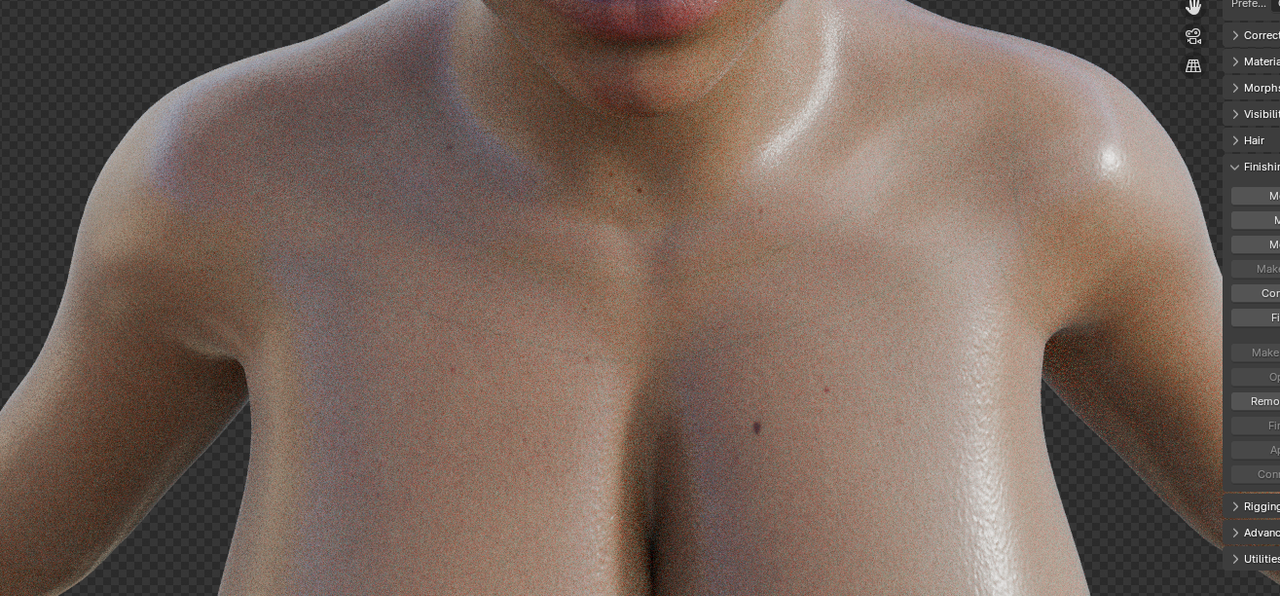
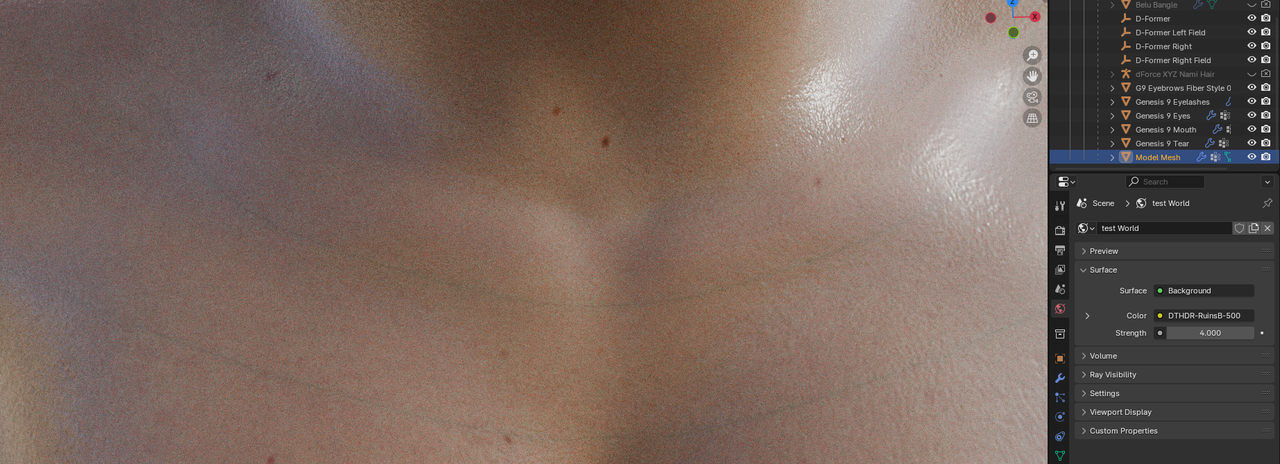
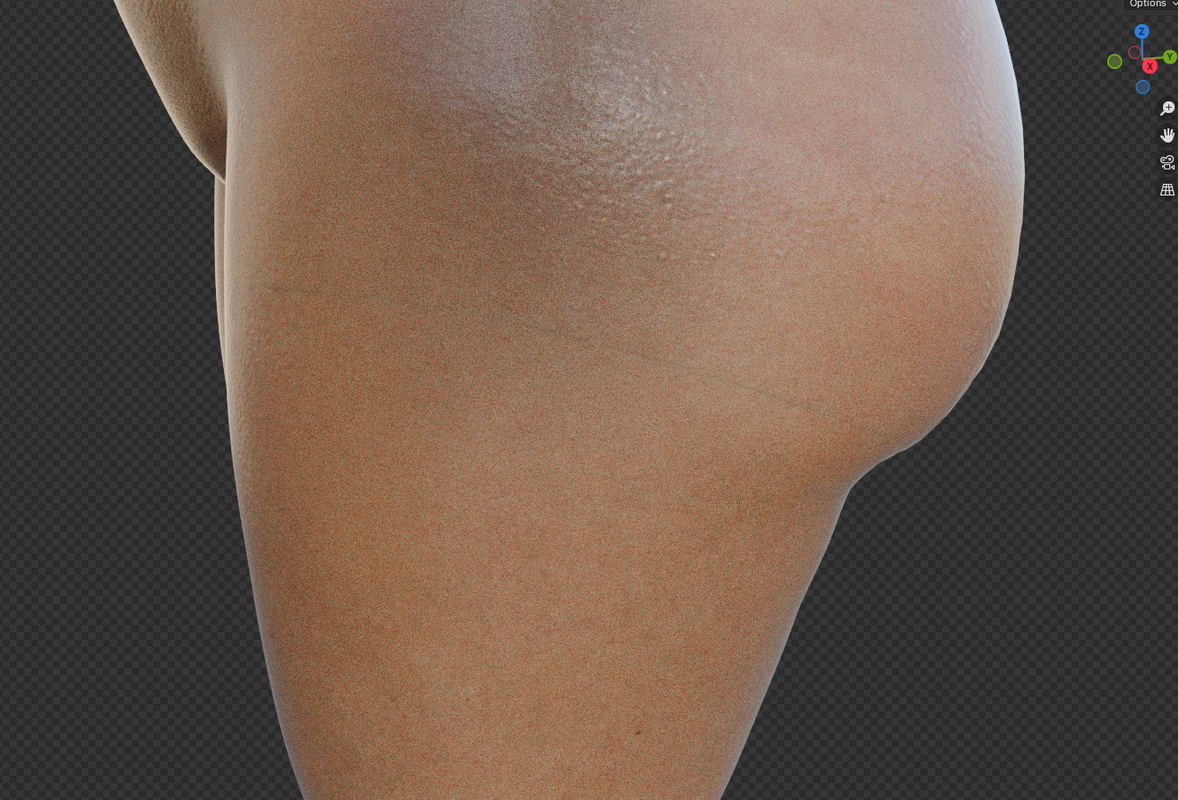
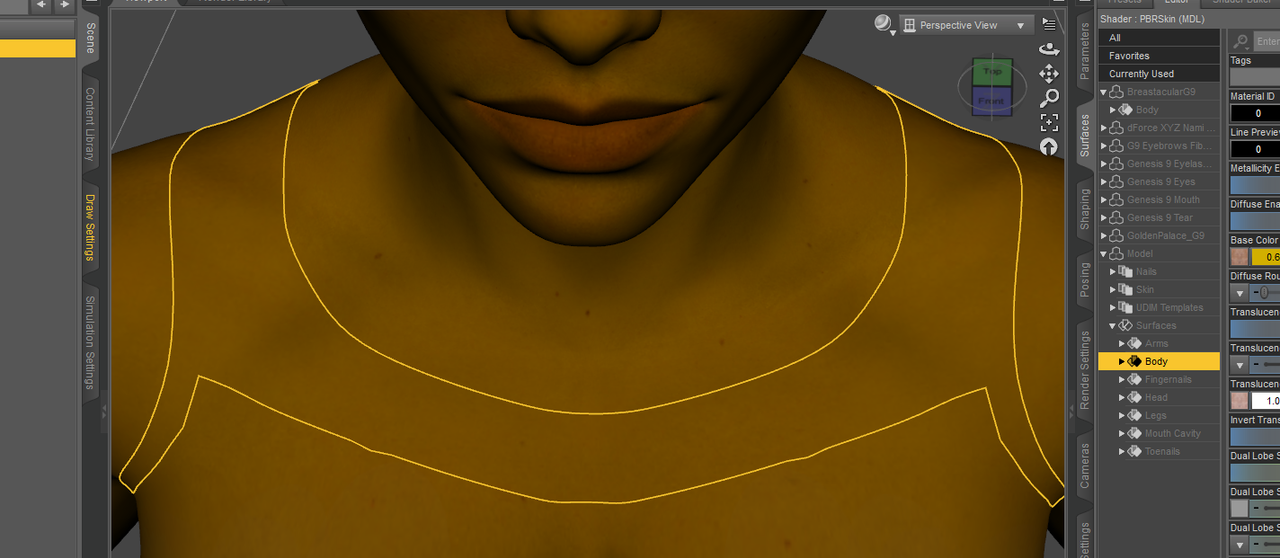
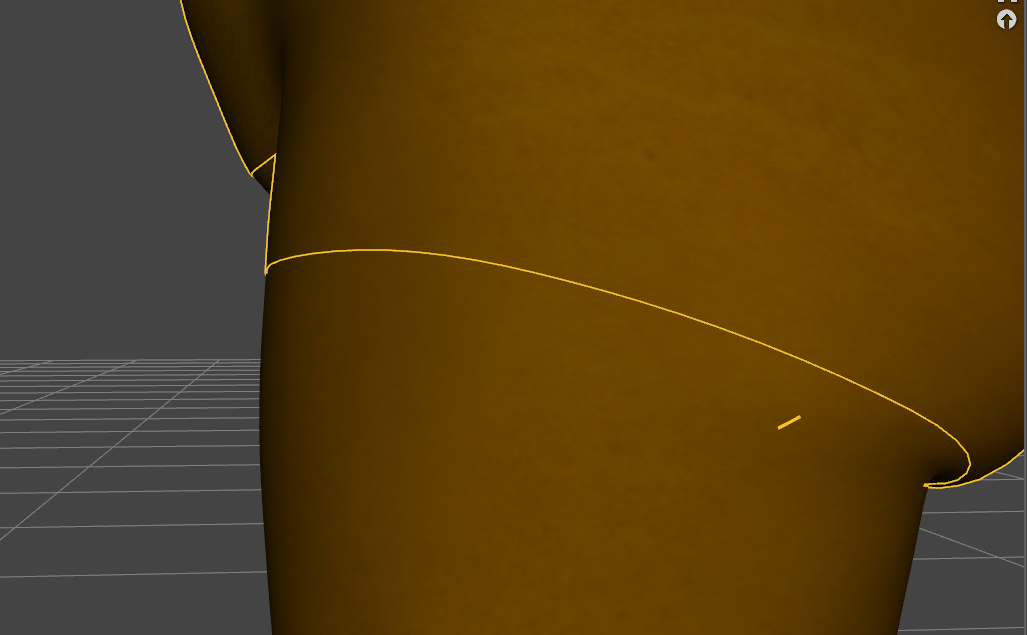
The green or sometimes blue lines are a Blender bug, though unfortunately the developers have said they aren't going to fix this in the near future. You can fix the figure by removing volume scatter nodes and/or volume absorption nodes and using subsurface scattering alone to get the subsurface effects. Sorry I can't remember whether it's the volume scatter, volume absorbtion or both that you need to remove. There is a material import option in Diffeomorphic that solves this for you by using SSS in a single Principled BSDF instead of the more complex setup, which has to be set in the Diffeomorphic settings. In some lighting conditions the results may not look as good, but the lines will be gone.
Apart the principle option which of couse uses sss, there's also an option in the global settings to use sss with the bsdf materials, instead of the volumetric aka iray skin. Using sss for the skin is the recommended method in blender, that's why the developers don't consider the volume bug, but unfortunately can't convert the iray skin, so you have to tweak the sss skin by hand.
https://bitbucket.org/Diffeomorphic/import_daz/wiki/Material Methods