Dark areas on my mesh?
 Eternal Force
Posts: 307
Eternal Force
Posts: 307
Hello guys,
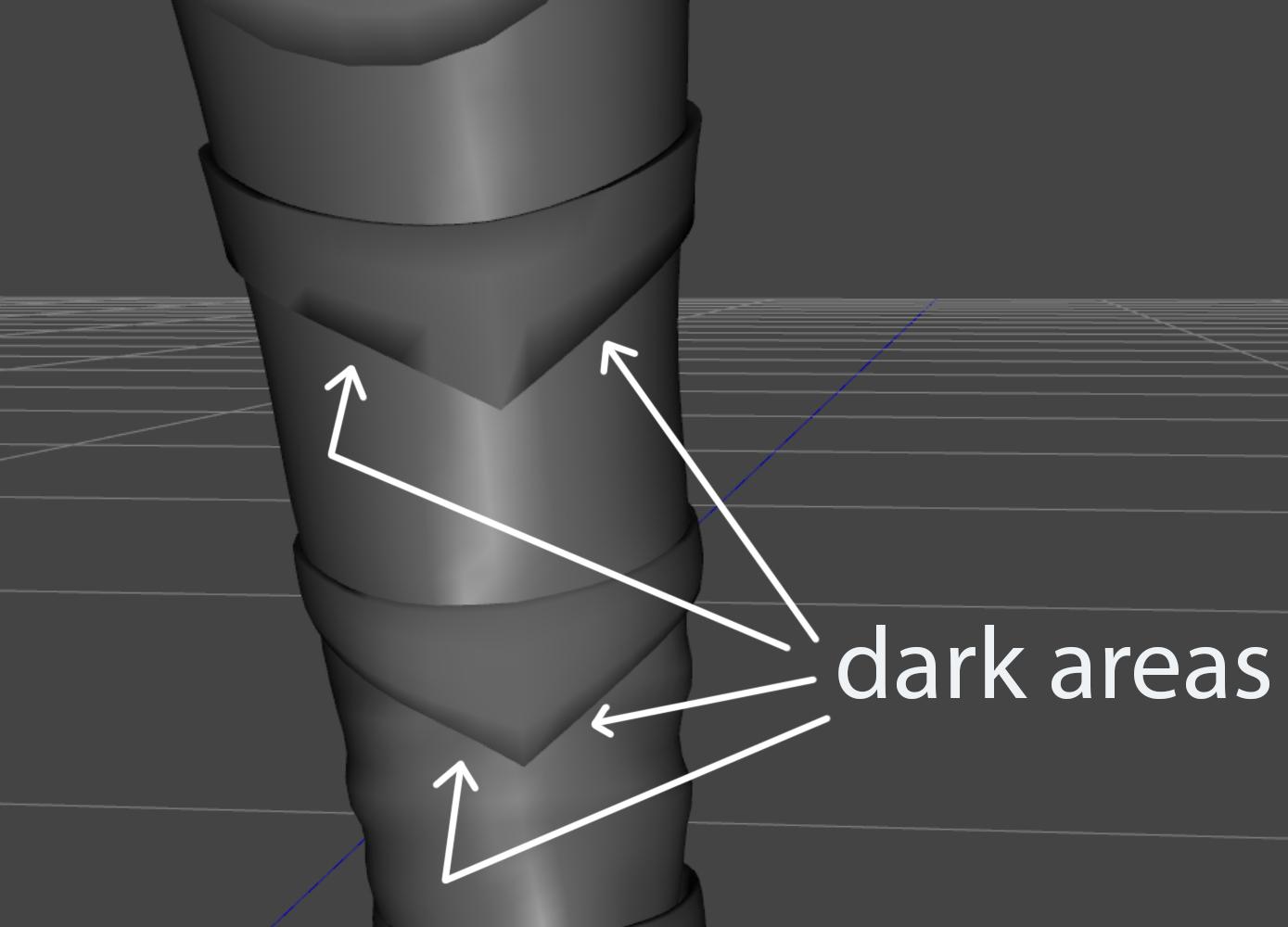
I have a very basic question. I've noticed these strange black areas on my custom low res mesh. Is DAZ Studio trying to warn me that there is a problem with my geometry? Or is it something that can be safely ignored?
Post edited by Eternal Force on

Daz 3D is part of 
Connect
DAZ Productions, Inc.
7533 S Center View Ct #4664
West Jordan, UT 84084
Licensing Agreement | Terms of Service | Privacy Policy | EULA
© 2026 Daz Productions Inc. All Rights Reserved.
Comments
That can have any number of issues like the normals being reversed, overlapping geometry, a mix of flat and smooth shading, etc.
What did you model it in?
That could be: Bad normals; "Good" normals on "bad" (non-planar ) quads; Non-manifold geometry. If you're going to use a normal map, I'm not even sure I'd bother to fix it unless the problem also exists in the UV.
Looks like it needs a tessellation line near to the edge - that's done back in the modeler.
Thank you!!! I am indeed going to use a normal map. Just trying to stay on the safe side here.
Thank you!!! You gave me an idea!!! When you mentioned "a mix of flat and smooth shading", I started to look in the Internet for smooth shading in DAZ studio. And I've found my answer!
Smooth Shading is enabled by default for the Iray Uber Shader. It can be found on the Surfaces Tab. When I turn Smooth Shading off, the dark areas dissaper completely! Probably it is because my mesh is too low poly for Smooth Shading to work with.
Thank you, Catherine! What is a tesselation line? Do you mean that I need to add an additional edge loop?