3Delight to Iray - Daz Rose (solved)
 EZ3DTV
Posts: 1,635
EZ3DTV
Posts: 1,635
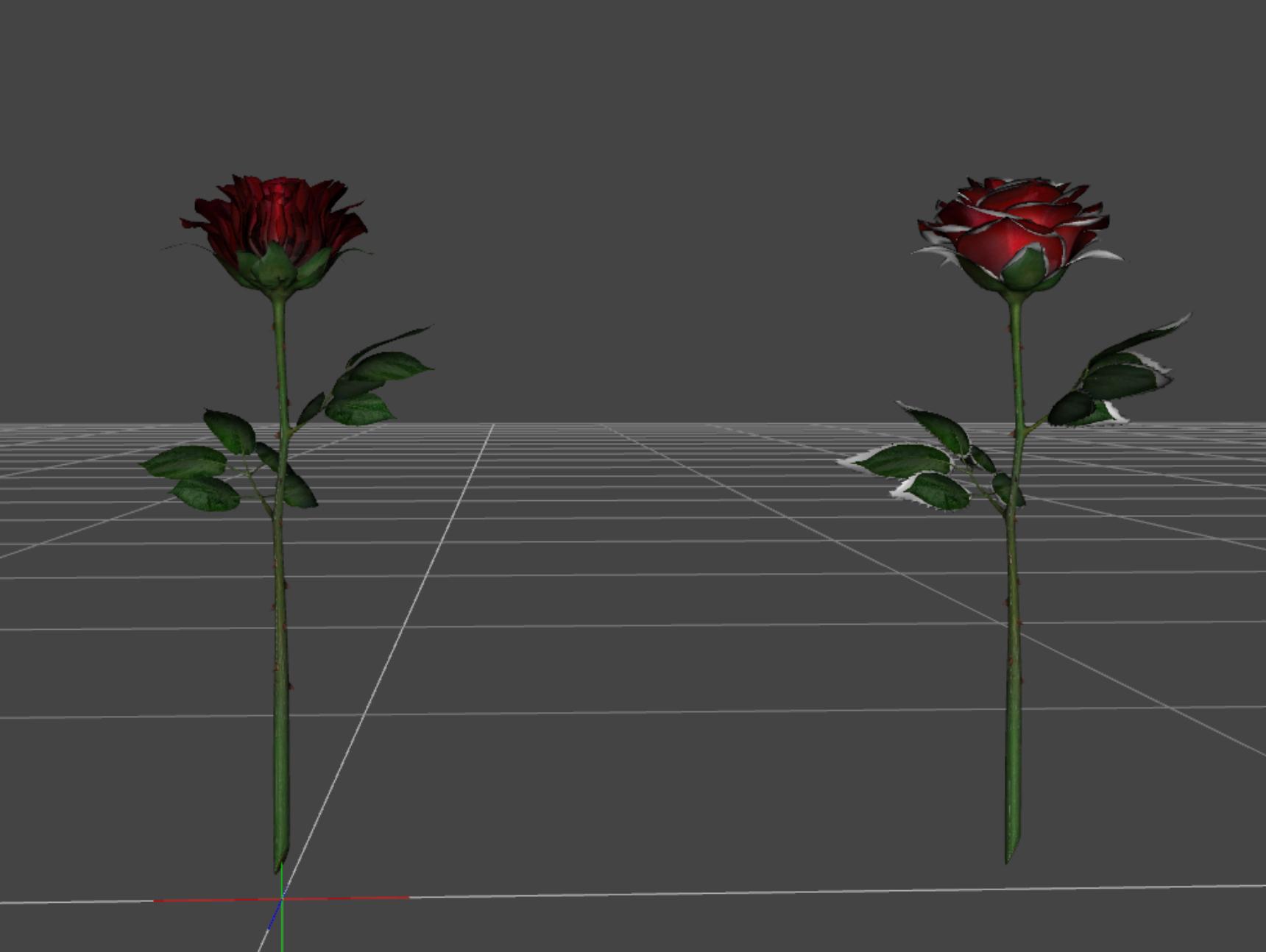
On the left 3Delight Daz Rose
On the right Daz Rose converted with RSSY 3Delight to Iray Converter.
Notice the edges are all white.
At first I thought it was the image file was scaled too small.
Then I figured out it is a 3Del ambient dark brown color that is supposed to situate itself around the edges.
Any suggestions on how I would add this ambient dark brown color to Iray to fix this rose?
Thanks in advance.
You can get as lengthy as you like on this, the more instructions the better.
Maybe the simple answer and the long answer please. lol :)
Thanks in advance. :)

Daz 3D is part of 
Connect
DAZ Productions, Inc.
7533 S Center View Ct #4664
West Jordan, UT 84084
Licensing Agreement | Terms of Service | Privacy Policy | EULA
© 2026 Daz Productions Inc. All Rights Reserved.
Comments
Daz Rose 3 delight Parameters (most of them)
Solved, I figured it out.
The black and white image has to be loaded onto the leaves and pedals cutout only. :)
I just used the Iray Ubershader and tweaked it a bit.
First image is rendered in 3Delight with the Iray shader rose on the left lighting is with a distant light. The Second one is the same image rendered in Iray with a distant light and draw dome off.