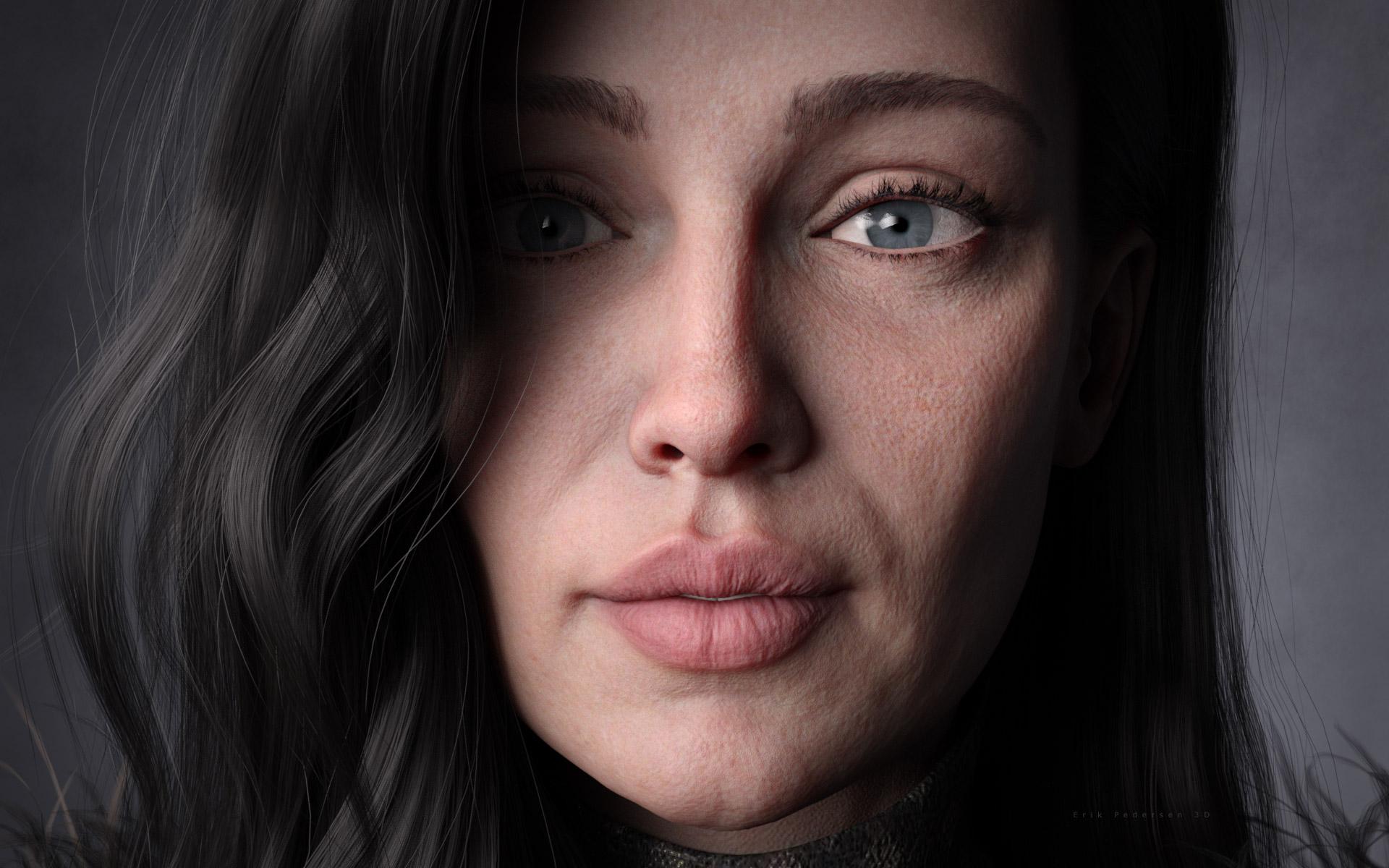
Anyone done any renders of Hagar?

124

Comments

  • nicsttnicstt Posts: 11,715
    edited July 2020

    google it.

    if you're thinking of it being 24bit, that's because you're combing the chanels. R G and B.

    there is also the fact that jpg also looses quality depending on the amoung of compression applied.

    Post edited by nicstt on
  • bjoernb78bjoernb78 Posts: 153

    Displacmentmaps fix work for me now and looks awesome!

    • Eybrows still not follow head movements
    • If it's not too much work, please correct the blue areas around the nails / toenails.
  • HavosHavos Posts: 5,587
    edited July 2020
    nicstt said:

    google it.

    if you're thinking of it being 24bit, that's because you're combing the chanels. R G and B.

    there is also the fact that jpg also looses quality depending on the amoung of compression applied.

    It is 8 bits each for R, G and B, so that makes it 24 bit in my book. Wikipedia and other places describe it as 24 bits. PNG is 32 bit, as that includes an additional 8 bits for transparency.

    Yes it is lossy compression, but that is only relevant at high levels of compression, at 85%+ no human can see the difference between the jpg and the original lossless format. Could that affect a displacement map? Well if the compression is too much, yes, otherwise I doubt it.

    Post edited by Havos on
  • SevrinSevrin Posts: 6,313

    This is sort of an interim fix.   There's another fix coming, so stay tuned!

  • duckbombduckbomb Posts: 585
    Sevrin said:

    Somewhat related, does anyone know what hair is used in Hagar's promo images?

    OOT's Ammy Hair at Rendo

    DAMMMIT I DIDN"T KNOW THERE WAS MORE OOT HAIR OVER AT RENDO AND NOW I HAVE A 210 DOLLAR CART FULL OF CRAP I DIDN'T KNOW EXISTED 30 MIN AGO!!!

    AAAAAHHHH CAPS LOCCCCCCKKKK!

    Seriously, though... ah my wife's gonna have a fit...

  • lana_lasslana_lass Posts: 520
    duckbomb said:
    Sevrin said:

    Somewhat related, does anyone know what hair is used in Hagar's promo images?

    OOT's Ammy Hair at Rendo

    DAMMMIT I DIDN"T KNOW THERE WAS MORE OOT HAIR OVER AT RENDO AND NOW I HAVE A 210 DOLLAR CART FULL OF CRAP I DIDN'T KNOW EXISTED 30 MIN AGO!!!

    AAAAAHHHH CAPS LOCCCCCCKKKK!

    Seriously, though... ah my wife's gonna have a fit...

    Season 1 Starz GIF by Ash vs Evil Dead - Find & Share on GIPHY

  • IUSIUS Posts: 19
    Daventaki said:

    Would really like to see some renders once this get fixed. Not that she isn't a great looking character without the displacement to me the displacement is what is defining her.  She has a different look with the displacement on.

    Comparison links because I don't want to upload someone elses images, complare Gogger's image to RevidNav's image in the gallery

    Is the gallery image really Hagar with displacement and nothing else? That image doesn't really match the promo pics. For example, the eyes have a lighter blue than the product has.

    I don't think Iray is well suited to displacement. Something is certainly weird if all the settings are the same across all the surfaces, because they should match unless the textures are out of wack.

    Somebody mentioned these are saved as exr files. As an experiment, perhaps somebody could try converting them to something like png and using them just to see if that makes any difference. Maybe Daz or Iray is not handling the exr format well.

    I converted the EXR images to jpg and received noticeably improved results. However the displacement strength still needed a bit of adjusting and there were some artifacts that almost looked like legions on the skin. This may have been due to jpg compression. I'll give PNG conversion a shot later on.

    It is probably not because it is jpg. The value that somebody listed, the max displacement of 2.1 is way too high. I have never seen a value that high for displacement. Displacement is usually very subtle. That has to be a mistake. Maybe it is supposed to be 0.21?

    Do that, and I guarantee it will look on target.

    Some of the problems with the JPG were the compression in my case, since the amount of compression I used reduced the images to just under 200kb... The PNGs are all under 10Mb each though, compared to the original exr that are over 100Mb each.
    Anyways, here are the results of lossless PNG with default displacement values on the left and PNG with maximum diplacement modified to .21 on the right.

    Edit: Oops. Rendered from perspective view instead of headlampless cam with HDR. Added those now.


    I did the same and I realized that the details are on the normal maps, not in the displacement maps

  • pjwhoopie4801218pjwhoopie4801218 Posts: 794
    edited July 2020
    Sevrin said:

    With displacement map corrections.


    Awesome job Sev....
    Niiiiccceeee!

    Hell, I'd drink her bathwater!

    Post edited by pjwhoopie4801218 on
  • Nice to see a fix released quickly, Daz are very quick to take our money but not always quick dealing with problems after the sale has been made.

    She is a lovely character, I might be in love... smiley

    Looking forward to see what the vendor comes up with next.
    Steve.

  • GoggerGogger Posts: 2,494
    edited July 2020

    Here's my first Hagar render after the update. WOW.  Admittedly, the eyebrows not attaching properly is a bummer, but I am sure it is being worked.  Regardless... WOW.  Can't wait to see more characters from Carboncrow.   (Render stopped at 13% with minor post work in Photoshop)
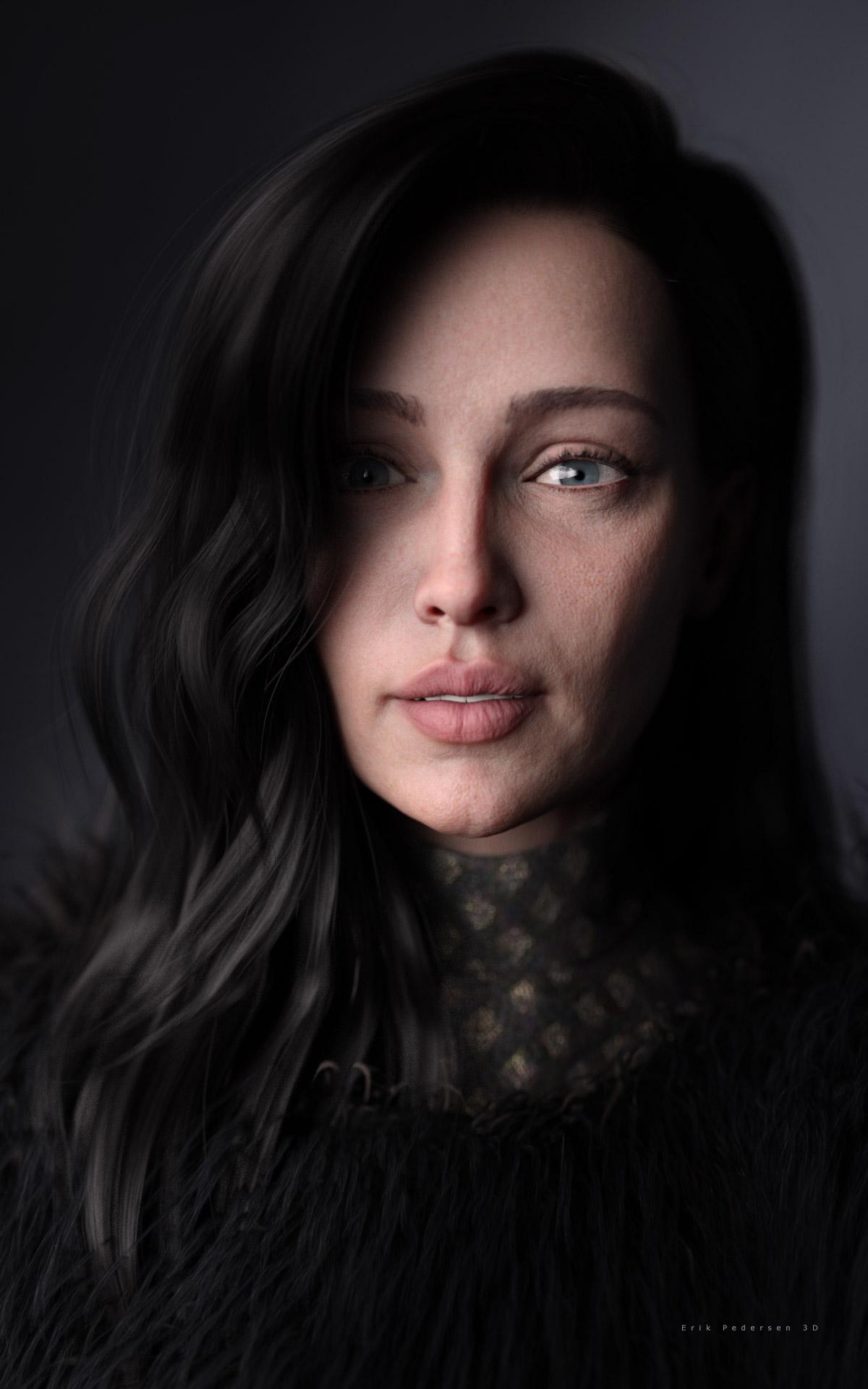
    VT_Hagar_Nkea_3D_Erik_Pedersen.jpg
    1200 x 1920 - 225K
    Post edited by Gogger on
  • nicsttnicstt Posts: 11,715
    edited July 2020
    Havos said:
    nicstt said:

    google it.

    if you're thinking of it being 24bit, that's because you're combing the chanels. R G and B.

    there is also the fact that jpg also looses quality depending on the amoung of compression applied.

    It is 8 bits each for R, G and B, so that makes it 24 bit in my book. Wikipedia and other places describe it as 24 bits. PNG is 32 bit, as that includes an additional 8 bits for transparency.

    Yes it is lossy compression, but that is only relevant at high levels of compression, at 85%+ no human can see the difference between the jpg and the original lossless format. Could that affect a displacement map? Well if the compression is too much, yes, otherwise I doubt it.

    resave an image as 85% and you get 85% of that 85% etc; you've no idea how many times that has occured.

    ... And doesn't matter what it is in your book. Actually it does, I'm done arguing, if you're happy that's good enough for you.

    I prefer better quality, as I can always reduce it in some way.

    Post edited by nicstt on
  • nicsttnicstt Posts: 11,715
    Gogger said:

    Here's my first Hagar render after the update. WOW.  Admittedly, the eyebrows not attaching properly is a bummer, but I am sure it is being worked.  Regardless... WOW.  Can't wait to see more characters from Carboncrow.   (Render stopped at 13% with minor post work in Photoshop)

    That's a great render.

  • GoggerGogger Posts: 2,494
    edited July 2020

    Thanks nicstt!

    Here's another one, in case anyone couldn't see her skin well enough. :)  Stopped at 15% and near-ZERO post work except signature (and some fireflies in her shadowed eye.)

    VT_Hagar_Nkea2_3D_Erik_Pedersen.jpg
    1920 x 1200 - 391K
    Post edited by Gogger on
  • nicsttnicstt Posts: 11,715

    That's good too; he skin looks a bit dry though.

    I tend to think renders of skin make it look too oily, but maybe she has dry skin?

  • SadRobotSadRobot Posts: 116
    Gogger said:

    Thanks nicstt!

    Here's another one, in case anyone couldn't see her skin well enough. :)  Stopped at 15% and near-ZERO post work except signature (and some fireflies in her shadowed eye.)

    Outstanding render. What hair is that?

  • Khai-J-BachKhai-J-Bach Posts: 163

    who else saw Hagar... and expected a short fat viking...?

  • GoggerGogger Posts: 2,494
    SadRobot said:
    Gogger said:

    Thanks nicstt!

    Here's another one, in case anyone couldn't see her skin well enough. :)  Stopped at 15% and near-ZERO post work except signature (and some fireflies in her shadowed eye.)


    Outstanding render. What hair is that?

    Thanks!  It is Monica hair.

    https://www.daz3d.com/monica-hair-for-genesis-8-females

  • skinklizzardskinklizzard Posts: 218

    Really liking Hagar, ran a quick test render switching out her skin texture for Bellerose's but kept her bump,
    normal and displacement to see what it would look like.

    I do struggle to get her to fit in my graphics cards vram though, but I only have 4 gigs of that total.

  • who else saw Hagar... and expected a short fat viking...?

    Yep, that was my first thought, after the comic strip, but then I'm in the UK. Wasn't Hagar the Horrible used to sell lager at some point or was that somebody else ?
    Steve.

  • liquid1911liquid1911 Posts: 36

    The fix is fantastic! One of the best looking figures yet in my opionion. Keep up the good work!


  • ChadCryptoChadCrypto Posts: 596

    Good work on this character @carboncrow , She is awesome. It might be the first figure I have seen, where I actually  believe there is a real skeleton under the skin and muscle. Thank you

  • PaintboxPaintbox Posts: 1,633

    Hagar is awesome! Great character and instabuy :)

  • nicsttnicstt Posts: 11,715

    Really liking Hagar, ran a quick test render switching out her skin texture for Bellerose's but kept her bump,
    normal and displacement to see what it would look like.

    I do struggle to get her to fit in my graphics cards vram though, but I only have 4 gigs of that total.

    Nice render and 4 gigs sucks; I have 6 on my 980ti and that sucks - well it did until I started rendering in Blender; I'm wondering if I can get all her features over to Blender.

  • nicsttnicstt Posts: 11,715

    Yeh, I'm liking the character.

    Rendered in Blender in about 90 seconds

    Now to try the displacement and how it goes.

    CC_Hagar.png
    1526 x 2160 - 4M
  • PaintboxPaintbox Posts: 1,633
    edited July 2020

    Basic / natural render with no keylights (this is a setup I am working on for the realism thread)

    hagar-02-realism-skin.png
    1600 x 900 - 998K
    Post edited by Paintbox on
  • SevrinSevrin Posts: 6,313
    edited August 2020

    So there was another update for Hagar, which took care of the issue of the discolouration around the fingernails and toenails.   Sadly, a fix for the eyebrows still eludes us.

    I mean, we can get around it with eyebrows from any G8F character that's not Hagar, or with 3rd party eyebrows, but really?

    Hagar Hands.jpg
    600 x 780 - 194K
    Hagar Feet.jpg
    600 x 780 - 166K
    Hagar Head and Eyebrows.jpg
    600 x 780 - 262K
    Post edited by Sevrin on
  • Came back to this thread via another (thread)

    I am going to make the assumption that it was all fixed... right?

  • SevrinSevrin Posts: 6,313
    Chumly said:

    Came back to this thread via another (thread)

    I am going to make the assumption that it was all fixed... right?

    Texture issues were  fixed.  Eyebrows weren't.

  • 3Diva3Diva Posts: 11,974
    edited October 2020
    Sevrin said:
    Chumly said:

    Came back to this thread via another (thread)

    I am going to make the assumption that it was all fixed... right?

    Texture issues were  fixed.  Eyebrows weren't.

    Yeah, I thought they might have been fixed as they appeared to be fine when I loaded her an hour ago, but as soon as I posed her they just stayed and didn't follow her. I tried deleting them and reloading the brows from the Anatomy >> Hagar folder but they still refused to follow her. Doing a "fit to" on them just distorted them badly. I finally ended up using Twosret's brows, which I think look good on her. Though on hind site I should have lowered the gloss on the brows. I also increased Hagar's Hand Propagating Scale to 20% as her hands, to me, looked a bit small (but then again I like larger hands). I probably could have bumped up the hand size a bit more even, for my taste. Other than the brow swap and hand size increase this is Hagar "out of the box":

    G8F - Hagar w Twosret Brows and Hand Scale plus 20 Percent.png
    1400 x 1800 - 2M
    Post edited by 3Diva on
  • skinklizzardskinklizzard Posts: 218
    edited October 2020

    you can sort of fix the brows yourself, load her in, select the brows, open the transfer utility, set hagar as source and brows as target, set source item shape to current shape, under advanced options tick reverse source shape from target.

    file>save as> support asset > save modified assets.

    Unfortunately you'll still have to change the eyebrows fit to parameter each time you load Hagar as they load in parented and not fitted.

    Edit: assuming update hasn't made any changes to the brows and they load in, in place parented to Hagar but not fitted

    Post edited by skinklizzard on
Sign In or Register to comment.