what would persuade Daz Inc there's value in updating Bryce and Carrara?

24

Comments

  • memcneil70memcneil70 Posts: 5,315
    Chohole said:

    During sales I have come into possession by way of sales of both Bryce and Carrara and occasionally open them and stare at the screen. I don't have a clue where to start. I have gone to the forums for them and I believe I found a list of tutorials on one.

    One overriding question I have though is what would be the best investment for packages to buy initially to get started? Today, David Brinnen's store is on sale, but what should I start with? After buying a lot of stuff in Daz initially, not understanding how useful it really was, I wasted a lot of money, I am cautious. 

    So maybe the two forums could have a 'welcome and what you need to know and baby steps' thread for Daz users to their products?


    Bryce,  you have enough in Bryce without buying anything else until you get used to using it.   However David and Horo are both really good Bryce PAs.   David of course also does stuff for DS as well nowadays,  and even Poser (YAY  I use Poser as a polug-in for Bryce).  David has also got a lot of you tube videos  and some are for Berginners.   The best set of Tuts for beginners are the ones by Robin Wood,  listed in the sticky list of tutorials in the Bryce forum  (hundreds of tutorials there)  And Brycers nad also Carrara peeps don't bite and do like helping new users if they post in the dedicated forum.

    Thanks I will go after them after I am done with a massive editing job. I have a number of things I have put off due to it. I have Poser 10 but when my iMac crashed three times in 2017, I never re-installed it. I had moved on to DAZ Studio and was happy. Poser drove me nuts.

    Mary

  • ChoholeChohole Posts: 33,604
    edited January 2020
    Chohole said:

    During sales I have come into possession by way of sales of both Bryce and Carrara and occasionally open them and stare at the screen. I don't have a clue where to start. I have gone to the forums for them and I believe I found a list of tutorials on one.

    One overriding question I have though is what would be the best investment for packages to buy initially to get started? Today, David Brinnen's store is on sale, but what should I start with? After buying a lot of stuff in Daz initially, not understanding how useful it really was, I wasted a lot of money, I am cautious. 

    So maybe the two forums could have a 'welcome and what you need to know and baby steps' thread for Daz users to their products?


    Bryce,  you have enough in Bryce without buying anything else until you get used to using it.   However David and Horo are both really good Bryce PAs.   David of course also does stuff for DS as well nowadays,  and even Poser (YAY  I use Poser as a polug-in for Bryce).  David has also got a lot of you tube videos  and some are for Berginners.   The best set of Tuts for beginners are the ones by Robin Wood,  listed in the sticky list of tutorials in the Bryce forum  (hundreds of tutorials there)  And Brycers nad also Carrara peeps don't bite and do like helping new users if they post in the dedicated forum.

    Thanks I will go after them after I am done with a massive editing job. I have a number of things I have put off due to it. I have Poser 10 but when my iMac crashed three times in 2017, I never re-installed it. I had moved on to DAZ Studio and was happy. Poser drove me nuts.

    Mary

    Ah,  now that could give you a problem  with Bryce.  It doesn't work on a Mac that has an OS x greater than 10.6.

    Post edited by Chohole on
  • ChoholeChohole Posts: 33,604
    scorpio said:
    Chohole said:

    BTW  this image from my Gallery here  was actually designed to have a double meaning

    Bryce Rocks

    Nice image but there's nothing there that can't be done in DS.

    OK   a Challenge  $10 in store Credit to the person who can duplicate that image,  using DS. 

  • memcneil70memcneil70 Posts: 5,315
    Chohole said:
    Chohole said:

    During sales I have come into possession by way of sales of both Bryce and Carrara and occasionally open them and stare at the screen. I don't have a clue where to start. I have gone to the forums for them and I believe I found a list of tutorials on one.

    One overriding question I have though is what would be the best investment for packages to buy initially to get started? Today, David Brinnen's store is on sale, but what should I start with? After buying a lot of stuff in Daz initially, not understanding how useful it really was, I wasted a lot of money, I am cautious. 

    So maybe the two forums could have a 'welcome and what you need to know and baby steps' thread for Daz users to their products?


    Bryce,  you have enough in Bryce without buying anything else until you get used to using it.   However David and Horo are both really good Bryce PAs.   David of course also does stuff for DS as well nowadays,  and even Poser (YAY  I use Poser as a polug-in for Bryce).  David has also got a lot of you tube videos  and some are for Berginners.   The best set of Tuts for beginners are the ones by Robin Wood,  listed in the sticky list of tutorials in the Bryce forum  (hundreds of tutorials there)  And Brycers nad also Carrara peeps don't bite and do like helping new users if they post in the dedicated forum.

    Thanks I will go after them after I am done with a massive editing job. I have a number of things I have put off due to it. I have Poser 10 but when my iMac crashed three times in 2017, I never re-installed it. I had moved on to DAZ Studio and was happy. Poser drove me nuts.

    Mary

    Ah,  now that could give you a problem  with Bryce.  It doesn't work on a Mac that has an OS x greater than 10.6.

    I had a Win 10 computer built, I call Dragon, 1080ti, 64gb. Added a Win 10 Laptop the next year as my portable office I call Drake, 1080, 32gb. I edit on the iMac and the laptop and maintain records of purchases for DAZ. My iMac had a nVidia 660 card, which could not keep up by the time DAZ Studio went from 4.8 to 4.9 and was no longer supported by nVidia.

  • DiomedeDiomede Posts: 15,388
    edited January 2020

    Regarding Carrara, I take Daz3D at their word.  They have been answering some customer service tickets saying they don't support Carrara at this time.  It would take some abrupt change at the headquarters of Daz3D management to support Carrara again.  I wish they would support Carrara again, but I no longer hope for it.

    Programming is expensive?  Daz3D is spending millions to add features to Daz Studio that Carrara already has.  Here is an example.  3DCelebrity was making dynamic physics-interacting hair for Carrara a decade before making similar hair for Daz Studio.  How much has Daz spent to add dynamic physics-related hair to Daz Studio?  How much griping is there that Studio does not allow dynamic hair users the same control that Carrara has?  

    Sell content, not programs?  Howie Farkes was selling his giant sets in Carrara years ago.  He is literally converting some of the same sets for Daz Studio (in addition to making new ones).  But note, he also sells a plugin to give Daz Studio a related function that Carrara already has (Ultra-scatter).  Depending on the sales cycle, just Ultrascatter by itself can cost more than Carrara.  

    Daz3D should have made Carrara free with the release of Genesis compatibility in Carrara 8.5 (I think it was 2012 or so), and then spent a fraction of the programming resources it has spent on Daz Studio on Carrara development instead.  But they didn't.  


    Water under the bridge.  Daz3D says they are focusing on Daz Studio and not supporting Carrara.  Eventually, Daz3D will spend enough money on programming to add Carrara-like features to Daz Studio.  Meanwhile, changes in operating systems will force a choice between using Carrara and keeping up with the computer more generally.


    3d celebrity.jpg
    317 x 411 - 41K
    world gardens carrara.jpg
    308 x 403 - 45K
    world gardens for studio.jpg
    311 x 402 - 49K
    Post edited by Diomede on
  • DiomedeDiomede Posts: 15,388
    edited January 2020


    Chohole said:
    scorpio said:
    Chohole said:

    BTW  this image from my Gallery here  was actually designed to have a double meaning

    Bryce Rocks

    Nice image but there's nothing there that can't be done in DS.

    OK   a Challenge  $10 in store Credit to the person who can duplicate that image,  using DS. 

    What does "Using Daz Studio" mean in this context?  Am I allowed to use ZBrush or 3D-Coat or Substance Painter (or Carrara wink ) to create displacement maps?  Am I allowed to use a sky by Dimension Theory?

    - note - this comment added so Chohole can say No.

    EDIT to ask - Can I use Carrara to render out the sky and then map it to a plane in Studio?

    Post edited by Diomede on
  • WendyLuvsCatzWendyLuvsCatz Posts: 40,081
    Diomede said:


    Chohole said:
    scorpio said:
    Chohole said:

    BTW  this image from my Gallery here  was actually designed to have a double meaning

    Bryce Rocks

    Nice image but there's nothing there that can't be done in DS.

    OK   a Challenge  $10 in store Credit to the person who can duplicate that image,  using DS. 

    What does "Using Daz Studio" mean in this context?  Am I allowed to use ZBrush or 3D-Coat or Substance Painter (or Carrara wink ) to create displacement maps?  Am I allowed to use a sky by Dimension Theory?

    - note - this comment added so Chohole can say No.

    probably only DAZ studio bought content  I am guessing and what you can do in DAZ studio as that is all most DAZ studio users do

    Otherwise we could import a Bryce or Carrara terrain, render a HDRi in Bryce etc cheeky

    one could use carefully placed primitives and subdivided Dforced plains like Grincy does to create terrain shapes 

    if you cheat extra and use 3Delight you can do volumetric clouds! 

  • DiomedeDiomede Posts: 15,388

    I think Pam means that folks can't use bought content.  Must use only Daz Studio as it comes.  One could color planes, scale them way down like pixels, duplicate, sort, and then render a mosaic.  

  • WendyLuvsCatzWendyLuvsCatz Posts: 40,081
    Diomede said:

    I think Pam means that folks can't use bought content.  Must use only Daz Studio as it comes.  One could color planes, scale them way down like pixels, duplicate, sort, and then render a mosaic.  

    well DAZ studio is just a load and render engine for content 

    but with Casual's scripts and as I said primitives and DForce, maybe subdivision, the geometry editor and some rigging and weightpainting one actually can create stuff,

    most users don't though which is why Carrara and Bryce are meaningless to them,

    they need a product.

  • scorpioscorpio Posts: 8,533
    Diomede said:

    I think Pam means that folks can't use bought content.  Must use only Daz Studio as it comes.  One could color planes, scale them way down like pixels, duplicate, sort, and then render a mosaic.  

    The image Choloe did was using bought content.

  • Peter WadePeter Wade Posts: 1,666
    Chohole said:

    BTW  this image from my Gallery here  was actually designed to have a double meaning

    Bryce Rocks

    That's a really beautiful picture. Makes me think I should get out Bryce again and have another go. I do like Brce a lot, Carrara as well, but I keep getting distracted by other stuff.


  • WendyLuvsCatzWendyLuvsCatz Posts: 40,081
    edited January 2020

    I think this is the problem with the core customers though

    the 90% we don't see on the forum 

    most render the human form posed and morphs and textures related to that plus hairs the biggest sellers

    and of course poses many of which are sold elsewhere due to the unfamily friendly context

    props come next as accessories to the main mostly nude image

    landscapes are usually backgrounds or preloads at best

    the people we see in the forum tend to be a bit more creative hence seeking and sharing stuff but they are not the bulk of the customers.


    Post edited by WendyLuvsCatz on
  • nicsttnicstt Posts: 11,715

    I love Blender, and have zero interest in Carrera or Bryce.

    The only thing that might tempt me is an alternative Render engine NOT tied to Nvidia.

    ... I mean, I would pay good money for a straightforward way to get a scene render to render into Blender, or even the ability to import items (like I do in Studio) into Blender that are ready to render; the current loops just spoil the fun as far as I am concerned.

  • HoroHoro Posts: 11,354

    Having Bryce 64-bit would be really nice. However, since we do not work with photographs but procedural materials, 32-bit is not actually a limit. Bryce has two different raytracers included (no changing of materials or shaders), can use up to 8 CPU cores and if that's not enough, also renders over a home network. With Bryce, and equally so with Carrara, you're not limited to do portraits or photo-realistic scenes. There's almost no limit what kind of artwork an artist has in mind to create and no additional external program or asset is needed (but some assets may come in handy); neither expensive additional computer hardware.

    Neither Bryce nor Carrara are outdated as such, still very valuable programs to create art. However, both have a learning curve and if you dig into it to use the hidden pearls, a steep one. Studio is much better suited to just put some purchased assets into it and hit render.

    For both Bryce development cycles (5.5 to 6.0/6.1 and 6.1 to 6.3/7.0/7.1 - 8-1/2 years ago, not 20 (though yes, it's been a while)) programming were done by outhouse (even out-U.S.A) programmers. They did a fantastic job and the costs for Daz3D were quite low.

    If Daz3D bases itself on one leg (Studio) instead if three - it's their business and their money. 

  • ChoholeChohole Posts: 33,604
    edited January 2020

    scorpio said:

    Diomede said:

    I think Pam means that folks can't use bought content.  Must use only Daz Studio as it comes.  One could color planes, scale them way down like pixels, duplicate, sort, and then render a mosaic.  

    The image Choloe did was using bought content.

    Bought content, yes I agree, but content that was made purely in Bryce.  The bought content was rock formations,  now no longer in the store unfortunately, but made using Bryce symlats (symetrical Lattices, whxich are sort of double sided terrains if you don't know anything about Bryce, which are then turned on their side) and a sky, made in the bryce sky lab. If you sill doubt it is pure Bryce I can link you to the sky product  and the card for the rock product in my content library.  I obviously buy Bryce content, to support the Bryce vendors.


    Post edited by Chohole on
  • scorpioscorpio Posts: 8,533
    Horo said:

    Having Bryce 64-bit would be really nice. However, since we do not work with photographs but procedural materials, 32-bit is not actually a limit. Bryce has two different raytracers included (no changing of materials or shaders), can use up to 8 CPU cores and if that's not enough, also renders over a home network. With Bryce, and equally so with Carrara, you're not limited to do portraits or photo-realistic scenes. There's almost no limit what kind of artwork an artist has in mind to create and no additional external program or asset is needed (but some assets may come in handy); neither expensive additional computer hardware.

    Neither Bryce nor Carrara are outdated as such, still very valuable programs to create art. However, both have a learning curve and if you dig into it to use the hidden pearls, a steep one. Studio is much better suited to just put some purchased assets into it and hit render.

    For both Bryce development cycles (5.5 to 6.0/6.1 and 6.1 to 6.3/7.0/7.1 - 8-1/2 years ago, not 20 (though yes, it's been a while)) programming were done by outhouse (even out-U.S.A) programmers. They did a fantastic job and the costs for Daz3D were quite low.

    If Daz3D bases itself on one leg (Studio) instead if three - it's their business and their money. 

    DS isn't limited to portraits either, the main problem I always had with Bryce was its limitations, landscape, architecture fine but try to do anything involving animals or humans and you reach a limitation, exporting from DS usually results in Bryrce crashing, I was told this is due to its memory limits.

  • ChoholeChohole Posts: 33,604
    scorpio said:
    Horo said:

    Having Bryce 64-bit would be really nice. However, since we do not work with photographs but procedural materials, 32-bit is not actually a limit. Bryce has two different raytracers included (no changing of materials or shaders), can use up to 8 CPU cores and if that's not enough, also renders over a home network. With Bryce, and equally so with Carrara, you're not limited to do portraits or photo-realistic scenes. There's almost no limit what kind of artwork an artist has in mind to create and no additional external program or asset is needed (but some assets may come in handy); neither expensive additional computer hardware.

    Neither Bryce nor Carrara are outdated as such, still very valuable programs to create art. However, both have a learning curve and if you dig into it to use the hidden pearls, a steep one. Studio is much better suited to just put some purchased assets into it and hit render.

    For both Bryce development cycles (5.5 to 6.0/6.1 and 6.1 to 6.3/7.0/7.1 - 8-1/2 years ago, not 20 (though yes, it's been a while)) programming were done by outhouse (even out-U.S.A) programmers. They did a fantastic job and the costs for Daz3D were quite low.

    If Daz3D bases itself on one leg (Studio) instead if three - it's their business and their money. 

    DS isn't limited to portraits either, the main problem I always had with Bryce was its limitations, landscape, architecture fine but try to do anything involving animals or humans and you reach a limitation, exporting from DS usually results in Bryrce crashing, I was told this is due to its memory limits.

    the way round that, if you can't do it using the bridge, is to export/import OBJs  

    click for larger

  • ChoholeChohole Posts: 33,604
    edited January 2020

    And a close up of one of the characters in that particular scene is here   Tribal Elder

    And do note these last 2 images were made in Bryce 5, 

    Post edited by Chohole on
  • scorpioscorpio Posts: 8,533

    Exporting as obj also never worked for me, and as there is(don't know if it works at all with the latest DS verions) a DS bridge you would have thought that it could be used to transfer things over.

  • ChoholeChohole Posts: 33,604

    It does rely on the way it is used, and actually the order in which the two softwares are installed to a certain extent.  Most brycers who use Daz (and other 3rd party content) do actually use DS and the bridge with no problems.

    We do have a Brycer here, who has a Gallery here, who uses Bryce in his norlmal real life workflow and also made a series of christmas card images using it,  and other images.
    https://www.daz3d.com/gallery/#galleries/618/

  • WendyLuvsCatzWendyLuvsCatz Posts: 40,081

    it is a shame DAZ cannot release more info in the SDK to third party developers though

    we have active developers in the Carrara community who are shackled in what they can access

    Genesis 3 and 8 have node name differences to bone names and these cannot apparently be seen by what is accessable

    otherwise a lot of compatibility could be added by others

    the node name thing causes issues in other softwares too

    Unreal Engine I need to go via iClone 3Dxchange for example as it sees duplicated nodes in those figures straight from DS

    3DX throws up the error too but fixes it on export

    Bryce really needs an SDK too because then others could do DAZ's work for them in as far as development goes

  • thd777thd777 Posts: 945
    edited January 2020

    No attempt at following any rules or the challenge. Just a quick demo using only DS and what's already in my library (Terradome 3, Orestes sky and Rock my world). Setup time ~15min plus a 30 min render. Not trying to replicate Chohole's reeally nice image, just trying to get the same overall feel.

    Happy rendering whatever tools you use, the only thing that matters is the art and that you like what you are doing.

    Ciao

    TD

    DS Rocks

    DS Rocks.jpg
    1600 x 900 - 251K
    Post edited by thd777 on
  • wolf359wolf359 Posts: 3,931
    You need to make a sound business argument to Daz Inc. for them spending the resources on these legacy Softwares. .... Daz is a $$business $$ Also UE4 DESTROYS bryce for landscape imagery all With REALTIME RENDERING!!!
    unreal landscape.jpg
    1902 x 1085 - 339K
  • WendyLuvsCatzWendyLuvsCatz Posts: 40,081
    wolf359 said:
    You need to make a sound business argument to Daz Inc. for them spending the resources on these legacy Softwares. .... Daz is a $$business $$ Also UE4 DESTROYS bryce for landscape imagery all With REALTIME RENDERING!!!

    Twinmotion which is Unreal Engine based can whip up a pretty good landscape fast too

    but it's import ability sucks and animation ability even more so, flyarounds and walkarounds  is all you can really do

    UE4 cool but you are limited as to what features of DAZ rigged figure content imports via FBX unless you can do code

    again for walkarounds etc is awesome you can at least import or retarget animated figures though

    Carrara  loads most DAZ content from your Library and with a few workarounds can even load Genesis 3 & 8 and this is what DAZ is could at least let others fix better

  • MistaraMistara Posts: 38,675

    my main concern for our programs is the compatibility with new mac os.

    imho, Bryce is the most intuitive ui I've ever used.  i was rendering bryce art for bookcovers without ever reading a bryce tutorial.

  • DiomedeDiomede Posts: 15,388


    wolf359 said:
    You need to make a sound business argument to Daz Inc. for them spending the resources on these legacy Softwares. .... Daz is a $$business $$ Also UE4 DESTROYS bryce for landscape imagery all With REALTIME RENDERING!!!

    Daz3D is spending millions of dollars to add features to Daz Studio that Carrara already has.  For a fraction of that cost, they could add Genesis 3 and 8 compatibility and Iray rendering to Carrara.  Before someone exaggerates the cost of adding Genesis 3 and 8 compatibility relative to the cost of adding all the Carrara functions to Daz Studio, remember that Carrara already has Genesis 1 and 2 compatibility.  And of particular relevance to this particular thread, the OP (heart) diagnosed the cause of Genesis 3 and 8 crashes in Carrara - a typo!  She offers Genesis 3 and 8 character packs that load in Carrara at rendo (must use blended rigging).  

    OK - fix a typo?  (OK - that was cheap shot, it just starts with fixing the typo).

    Or, spend money further developing physics-related dynamic hair, integrating Hexagon in Studio, adding landscape and sky tools (or updating Bryce and its bridge), adding more animation tools, incorporating Ultrascatter as a core function, adding particles,...


    I get it, Daz3d has made their decision.  They are going with Studio.  But its not like they couldn't get a good counter-argument in the board room.  Board rooms regularly have two or more analysts presenting rival interpretations of the same financial data - and that is a good thing.  Decisions are made with imperfect information derived from past records, and speculative projections of future trends.  

  • ChoholeChohole Posts: 33,604
    Mystarra said:

    my main concern for our programs is the compatibility with new mac os.

    imho, Bryce is the most intuitive ui I've ever used.  i was rendering bryce art for bookcovers without ever reading a bryce tutorial.

    Yes   I am so glad to have someone else says the same. I learned to use Bryce 2 with a little help from a computer magazine  (no internet in them days) and no fancy computers.I was using it on a 486, admittedly a 486 DX2 66mhz,  pretty nifty PC that was and a good solid long lived computer.

  • MistaraMistara Posts: 38,675

    my first was Bryce3 when it was metacreations

    lol, bit of nostalgia
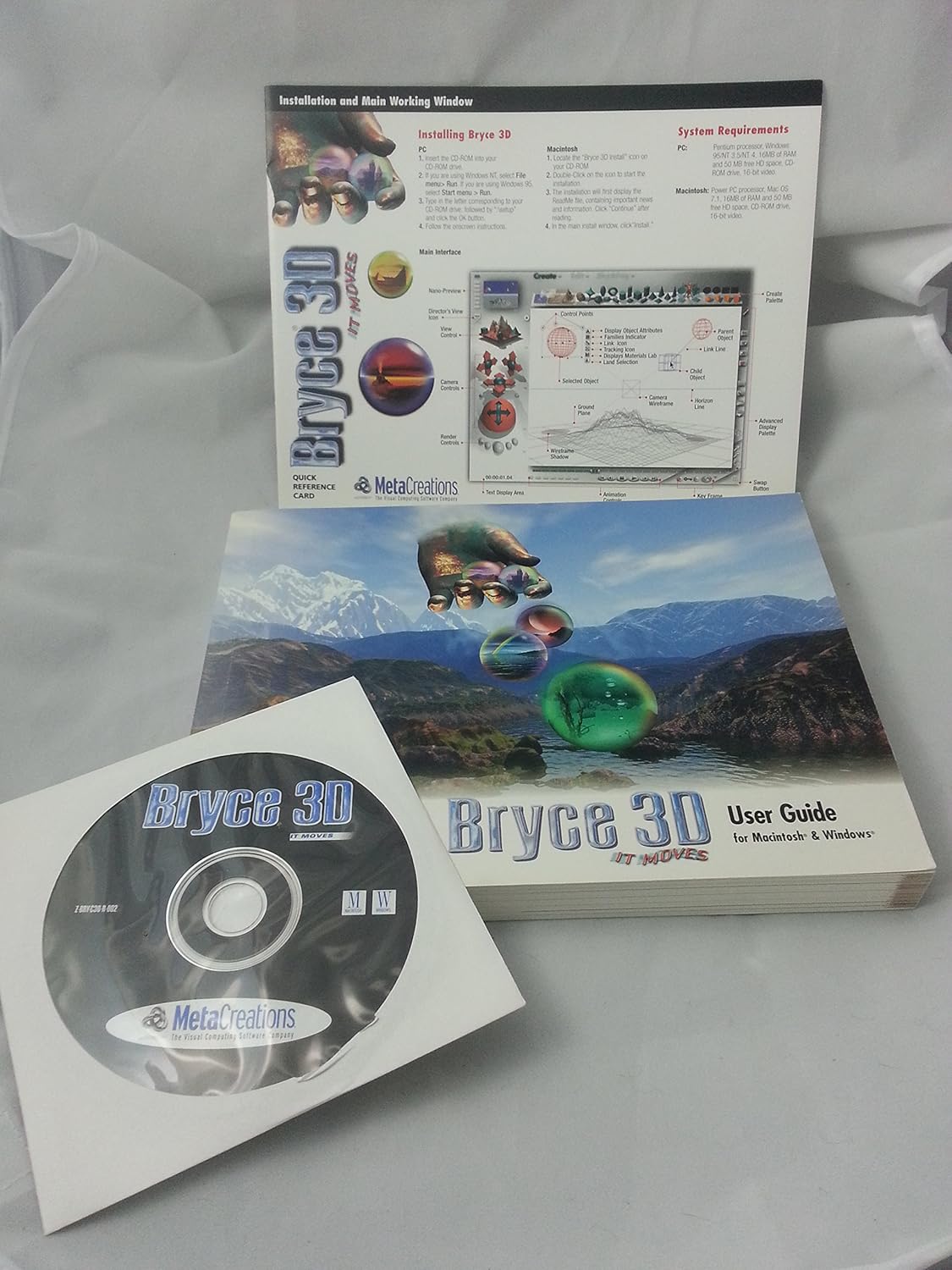
     

    well, without tossing my closet, think this was my intro to 3d

  • nicsttnicstt Posts: 11,715
    wolf359 said:
    You need to make a sound business argument to Daz Inc. for them spending the resources on these legacy Softwares. .... Daz is a $$business $$ Also UE4 DESTROYS bryce for landscape imagery all With REALTIME RENDERING!!!

    I look at Chloe's image and wonder if it's 3D or some other manipulation; that one you posted screams 3D.

  • ChoholeChohole Posts: 33,604
    edited January 2020

    Bryce 3, Poser 3, Painter and Raydream Studio 5   was a bit after Bryce 2,  but not too much and yes I had them. Brings back memories.   I don't think I used painter as I had been using Corel Draw and Corel photopaint  and one of the Desk top publishing programs that was around at that time.   Used to make little books for the grand kids.  Himself had treated me to a colour printer when I first got the 486. 

    Post edited by Chohole on
This discussion has been closed.

