Headshop OneClick v 11

Another version of Headshop. Having been bitten somewhat by this over several versions, I hung back for Headshop 11 to see if it worked. Anyone any thoughts on the newest version now in store?

Comments

  • PhilWPhilW Posts: 5,162

    Also watching with (guarded) interest - and how does this vary from the full priced version, it seems to have pretty much the same features and even some of the promos are the same.

  • outrider42outrider42 Posts: 3,679
    It states that the hair features are not present. One thing that gets overlooked about Headshop is that is has Hairshop included with it. It is no big loss, though. I'm not sure what other features would be different.

    One thing that was different about the previous One Click was that you could not move any dots manually on the face, which you can in Headshop. It is quite literally "one click". In HS11 it will populate the shaping dots automatically like One Click, but you have the option of manually moving the dots yourself. However, I didn't have great results moving dots manually. I found it generally was best to just let HS11 do its thing. So in that respect, you may not even really want that manual feature anyway.

    But there are other questions. Can you choose what texture maps to use? And a big one, is the weird deformation around the head fixed? This issue happens in HS11 when the photo model is not smiling. Oddly enough when model smiles the issue is not present. There is an update in the works that is supposed to fix this, so I want to know if that is coming, and if One Click contains the fix. I have been waiting for this fix to release before making any more HS11 projects.
  • info_b3470fa520info_b3470fa520 Posts: 901
    edited December 2018
    It states that the hair features are not present. One thing that gets overlooked about Headshop is that is has Hairshop included with it. It is no big loss, though. I'm not sure what other features would be different.


    One thing that was different about the previous One Click was that you could not move any dots manually on the face, which you can in Headshop. It is quite literally "one click". In HS11 it will populate the shaping dots automatically like One Click, but you have the option of manually moving the dots yourself. However, I didn't have great results moving dots manually. I found it generally was best to just let HS11 do its thing. So in that respect, you may not even really want that manual feature anyway.


    But there are other questions. Can you choose what texture maps to use? And a big one, is the weird deformation around the head fixed? This issue happens in HS11 when the photo model is not smiling. Oddly enough when model smiles the issue is not present. There is an update in the works that is supposed to fix this, so I want to know if that is coming, and if One Click contains the fix. I have been waiting for this fix to release before making any more HS11 projects.

    Outrider, we found the bug that causes the weird neck wrinkle and it is fixed. Still fine-tuning the math to be perfect. It won't even require to reinstall OneClick or HeadShop, only to exchange a small file in the folder. Maybe a week?

    Post edited by info_b3470fa520 on
  • nicsttnicstt Posts: 11,715

    Im wondering if OneClick would suite me versus V11; the manual placement of 'dots' might be useful, but outrider's comments are interesting.

  • I decided to buy OneClick a couple of days ago after the discount, many because of the features that allow you to use three quarter photos and smiles. Overall I'm disappointed with the product and wouldn't recommend it over Facegen, which I also have. The later gives much better results if you have the right type of photo to start with.

    I found OneClick buggy and it has crashed several times, particularly when trying to use the features tab and apply age etc. It also has an annoying habit of deleting body parts when you cancel a face generation which means you have to reload and start again. Of the faces that I have generated the results are underwhelming to say the least. I didn't have any problems installing it or following the limited documentation but was concerned about the number of times that it crashes.

    Overall a bit disappointed 

  • LesPaul said:

    I decided to buy OneClick a couple of days ago after the discount, many because of the features that allow you to use three quarter photos and smiles. Overall I'm disappointed with the product and wouldn't recommend it over Facegen, which I also have. The later gives much better results if you have the right type of photo to start with.

    I found OneClick buggy and it has crashed several times, particularly when trying to use the features tab and apply age etc. It also has an annoying habit of deleting body parts when you cancel a face generation which means you have to reload and start again. Of the faces that I have generated the results are underwhelming to say the least. I didn't have any problems installing it or following the limited documentation but was concerned about the number of times that it crashes.

    Overall a bit disappointed 

    I couldn't get it to work even once. Just non-stop crashes despite the number of restarts on everything.
  • stephenschoonstephenschoon Posts: 363
    edited December 2018

    AWFULL !!!

    I'm glad I didn't waste $99 on the full version... The first one I did wasn't bad except for the eyes but after that it crashes with unhandled exceptions most times I tried to use it. You can't move the autodots. After one successful save the torso disappeared and there was no head.

    Not a bit disapointing VERY disapointing.

    I hope this product is covered by the Daz return policy, they have around 30 days to sort it out.

    S.


    Post edited by stephenschoon on
  • info_b3470fa520info_b3470fa520 Posts: 901
    edited December 2018

    AWFULL !!!

    I'm glad I didn't waste $99 on the full version... The first one I did wasn't bad except for the eyes but after that it crashes with unhandled exceptions most times I tried to use it. You can't move the autodots. After one successful save the torso disappeared and there was no head.

    Not a bit disapointing VERY disapointing.

    I hope this product is covered by the Daz return policy, they have around 30 days to sort it out.

    S.


    Steve, I just send you an invite to do a skype tech support. So far we were able to solve 100% of cutomer issues. About Autodots: try to reduce screen resolution - makes it easier to grasp/move dots.

    If we somehow failed to solve your problem (most likely installation issue) after tech support, you are welcome to post negative comments. After.

    Post edited by info_b3470fa520 on
  • stephenschoonstephenschoon Posts: 363
    edited December 2018

    AWFULL !!!

    I'm glad I didn't waste $99 on the full version... The first one I did wasn't bad except for the eyes but after that it crashes with unhandled exceptions most times I tried to use it. You can't move the autodots. After one successful save the torso disappeared and there was no head.

    Not a bit disapointing VERY disapointing.

    I hope this product is covered by the Daz return policy, they have around 30 days to sort it out.

    S.


    Steve, I just send you an invite to do a skype tech support. So far we were able to solve 100% of cutomer issues. About Autodots: try to reduce screen resolution - makes it easier to grasp/move dots.

    If we somehow failed to solve your problem (most likely installation issue) after tech support, you are welcome to post negative comments. After.

    Don't think this is an installation issue, especially with the unhandled exceptions all the files are in the correct place according to the PDF but I'll post a correction if that's the case. I'll contact you once I get Skype installed...
    S.

    A CORRECTION

    A restart appears to have resolved the unhandled exceptions and other issues. Spoke to Laslo from Abalone who was most helpful and talked me through the application to make sure I was using it correctly and to give guidance on getting the best from it. Many thanks to him, if only all companies were as responsive and helpful.
    S.


    Post edited by stephenschoon on
  • Question: will DIM install this automatically or will it require the plugin to be manually installed?

  • HeadShop or OneClick comes with its own installerQuestion: will DIM install this automatically or will it require the plugin to be manually installed?

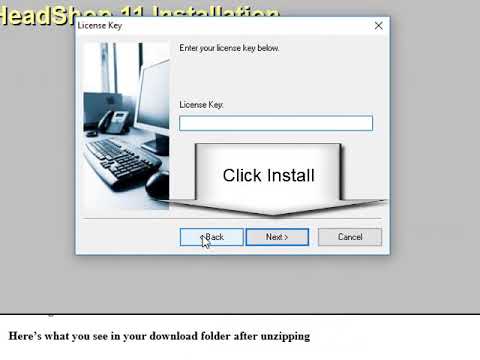
    HeadShop and OneClick both come with a non-DIM installer. Installation should be painless to standard (c:/Program Files) or non-standard (b:e:f;etrc/xxx) Studio installations, as long as you select the right destination folder (DAZ 3D). Pls. read README or watch install video: 
  • AWFULL !!!

    I'm glad I didn't waste $99 on the full version... The first one I did wasn't bad except for the eyes but after that it crashes with unhandled exceptions most times I tried to use it. You can't move the autodots. After one successful save the torso disappeared and there was no head.

    Not a bit disapointing VERY disapointing.

    I hope this product is covered by the Daz return policy, they have around 30 days to sort it out.

    S.


    Steve, I just send you an invite to do a skype tech support. So far we were able to solve 100% of cutomer issues. About Autodots: try to reduce screen resolution - makes it easier to grasp/move dots.

    If we somehow failed to solve your problem (most likely installation issue) after tech support, you are welcome to post negative comments. After.

    Don't think this is an installation issue, especially with the unhandled exceptions all the files are in the correct place according to the PDF but I'll post a correction if that's the case. I'll contact you once I get Skype installed...
    S.

    A CORRECTION

    A restart appears to have resolved the unhandled exceptions and other issues. Spoke to Laslo from Abalone who was most helpful and talked me through the application to make sure I was using it correctly and to give guidance on getting the best from it. Many thanks to him, if only all companies were as responsive and helpful.
    S.


    Thanks Steve! Skype/Screen exchange seems like a great tool to troubleshoot and resolve:-)

  • What's the best way to get a hold of Support?

  • What's the best way to get a hold of Support?

    Maybe as stated in the manual/readme: [email protected]. Or skype; skype name is lasloves, we are in California, any day, 8am to 7 pm.

Sign In or Register to comment.
