
Daz 3D is part of 
Connect
DAZ Productions, Inc.
7533 S Center View Ct #4664
West Jordan, UT 84084
Licensing Agreement | Terms of Service | Privacy Policy | EULA
© 2026 Daz Productions Inc. All Rights Reserved.
Comments
You should try to plug only one stick, and then start your PC. Do It for all your sticks. If your PC starts for each stick, then your RAM should be OK and the problem is the multiple stick combinations. There are slots working on pair for dual channel, their might be a plugging order etc... Trust me on this, I already had that kind of problems (especially on Asus, but not only).
:-) Like MCphylyss said.
called HP and they said the motherboard is bad and the computer is obsolete so they cannot help me.
How can I confirm or deny this guess that the motherboard is bad and all I got is one expensive paperweight?
To do it properly would require some extra hardware (A POSTcode card you could slot in and start up with that will show you exactly where in the POST that the MB is failing, a PowerSupply Tester, and a spare video card.)
Most of this stuff isn't THAT expensive...but you'd have to wait on shipping.
The first thing to check is the power supply. If it's not providing proper voltages or current, nothing in the system will work right.
The second thing to check is the POST code. It'll narrow down where things are failing.
The third thing to check is by removing everything that isn't essential to boot up. Remove all expansion cards, put in a known good video card, and minimum RAM (preferably a known good stick.) Then slowly add parts back in until it fails. Whatever you put in last is likely the culprit.
If you don't mess with this stuff yourself anyway, the POST card and the PowerSupply tester are probably things you don't have, and probably don't need. If you have any techy friends, they might have them. Otherwise, your only recourse is to have a shop test it for you. Some will test stuff for free, others charge a bench fee. Sometimes it's cheaper if you bring in components to test, rather than the whole machine. But if you aren't comfortable disassembling/reassembling the PC, you're better off just biting the bullet and paying to have them test it.
Note: If the machine is obsolete (not sure how old it is, you haven't really identified the model of HP it is) it may not even be worth the cost to repair (or troubleshoot.) If that's the case, just accept it as having passed away, and start saving for a new machine.....
Don't despair. Ignore HP. By following a logical sequence in a deliberate way, you can prevail. Sometimes it takes money but not always. It always takes thought, and it often takes time. Everyone has experiences like you're having.
I got the stupid machine in 2010
Product Name: HP Pavilion Elite HPE-180t CTO
Operating System: Microsoft Windows 10 (64-bit)
The specs for your computer states :-
Memory
Must select one of the following options:
8 GB (4 x 2 GB) DDR3 PC3-10600
9 GB (4 x 2 GB, 1 x 1 GB) DDR3 PC3-10600
12 GB (6 x 2 GB) DDR3 PC3-10600
18 GB (3 x 4 GB, 3 x 2 GB) DDR3 PC3-10600
24 GB (6 x 4 GB) DDR3 PC3-10600
If you have a different memory setup then it probably wont work.
I tried the original ram which is the nine gb option but none of that seems to get the computer working.
I think I am going to look to see if I can figure a way to get a new computer. It is past time for me to get one and it frustrates me that I cannot.
I am thinking of seeing how much it is to build a custom computer from parts but I never built a computer from scratch before,
I went to bed early last night but for some unknown reason woke up at ten thirty or basically between ten and eleven. I did not get back to sleep till threeish. I might be Miss Stupid, but it did occure to me that I might get a tax refund this year since I did work last year. I do not have a clue how much that would be. There is also a chance that I might not be able to use it for a computer. I do not have a clue how much it will be.
I was looking at cases and motherboards. I also need a video card but what else would I need to build my own computer?
CPU and cooler (cooler included with some CPUs (e.g. Intel Boxed)), RAM, PSU, HDD/SSD, and an Antistatic Wrist Strap.
I am guessing a Chromebook will not run DS?
Hi, too bad you don't anymore try to make your HP work. Don't think a chromebook will be powerfull enough to comfortably use DS. If you wanna build a custom PC, just tell how many you're ready to spend on it, I'm sure many people on the forum could advice you for a complete config. Then you will just have to buy, and mount it. That's not a big deal, the difficult part is to chose components compatibles with each other. After that, it's easier that building a lego : you only have to plug seven components (power supply, motherboard, CPU, cooler, RAM, GPU), and their's only one possibility for each one so...
There are many reasons why some people prefer to assemble their own PCs (me included), but saving money by doing so is way down on that list. It is unlikely that you will be able to put together a PC yourself more cheaply than you could purchase an OEM machine with identical specs. Possible perhaps, but highly unlikely. Some believe that it will be cheaper because they will be saving labour costs by doing it themselves, but labour costs are an insignificant part of the cost of an OEM machine.
The reasons I assemble my own is because it allows me to choose all the individual parts that I want myself, I know exactly what I have and what to do if a problem should arise during use, and usually I enjoy assembling them (well, mostly) and get a certain satisfaction when they work (they mostly do).
Sometimes, if I am prepared to spend a lot of time rather than money, I may save on individual components, but we are talking months spent watching and searching to do it that way. I also have enough components and spare parts around that I can test the bits and pieces as I get them without having to wait until I have everything to find out if they work OK (not a good idea given warranty issues).
Does it still beep when powering up?
If yes, are the beep still 1 short then one long ?
If yes then then you may not need to buy a new computer as it really seems to be a memory problem http://support.hp.com/us-en/document/c02222922
I found a diagram of your motherboard http://h30434.www3.hp.com/t5/Desktop-Hardware-and-Upgrade-Questions/Pegatron-IPMTB-TK-Truckee-motherboard-manual/td-p/2505917
Try to just put one memory stick into DIMM 1 slot and start the computer up to check if it works. If not, try another RAM Stick. Before any manipulation, I'd advise to do a bit of cleaning of the memory slot first with a bottle of compressed air if you have one, or gently blow over the slots if you don't. Just make sure there is no dust.
Prebuilt computers are a pain in the ass.... I started out with a HP, just wanted to add a GPU(it used onboard, but had a PCIE slot to use), to do so needed a new power supply. Bought those, when I got them and went to put them in, I found out HP used a weird nonstandard power supply hookup on the motherboard. I had to build a whole new computer from the ground up, except the i5 processor.
Computers that do not turn on are a pain in the foot.
From this point/counterpoint it sounds like the build-to-order boxes are probably the way to go? The many build opttions indicates that standard parts and interfaces are used, and are replaceable; but one need not fuss with cabling until one has to; and the initial 'standard' builds for a gaming desktop or laptop are probably going to work, so relatively little decision making on the actual components.
My computer has too many bugs so it needs to be replaced.
You already have the basics of a rebuild but first you need to know what it is that isn't working. If it is the motherboard, hard dive or even just the power supply it is only the broken part that needs replaced, you already have the box to put it in.
Hmmm good idea but
Good idea though if it were not for the bugs. They are old dead bugs when I had a bug problem many years ago.
I am pretty sure the MoBo
How do I determine the type of mother board I need?
If you are just going to replace the motherboard and reuse the remaining, original components, it will be the CPU that determines the motherboard type that you require, as CPU sockets change with different generations. You may have difficulty finding a new replacement and your only option may be used. In your case, since it is an HP with a non-standard PSU ATX pinout, you would need to find a converter, or find a replacement HP motherboard, or replace the PSU.
To fit in your HP enclosure, you'll probably need a mATX form factor motherboard, I suspect. This will also apply if you choose to replace the motherboard, CPU and memory combination. If that is the case, you should start by choosing which processor you want, then which compatible motherboard and memory.
If you really want to build from scratch, you should start by telling us your budget since that will largely determine your options.
I am trying to figure out my budget as right now it will be my tax return, but It might be a thousand but it might be less.
AMD or Intel? is my question. I know Nvidia video card. Until my W2 gets mailed to me I am guessing my budget will be near a thousand.
Your machine is first generation intel i-series. We are in early 7th generation. I see a PC Gamer 6th generation from a youtuber (sorry!, in spanish)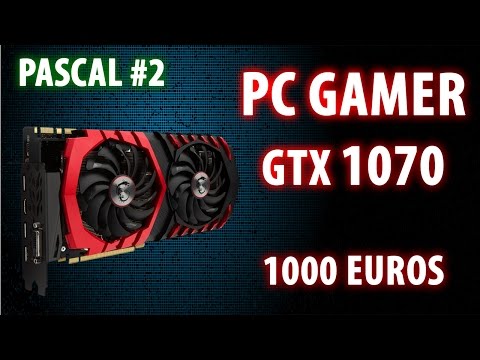
I search this specs in amazon, 1024 $ including air cooling and optic device: https://www.amazon.com/gp/registry/wishlist/2JP9DPMZOCBIC/ref=cm_wl_huc_title
Intel i5-6500 3.2 GHz Quad core + CPU cooler
Mobo Gigabyte GA-H170-HD3
Ripjaws V 8Gb RAM
GTX 1070 AMP! ZOTAC, 8GB GDDR5
HDD 1TB Sata III, 7200 rpm
Optical drive DVD, CD, Mdisc
PSU EVGA 500W, certified 80+
A case ATX
-----------
If you want a SSD sata III, add 84$:
https://www.amazon.com/dp/B01LXDQX35?ref_=ams_ad_dp_asin_2&th=1
Someone in youtube said not AMD for cheap PC-gamer. I don't understand why.
I have not had anything except AMD apart from the 1st 2 PCs I ever had.
I am wanting a gaming machine but I also want to use it for DS and Poser.
When I'm doing an "upgrade build" I always mentally go over my current pc to see what I can possibly reuse in a new computer to save on costs (What would normally go for $1500+ in the store, I only spend about $400 or so on)
Obvious pieces are the output and input devices: monitor, keyboard, mouse
Optical devices can also be saved: cd/dvd drives, card readers, hard drives, floppy drives (what are those?)
You could also re-use the case if you wanted, that would save about $50 off your build (cases have a huge range of cost from $20some up into the 100's but on average, I think 50 is pretty close)
If this is mostly for Daz and you have a pretty good Nvidia card, keep it. Even if you plan to get a better card, this one could run monitors and the worst that would happen with it is that Daz would drop it in rendering.
Next is to determine if you can re-use your power supply. To determine this look for the wattage listed on it somewhere. I tend not to go below 400 to play it safe and try to get upwards of around 750w (especially since not only do I play with Daz but also a pc gamer so I forsee bigger, more powerful cards in the future that will require more power). You also need to look at what plugs the power supply has and how many to make sure that you will be able to plug everything in when you get your new build going. Does it have PCIe power plugs for powering up graphics cards?, Sata plugs? how many? Does it have the 4 pin power connector along with the 24 pin?
Next is purely gut feeling, take a look at the power supply, when did you get, does it still look new or is it starting to look worn and old?
I picked up my current power supply back in 2011 (which was my last full upgrade) but my power supply is still running strong and is looking great so I would have no problems popping it into a new machine.
Ok, so set that aside for now because even if it's new and you are confident re-using it, you still need to make sure it will fit the new motherboard.
I usually pick the motherboard and CPU around the same time. I'' start with CPU, then find a MB to match, see if the MB fits what I want, go back and pick a new CPU, find a MB for that one and back and forth until I'm happy.
So picking a CPU, I usually go with AMD, #1 it's much cheaper and #2 I've not had problems with AMD chips like I've had with intel. First I decide where I want to be running Mhz range (as fast as I can possibly get which I believe is 3.something?) and try to decide how many cores I'd like. This is where Newegg comes in real handy as I can put in the requirements, then sort by price and see approximately where the CPU is going to fit in the budget. If they are getting too expensive for what I've chosen, then maybe I can drop a core or 2, or maybe knock the speed down a notch until you are in a price range you are comfortable with.
Then look at the socket type for the CPU you picked and use that as a filter when looking for motherboards, ram types (DDR2, DDR3, etc.) number of ram slots (I like to have 4 slots so that I have a wider combination range), ram speeds, total amount of ram supported, number of PCI slots (especially if you are going to have a number of add-in cards) Speeds of the PCIe slots.
You'll probably have to go back and re-evaluate your CPU choice and maybe you found a better board but with a different socket type or something.
Once you have your CPU and MB picked out, it's time to move on to RAM. But I think I'll save the rest for another post, this has gotten rather long already and I'm sure others will want to add their input as well.