How do you select the skydome?
 Kev914
Posts: 1,129
Kev914
Posts: 1,129
I watched a video by SickleYield where she sets up and lights a sifi scene. I've watched it a number of times and I think she selects the skydome in the scene list and then adjusts light settings, etc. for it. But I don't ever see the skydome in my list. I have it set to dome and scene. Some times I think that maybe what she selects is some object in the sifi set, but there's a part where she zooms in on the sky dome and you can see it in the workspace, so I think she selects the sky dome.
Also, I wonder why she can see the sun settings etc, but I only have a short list under environment. I have show subsets checked. I have a list of many 10 or 15 items, but SickleYield has a whole column. Could it be that things changed since the beta? I believe that is what she was using in the video. I'm pretty sure she said to set it to dome and scene, so why does she get so many settings.
She adjusted some light settings, like emission temperature,etc, while the skydome was selected. But I don't get those settings unless I add a light. (I can get more settings if I select the sky choice.
Thanks.

Daz 3D is part of 
Connect
DAZ Productions, Inc.
7533 S Center View Ct #4664
West Jordan, UT 84084
Licensing Agreement | Terms of Service | Privacy Policy | EULA
© 2026 Daz Productions Inc. All Rights Reserved.
Comments
In render settings > enviroment or dome > draw dome, to tun on/off.
I have the worst luck with skydomes
I currently just render a shot with only the dome, turn it off, render scene then layer them together in PS
I don't know which video you are looking at, however if she is selecting the sky dome from the scene list I suspect she is using a sky dome prop.
But as far as I know you can't select the iRay dome from the scene list.
[edit] or as you suggest, could be a change from the beta.
The video is here....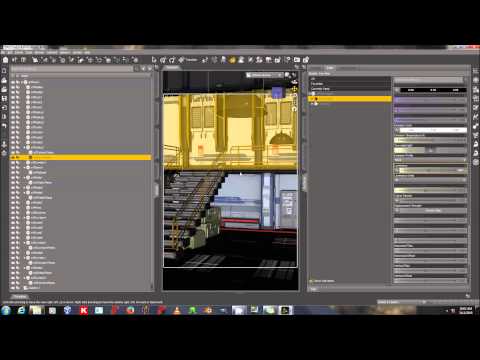
I think it about midway through. Perhaps the skydome isn't the "Daz" skydome, but a skydome that comes with Stonemason's SiFi architecture.
That is the Skydome that comes with Stonemason's set.
Thanks for your help!