Mac: Reinstall - PostGreSQL CMS Connection could not be Established
 Scavenger
Posts: 2,677
Scavenger
Posts: 2,677
I've had to refomat my Mac because of reasons.
I reinstalled Daz by copying everything from the backup to the new image.. it worked fine, EXCEPT I get an error " PostGreSQL CMS Connection could not be Established...etc" when I start up, and there's a "login" button hanging out....
Can someone had to advise how I fix this?
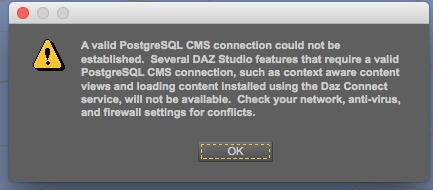

Screenshot 2016-06-11 21.42.55.png
433 x 190 - 33K
Post edited by Scavenger on

Daz 3D is part of 
Connect
DAZ Productions, Inc.
7533 S Center View Ct #4664
West Jordan, UT 84084
Licensing Agreement | Terms of Service | Privacy Policy | EULA
© 2026 Daz Productions Inc. All Rights Reserved.
Comments
Search your system and make sure postgres.exe (or whatever the mac equivalent is) is installed, if not redownload postgres from your products and install. https://www.daz3d.com/downloader/customer/files/prod/18869
And if it is there some one else is bound to come round and help.
Oops reread the screen cap and it the lack of a connection so possibly not the same issue I had.
Also, it's possible that your cluster directory and/or port names don't match between the new isntall and the back-up which can block communication. Got to
Application Support\DAZ 3D\CMS
open the cmscfg.json file in a text editor, then open the ContentCluster folder and from that open the postgresql.conf file in a text editor. Check that the entry for Cluster Directory in the first is pointing to the CMS folder - if not you may need to find the folder it is pointing to and open the postgresql.conf file there, but I'm not certain of that so check both in that event - and that the entries for port match between the two files (ignoring any lines starting with a #).
Both ports are the same.
Do I remember something about turn on/off the cms system?
Theer are on and off commands in the Content Library pane option menu, but I doubt that's relevant here.
Ok.. running into this problem again....
There's a green button that says Start CMS showing at the bottom of the Smart Content pane. Clicking it doesn't seem to change anything.
The CMS Settings in preferences matches the settings in the CMscfg.json file and the postgresql..conf file..
Anyone have a thought on this?