Rigging Help needed: Simple stand with sliding action.
 Scavenger
Posts: 2,677
Scavenger
Posts: 2,677
I'm trying to rig a keyboard stand so I can widen it and raise it up and down.
The Geometry is fine for this, it's divided into 4 faces of bottom left and right and top left and right.
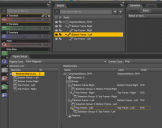
I can get it into the figure setup pane, and joint editor, but exactly what I want to click and set for each part I don't know.
Ultimately, setting 2 countols for width and height would be great, but for now, I'd like the Left side to move along the X axis and then the two top parts to go up and down on the Y. No bends or buldges just simple moves.


Daz 3D is part of 
Connect
DAZ Productions, Inc.
7533 S Center View Ct #4664
West Jordan, UT 84084
Licensing Agreement | Terms of Service | Privacy Policy | EULA
© 2026 Daz Productions Inc. All Rights Reserved.
Comments
Jen Greenlees has some good tutorials on hard surface rigging, so you might want to go through her channel; you can filter with "rigging".
https://www.youtube.com/channel/UC2nUUe7qRBDfAbcSwOsKJ2w
Yeah.. her videos got me this far. But since she's working on rotating 2 peices (pliers) I couldn't really translate to my needs, like for weight mapping, I went with scale rather than bend
Right-click with the Node Weight paint Brush tol and select Weight Editing>Fill by Bone Selection Groups. Making this triAx is probably unneeded, use General Weight Mapping. I'd also make one side a child of the other, with the tops still being children of the respective bottoms.
Is that parametric in the figure setup window?
Oops, no - you have to make it TriAx then you can change the type to General in the Binding Tab of Tool settings with the Node Weight Map Brush tool active - it saves having to have multiple weight maps.
Ok...doesn't seem to actually change anything, though. the parts still don't move.
Have you assigned weights? If theer are no weights assigned, in my experience, even translation doesn't work (which was odd in TriAx at least since it didn't weight translation).
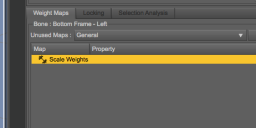
Each bone has it's oen 100% of the scale weight...
When I try to add "general weight" everything vanishes.
AH.. OK, I've removed the scale weights from everything, then added general to everything, THEN did the Weight Editing>Fill by Bone Selection Groups. and it reappeared..
And it looks like the parts move.
The Rising doesn't work right just yet, since i see it won't be a pure Y axis, but I know Jen has a tutorial that should give me controls for that.
Or Jen was going to do a tutorial on that, but hasn't yet.
So at this point, the left side moves out, and it's limited to move in and out the extent that looks right, and can't move anyway else.
The upper parts have limets on y an z, so at Min, Max and 0 it looks right, but I need to learn how to make a control that slides Y & Z together, preferabably linearly.