Help With Creating Custom Lace on DAZ
 juzduit
Posts: 33
juzduit
Posts: 33
Hey guys,
So i am trying to use the current lace textures and shaders available in DAZ , in particular this one : http://www.daz3d.com/elegant-fabric-iray-shaders , which is a basic lace mesh fabric (no design).
The objective is to combine this lace preset , with my own custom PNG image to create my own custom lace fabric, which also has an embroidery bump
However i am having trouble combining the lace preset and my PNG. The lace always seems to cut through the embroidery.
How do i "freeze" the embroidery so the lace preset cuts through the opacity to the rest of the fabric, while leaving the embroidery.
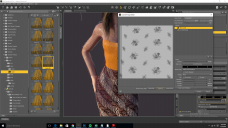
Attached is my progress . Help is greatly appreciated !


Daz 3D is part of 
Connect
DAZ Productions, Inc.
7533 S Center View Ct #4664
West Jordan, UT 84084
Licensing Agreement | Terms of Service | Privacy Policy | EULA
© 2026 Daz Productions Inc. All Rights Reserved.
Comments
To which channels are you applying your map? What are you trying to achieve in the Layered Image Editor?
I was trying different maps. I tried Alpha first because it made most sense.
With the layered image editor , i am trying to create a Map or a mask using my PNG as a source , to prevents the "embroidery" part from being cut out by "Cut through Opacity" function, hence using the lace preset, but using my own embroidery design.
I attached my source and the lace preset , and exactly what i am trying to acheive below
A mask needs to be black (see-through areas) and white (opaque areas), so your lace image isn't going to work. You probably need to use that as the diffuse colour and a version driven to black and white (try looking at the colour channels in your image editor to see if one is close then copy that and adjust its tones) for Cutout Oapcity.
Check out this thread in the art gallery as well. It might be helpful in figuring out how to get the look you are going for... http://www.daz3d.com/forums/discussion/74272/texturing-with-destinysgarden#latest