Orphaned Soul's Ola
 MarcCCTx
Posts: 947
MarcCCTx
Posts: 947
in The Commons
Is anyone else having a problem with this?
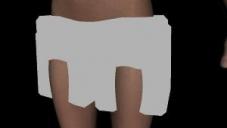
It's coming in all blocky and has a message about missing parts.
I could get rid of some of the missing parts by renaming the texture folder, but this one "data/auto_adapted/olaarms_35842/geometry_66b9529d_99e4_4aef_e16b_7cffb3c44298/olaarms.dsf" is not even listed as an installed file.
I have sent in a help desk ticket.
error.jpg
300 x 169 - 14K

Daz 3D is part of 
Connect
DAZ Productions, Inc.
7533 S Center View Ct #4664
West Jordan, UT 84084
Licensing Agreement | Terms of Service | Privacy Policy | EULA
© 2026 Daz Productions Inc. All Rights Reserved.
Comments
Several of the things do come in but say they are unsupported.
That happens when the program isn't finding the data file. Or isn't linking it properly. Nothing to do with the textures. Have you checked that the data files are actually where they belong and their folder has not been renamed in any manner? I know it might be tempting to toss all the data files from the same vendor into one folder rather than scatter them among three with marginally different spelling. But it means the program will never find them and you'll get grey blocks.
Occasionally you get something like this when you open an existing scene, and it decides that it can't find one of the components in it. *usually* it will give you a warning and you can record what it is (in my experience it tends to be jewelery or wigs) so when the scene finally opens you can just delete the block and reload a fresh copy of the file that the program lost track of.
IMO a product that has its geometry in "auto-adapted" is a product that was not made right and I would immediately ask for a refund.
I manually downloaded to check and there are no data files/no .dsf files installed anywhere.The texture files folder just is missing a space.
It's a Free product. I'd rather have it fixed.
I'm really not sure how this one got past any sort of quality controll process as the "auto-adapted" folder is like a catch-all geometry folder for any modified item the user saves in Daz (short simple explination) so the geometry was never included in the original product which means the only person who can fix this is the creator and that's if they haven't erased their hard drive for whatever reason or even still have the hard drive. :(
The store page is a bit of a mess as well. I know it's a freebie, and it's an RDNA transfer, but it looks as if it was just copy-pasted from the original with no regard for the different store page layout. I'd still like to have this in working order, but as it is it's completely unuseable.
I "purchased" Ola a few days ago, but I didn't install her, until I saw this thread.
I got this just through loading the top:
I've looked through the files, and all of the .obj files seem to be there. It just seems like Daz Studio can't find them.
I was just wondering if anyone had opened a ticket with Daz about the item. Although, I doubt they could do much seeing that it isn't one of their items and, the item is free.
It's a shame that it doesn't work properly as it's a nice product.
Yes, a ticket has been opened
http://www.daz3d.com/forums/discussion/comment/1221386/#Comment_1221386
It's not supposed to — a properly converted-from-Poser item has no links back to the Poser /geometries/ files because it's now a proper set of DAZ|Studio format files. And a properly saved converted-from-Poser item should never have its /data/ files in the /auto_adapted/ folder — that shows it's simply been loaded and saved as a scene subset, instead of doing it the right way and saving as a Figure Asset.
Something's gone badly wrong here, in several places. E.g. the /data/ files don't exist, and the Poser-format Library files that could be used to recreate the /data/ files don't exist either.
I am very disappointed in this product. Where were the beta testing? What happened to Daz's quality control checks? I understand it is a RuntimeDNA product that was supposed to be converted over to a Daz product, but I would think since it is still being loaded into the Daz site then Daz should still have the responsibility to make sure the products actually load and work as they are expected to.This is a horrible release.

Still broken.
The Obj files are in the wrong folder in Geometries. They are in Ola and should be in Orphaned Soul/Ola
It's a right mess.
The problem isn't that the .obj files are in the wrong Geometries folder, it's that there are .obj files at all — what we need are the proper D|S-format /data/ files, and not in auto_adapted either. I have actually looked in the .duf content files, and I don't see any link-back to the Poser Runtime that could be used to recreate the proper D|S files.
I've just imported all the obj files, Used transfer utility to fit to G2F and added textures. All saved in a seperate folder so at least I can use it.
If the OBJs are in the right place DS should be able to rebuild from them - though not any morphs.
Compatible Figures:
No
Compatible Software:
No
Scroll down and look at the Notes section towards the bottom of the page. Yes, I know the info is in the wrong place...
RuntimeDNA Notes:
Daz Studio Version: Daz Studio Compatible
Poser Version: Not Compatible
Requires: Daz Studio and Genesis 2
Of course none of that matters when the product don't freakin' work and nobody seems to be doing anything about it.
As has already been noted in this thread, it has been reported and is being looked at
http://www.daz3d.com/forums/discussion/comment/1221386/#Comment_1221386
I know... but this thread was started nearly a month ago.
And it's been another month. Any news?
Just got around to trying this and realized it doesn't work. I see I am not the only to notice. And its been two months?
I was just thinking about this product today as 2 freebies that just came over from RDNA (the dogtag materials and the other material freebie) both fail to install through DIM.
While you can still use Ola by importing the .obj files included in the package, then doing a rigging transfer to make them conforming clothes, it still is a bit disconcerning that it has been this long and has not been fixed yet :( (there is a ticket submitted for this and they did say they were working on it 2 months ago. Not sure what happened)
I have no idea how to do a rigging transfer. Wouldn't even know where to start...
I believe rigging transfer is only for triax weight mapped figures (not 100% on that though) just load the ola object, go to edit -> rigging -> convert prop to figure and select triax weight map
Then load a g2 figure and select edit -> figure -> transfer utility
on the left dropdown for source, select your g2 figure and on the right side under target, select the ola object.
That's pretty much it
I will give that a try when I get a chance. (holiday weekends are not a great time to try new things around here lol. Too many interuptions. Thanks for the help!
You don't have to turn the clothing into a figure first, just run transfer utility.
I still can't use this product. Still has missing files. This still isn't fixed like it was suppose to be. Since when does it take 3 months to correct this. Free or not, that is not good company policy.
kaotbliss,
Do you know of any tutes that talk about how to 'fix' this? I've saved quite a few former Poser scenes as DAZ Studio DUF files, and I've noticed files of the same name piling up in 'auto-adapted'... Is there a SETTING in DAZ that embeds the geometry info in the .duf on save? Where we can SAVE the file and NOT get a-a files? I WOULD like to get those files out of 'auto-adapted', if possible.
If I can learn more about Studio, so much the better...
The main problem is that any fix involves data that doesn't exist in the DAZ installers — the morph and rigging data that transforms a solid mesh object into a flexible, posable piece of clothes. It should be in the installer's /data/ folder, but that was empty. It can be recreated from the Poser .cr2 file, but that wasn't there either. The Poser-format solid mesh objects, which shouldn't be in the installer (but are), can be loaded into a scene and have the G2F rigging transferred to them, but this is no guarantee that they'll work exactly as intended — clothes frequently need tweaking to fit properly once the figure wearing them is posed or morphed.
That only happens if you break all the rules for converting a Poser-format mesh object into a D|S-format rigged figure. It produces an item with files in all the wrong places, that will work (probably) only on your computer; it can't easily be installed and made to work on any other computer in the world without fixing and rearranging the files to the proper standard. D|S works by separating the geometry /data/ and the .duf scene file, if you try to go against this the program will fight you all the way.
I've not messed with this at all (picked it up and waiting for a fix but either Daz is waiting for AS to fix it or is having trouble getting in touch with AS or perhaps AS lost their data files)
at any rate, the only way I can think of is to import the obj's and do a rigging transfer then resave everything. (there's some threads around that talk about getting custom stuff packaged up for backup or sharing)
Of course, any morphs that may have been included are gone, not that we can use them right now anyway