(WIP) The Great and Terrible WTZ shader...
 Oso3D
Posts: 15,115
Oso3D
Posts: 15,115
in The Commons
I seriously need a new name for this.
Anyway, trying to come up with presets, testing it out in various situations.
Here's latest...
The rocks, sand, all wood in view, and water use WTZ.
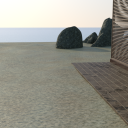
WTZ Beach.png
1080 x 1080 - 2M

Daz 3D is part of 
Connect
DAZ Productions, Inc.
7533 S Center View Ct #4664
West Jordan, UT 84084
Licensing Agreement | Terms of Service | Privacy Policy | EULA
© 2026 Daz Productions Inc. All Rights Reserved.
Comments
Other stuff:
WTZ is Metallicity based. You can easily copy a shader onto it, using noise layers to build complex surfaces.
I'm debating also including Specular/Glossiness so it's easy to copy other shaders, but... man, lots of work.
Like the boat! Keep working.
These are looking really good Will.
Looks nice! what does the Z stand for?
Zima! I don't know, I just needed a letter. ;)
The shader uses Perlin and Worley noise to generate patterns for a variety of colors and channels, as well as bump and cutout. So it can be used to layer surfaces, or generate interesting effects, or...
So, um. Master Shader? Shader Xtreme? Ugh.
Here's another experiment. I've been trying to keep it from having TOO many noise options (because in most cases you can simply layer with cutout), but stars didn't work very efficiently as cutout, so I added emission, which inspired me...
The star uses WTZ with bloom, the stars use WTZ with emission noise, and the planetoid is actually a sphere with noise displacement and color. The ship is the Astra, used 'out of the box.' (I debated trying to generate a ship with the shader, and while you can make some interesting blocky shapes, decided to skip it for now)
Click for full size.
Realistically, with a star in frame, you'd either see the star and everything else is black, or you'd see everything and the star would be a blown out white.
But hey. ART
The power of a procedural shader is in ignoring map issues entirely...
Here's the Magic of Serpio particles with 'WTZ rough wood' shader.
Hmm. Yeah, I was afraid of that... current 'do everything' shader is slow, about 1/3 the speed of conventional shader.
So looks like I should revisit my earlier ideas, and have several versions of the shader:
Master shader, which does everything.
Cutout shader, for layering, possibly with bump and/or displacement. This would cover a WIDE variety of options, because you could simply plop one shader, with metallic flakes and gloss and metal and whatever, on top of another shader, with different settings.
Emission shader
Refraction shader, possibly with translucence. Hrm.
I'll have to test how much of a different this makes... the question is whether the switches are slowing things down or the basic noise pattern code is slowing things down. If it's the first, then breaking the shaders up will help. If it's the second, then... not.
Ok, whew.
Master shader (everything!) is at 30% the speed of most regular shaders. That's... ugh.
A specialized Base color and Bump noise shader is at 84% speed, and I can probably tighten that further by removing shader elements that aren't likely to be used with that (like Refraction, maybe emission)... or I may leave it as is.
So at this point, the core shaders are likely to be:
Master (slow but everything)
Base & Bump
Cutout
Cutout & Bump
Displacement & Bump
Emission
Refraction color & bump
Note that with decals you can layer things. For example, if you have refraction & bump, you could put an Emission shader on a decal to have 'glowing bits' on top (by setting cutout).
This worked out pretty well, given the limits of procedural shading.
(Note that the veins are HD morphs, Vascularity ... key to adding details the skin pattern doesn't have)
'I bet this would work decently on fur.'
Yep!
WTZ Displacement & Bump layer (Perlin noise) and then -push Geo Shell with WTZ Emission (Worley noise). Worley noise is pretty cool, though it's limited to UV mapping. It creates a lot of fairly artificial but neatly generated patterns (dots, diamonds, marble patterns, etc)
http://willbear.deviantart.com/art/WTZ-wrinkleman-608869702
I think I'm at the point where I can make promo images and try to get this in the queue. Here's hoping!
Wood, marble, and droplets.
Coming along quite nicely i would say! Would it be possible to apply this to a geoshell and get the noise small enough to simulate goosebumps on a figure as an example?
Daniel
Absolutely.
You can also apply the shader to skin, say, and then copy the skin settings back onto the shader, and then set noise bump, so that it overrides the normal bump of the skin.
The result is the same as the original skin, but with noise bump.
I'm currently working on promo shots... I'm debating whether I should group shaders by type (cutout shaders) or purpose (skins/scales, space stuff, etc)
This look pretty spectacular. The speed issue would be a big con for me, as I already take a big hit in time when I opt to work in Iray rather than 3DL with AOA lights.
Can you mix those in a meaningful way for users? I'm just thinking that a lot of users, if you give them a group called "cutout shaders", a lot will think, "...what?"
Can you list what the alternative groups would be for each type? Maybe that will give you some useful feedback. (My own guess is that "purpose" may be more useful, but without knowing what the groups are, "may be" is as close as I can get.)
just out of curiosity, is this for Iray?
Sriesch: Yes, for Iray. It's a more advanced version of the free shaders in my sig.
VWrangler: What I'm thinking about, potentially, will be something like:
Base: Cutout, Cutout & Bump, etc.
Construction: Gray rock, cracked lava
Grunge: Dust, Dirt, Rust
Organic: Brains, Gloppy, Light Skin, Dark Skin, Scales
Space: Stars, Solar
And so on.
Now, you'll have stuff like Dust is a cutout shader, while Dirt is a cutout & bump shader... but I'm not sure how much people will care.
More testing, sometimes my shaders are faster, sometimes they are slower. So... in the ballpark of most Iray. ;)
Oh cool. I didn't know it was possible to do in Iray. Didn't see any settings for it. One of the things I missed from Octane.
It generally isn't. There are a few procedural shaders so far, like the free stuff in my sig, and some of Mec4D's stuff, also the Touch of Dirt recent thing.
Touch of Dirt is pretty cool and does a few things like I'm working on, though in different ways. Touch of Dirt uses scripts, while my thing won't.
That looks like a reasonable way to put things together, more or less, as long as you can let people know which base to use with which effect -- one of those "tip" things should probably work.
They absolutely won't care as such. People mostly want to know, "What do I need to do to get what I want?" and not so much about the technique for getting there, I suspect. As long as you can say, "For dirt effects, use this base," or "For dust effects, use this base", it should work. (Er ... I should probably add that I'm a person who uses the Content Library directories and does not use Smart Content or Categories, and I have no idea how/where/if the Tip stuff shows in Smart Content and Categories, so that might affect how you choose to do things.)
Hmm. Need one more good promo image.
In a related note, it dawned on me that I can totally have rain and snow (basically, little dots on a plane) easily. I think I might break out a section for 'sky,' to include clouds, precipitation, etc.
And I'm reminded that rain and snow kind of stink done 'in render.' Ok, skipping that... (though people could create such if they feel like it)
So my tentative list of presets... I wonder if I should pad it out to look well, or go with this.
Thoughts?
Heh. For some reason the expression on that dog's face is like he's thinking "Wait... did I leave the stove on when I left home?"
Here's another sample. I don't think I'll use it for official promos, but it's a good example.
Everything in the image uses my shader, there are no texture maps of any kind.