XI busy crossing seems to have messed up my Daz studio
 Pitmatic
Posts: 1,025
Pitmatic
Posts: 1,025
Hi installed and loaded XI BUSY CROSSING and found it to not be great but its messed up my Daz studio 4.24.0.3
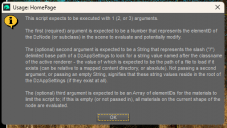
1 select an item from smart content click its icon and get a scripting error instead of the product page "This script has been executed outside the expected enviroment"
2 create a new primitive and you get a dialogue saying i have named it wrong even though i am just taking the default values, clikcing ok gets me the rpimitive but its now usinf the RSL shader not Iray.
This affects new projects and existing ones even tried restarting sigh...
I am sure its something simple but i am affraid to touch existing projects in case i some how damage them
thanks in advance

Daz 3D is part of 
Connect
DAZ Productions, Inc.
7533 S Center View Ct #4664
West Jordan, UT 84084
Licensing Agreement | Terms of Service | Privacy Policy | EULA
© 2026 Daz Productions Inc. All Rights Reserved.
Comments
Restarted the system(again) and everything is working might have been coincidence but when i loaded the busy crossing set my 3060 started screaming so i dont feel i can trust it.
I suspect that was a passing oddity or interference from some other system tool - it is unlikely that the product would cause issues for all and not have been reported before now.
The GPU, however, may well be taxed by the product if you use Iray
XI Busy Crossing is very taxing on the GPU. I have a 10 GB 3080. I immediately ran it through Scene Optimizer and saved a 2X reduced version of the scene so I could use it. I haven't had any problems rendering that optimized version, but even that taxes my GPU to the limit.
This attached image rendered in about 4 minutes.
As I recall the night version (which is the default) is mor demanding than the day (all those emissives).
I haven't had any issues rendering the day version with my 10GB 3080. I haven't tried the night version yet.