G8F Distorted
 lukon100
Posts: 864
lukon100
Posts: 864
Oh no! My G8F is broken!
I use 4.11 and have 4.21 beta installed as well. I try to install all Daz assets through DIM only.
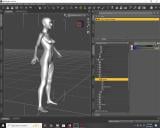
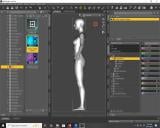
1. Fresh load of G8F looks ok from a distance, but on closer examination, it seems slightly thinner in depth.
2. Full body morphs produce weird, distorted shapes. The distortions vary in intensity and type of distortion.
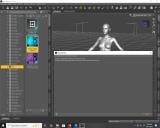
When loading the G8F, or a scene file containing a G8F, I get the "Cannot find G8F .dsf error". But this is nothing new. It has done this for years without any noticeable effect, after dismissing the error message window. I have also seen "Duplicate formula" error messages for some things, but I don't remember whether this error involved the G8F or not.
Got some pictures and a log file copy.
Thanks for your help.


Daz 3D is part of 
Connect
DAZ Productions, Inc.
7533 S Center View Ct #4664
West Jordan, UT 84084
Licensing Agreement | Terms of Service | Privacy Policy | EULA
© 2026 Daz Productions Inc. All Rights Reserved.
Comments
Why is Daz trying to find the G8F file in the Genesis 3 folder?
You probably have installed a character including a morph dial which has a non-zero default value.
In order to identify it, you can try this:
Once you've identified which character causes the distorted base shape, first check if there is an update to it as it might have been fixed since you installed it.
If there's no fix available, it's possible to edit the default value in the dial parameters and then resave the modified morph asset.
Because they installed a character with a bad reference in it. Some freebies characters have been known to have that problem, for example.
Thanks Leana. The non-zero defaults morphs appear to be JCMs. One of them produced by X-Transfer, I guess. X-Transfer might have done this as a technicality involved in translating G3F to G8F.
Regardless, I'm not sure whether these morphs can explain my problem, nor whether I should be messing around with an X-Transfer JCM.
Any recommendations?
DS4 only shows DSF errors during character loading for one reason, bad Parent data in a DSF file, and a quick look at the log shows two of them, I'm guessing a character called "anaya" and a morph called "Big Nips", neither of which will have been loaded because of the bad parent.
Sheesh haven't seen that many bad alias files since the time my friend bought a bunch of pose products from the same vendor that were sold here.
The G8F base figure in the OP looks normal to me and I don't think those XT properties bring problems to the base figure... Could you see any change on the figure if you zeroed them out?
I don't have X-Transfer but I ever saw quite a few threads showing issues resulting from it... It seems that zev0 gave up fixing / updating their script products... e.g. Camera Magic Plus, My Favorite Script... that I bought still have critical bugs not fixed up to now ~ and they didn't response from a certain time point in their commercial product threads... sigh.
Anyway, you also can test it by: temporarily moving the folder : /data/Daz 3D/Genesis 8/Female/Morphs/XTransfer/ to another location. Clear DSON cache, then load G8F base, see if there's any issue.
"Could you see any change on the figure if you zeroed them out?"
Nope.
Then those corrective morphs are not true culprits ~ so I still don't think your G8F has any issue in terms of its initial shape...
The issue of "missing files" seems coming from wrong ERC formulas defined in certain DSF file(s). If removing X-Transfer folder fixes the issue, that'll be great. But if it doens't fix it, I'm afraid you have to go thru the DSF files by using the exclusive method.
Ya. The correctives seem innicent to me as well.
But I will have to further investigate the real extent of my problem. I may actually have no problem with distortions, but have fooled myself into thinking I do.
Consider: my example screenshot showing distortion is not really a G8F contamination problem like I thought it was. What that really is, is what happens when you apply an EP3A Amorette Body for Genesis 3 Arabella 7 without having Arabella 7 installed. The picture I uploaded to this post is simply the X-Transfer-to-G8 version of the EP3A Amorette body applied without a corresponding X-transfer-to-G8 version of Arabella 7.
But there were a few other morphs that also had bizarre-looking effects on my G8 base figure, or even suspiciously having very little effect at all. I need more time to find those again and investigate them.