How to re-populate LOCAL USER folder with old saved content?
 Duck Dumble
Posts: 35
Duck Dumble
Posts: 35
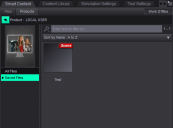
I recently had to re-build my CMS metadata, as it would no longer load properly (I'm assuming it got corrupted somewhere.) One effect of this is that my LOCAL USER product in Smart Content with all my old saved scenes, characters, wearables, etc. are all now missing from this folder.
My content directories haven't changed. All of my old files are there, Daz is still pointed to them properly, and I can save new files which show up in the proper folder and in the LOCAL USER category. It's just a matter of re-populating all my old saved data. Thank you all in advance for the help!

Daz 3D is part of 
Connect
DAZ Productions, Inc.
7533 S Center View Ct #4664
West Jordan, UT 84084
Licensing Agreement | Terms of Service | Privacy Policy | EULA
© 2026 Daz Productions Inc. All Rights Reserved.
Comments
I think if you categorize them in some way, they will return to LOCAL USER. The database seems to need to know which product an asset belongs to categorize it. Use something like "Lost and Found" to start, or a new Custom category. When saving, assets get categorized as "Saved Files", but I do not see that in the list of Default categories using the Content DB Editor, so it might be hidden. It is visible using the "Categorize" option (right-click on assets), unfortunately it isn't recursive through folder structures. I recall something like that when I had to re-import metadata (several years ago, and never repeated, so the memory is dim).
The way to avoid having to do this in future is to periodically export user data (Content Library pane option menu>Content DB maintenance. The exported .dsx file(s) go in the /Runtime/Suport/ folder in the first Daz Studio format content directory