How can I change the appearance of the underside of my breasts?
 Stellar
Posts: 49
Stellar
Posts: 49
Hello,
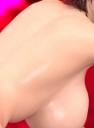
I am still dissatisfied with the way breasts look in Daz3D (I find they look saggy...). I’ve seen models where this issue has been fixed, so it is possible; I really like that "fake" or implant look where the breast attaches to the body. You’ll find a photo below showing what I’d like to achieve and what I’ve seen.
(While still adhering to the rules, of course—I tried to hide the sensitive parts of the human anatomy.)
enya-pole-work.jpg
399 x 546 - 20K

Daz 3D is part of 
Connect
DAZ Productions, Inc.
7533 S Center View Ct #4664
West Jordan, UT 84084
Licensing Agreement | Terms of Service | Privacy Policy | EULA
© 2026 Daz Productions Inc. All Rights Reserved.
Comments
You are comparing a standing image with a leaning forward image. As breast are mostly fat tissue, they will follow gravity.
Have you tried to adjust the pectorals?
No idea about your problem, but for the screenshots, you can make them using the Smooth Shaded mode.
I'm not entirely sure about your question, but you could choose to buy the model from a website ending in "tica", or you could use sculpting tools to make adjustments.
Perhaps would this kind of item be useful to you?:
https://www.daz3d.com/smart-enhancing-system--breast-control-for-genesis-9
JAWOTP
Hello, the photo didn't go through.
I edited it so you can't see much detail but still get the idea, here it is:
With the darts on the side, the bust lifts into a crescent shape; I’d really like it to run straight down at the bottom (when the figure is standing upright, not leaning forward).
There are numerous breast control/enhancement products in the store, you should be able to find one that gives you the look you're after. Unfortuately, G9 has less flexibility in this area than her older sisters - one reason why I'm sticking with G8F.
Okay, I didn't know that about the G9; I thought it was better since it's the latest model. Thanks for the information.