how do i make my new property group and custom property i make stay across daz files?
 mangosteins
Posts: 54
mangosteins
Posts: 54
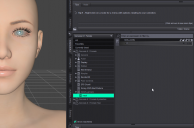
I want to create my own property group with morphs, they stay within the file i created them in but if I open up a new daz scene that property group and properties are no longer there. Is there a way to make this change global across every daz scene?
DAZStudio_YGgPaWrdQe.png
1051 x 694 - 283K

Daz 3D is part of 
Connect
DAZ Productions, Inc.
7533 S Center View Ct #4664
West Jordan, UT 84084
Licensing Agreement | Terms of Service | Privacy Policy | EULA
© 2026 Daz Productions Inc. All Rights Reserved.
Comments
Are you only saving them in a scene file?
They should be saved as modifier assets.
that worked thank you
if i wanted to put all exisiting groups under a new tree with new groups above them that i can move morphs into so they wont reorder or reset after i reload daz how would i do that?
Im going to make a control morph for every morph i commonly use and have them organized in sub categories Its going to take days to get this done and im nervous there is a scenerio I dont know about that could cause them all to get deleted. When i create my new control morphs and groups I save them as a modifier asset and they will always be there or if a product i have in dim gets updated they could get wiped out?
As long as you save the modifier assets with the Vendor Name of your own, IM packages installed / updated from DIM should never have your modifier assets wiped out...unless there's a PA having the very same Vendor Name as yours and made the assets with the very same path / file names ~
ok thank you that makes me feel better
Merged threads