How to save a scale preset pose in Daz Studio
 Kalypso
Posts: 210
Kalypso
Posts: 210
What the subject says. If I have a G9 character that has had scaling to the Body and various body parts and want to save only the scaling as a preset to apply to a default G9 to scale it the same way how do I do that?
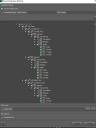
I tried using the Save as Pose Preset, selected "Check All Scales Only", expanded all to make sure the scales were selected which they were and then opted to save both with and without compression. Neither way works. Do I just hit Accept at this point or am I missing any other steps?

Daz 3D is part of 
Connect
DAZ Productions, Inc.
7533 S Center View Ct #4664
West Jordan, UT 84084
Licensing Agreement | Terms of Service | Privacy Policy | EULA
© 2026 Daz Productions Inc. All Rights Reserved.
Comments
If you tweaked Scale values on selected bones of G9, Pose Preset would work with no issue ~
But if you used a Pose Control property to scale G9, i.e. the Pose Control triggers the Scale values on G9 bones, directly saving a Pose Preset wouldn't work. You have to do Bake to Transforms beforehand.
Thank you both, I think I tried the Properties preset as well so maybe the solution is the Bake to Transforms.