NVIDIA Iray
 irmamandola117
Posts: 11
irmamandola117
Posts: 11
Hey everyone, I'm having a weird issue in Daz Studio. The standard "NVIDIA Iray" option is missing from my Render Engine dropdown menu. The only Iray option I can select is "NVIDIA Iray (MDL)".
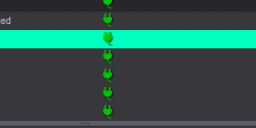
The strange thing is that when I check my active plugins, "NVIDIA Iray Renderer" is definitely installed and active (it has the green plug icon), has anyone dealt with this before? How can I get the standard Iray option to show up? Also, the Tone Mapping option is completely missing too. Is Tone Mapping supposed to show up as soon as you open the program, or does it only appear after you actually load a scene or an HDRI?
My specs :
Windows 11
AMD Ryzen 7 5700X 8-Core Processor - RAM: 64 GB
NVIDIA GeForce RTX 4090 - VRAM: 24 GB

Daz 3D is part of 
Connect
DAZ Productions, Inc.
7533 S Center View Ct #4664
West Jordan, UT 84084
Licensing Agreement | Terms of Service | Privacy Policy | EULA
© 2026 Daz Productions Inc. All Rights Reserved.
Comments
MDL is just the shader language used by Iray, it isn't a variant render engine. Similarly 3Delight used RSL.
So there's no other option?
Yes, you should select "NVIDIA Iray (MDL)". That is indeed the standard and correct Iray renderer you are looking for!
"MDL" is just the material language it uses, so "NVIDIA Iray (MDL)" and the "NVIDIA Iray" you had in mind are the exact same thing. You don't need to look for another option.
Regarding Tone Mapping, it should appear in the Render Settings pane under the Editor tab once "NVIDIA Iray (MDL)" is active.