Simple Question about custom Folders and consolidating them into the "default" directory.
 Darkend
Posts: 33
Darkend
Posts: 33
Is it possible for me to just drag and drop the content of the two custom folders into the "recommended" one (in Windows Explorer), to just consolidate all content into one folder? Have had multiple installs over the years, and I think around the time that "Daz Content Connect" or whatever it's called, something broke, and I had to do a mass uninstall/re-install for almost all content, and had things working, but with multiple custom folders (mapped). Things are working now, but I'd like to do some cleaning and optimization. I would just like to consolidate everything in one directory rather than having to hunt if I need to add/remove content manually.
I understand that there is no "default," (according to what I've seen in the forums), but a "recommended." If I do, is it likely to break things? I'd just like to go to both of those custom folders, drag and drop into the main folder "recommended" (because there is "no default - but there kind of is tho, really? Not to be combative.) C:/Users/Public/Documents/My DAZ 3D Library (seems to be the default location that Install Manager recommends via "advanced settings" in the Install manager), so I'd probably want to consolidate everything there. Also have found that I have two different folders for the "manifest files," so I'm guessing I should also be moving those into the one "expected" folder as per the Install manager "basic settings," specifically "Manifest Archive". Would I need to do anything else other than to remove the two custom folders once the contents are dragged and dropped into C/users/Public/Documents/My DAZ 3D Library? Thank you ahead of time.
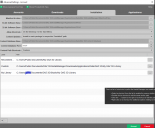
As for the picture, it includes all three content locations across 2 different user profiles (my name is marked over security and such). If I go into Daz itself, I actually have 4 folders...
Oh, for the record, been using the Daz3d 6 "Alpha" since FEB, (oddly enough with old hardware but it works, and can still render with IRAY via my 1065, lol), still have 4.24 installed in case I need to use old scripts on scenes.

Daz 3D is part of 
Connect
DAZ Productions, Inc.
7533 S Center View Ct #4664
West Jordan, UT 84084
Licensing Agreement | Terms of Service | Privacy Policy | EULA
© 2026 Daz Productions Inc. All Rights Reserved.
Comments
Sorry, 4 folders, couldn't add the second pic to my first post.
Anyways, it's all on the same drive, and I'm cool with that, but I think it's silly that somehow in btw installs and such, that the content is scattered across 4 different folders.
0) Placing Daz Libraries on you C drive is not a wise choice no matter if it's Recommended or Default ... unless you have no other disk / drive except for C. Better create a Library on another disk.
1) Yes, you can consolidate / merge multiple Daz Libraries into one Daz Library... by copy / paste all sub-folders under the source Daz Libraries to the target Daz Library's root directory. Configure the new library path into Content Directory Manager, as well as in DIM.
2) As for manifest archives, yes, almost the same way, 1stly consolidate, then configure the path in DIM > Advanced Settings > Installation > Manifest Archive folder.
Edit: Switching to a new consolidated Daz Library will break the links of custom actions in DS > Scripts / Favorites 'cause they use absolute paths rather than relative paths. You can go to: %appdata%\DAZ 3D\Studio4 and %appdata%\DAZ 3D\Studio6. Edit the file customactions.dsx by using Notepad++. Replace the old library path with the new one.
I would use the other drive, but I have other content on that drive that cannot be moved, so I'm fine with it on the main drive. At some point I might add yet another drive, or on the next PC upgrade. Thank you for all of this information!
As long as they're Daz content, they can be moved... but it's always up to your choice. No problem ! Have a nice weekend !
Well, there is custom content from me, characters and such, which I was a touch worried about (face transfer files, etc).It's also HD space, turns out that I was holding a ton of duplicated files. Had a stiff drink, and did the "drag and drop," removed the custom folders and everything under one folder structure. Thought I lost a bit of work, but found it afterwards. Booted a scene I did last week, all customizations still present, and re-rendered it for a minute just to check. Everything works. Cheers and thank you. As for the "custom actions" file, didn't need to do anything, not missing any content either. I'm guessing when Daz rolled out the Daz Central, it modded my base directory, and as such there was a small problem since then. Anyways, thank you muchly.