How to get the white sphere at camera focal point each time?
 Elor
Posts: 4,121
Elor
Posts: 4,121
Hello,
Sometime, after adding a camera to a scene, a white sphere is visible and seems to place at the camera focal point, but other times, that sphere is not here.
The sphere I'm speaking about:
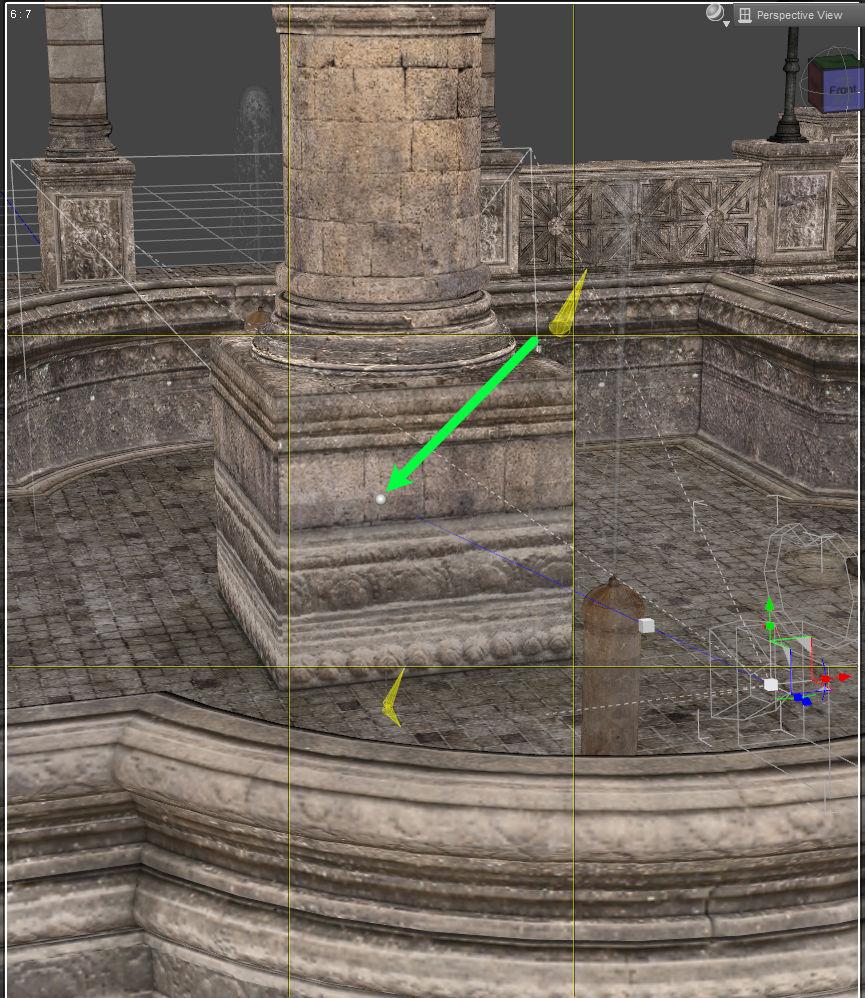
I think I'm only adding camera the same way (through DS menu, clicking on New Camera then Copy Active View) but don't have a sphere each time so how to add a camera with that sphere?
white_sphere.jpg
865 x 998 - 203K
Post edited by Elor on

Daz 3D is part of 
Connect
DAZ Productions, Inc.
7533 S Center View Ct #4664
West Jordan, UT 84084
Licensing Agreement | Terms of Service | Privacy Policy | EULA
© 2026 Daz Productions Inc. All Rights Reserved.
Comments
Hmm, that is intersting. I started to write a reply while DS 6 was starting, but when I add a camera it has the spehere until I drag it to rotate the camera,a t which point it vanished and won't come back. Possibly a bug.
I'm using Daz Studio 4.24 and on my current scene, the first camera I added didn't have a sphere. Then I added another camera to get the name of the option I'm using: this one had a sphere and the first camera had one sphere too for a while but now the sphere is gone for some reason and creating a new camera don't make the sphere back.
i only see that sphere (and cube) for the camera if I have the Universal Tool, Rotate Tool, or Scale Tool active. It is not there if I am using only the Node Selection Tool or Active Translate Tool (<===the cube IS there for this one though). So are you switching up your Tools when your noticing it disappearing? This was in 4.24.04.
I don't remember which tool I had when I created the cameras a couple of hours ago, but I checked right now and I had the Surface tool active (no idea for how long, it's 28°C in my room…). Ccreating one after switching to the universal tool selected did result in getting the sphere back (I think I switched to universal tool before creating a new camera, but 28°C).
I'll keep that in mind and see how it goes in the future :)