DazStudio icons disappear from product list

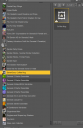
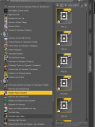
Had to restore my drive from a recent backup. Everything looked fine, but while working in DAZ noticed that several of the product list icons were missing. Tried reinstalling the products one-by-one using both Install Manager and DazCentral. Was working in version 4, but installing version 6 over it only made the situation worse. Before I lose everything, I was hoping someone could tell me where to look. I have backups of documents, cms, and Daz directories. Not sure of the function of these, but is there something in one of these I can check? What else can I do?

Daz 3D is part of 
Connect
DAZ Productions, Inc.
7533 S Center View Ct #4664
West Jordan, UT 84084
Licensing Agreement | Terms of Service | Privacy Policy | EULA
© 2026 Daz Productions Inc. All Rights Reserved.
Comments
Both the file and the thumbnail are not where the CMS says they are, probably becausde your content directory settings are not correct. Edit>Preferences>Content tab, click Content Directory Manager, and make sure the paths point to your actual content directories (the ones that have the Runtime and Data folders in them).
Thank you. I checked and the cms directory is as expected. There was no problem before, And now, only a small percentage of content has the problem. I can go further back to an older backup where I did not have the problem, but then I will lose all the work I've done in the last couple of months. How do I save for restoration created scenes, poses, and wearables created since the backup? If I can find a backup where the problem does not exists then the only issue is updating those files..
It's not the CMS directory that would be the issue, iit is the actual fole locations - the Daz Studio Format Content Directories.
Am totally confused. I'm not that experienced with this and Daz file structure. Nothing I've done so far is making a difference. Matter of fact, I seem to have more thumbnails than I saw originally. I think I'd better finish up the project I'm working on, before I lose everything and make it much worse. Will do some more research later and will report back here if I find a solution.
But, Thanks for all your help.