Can't load G8 Figures Since Installing Daz 6
 AbrahamRockwell
Posts: 155
AbrahamRockwell
Posts: 155
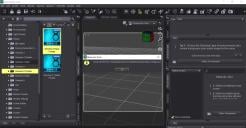
As the title says, ever since I installed Daz 6, I can't load a G8 figure anymore, I just get the error message in the attachment.
I don't know ehy its doing this. I even went back and reinstalled G8 Essentials, first in my 'base' runtime, then in a different one, but I still get this error.
Luckily I had saved versions of the base models, so I can load them with no problem (and it does load G9, but I will have to check for G1 -G3).
Anyone else having this problem, and have a fix for it (I also uninstalled Daz 6 [more trouble then its worth], but still get this error)

Daz 3D is part of 
Connect
DAZ Productions, Inc.
7533 S Center View Ct #4664
West Jordan, UT 84084
Licensing Agreement | Terms of Service | Privacy Policy | EULA
© 2026 Daz Productions Inc. All Rights Reserved.
Comments
If you open the path in file explorer, how does it then look?
Can you load a non-base G8F character?
And you haven't changed the path of your content?
Did you setup the content directories in DS6 preferences? It has its own set of preferences and doesn't copy them from DS4 settings.
The screenshot is of DS4.
Oh right I missed that. As they mentioned installing DS6 I assumed it was where the problem was.
Thanks for the answers, all.
I'll go back and check to make sure all my Runtimes are included properly.
As I said, though, I can load every previous model except G8 with no problem (all using the same Runtime, so I don't see why that would be a problem).
And it all started after I installed Daz 6, I even uninstalled D6 and tried again, but no luck.