Gen 8 Morphs to Gen 3
 theflarf
Posts: 216
theflarf
Posts: 216
Hello,
Just wondering if anyone can help, I was creating a morph in gen3 from a gen8 character
I've been following this guide, except for the process
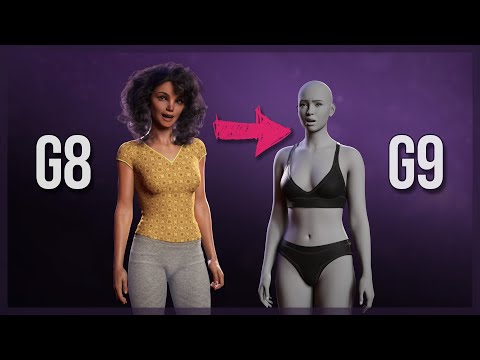
But one issue I have is that my morphs also end up adjusting the pose, it applies the gen 8 default pose when applied to the gen 3 character, this means that when I apply both a head and body morph it doubles (i think) whatever it's doing there and the character starts to resemble a horror monster character.
I'm assuming i've missed something when exporting or importing, becuase once i apply either of the morphs, if I click restore figure pose nothing changes (when normally it would reset gen3 to the T pose, so i'm thinking it's somehow overwriting this, because when you look at the shoulder bend etc it still displays as 0 which for gen 3 would usally be the T pose rather than the gen8 pose it's mimicking
Thank you

Daz 3D is part of 
Connect
DAZ Productions, Inc.
7533 S Center View Ct #4664
West Jordan, UT 84084
Licensing Agreement | Terms of Service | Privacy Policy | EULA
© 2026 Daz Productions Inc. All Rights Reserved.
Comments
hi,
If your morphs Gen 3 save with defaut g8 pose its normal that it isn't working properly
If you use a clone for creat a morph its better to save with T pose, plus use "bake joint rotation" in "tool settings/Joint editor" before save, this thing adjust skeleton for a better morph. (Delete G8 char or restart daz for reset rotation)
And you need to use "Adjust rigging to shape" after slide at 100% if use a clone obj (even without that, sometimes you just have to do it).
Did you pose G8F to match G3F's default T-pose before exporting the morph ?