Coming Soon DAZ Script Linter [Commercial]
 umblefugly
Posts: 95
umblefugly
Posts: 95
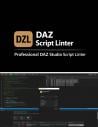
DAZ Script Linter - Feature List
DAZ Script Linter is a Windows desktop application for writing and validating DAZ Studio script files (.dsa) against the official DAZ 3D internal coding standards.
Features
- Full Monaco Editor (Visual Studio Code engine) with JavaScript syntax highlighting, line numbers, and live cursor tracking.
- Static analysis engine checks code against all DAZ 3D naming conventions, formatting rules, and structural requirements.
- Side-by-side editor and results console with draggable splitter.
- Double-click any console row to navigate directly to that line in the editor, with the full line selected.
- Actionable fix suggestions for every violation, with type inference to recommend the correct Hungarian prefix based on the variable's initializer.
- Compliance score from 0 to 100 with green, amber, or red color coding.
- Export lint results as a styled HTML report with timestamps, severity badges, and fix suggestions.
- Inline report preview panel with no browser required.
- DAZ Script compatibility, including support for catch(...) and implicit string concatenation that standard JavaScript parsers reject.
- Coding Standards quick reference panel covering all Hungarian prefixes, scope prefixes, naming rules, formatting, and commenting conventions.
- Lint runs automatically on file open and on save.
- All editor assets are bundled locally, so no internet connection is required.
Rules Checked
- DAZ001 - Missing Hungarian type prefix
- DAZ002 - Not lowerCamelCase
- DAZ003 - Invalid single-letter variable name
- DAZ004 - Global variable missing g_ prefix
- DAZ005 - Function name not lowerCamelCase
- DAZ006 - Space indentation instead of tabs
- DAZ007 - Nested statement missing braces
- DAZ008 - Multiple consecutive blank lines
- DAZ009 - Function missing separator comment
System Requirements
Windows 10 build 17763 or later. .NET 8.0 Runtime. Microsoft WebView2 Runtime.
DAZScriptLinter.jpg
1000 x 1300 - 411K

Daz 3D is part of 
Connect
DAZ Productions, Inc.
7533 S Center View Ct #4664
West Jordan, UT 84084
Licensing Agreement | Terms of Service | Privacy Policy | EULA
© 2026 Daz Productions Inc. All Rights Reserved.
Comments
Very interesting. Any chance to fix Daz scripts to properly display GUI?
This tool isnt meant to be an IDE , it is similar to say, the DAZ Validator in the sense that it finds errors based on the DAZ Scripting Coding Standards you can find here:
https://docs.daz3d.com/public/software/dazstudio/4/referenceguide/scripting/basics/coding_standards/start
Some things that if added would make me very interested in this:
1- Quick reference for objects, constructors, methods, etc to easily get all that info that Daz doc fails miserably to provide orderly, consistent and complete. It would save me a lot of time going throught multiple web tabs of docs and having several helper scripts open at the same time in the IDE. It can have a 'Cat' waring saying something like 'Remember that method is not officially documented, not recomended for production' so we can feel at home
2- A helper to make consistent code from a single IDE for both v4.X and 2026: I know that in general scripts do not suffer as much as with SDK, but listing methods is easy to see daz 2026 has only a fraction of what i see in 4.x
3- VERY IMPORTANT: Fast way of testing. Inside Daz IDE i only need to click execute. If i'm outside writing, and need to save, then go to Daz IDE, open the script, then excecute.... Doing it once in a while is ok, but Is too many manual steps that need to be repeated too often when managing small changes/adjustments.
Just so there is no confusion as to what this application is for i'm sharing the manual.
Most people are unaware of what Lint means in a programming context.
That is a little broader than what I mean by “linter,” but it is definitely in the same ecosystem. The linter could evolve into a DAZ Script language tooling extension: linter first, then API reference, compatibility checks, and script execution helpers. Compatibility warnings and undocumented-method warnings fit the linter directly, while quick reference and fast testing would be adjacent IDE/workflow features built around it.
Whether all of that happens would ultimately depend on interest, sales, and feasibility. I’d likely start with the core linting and compatibility database first, then expand into API reference and execution helpers if there is enough demand and the DAZ side is practical to integrate with.
Of course, which is why I shared the user manual :D