Metadata: how to remove a wrong Scene ID from a Compatibility Base ?
 Elor
Posts: 3,771
Elor
Posts: 3,771
Hello,
Currently, in the database of my Daz installation, Genesis 9 Base is linked to two Scenes IDs:
- /data/DAZ 3D/Genesis 9/Base/Genesis9.dsf#Genesis9
- /data/Daz 3D/Product/G9Dragon/Genesis9.dsf#Genesis9
The first one is the intended one, and the second is bogus.
I think I have identified which product is responsible for that bogus link (Marley HD is the only one with the second Scene ID in its .dsx file in the package downloaded from Daz):
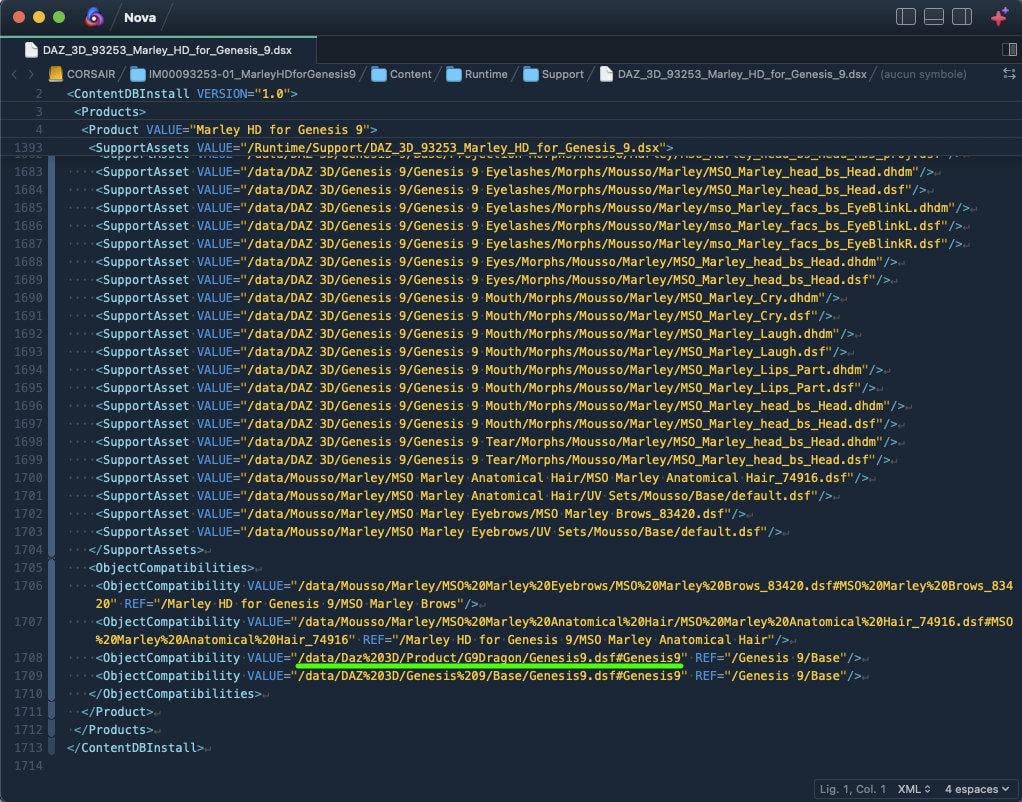
I removed all products with a mention of the G9Dragon Scene ID using DIM, then removed all of them through the Products listing from the Content Library but that problematic link is still here as shown on this screenshot of the metadata editor, opened with Genesis 9 selected in the scene:
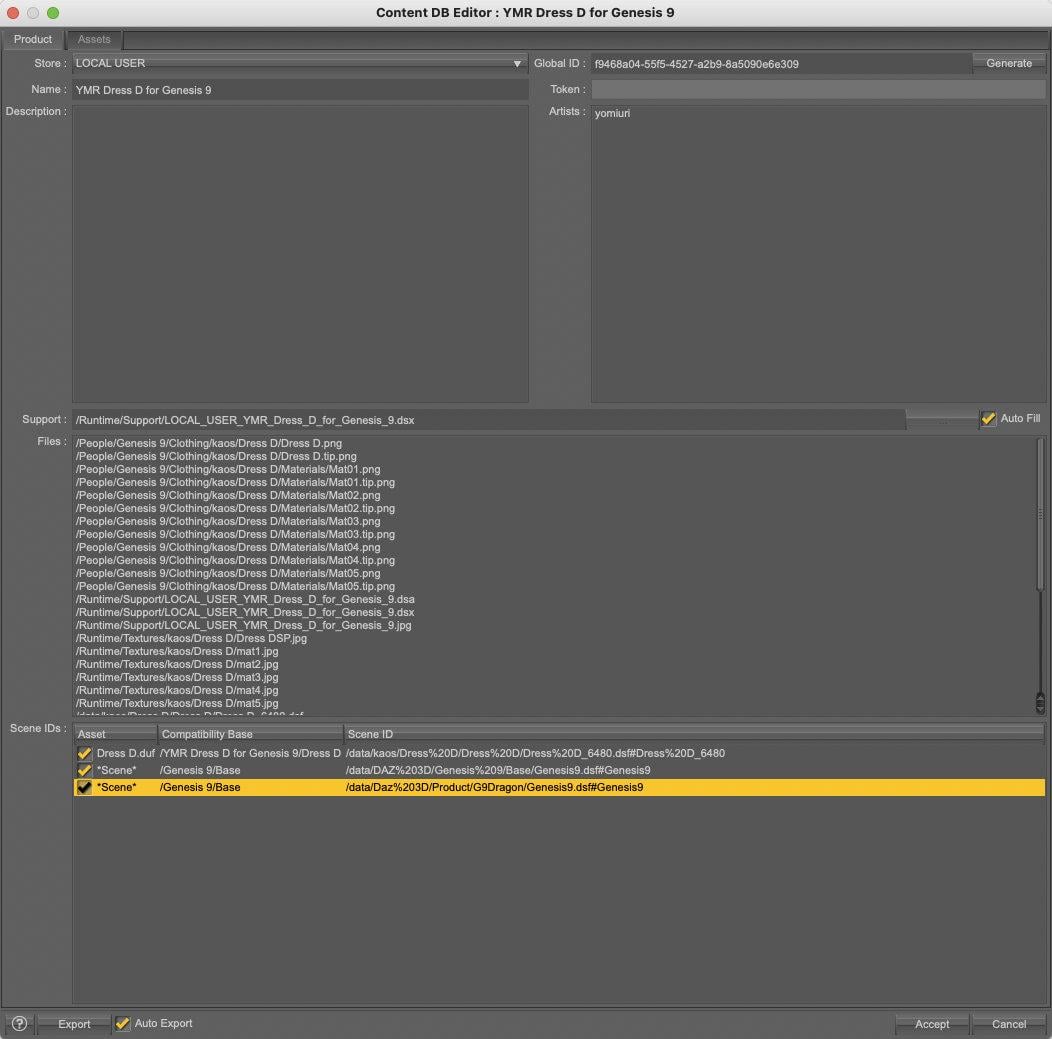
How to remove the link between Genesis 9 Base and the bogus Scene ID so that it doesn't appear in the metadata editor when I'm opening it with Genesis 9 selected?

Daz 3D is part of 
Connect
DAZ Productions, Inc.
7533 S Center View Ct #4664
West Jordan, UT 84084
Licensing Agreement | Terms of Service | Privacy Policy | EULA
© 2026 Daz Productions Inc. All Rights Reserved.