Rigging/Regions
 evilded777
Posts: 2,551
evilded777
Posts: 2,551
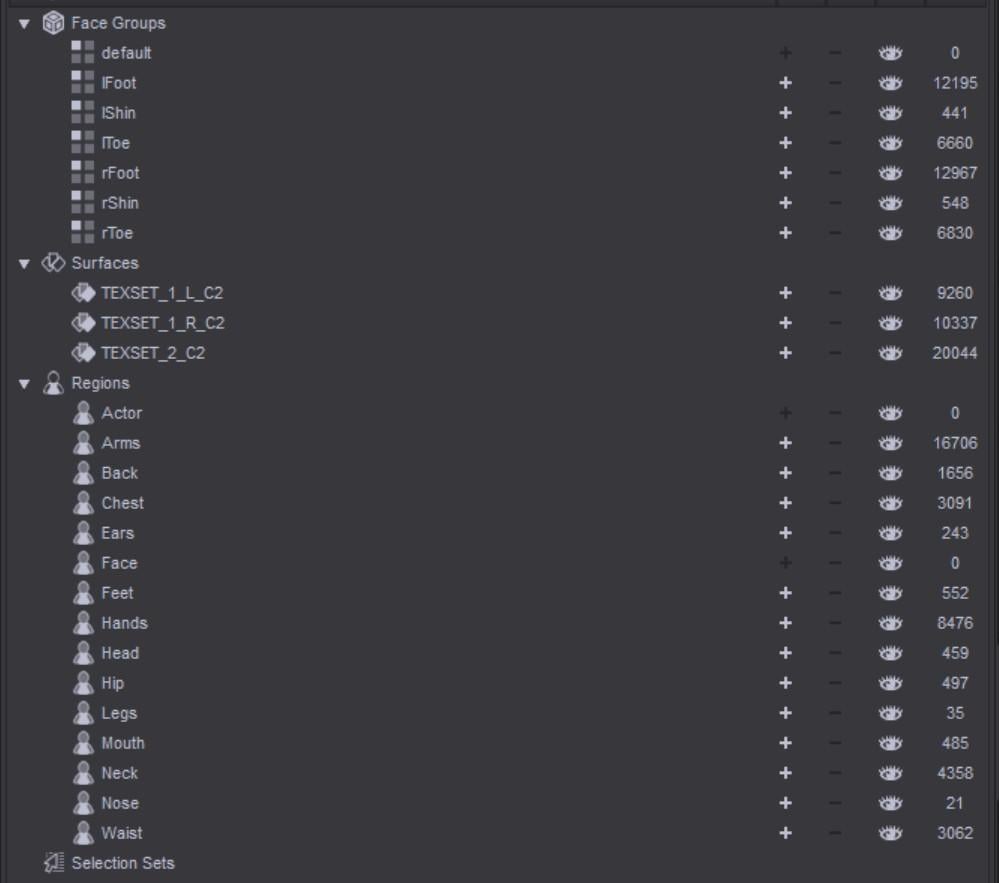
I've been rigging other people's shoe models for a while now and I've never seen anything like this before, but I am starting to see it more and more. Why are the regions such a mess and it does it matter?

regions.jpg
999 x 883 - 62K
Post edited by evilded777 on

Daz 3D is part of 
Connect
DAZ Productions, Inc.
7533 S Center View Ct #4664
West Jordan, UT 84084
Licensing Agreement | Terms of Service | Privacy Policy | EULA
© 2026 Daz Productions Inc. All Rights Reserved.
Comments
Also, what's this about? Stray vertices? I'm not a modeller, per se, but I have a little experience in modeling apps.
Regarding stray verteces. Does these verteces have another weight than the surroundings.
I don't know enough about it to give this question a proper answer.
Select the vertex and those around it (click or marquee the vertex, then hist cmd/ctrl +) then switch to the Node Weightmap brush and the bottom half of the Tool Settings pane should have a details list (going from memory, it may well be a tab) in which you will see the weight values.
The regiions won'thurt rigging or the like, they are used for selection with the Region Selection tool (like regular face groups with any node selection or posing tool).
Its caused by 2 loops that's too close to each other, or the angle between the 2 lines are too steep. As soon as you turn smoothing on the spikes will pop up - getting worse the higher your smoothing iterations are.
If you take it into a modeler and smooth that area slightly, or adjust the loop to have a less extreme distance/angle it will go away.
Thanks, Mada -- love your work BTW. The item is not smoothed, however. This happens when the model is moved. The spike on the heel literally appears to be a vertex hidden inside the rest of the mesh that is attached to a polygon but is not part of the face. I have not succesfully gotten a look at the what is happening with the other part. I was able to delete that vertex once, but then messed something up and wasn't able to work with the result.
Reguarding the Regions, what tools in DS did you use to rig the item ?
These also appear to be vertices not connected to a face. Not to fault the modeller, they do great work; certainly better than I can. And I am using these in a way that they didn't intend.
Transfer Utility.
I guess I should have stated that these artifcats only appear when the legs are moved: bend or side to side.
After much effort in Blender, I was able to locate all the vertices that were not part of faces and delete them. Seems like that solved the problem.
Thanks for all your input, much appreciated.