Install Manager open link does not work as expected

Environment:
• Daz Studio 4.24
• Install Manager 1.4.1.96 (64 bit)
• Windows 11
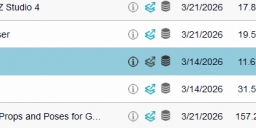
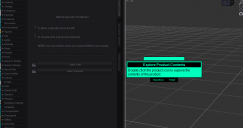
When trying to open up an asset using Install Manager “click here link”, asset does not properly open. Have to go into Content Manager or Smart Content and search for the asset manually. It takes you to Daz window. Locates asset. But, it goes immediately to “finish” box and can’t get to the options to open the asset. Had the problem previously and just returned to older version of Daz Studio. But the software is moving on and I know I have to upgrade. But, I really like the convenience of clicking from Install Manger or Content Manager and having immediate access to asset. Anyone else experience this? Any solution or work around?

Daz 3D is part of 
Connect
DAZ Productions, Inc.
7533 S Center View Ct #4664
West Jordan, UT 84084
Licensing Agreement | Terms of Service | Privacy Policy | EULA
© 2026 Daz Productions Inc. All Rights Reserved.
Comments
Have you got the checkbox at the bottom left unticked? Filter by related content.
Yes, it is not checked Before getting to the Daz Studion screen, In Install Manager, I click the icon to open the product. The “Explore Products” window appears in the viewport. But the expected product contents options do not appear on the left, as they did before. So, there is nothing to click on to open product options. The only choices are “stop (esc)” and “finish”. Previously, there was a series of options to get to the product. None of that appears only stop and finish.
OK, if you click either and the popup disappears, can you then click default or all products top left? That should show what you're looking for.
ok. Clicked finish, since only option. Then clicked "all products" and the item appears. Thanks.
Cool. For a supposedly intelligent search, it doesn't actually take you where you want to go, you still have to manually filter to actually find what you were looking for.