Ultra Scenery 2 Has Me All [Muddled] Up!
 kmw
Posts: 71
kmw
Posts: 71
Okay, I'm baffled. I've had some interesting glitches with DAZ software in the past, but this one takes the cake.
I finally grabbed UItra Scenery 2 because I could no longer fight it at the sale price.
So, I install it and, well, can't find it anywhere. I do a little reading and get, generally, the following instructions:
UltraScenery 2 in Daz Studio is accessed via the Content Library under <span style="background-color:#FFFF00">Environments > UltraScenery2</span> to load base scenes, while specific tools are found in the Scripts section. Ensure the plugin is installed via Daz Install Manager and locate the pane labeled "UltraScenery2" to manage landscapes.
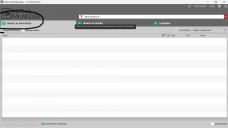
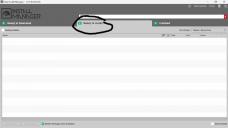
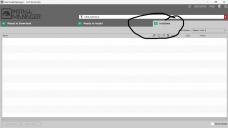
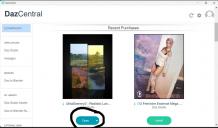
Well, before reading that, let's start with I instinctively used DazCentral for the install. Don't know if that makes a difference. Maybe it's why I'm having problems. (I will say this: while I don't use DIM often these days, I have used it enough to know my files should be listed. And NOTHING's listed. I have no idea why.)
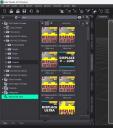
So I can't find Ultra Scenery 2 anywhere in Smart. I did find what looks like some props in Library, though I'm sure that's not the whole magilla.
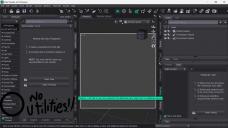
Here's where it gets really weird: After the install, I open Daz Studio all ready to play and discover my — wait for it! — Utilities tab is gone!
I don't know if one (Ultra Scenery) and the other (Utilities tab) have anything to do with each other. It could just be a coincidence.
Right?
So ... wha hoppen?
I've got a lovely bunch of pictures! Don't know if they'll help.
Thanks in advance.

Daz 3D is part of 
Connect
DAZ Productions, Inc.
7533 S Center View Ct #4664
West Jordan, UT 84084
Licensing Agreement | Terms of Service | Privacy Policy | EULA
© 2026 Daz Productions Inc. All Rights Reserved.
Comments
Guess I should add, my Scripts tab is gone too!!!
I've never noticed it to begin with, as most scripts were in Utilities anyway. But at last one resource told me to look under Scripts. (Take another look at my fifth image.)
First in DAZ Studio I'd check to make sure it is actually installed correctly by going to Help then clicking About Installed Plugins and scroll down to the bottom (Since its a U) and if it IS installed correctly, you will see it with a Checkmark and a Green Plug, if you don't see that, you know it did not install Correctly...
If you do see that, now go to Window/ Panes (tabs) and look down the list and you will see UltraScenery2 near the bottom, Click on that open and new Pane, and then I would put it somewhere on your left side list (where SmartContent, ContentLibrary, etc Tabs are. Also to see it listed in DIM you need to either search by sku::98176 or ultrascenery2 as one word.
If you DON'T see it, I would then either uninstall it from DAZCentral /or DIM and reinstall it WITH DAZ Studio turned shut down. Then Restart DAZ Studio once it's installed. I have had a few Plugins install Bad when I had DAZ Studio running when I installed them, and then after uninstalling/reinstalling with it off, they worked fine after that.
Hope that Helps.
Create an ultrasecenry2, then open the pane. See Images
It helped a lot. Your reinstall hack worked. Though I'm pretty sure I'm still missing something. I have to ask: Is there another product I need to use Scenery 2? The current product page says 2 is an upgrade, but doesn't say you need a required product to use 2. (That would've been nice to know. I would've put off the purchase until I could afford both.)
But, I did solve one problem. And that's good.
Now I need to know why my Utilities and Scripts tab disappeared... I did searches and found a couple of products that were in Utilities, but I don't where they landed on my interface.
Uhhhh ... I have no idea how to do that. But I'd love to know.
You don't have the create Ultrascenery2 nor the pane?
Have you then checked in Help > About installed plugins, that Ultrascenery2 is marked green (properly installed)?
Thank you! This is very cool!
You're welcome. Everything working?