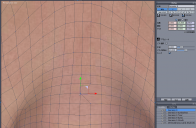
In symmetric mode, edit a point near the center, X pos automatically become 0
 mobius.8x
Posts: 0
mobius.8x
Posts: 0
I still like to use Hexagon for creating character morphs because it's easy to use when editing vertices and tranfer with DAZ Studio.
However, I'm constantly troubled by a problem where, when moving vertices symmetrically on the X axis, the X axis position automatically resets to 0 the moment I try to edit a point that's close to the center.
I struggle with editing areas where vertices are close to the center, such as around the character's nose.
Until now, I've been editing only one side in Hexagon, then transferring it to DAZ and creating a mirrored morph during the morph creation process.
Is there any way to solve this problem within Hexagon itself, other than the method described above?

Daz 3D is part of 
Connect
DAZ Productions, Inc.
7533 S Center View Ct #4664
West Jordan, UT 84084
Licensing Agreement | Terms of Service | Privacy Policy | EULA
© 2026 Daz Productions Inc. All Rights Reserved.