Auto-align d-former field and base to figure instead of global?
 Joe827
Posts: 272
Joe827
Posts: 272
At this time, Mesh Grabber is not expected to function with future versions of Daz. So I've been trying to get better at using d-formers. Yes, I understand that Mesh Grabber will continue to work in Daz 4.24 and if necessary, I can open that version, use Mesh Grabber, save the change as a morph and then reload the scene in the latest version of Daz, but just to do something like move a piece of hair out of the way, this round trip is just too slow considering it only takes me 5 seconds to do with Mesh Grabber today.
D-formers are pretty quicky, but I noticed that when you create one, the X Rotate, Y Rotate and Z Rotate seem to align with global rather than the figure or bone. This makes manipulating the dformer really difficult because when I'm working, I quickly loose any notion of where the global "front" of the scene is.
Here's a scenario:
1) start figure in the "A pose"
2) Increase figure's trunk node Y Rotate to +45 deg
3) Create d-former. Observe that d-former base and field have a Y Rotate of -45 deg
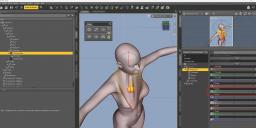
4) Select the handle, and increase the Z Translate. Instead of moving towards the front of the figure, it moves towards the front of the scene. To me, it's very difficult to use d-formers in this manner.
5) Increase/decrease the Z scale on the field. Instead of it scaling in alignment with the front/back of the figure, it scales in alignment with the front/back of the scene. Again, difficult to use in this manner.
So if I want to align the deformation with the front of the figure, I manually zero the X Rotate, Y Rotate, and Z Rotate on the d-former field and base (6 properties per d-former) every time I create one. This gets tedious very fast. Is here a way to auto align d-formers to the figure instead of global?

Daz 3D is part of 
Connect
DAZ Productions, Inc.
7533 S Center View Ct #4664
West Jordan, UT 84084
Licensing Agreement | Terms of Service | Privacy Policy | EULA
© 2026 Daz Productions Inc. All Rights Reserved.
Comments
I just wrote a post about this a week ago but I really hope DAZ makes an improved d-former that gives users the option to update the geometry not from its base shape and position but relative from what is seen on the viewport (what in maya would be called last in chain).
I'm not trying to hijack your post, I'm just saying if d-formers had that kind of option, it would solve your problems too, make it work more like mesh grabber.
Diaspora said:
Would you mind sharing a link to the post?
To your other comment, I don't think I want d-fomers to work exactly like Mesh Grabber because scaling the X, Y and Z axes of a d-former field independently (something you can't do with Mesh Grabber) is useful, But you can't beat Mesh Grabber's speed for quick adjustments. I'll miss that.
Have you tried changing the D-Former's influence to Weight-Mapped? You have to paint the weight yourself, but it gives much greater control and finesse, albeit no difference with the axes...
Also, it is easier if you add the D-Formers before posing the figure. You can also try changing the Tool Settings for the transform tools (Translate, Rotate, Scale, Universal) to use screen, world, local or object coordinates when manipulating the widget.
I've not tried them with weight maps. 99% of the time I just need Mesh Grabber/D-formers to make quick adjustments - 10-20 seconds, and then move on. But yeah, if I needed to do something with a lot of precision, then I'd give weight maps a try. As for adding d-formers before posing, from experience, I know spots that will be problematic and can pre-load some ahead of time, but I know I'll add more, usually for hair. As for the tool settings, I'll take a look. Does that change the coordinates of the field & base or just the handle?
The field and base are unaffected, just the axes on the widget, but then the movement is in the direction you expect. The parameter sliders stay in object coordinates (base node) since the D-Former is attached to the base node (on DSON-format objects). IIRC, on Mill Gen 4 (or any Poser-format object) you could place D-Formers on any node and the effect would be limited to that node.
Got it. It took me a second to figure out what you meant because I rarely use the widget. I'll try it out for a couple weeks. Thank you.