Broken body part G9

Hello Guys,
I've encountered a weird thing while shaping a character (G9F). I wanted to change shoes, but when I did, I noticed that the feet dissapeared (Both models are for G9). Please be referred to the attached images. I don't understand what happened, but I'm almost sure it has to do with the sneakers. Has anyone seen something like this and could someone offer a solution?
Thanks!
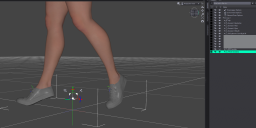
Shoes On.png
1990 x 980 - 350K
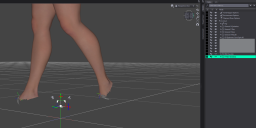
Shoes Off.png
1864 x 928 - 307K
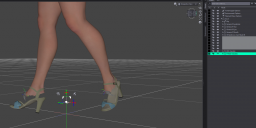
Other Shoes On.png
1922 x 949 - 369K

Daz 3D is part of 
Connect
DAZ Productions, Inc.
7533 S Center View Ct #4664
West Jordan, UT 84084
Licensing Agreement | Terms of Service | Privacy Policy | EULA
© 2026 Daz Productions Inc. All Rights Reserved.
Comments
The shoes are set up as GeoGrafts, they are set to AutoHide some geometry. This is probably to allow the shoes to work independently of the feet without causing poke-through, though if those are sneakers with soft fabric uppers and fairly soft soles that would seem undesirable. If you unfit the shoes (Fit to>None in the Parameters pane) then the hidden mesh will come back, or you can use the Geometry Editor to select one polygon that can be hidden without breaking the model and then right-click>Geoemtry Assignment>Set Auto Hide Faces for Atachment and then pick the shoes; once you swtch to a reguilar posng tool the hdden feet will return, all that will be hdden is the sacrificial polygon.
Hey Richard.
The "Fit to > None" setting did the trick. You were right, it had some hidden geometry that caused this.
Thanks for the help.