SOLVED canvas folder I cannot delete
 WendyLuvsCatz
Posts: 41,765
WendyLuvsCatz
Posts: 41,765
Stonemason's render settings for Black Gate had canvases checked or maybe something previously done did
just know I didn't
I didn't want them
deleted it but cannot delete the root folder
not even with command prompt
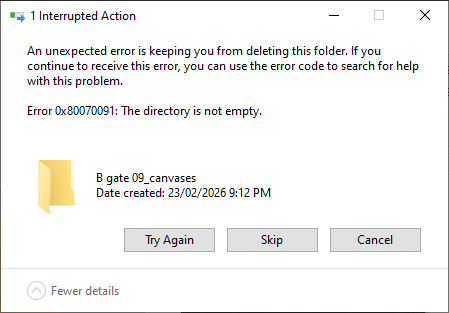
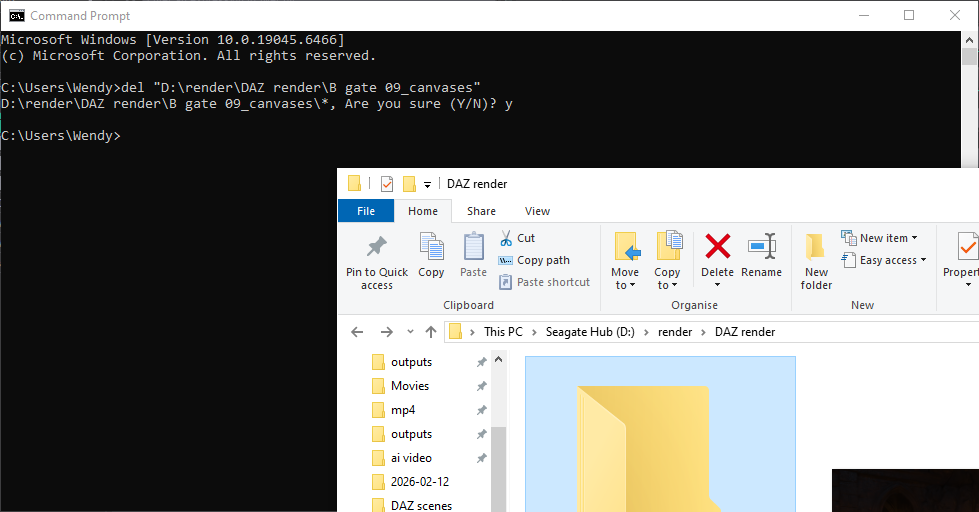
Capture.PNG
979 x 512 - 58K
Capture2.PNG
449 x 313 - 12K
Post edited by WendyLuvsCatz on

Daz 3D is part of 
Connect
DAZ Productions, Inc.
7533 S Center View Ct #4664
West Jordan, UT 84084
Licensing Agreement | Terms of Service | Privacy Policy | EULA
© 2026 Daz Productions Inc. All Rights Reserved.
Comments
Could be a corrupted file or a permissions issue.
First thing i'd try, check the folder permissions. right click>Properties>Security. Make sure your account is listed with "Full control" checked. If it's not, you can, generally, just click the Edit button and add full control.
If that checks, try renaming the folder, and/or file(s) in it. Then try deleting again.
If Explorer throws the same error, then try using an Elevated(administrator) command prompt, with explorer closed. Right click the Command prompt icon and select Run as Administrator.
If that doesn't work, try rebooting.
If that doesn't work, then you've probably got a corrupted file and will need to run checkdisk and/or disk cleanup to get the error to clear.
If you've gone through all that and it still won't delete the folder, there's probably a hidden file in there.
Try turning on Show hidden files, folders and drives under File explorer options in the Control panel.
Try deleting the file using the regular method, and if that throws an error, go through the steps above for the file itself.
I am still rendering an animation in DAZ studio so haven't tried rebooting yet
that will be the next thing
I did try changing permissions under properties
I often get files in my library from Autoadapting stuff I cannot delete too
and a few content files in particular 3 from Polish in textures when I moved my entire library to another drive
since formatted that drive
this folder has a 0 byte value
after rebooting I could delete it
Cool.
Sounds like it was just an Explorer hang then.
If you're getting this a lot, something else you might try is to restart the Windows Explorer in Task manager.
Just be aware this can cause problems, losing the task bar in the worst case, and require a hard reboot(push the power button).
sorry about that, some of the render presets I use for testing and promos use canvasses and I'm often forgetting to uncheck them when packing up
its OK, I occasionally have used Canvases myself but some stuff did delete just not that one folder until after reboot so it's more likely an issue with my PC or that drive