Screen is just gray. Need help ASAP.
 sadiejfoxx
Posts: 33
sadiejfoxx
Posts: 33
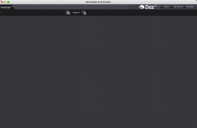
I have been working with Daz for almost a year now, but still consider my self a nubie. The last thing I did on Daz was download the weekly freebies, and a Character bundle with Premier. I went to use it today, and when Daz opened, it was just a grey screen, with Advanced at the top. I am hoping this is just a simple fix, but what I saw is attached. I am running on a Mac with Tahoe OS. Any help is grately appreciated as I am on a deadline, and was not expecting this (not like any of us are). I've tried shutting it down and starting again, and opening a scene. nothing works. It even crashed when I opened a scene. Help!

Daz 3D is part of 
Connect
DAZ Productions, Inc.
7533 S Center View Ct #4664
West Jordan, UT 84084
Licensing Agreement | Terms of Service | Privacy Policy | EULA
© 2026 Daz Productions Inc. All Rights Reserved.
Comments
so I partway figured it out. All of my panes were turned off so I am slowly adding them back, but everything is highlighted in yellow now instead of the green it used to be. and how do I know if the panes (tabs) are going to be there when I close the program?
Unless somethng interferes DS will save the current layout on exit and reload it on start. Command line options can be used to override this, but that isn't soemthing you would do by accident, disc issues and overzealous security software or other low=level utilities can cause issues. You can use Window>Workspace>Save Layout to save the current state, and Window>Workspace>Select Layout to reload it.
Highlight colour (and others) can be adjusted in WIndow>Style>Customise Style...
There are some default setups (in the window menu) - unless you previosuly customised yours its very likely you were using the default - it's worth trying another couple of the others, if you never have, depending on your screen-size you might find some of them useful.
If you select the default I think you'll also get your default highlight colours back too.
All should remain when you close and re-open.