LOD System
 jmucchiello
Posts: 2,519
jmucchiello
Posts: 2,519
in The Commons
https://www.daz3d.com/daz-lod-system-and-cleaner (I couldn't find anything in the PA products forum.)
So, is this a competing product to Scene Optimizer? It doesn't seem like one would need to use both. It says it's written in Python, I assume that means it is a plugin?
Loading the images into GIMP and doing a difference on the layers does reveal the images are different. But those differences seem small.

Daz 3D is part of 
Connect
DAZ Productions, Inc.
7533 S Center View Ct #4664
West Jordan, UT 84084
Licensing Agreement | Terms of Service | Privacy Policy | EULA
© 2026 Daz Productions Inc. All Rights Reserved.
Comments
I think it works like mip mapping
replacing textures on objects further away from the camera with progressively lower resolution maps
most game engines do this but they use dds files which have lots of progressively smaller layers
LOD textures also increase VRAM use because they hold more information. They speed up rendering time, which is why they're used in games that need to give the illusion of a realtime world. As I understand the description of this product, it will create a new version of a texture for items that are far away, but keep original textures for items that use the same textures closer to the camera. Definitely a LOD (level of detail) system and it should speed up rendering time, but if you have a scene with an object repeated at different distances from the camera, it could also increase VRAM requirements on those. Seems a useful utility if it works how I imagine it might, but VRAM saving will be dependent on your scene. I wonder how - or if - it handles instancing.
I've seen this product before somewhere. I wonder if I purchased it elsewhere already or if I remember it from a forum discussion somewhere. Anyone else recognise it? Don't want to buy it twice if I can help it, but can't for the life of me remember where I've seen it to check whether I have it already.
It was sold on Renderhub.
That's helpful. The dev posted on Renderhub's forums that he thinks it completely replaces https://www.daz3d.com/scene-optimizer and goes beyond it.
There is a video on YouTube about it:
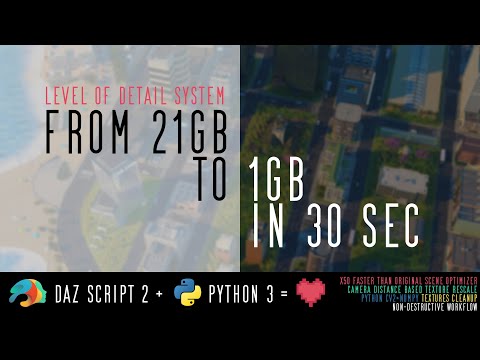
Daz LOD System (Better Scene Optimizer)
I feel that they don'y really describe how their system works.
In their promos they are mentioning 21 GB original textures compared to 1GB compressed textures. But Iray don't use compressed textures.
And the image they used was a birds view, and in a renderer that was not Iray.
And in the video they are basically mocking scene optimizer for being slow.
It is likely that Python is way faster that Daz Script, but personally I lack to understand how they do it.
Presumably they rescale the texture and replace it, not "compress", just like scene optimization does. The difference is they do it "faster" somehow. How can you tell it wasn't Iray?
This image, if it is Iray it look like a toonish one. Very homogen colors.
That was my first thought or from a game program.
Not a plugin ( plugins are written in c++ ).
It says DS script and python, I've done that too ( but not for anything in the store ).
You write an backend in python and call it via DzProcess, the tricky part is to make the python code signed and verified to run, specially on macOS which has a quite highter level of code protection these days.
But there are some python IDEs that does that pretty good these days,
As Totte pointed out, the Daz to Python process has been around for some time, My old Daz to Marvelous Designer script that was released for FREE contained an interface codeing to allow DS Scripts to launch Python codes.
This texture mapping replacement process could be useful for some, but as others have pointed out, if you already have a tool that can perform the task; you will need to confirm that the scripts will work in studio 2025/6 else you will have future problems. Will be curious to see what others think.
I had no idea calling Python from the scripting language was possible (and gaining access to the scene data).
Philemo's Virtual World Dynamics bridge does
VWD is a Poser py script
(not that it works now since quite a few Windows and D|S updates)
and being a code ignoramus, I have no solutions either
Just open any non compressed .duf file and you'll see that the data inside are in plain text, using JSON to structure them: any tool capable of dealing with JSON will be able to deal with that data flawlessly.
And if it's compressed, DS uses the good old gzip format, which is easy to work with.
Competing products are nothing new here. But in general i see PAs being respectful to one another and avoid direct conflict.
Directly mention another a PA product in a diminishing way in your very main promo image is not being a good sport.
They should concentrate in providing proper real examples and not a simple bird eye view of a city; that is extreamly narrow view (pun intended) in terms of Daz use cases that could benefit of VRAM optimization.
I think a dse is encrypted and that is sadly what the VWD bridge uses
7zip cannot extract it like duf files
would ask Philemo but he vanished after the Covid Pandemic and fear the worst
actually see he last visited the forum 2025 after several years absence mmm
I was thinking it accesses the live data in the running instance. Of course you can read the files. (I'm constantly editing the actual files because of missing properties in store assets due to typos, for example)
So, anybody has bought it? If so, please post your results.
Easier to just collect all current map-references, toss them into a file, and hand that file over to the python, with a "distance to camera", and do the rescale, then hand a list back, and update.
Anything that reduces texture-usage is potentially welcome, so also interested in seeing some reviews - especially given the lack of a PA page in the forums (which is often not a "good" sign).
The image/video they are pushing seems to be demonstrating that those tiny buildings would still be 21GB in texture-size Daz native - with so many and so visible that's likely but its far from a typical Daz scene and there are specific assets to do cityscapes with reduced and manageable textures (Stonemason et al). I'd be interested in seeing some (character-full) more typiclly Daz scenes and the results of those.
One of the (many) benefits of Scene Optimizer is you can pick and choose what textures get reduced (and by what factor) - this doesn't read like that.
Less of a mystery, more info required.
Ha, @Totte is showing his battle scars and the wisdom he's gained from them.
I've found that there is no perfect solution because neither approach is documented very well, and you're still going to have to reverse engineer things.
Using the SDK to get runtime information is not optimal because the SDK lags far, far behind actual DS development and the SDK doesn't employ any kind of component architecture that would allow it to keep up with development; its just some header files and DLLs. C++ doesn't do introspection, so the SDK doesn't even know about the latet, greatest DAZ innovations.
And reading JSON is not optimal either because, while it has all the data and JSON is to some degree self-documenting, its a snapshot of the scene in a primordial state, before DAZ Studio has pulled it into the scene, i.e. sometimes one does not know how DS transofrms that data to arrive at what you see on the screen. I believe that is why the Diffeomorphic addon requires .dbz files: even a verifiable coding genius like Thomas Larsson couldn't reverse engineer how autofit starts with unmorphed vertex data from the JSON and ends up with a jacket on a G8 at runtime.
Every day of my waking life I dream about how awesome it would be if DAZ would just help a little bit more the enterprising nerds that are making DS better, for free. If there were a Developer Program like there is for Maya, I would have paid a pretty penny for it in a split second if it would have cut down significantly my more than 6 years stumbling around in the dark, trying to get Sagan to work.
It used to be sold on RenderHub, here is the anwer by the author that was given 2 years ago:
Okay, so I just bought it, and I've tested it on one of my scenes. Specifically, this one.
I had already used Scene Optimizer on this scene to reduce the texture size of select items. According to this tool, the scene weighs in at 4554MB. That makes sense; combine that with the around 2GB that Iray requires at baseline, and it fits inside my video card's 8GB of VRAM. But then I ran the LOD operation on the scene, and when it was done, somehow the scene size, according to the tool's own measurements, ballooned up to 11541MB!! How in the world did that happen?? And it doesn't seem to be a glitch in how it is calculating the value; the scene won't render in Iray unless I undo it. So it really is growing the scene somehow.
Okay, let's try it with a different one, like this one. It actually does shrink: it goes from 5163MB to 2890MB. That's actually a considerable saving! But that still leaves the question on how the heck the other one grew. As for the rendering results?
There are two things that are visibly affected. First, the lamps are shaded differently. I don't believe that's consequential. But one difference that *is* consequential is the fact that the flower clips are now more translucent. This is because I was doing something goofy with the flower clips' opacity map; I was reusing the glossy color map, but I used the Image Editor to set the Instance Color scale to 1.80. I don't remember why I did it that way; I probably shouldn't! But this information got thrown away in the process; I would consider that a bug. Instance Color and Instance Tiling definitely need to be restored on each map changed. I use Instance Tiling extensively on my characters' clothing so that bump map tiling can be independent of diffuse map tiling. It doesn't seem like it touched my characters' clothes, but if it had, it would have looked really bad! See the female character's skirt? The diffuse map is one giant circle, so it has to be 1x1. But the cloth detail--not that it can be seen in this one--needs to be 12x12 to look right. That's where Instance Tiling comes in handy.
I'm very happy with the result on the second scene, but very confounded as to what happened on the first scene.
I would also like the ability to choose where the modified texture maps get saved, the way Scene Optimizer currently offers.
CRITICAL EDIT: Actually, speaking of Scene Optimizer, that actually shows what happened to the first scene. My female character's maps are ordinarily 3072x3072. I have 4096 ones, but she loads up with 3072 for most scenes. And Scene Optimizer had set all the maps in the environment to be 2048x2048. ...This utility erased all of those savings for some reason! It set my character's maps AND the environment maps back to 4096! Why did it pick bigger maps?! It was using smaller ones for a reason!! I'm hazarding a guess that it saw that there were textures with sizes at the end of the filename, as well as textures without the size at the end, which is a hallmark of how Scene Optimizer names its scaled textures, and just switched those back, and then... refused to do anything else.
EDIT AGAIN: I originally had much harsher wording for what I thought about this problem. I do want to concede that it could be a bug. Perhaps it does go out of its way to avoid stepping on Scene Optimizer, and the codepath for that is not well-tested, so it's missing some steps. But the promotional material--mainly the video--spends a lot of time dunking on Scene Optimizer, so it really looks like it's intentionally spiting Scene Optimizer somehow. One thing I will concede is that Scene Optimizer's resizing algorithm is terrible, and the images usually look pretty bad. I have a script that redoes the resizes using ImageMagick. So maybe the angle here is "we can resize those images better"; that's a completely fair angle to take. ...But then it just... doesn't? And re-running the tool doesn't do it, either. It just refuses to shrink the scene any further.
The reason why it went from 4554MB to 11541MB is because the script searched for original textures first, undoing all the stuff Scene Optimizer did.
For now you can disable LOD for particular objects by selecting the props and clicking "Disable".
Use the Extra Downscale slider for further shrinking and adjust Clarity Radius to make all the objects within this radius have original textures.
TheMysteryIsThePoint said:
Heh, yea, learning by doing, and what doesn't kill you makes you stronger and pain is just weakness leaving the body, or so they say.
Are you the author of the script? If so, what justification do you have for undoing the work that Scene Optimizer has already done? Especially without my consent? Like I said before, Scene Optimizer is the reason the scene was fitting in VRAM to begin with. If you want to re-resize the textures that Scene Optimizer made, that's probably a good idea, because most users probably don't have access to a script that conveniently redoes Scene Optimizer's resizing. But going back to original textures without consent and making the scene no longer fit in VRAM is an extremely confounding action to take.
It's frustrating to know that I'll have to rename my character's textures to prevent you from changing them just because you think you know better.
Thank you. That's indeed where I know it from!
This outrage is a bit unwarrented. Using two different scripts to do the same thing at the same time just isn't a good way to use either script. They are bound to step on each other in some way.
You can always rerun Scene Optimizer on the original scene. Neither script modifies the original texture assets (I hope). And I hope you have a backup copy of the DUF file. I never run Scene Optimization on the original DUF. I save as and then run it.
Quoted for truth - as a developer and user.