Mocap Live Plugin using Rokoko Studio
 bluelight special
Posts: 34
bluelight special
Posts: 34
First, due to a Rokoko update, I figured out that you have to go to Rokoko Studio settings under the API & Integrations to get the Port number and to enable UDPTrigger Messages to communicate with the Daz plugin. That should be updated in the documentation.
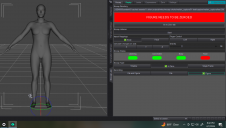
And also, both Genesis 8 and 9 figures display a message in the Mocap plugin tab: FIGURE NEEDS TO BE ZEROED. And after going to the Zero tab and clicking Zero Figure, it indicates: ZERO COMPLETE. But that does not remove the message in the Mocap tab. And as long as that message is there, then the blue Start Mocap tab is inactive. I've tried it with both the default poses and with dialing in Arms Down and Legs Spread to match the Zero Pose window visual requirement, to no avail.
Somehow I was able to bring in a Genesis 8.1 in its default pose and start the mocap, but its arm joint swould only bend and not twist. Someone commented on one iof the vendor's Youtube videos about this and he replied to make sure no constraints were locked and confirmed that all the Genesis figures (1-9) will bend and twist naturally. I checked and didn't see any locked constraints on that Genesis 8.1. So then I went to the plugin's Joint tab and remapped the shoulder bend to twist along with mapping carpels to empty finger joints. Immediately after doing that the Genesis 8.1 and every other G8 I brought in afterwards gives the red box FIGURE NEEDS TO BE ZEROED,making the Start Mocap button inactive. Even after reversing the mapping, and even after restarting both Daz Studio and Rokoko.
I don't know what to do. Today I just paid $216 for this plugin. Please help.

Daz 3D is part of 
Connect
DAZ Productions, Inc.
7533 S Center View Ct #4664
West Jordan, UT 84084
Licensing Agreement | Terms of Service | Privacy Policy | EULA
© 2026 Daz Productions Inc. All Rights Reserved.
Comments
Here's an update: I got Genesis 1,2, and 3 working. And all their joints appear to bend and twist, but this is what happens when you try to put your hands on your hips, which indicates that range of movement is constrained somewhere. I couldn't find any locked constraints and I turned off limits on the entire figure. For Genesis 8 and 9 I might just download a fresh model install into a new directory.
Can anyone help figure out this hands on hips failure?
Edit: Update - a fresh install of Genesis 8 in a new content directory didn't work.
Edit: Update - discovered that if you delete all the map files stored in the Mocap Live Configuration Directory, which was in the data folder of my content library, then all the Genesis figures work again. Seems as if the 'Map joints to' in the Joints tab corrupts the saved maps in the data folder. Deleting all those and restarting Daz Studio refreshes the correct maps.
But there's still the issue of the limited motion in posing with all the Genesis models. Looks like the Shoulder Bend and Thigh Bend aren't twisting, which inhibits the range of motion and thus posing. And that's not a Rokoko issue as they twist freely and correctly while streaming into Blender. I'd much rather stream to Daz Studio without jumping through the extra hoops in Blender, but unless there's a hidden constraint or driver or something in Daz that's the only way to get a good motion capture. Otherwise the Mocap Live plugin is useless.